
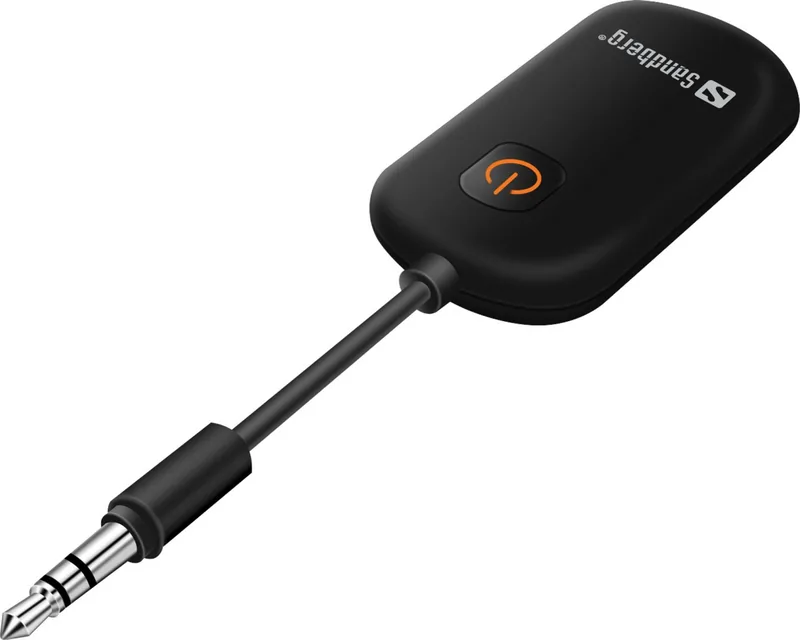

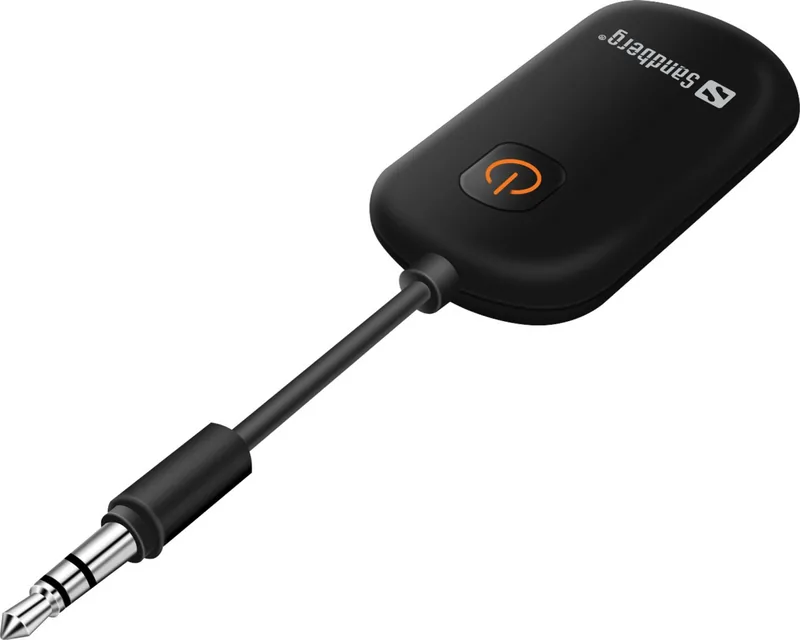
Sandberg Bluetooth Audio Link 2in1 TxRx 450-12 Manual
PDF manual · 8 Pages
English



Quick check
Incorrect answer, please try again.
Chat with your Sandberg Bluetooth Audio Link 2in1 TxRx 450-12 manual using AI
Get instant AI answers from your Sandberg Bluetooth Audio Link 2in1 TxRx 450-12 manual
Ask anything about the Sandberg Bluetooth Audio Link 2in1 TxRx 450-12. Answers come from this manual, with the pages they are based on.
Ask a Question
Do you recommend Bluetooth Audio Link 2in1 TxRx 450-12?
Yes NoFrequently Asked Questions
It is a Bluetooth audio adapter with two operating modes. In Rx mode, it receives audio from a Bluetooth device and sends it to wired audio equipment. In Tx mode, it takes audio from a wired source and sends it to Bluetooth headphones or another Bluetooth audio receiver.
Is this answer helpful?
Select Rx mode and connect the adapter to the AUX input or headphone-compatible connection on your wired audio equipment. Hold the power button for three seconds to turn it on and enter pairing mode, then select "Sandberg 450-12" in the Bluetooth settings of your phone, tablet, or computer.
Is this answer helpful?
Select Tx mode and connect the adapter to the TV's compatible headphone or audio output using the mini-jack connection. Turn on pairing mode on your Bluetooth headphones, then start pairing on the adapter. The adapter transmits the TV audio wirelessly to the headphones.
Is this answer helpful?
Pairing mode is active for up to five minutes. The power-button LED flashes white and orange while the adapter is ready to pair. If pairing does not finish in that time, restart pairing mode and make sure the other Bluetooth device is discoverable.
Is this answer helpful?
Use the supplied USB-A to USB-C cable with the USB-C charging port. The red LED stays on while charging and turns off when the battery is fully charged. The adapter can also be used with USB power connected.
Is this answer helpful?
A red light flashing three times every 30 seconds indicates a low battery. Recharge the adapter using its USB-C port. A steady red LED indicates charging, while no charging light means charging has finished.
Is this answer helpful?
Briefly press the reset button to disconnect an active Bluetooth connection. Hold the reset button for five seconds to reset pairing information. Resetting is useful when connecting to a new device or troubleshooting a pairing issue.
Is this answer helpful?
Advantages and Disadvantages
Advantages

- Works as both a Bluetooth receiver and transmitter, supporting wired-to-wireless and wireless-to-wired audio setups.
- Uses a standard 3.5 mm mini-jack connection for broad compatibility with headphones, speakers, TVs, and AUX-equipped devices.
- Built-in rechargeable battery can be charged by USB-C or used with USB power.
- Clear LED signals show pairing, charging, completed charging, and low-battery status.
- Automatic shutdown after five minutes of inactivity helps conserve battery power.
Disadvantages

- Audio equipment must have a compatible 3.5 mm input or output connection.
- Pairing mode is limited to five minutes, so devices must be ready to connect promptly.
- The adapter requires manual selection of Tx or Rx mode before use.
- Bluetooth pairing data may need to be reset when changing devices or resolving connection issues.
Product Specification
Type
Transmitter & Receiver
Signal Transmission
Bluetooth 5.1
Range
32.81 ft
Connections
AUX In (3.5 mm jack), Stereo Line Out (3.5 mm jack)
Power Supply
USB-C
Features
AAC
Dimensions
4.84 x 1.14 x 0.47 in (W x H x D)
Weight
0.56 oz
Product Description
Sandberg Bluetooth Audio Link 2in1 TxRx Manual: Flexible Wireless Audio
The Sandberg Bluetooth Audio Link 2in1 TxRx is a compact audio adapter designed to add Bluetooth connectivity to equipment with a 3.5 mm mini-jack connection. Its dual-purpose design lets it work as either a Bluetooth receiver or a Bluetooth transmitter, making it useful for everyday listening setups at home, while travelling, or at a desk.
Two Modes for Different Audio Needs
In receiver mode (Rx), the adapter accepts audio wirelessly from a Bluetooth-enabled phone, tablet, or computer and sends it through its mini-jack output. This can help bring wireless playback to wired headphones, speakers, car stereo AUX inputs, or other compatible audio systems. Pairing is handled through the device Bluetooth settings, where it appears as Sandberg 450-12.
In transmitter mode (Tx), the Audio Link takes sound from a wired source, such as a television headphone output, and transmits it to Bluetooth headphones. This provides a straightforward way to enjoy TV audio without a cable running from the screen to your headset. To connect, activate pairing mode on the headphones and start pairing on the adapter.
Compact Controls and Clear Status Feedback
The unit includes a power button, a dedicated Tx/Rx mode button, a reset button, and a USB-C charging port. A white and orange flashing light indicates pairing mode, while a red light warns of low battery. During charging, the red indicator remains lit and turns off when charging is complete.
The built-in battery can be charged with the included USB-A to USB-C cable. It can also operate from USB power, which is practical for stationary setups near a television, computer, or charger. To preserve power, the adapter switches off automatically after five minutes without activity.
Easy Audio Integration
A mini-jack to mini-jack adapter is included to support convenient connection with compatible audio equipment. The simple physical controls are especially helpful when changing between receiver and transmitter use. A short press of the reset button disconnects an active pairing, while holding it for five seconds resets pairing information.
The Sandberg Bluetooth Audio Link 2in1 TxRx Manual details a practical audio bridge for people who want to connect older wired gear with newer wireless devices. Whether the goal is streaming music to wired speakers or sending television sound to Bluetooth headphones, this small adapter offers two useful connection paths in one portable product.
Note: Pairing mode remains active for up to five minutes. Check that the Tx/Rx switch matches the intended setup before starting a connection.
Search for 67,706 Manuals online


Type-in Brand or Model