
Sandberg All-in-1 ConfCam 4K 4Mic 134-24 Manual
PDF manual · 8 Pages
English



Quick check
Incorrect answer, please try again.
Chat with your Sandberg All-in-1 ConfCam 4K 4Mic 134-24 manual using AI
Get instant AI answers from your Sandberg All-in-1 ConfCam 4K 4Mic 134-24 manual
Ask anything about the Sandberg All-in-1 ConfCam 4K 4Mic 134-24. Answers come from this manual, with the pages they are based on.
Ask a Question
Do you recommend All-in-1 ConfCam 4K 4Mic 134-24?
Yes NoFrequently Asked Questions
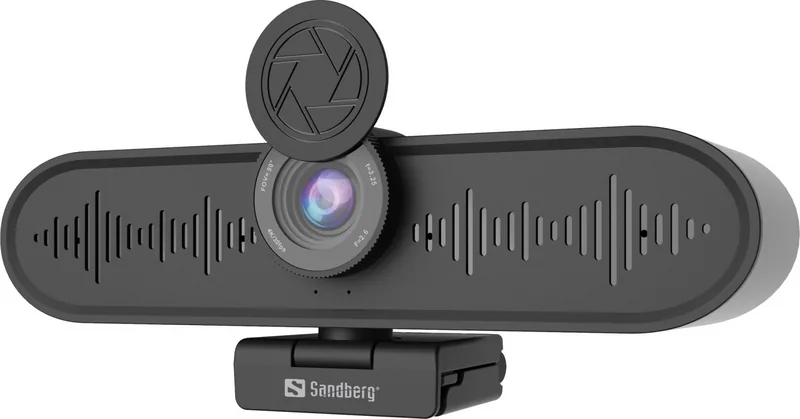
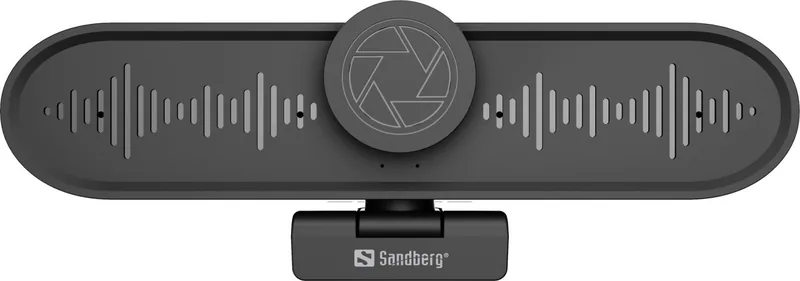
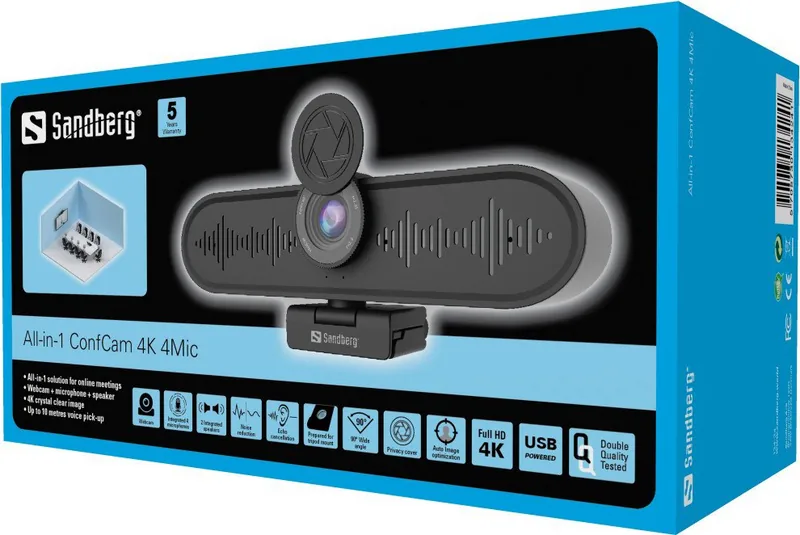
The unit combines a camera, four microphones, an integrated speaker, a camera lens cover, a USB-C port, and a flexible foldable clip for mounting.
Is this answer helpful?
The ConfCam uses USB-C connectivity and supports USB 3.0. Connect it to a compatible device, then choose Sandberg All-in-1 ConfCam 4K in the video settings of your preferred chat application.
Is this answer helpful?
No. The product is described as driver-less, allowing it to work without a separate driver installation on compatible systems.
Is this answer helpful?
It can be placed on a desk, attached to a PC monitor using its flexible clip, or mounted on a tripod for more controlled camera positioning.
Is this answer helpful?
Yes. Sandberg offers additional webcam resources for users who want access to video effects and image adjustment options.
Is this answer helpful?
The ConfCam includes a camera lens cover. Close the cover when you do not want the camera lens exposed.
Is this answer helpful?
Sandberg provides a five-year warranty. Warranty terms apply, and product registration is referenced for new Sandberg products.
Is this answer helpful?
Advantages and Disadvantages
Advantages

- Combines a camera, speaker, four microphones, and flexible mounting in one compact conferencing device.
- Driver-less setup supports quick use with most chat applications on compatible Windows and iOS systems.
- Flexible foldable clip supports placement on a desk, PC monitor, or compatible tripod.
- Built-in lens cover offers a simple privacy option when the camera is not in use.
Disadvantages

- Advanced video effects and image adjustments may require using Sandberg's additional webcam guidance resources.
- Tripod mounting may require a separate compatible tripod, such as Sandberg item no. 134-26.
- Users must manually select the ConfCam as the active video device in their chat application.
- The supplied information does not specify detailed audio range, field of view, or supported video modes.
Product Specification
Type
Conference camera
Image sensor
1x 1/2.5" CMOS
Resolution
3,840 x 2,160 pixels (30 fps)
Field of view
90 degrees
Compression/codecs
MJPEG, YUY2
Ports
1x USB-C 3.0 (5 Gb/s, female)
Wireless
N/A
Focusing
Autofocus
Camera cover
included
Microphone
integrated (4x), 32.81 ft range
Speaker
integrated (2x 2 W)
Lighting
N/A
Cable length
9.84 ft
Power supply
via USB
Mounting
Mounting clip, with 1/4" thread
Dimensions
7.2 x 2.52 x 2.13 in
Package contents
Camera, USB-C to USB-A cable
Special features
Status LED
Manufacturer warranty
5 years
Product Description
Sandberg All-in-1 ConfCam 4K 4Mic - Read, Download & Print Free
The Sandberg All-in-1 ConfCam 4K 4Mic is a compact conferencing solution designed to simplify video calls, remote meetings, online presentations, and everyday communication. It brings a camera, speaker, four microphones, and a flexible mounting system together in one portable unit, helping users create a more organized desk setup without relying on several separate accessories.
Built for practical video conferencing
This ConfCam features a camera lens with a protective cover, allowing users to shield the lens when it is not in use. The integrated microphone array uses four microphones to support clearer voice pickup during conversations, while the built-in speaker provides convenient audio playback for calls and meetings. This all-in-one approach can be especially useful for home offices, small meeting spaces, classrooms, and mobile workstations.
The product connects through USB-C and supports USB 3.0 connectivity. Its driver-less operation makes setup straightforward on compatible devices: connect the camera, select Sandberg All-in-1 ConfCam 4K as the preferred video device in a chat application, and start communicating. It is compatible with most chat applications and is intended for Windows and iOS environments.
Flexible positioning options
A foldable, flexible clip makes the ConfCam easy to place where it is needed. It can sit on a desk, attach to a PC monitor, or be mounted on a tripod for more controlled placement. For tripod use, Sandberg item no. 134-26 is referenced as a suitable option. This mounting flexibility is valuable when switching between individual calls, team meetings, demonstrations, or recordings.
For users who want more control over the image, Sandberg provides additional options for video effects and image adjustments through its webcam guidance resources. This can help tailor the camera output to different lighting conditions, backgrounds, and communication preferences.
A convenient all-in-one choice
The Sandberg All-in-1 ConfCam 4K 4Mic combines essential conferencing hardware in a single, space-saving device. Its lens cover, integrated sound components, USB-C connection, and flexible clip make it a practical choice for people who want a simpler way to improve their video-call setup. Sandberg also provides a five-year warranty, subject to its warranty terms and product registration requirements.
Notes
- Select the ConfCam in your meeting application's device settings before starting a call.
- Use the lens cover when privacy is needed.
- A tripod can provide additional placement flexibility for presentations or group calls.
Search for 67,706 Manuals online


Type-in Brand or Model