
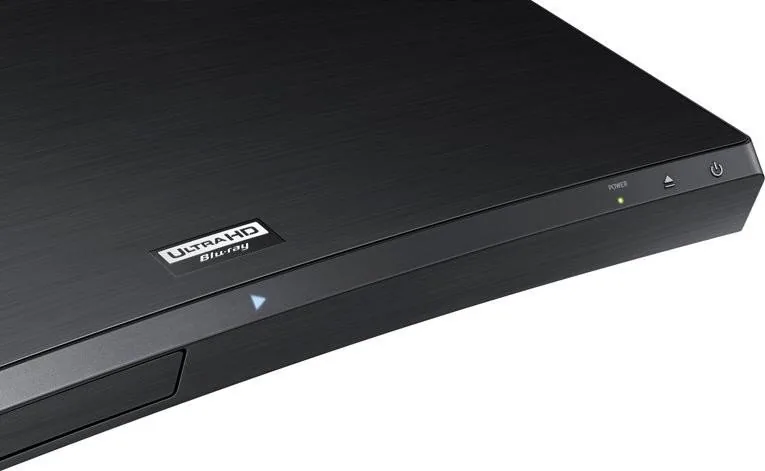
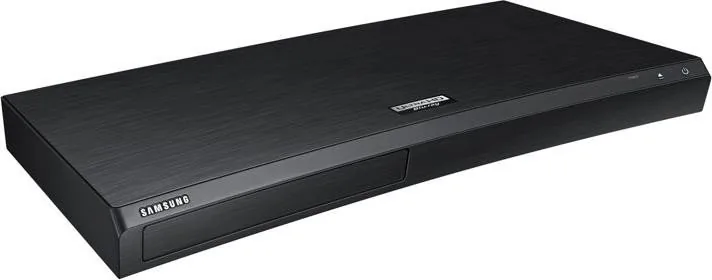

Samsung UBD-M9500 Manual
PDF manual · 67 Pages
English


Quick check
Incorrect answer, please try again.
Chat with your Samsung UBD-M9500 manual using AI
Get instant AI answers from your Samsung UBD-M9500 manual
Ask anything about the Samsung UBD-M9500. Answers come from this manual, with the pages they are based on.
UBD-M9500 Maintenance Schedule
Unplug the power cord and wipe the device with a soft, dry cloth. Do not use chemicals such as wax, gasoline, alcohol, or detergents.
If fingerprints or dirt are present, clean with soapy water and a soft cloth, wiping gently from the center toward the edge.
Ask a Question
Do you recommend UBD-M9500?
Yes No
Lea Weber
9 months ago
Does the built-in fan make noise during quiet or silent movie scenes?

Manual.ly
9 months ago
Based on user reports, the player is generally very quiet, but a faint fan or disc-drive sound can be noticeable when you are very close to the unit, especially during silent moments. During normal viewing distance, most people do not notice it anymore. To minimize any noise, place the player on a stable, hard surface, keep the ventilation openings unobstructed, and make sure it is not resonating against furniture. Also, check for firmware updates in the settings menu (or via the Internet connection), as updates can improve performance and system behavior. If you hear unusually loud or constant fan noise, contact support so we can advise on troubleshooting or a possible service request.
Frequently Asked Questions
It combines Ultra HD Blu-ray playback, HDR support, flexible audio outputs, and smart network features in one compact player. It is built for users who want both premium disc quality and online convenience.
Is this answer helpful?
Yes, but the experience depends on the TV’s HDMI and HDCP support. For the best 4K and HDR playback, a compatible UHD TV and high-speed HDMI cable are recommended.
Is this answer helpful?
Yes. It supports photos, videos, and music from USB storage, as long as the file types are compatible. It can also play certain media from a PC on the same network.
Is this answer helpful?
Yes. The player supports network features, app access, and mobile connections such as Smart View and Bluetooth-based audio sharing, depending on your setup.
Is this answer helpful?
It supports HDMI audio, optical digital audio, and several soundbar or AV receiver configurations. You can choose settings to match stereo, surround, or pass-through setups.
Is this answer helpful?
The player can be set up through on-screen prompts, but the Samsung UBD-M9500 black Manual is helpful for network setup, audio configuration, firmware updates, and troubleshooting.
Is this answer helpful?
Advantages and Disadvantages
Advantages

- Ultra HD Blu-ray and HDR support deliver sharp, high-contrast playback on compatible TVs.
- Dual HDMI and optical audio options make it easier to integrate with soundbars and AV receivers.
- Supports USB, network media, apps, and web browsing for broader home entertainment use.
- Mobile sharing features like Smart View and Bluetooth audio add everyday convenience.
Disadvantages

- Best performance depends on compatible TVs, cables, and audio equipment.
- Some discs and features are limited by region codes and format restrictions.
- Network-based features may require setup steps that feel technical for casual users.
- Advanced sound options can be less useful without a capable receiver or sound system.
Product Specification
Video
4K Ultra HD, BD-ROM, BD-R/RE, DVD-Video, DVD+R/RW, DVD-R/RW, CD-Audio, CD-R/RW
Format
AVCHD, DivX HD, DivX Plus HD, MKV, MPEG-4, JPEG
BD Profile
6.0
Upscaling
2160p
Audio
CD-Audio
Audio D/A Converter
24bit/192kHz
Audio Decoder
Dolby Atmos, Dolby Digital, Dolby Digital Plus, Dolby TrueHD, DTS Neo:6, DTS-HD Master Audio, DTS:X
Video Ports
1x HDMI 2.0b Out
Audio Ports
1x HDMI 2.0b Audio only, 1x Digital Audio Out (optical)
Other Ports
1x USB, RJ-45, Bluetooth, Wi-Fi 5 (WLAN 802.11a/b/g/n/ac)
Special Features
4K-Upscaling, HDR, Ultra HD Premium
Power Consumption
22W
Color
black
Dimensions
15.98x1.77x8.90in (WxHxD)
Weight
4.19lb
Product Description
Samsung UBD-M9500 Black: a refined 4K Blu-ray experience
The Samsung UBD-M9500 black is built for viewers who want more than simple disc playback. It blends Ultra HD Blu-ray support with a sleek, minimal design and a practical set of features that make it fit naturally into a modern home entertainment setup. From the first disc you load, the player is designed to deliver sharp detail, smooth navigation, and flexible output options for both video and audio.
Designed for movies, music, and more
At its core, this player focuses on premium picture quality. It supports Ultra HD Blu-ray, standard Blu-ray, DVD, CD, and a range of multimedia files from USB drives and networked devices. With HDR support and advanced resolution settings, it can make compatible content look more vivid, with better contrast and richer color depth. The Samsung UBD-M9500 black Manual also highlights options like movie frame adjustments, HDMI deep color, and output controls that help users fine-tune the viewing experience.
Beyond discs, the player is ready for everyday streaming and home network use. Built-in network services, app access, web browsing, and BD-LIVE support add convenience for users who want a single device that handles both physical media and online entertainment. It can also connect to mobile devices through Bluetooth or Wi-Fi features such as Smart View and Blu-ray to Mobile, making it easier to share content around the house.
Flexible connections and setup
One of the strengths of this model is its connection versatility. It offers HDMI output for video and audio, optical digital audio support, and compatibility with soundbars and AV receivers in several layouts. That means it can work well in a simple TV setup or a more advanced home theater system. The settings menu also gives users control over sound output, network configuration, parental controls, and software updates.
The initial setup process is straightforward, but the manual shows that the player is also highly configurable. Users can adjust resolution, aspect ratio, subtitles, language, network options, and security settings to match their equipment and preferences. For many households, that balance of ease and control is exactly what makes the Samsung UBD-M9500 black appealing.
Notes
- Best results come from pairing it with a 4K HDR TV and a high-speed HDMI cable.
- Some disc features and resolutions depend on the TV, receiver, or region code.
- Regular software updates can improve performance and add services over time.
Search for 67,706 Manuals online


Type-in Brand or Model
AliasQuis19
9 months ago
Is the fan or any disc drive noise noticeable during quiet movie scenes with this Samsung 4K UHD Blu-ray player?
Manual.ly
9 months ago
Users report that the player is very quiet in normal viewing and the fan/disc noise is only faintly noticeable when you are very close to the unit (for example within about 1 meter). In typical room setups (several meters away) it is usually not noticeable even during silent scenes. Noise level can vary with placement, airflow, and disc type. For best results, make sure the ventilation openings are not blocked, place the unit on a stable surface with some clearance around it, and install available firmware updates. If you experience unusually loud or constant noise, please contact support so we can check the unit and advise next steps.