
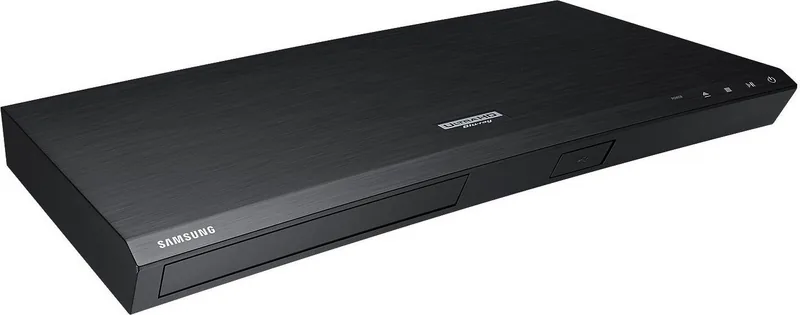
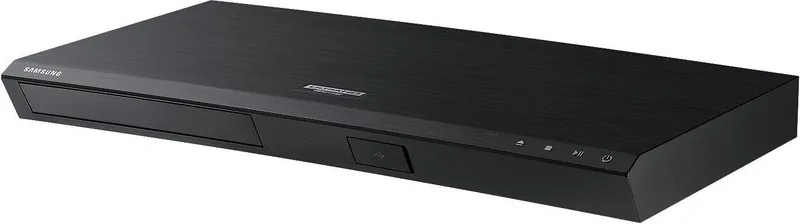

Samsung UBD-M8500 Manual
PDF manual · 65 Pages
English


Quick check
Incorrect answer, please try again.
Chat with your Samsung UBD-M8500 manual using AI
Get instant AI answers from your Samsung UBD-M8500 manual
Ask anything about the Samsung UBD-M8500. Answers come from this manual, with the pages they are based on.
UBD-M8500 Maintenance Schedule
Accumulated dust can cause electric shock, leakage, or fire. Ensure ventilation slots are not blocked by dust.
If you get fingerprints or dirt on a disc, clean it with a mild detergent diluted in water and wipe gently from the inside to the outside.
Free maintenance reminders
Timed to your purchase date. Always free, unsubscribe anytime.
Ask a Question
Do you recommend UBD-M8500?
Yes NoFrequently Asked Questions
It is a 4K Ultra HD Blu-ray player for watching discs, playing music and photo files, and using network apps or streaming-related features on a connected TV.
Is this answer helpful?
Yes. HDR is supported, but you need HDR content, an HDR-compatible TV, and a high-speed HDMI cable to get the full benefit.
Is this answer helpful?
Yes. It supports both wireless and wired network connections, so you can use apps, software updates, Smart View, and BD-LIVE features.
Is this answer helpful?
It supports HDMI audio output and digital optical audio output, making it suitable for TVs, soundbars, and AV receivers.
Is this answer helpful?
Common reasons include a region code mismatch, unsupported disc type, or content that was not recorded in a compatible format.
Is this answer helpful?
Yes. You can play supported video, music, and photo files from USB storage, and some features like BD-LIVE also use USB storage.
Is this answer helpful?
Yes, through Smart View with compatible mobile devices. Performance can depend on your network and device settings.
Is this answer helpful?
Advantages and Disadvantages
Advantages

- Plays Ultra HD Blu-ray, Blu-ray, DVD, CD, and many USB or network media formats.
- Supports HDR, 4K output, and detailed picture settings for a better viewing experience.
- Offers Wi-Fi, Ethernet, apps, web browsing, and BD-LIVE for extra online features.
- Connects easily to soundbars and AV receivers through HDMI or optical audio output.
Disadvantages

- Full 4K and HDR performance depends on a compatible TV, cable, and HDMI/HDCP support.
- Some discs and files may not play because of region codes, format limits, or codec restrictions.
- BD-LIVE and some network features may require a USB drive with enough free space.
- Manual setup options can feel technical for users who prefer a simple plug-and-play device.
Product Specification
Video
4K Ultra HD, BD-ROM, BD-R/RE, DVD-Video, DVD+R/RW, DVD-R/RW, CD-Audio, CD-R/RW
Format
AVCHD, DivX HD, DivX Plus HD, MKV, MPEG-4, JPEG
BD Profile
6.0
Upscaling
2160p
Audio
CD-Audio
Audio D/A Converter
24bit/192kHz
Audio Decoder
Dolby Digital, Dolby Digital Plus, Dolby TrueHD, DTS Neo:6, DTS-HD Master Audio
Video Connections
1x HDMI 2.0b Out
Audio Connections
1x Digital Audio Out (optical)
Other Connections
1x USB, RJ-45, Wi-Fi 4 (Wireless LAN 802.11b/g/n)
Special Features
4K Upscaling, HDR, Ultra HD Premium
Power Consumption
22W
Color
black
Dimensions
15.98x1.77x9.06in (WxHxD)
Weight
3.97lb
Product Description
Samsung UBD-M8500 Black: A Compact 4K Blu-ray Player for Modern Living Rooms
The Samsung UBD-M8500 black is designed for anyone who wants a clean, no-fuss way to enjoy movies in high quality. It blends a slim look with serious playback capability, making it a strong fit for a home theater setup without taking over the shelf. If you’re searching for the Samsung UBD-M8500 black Manual, the key idea is simple: this player is built to make discs, streaming, and local media feel easy to use.
At its core, this player is all about picture quality. It supports Ultra HD Blu-ray playback, along with standard Blu-ray, DVD, CD, and a wide range of media files from USB drives or a connected computer. With 4K output, HDR support, and flexible resolution settings, it is made for viewers who care about sharp detail and richer color. It also includes picture adjustments like HDMI colour format, deep colour, and movie frame options, helping you match the player to your TV.
The Samsung UBD-M8500 black also stands out for its network features. You can connect it by Wi‑Fi or Ethernet to access apps, browse the web, use Smart Hub services, and explore BD-LIVE content on supported discs. Smart View adds another useful touch by letting you mirror compatible mobile devices to the TV connected through the player. That makes it more than a disc player; it becomes a small entertainment hub.
Audio flexibility is another strength. The player works with HDMI and optical audio connections, so it can fit into setups with soundbars, AV receivers, or simpler TV-based systems. Features such as audio sync, dynamic range control, and output format options give you more control over how sound is delivered.
Notes
- Best results come from pairing it with an HDR-ready TV and a high-speed HDMI cable.
- Region codes matter, so disc compatibility should be checked before playback.
- Some advanced network and BD-LIVE features may require a USB drive and proper setup.
- The black finish keeps the design understated and easy to match with other components.
Search for 67,706 Manuals online


Type-in Brand or Model
Lena Schmidt
10 months ago
Is the 4K UHD Blu-ray player easy to install and does it work smoothly with a Samsung UHD/HDR TV?
Manual.ly
10 months ago
Yes. Customers report the setup is very simple, with self-explanatory functions and quick connection when paired with a Samsung UHD/HDR TV. Once connected, playback starts reliably and the remote operation is convenient. Picture quality is described as excellent, with 4K/UHD Blu-rays looking noticeably sharper than standard Blu-rays. Audio also performs well, with support for immersive surround sound (reported as 7.1). One thing to note: some units may not include a front display, but reviewers say this does not affect everyday use.