
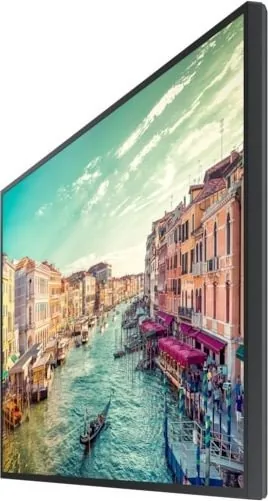
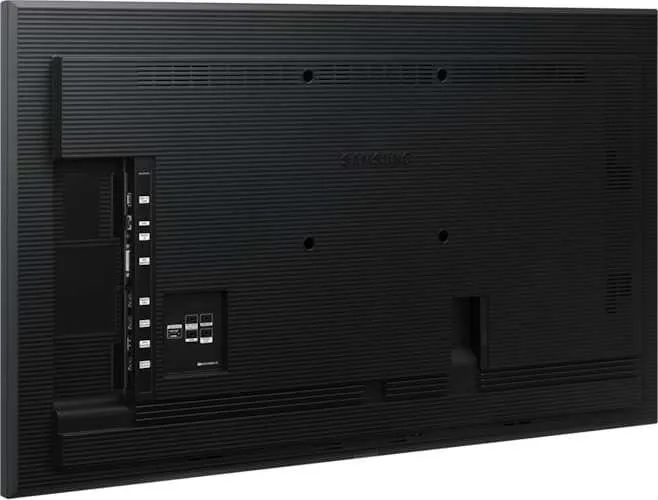

Samsung QMR Series Manual
PDF manual · 112 Pages
English


Quick check
Incorrect answer, please try again.
Chat with your Samsung QMR Series manual using AI
Get instant AI answers from your Samsung QMR Series manual
Ask anything about the Samsung QMR Series. Answers come from this manual, with the pages they are based on.
Ask a Question
Do you recommend QMR Series?
Yes NoFrequently Asked Questions
For most QBR, QM32R, and QER models, the recommended usage is less than 16 hours per day. Exceeding this limit may void the warranty.
Is this answer helpful?
No, a stand is not provided with the product. You must purchase one separately if you wish to place the unit on a surface rather than mounting it on a wall.
Is this answer helpful?
Connect the TOUCH OUT cable between the TOUCH OUT SCREEN port on the product and a USB port on the PC or laptop to enable touch functionality.
Is this answer helpful?
If the connected device draws more than the specified constant current (1.0A or 0.5A), the USB ports may stop functioning to protect the system.
Is this answer helpful?
No, you should not install the product on a slanted wall as it may fall and cause severe personal injury. Install only on solid perpendicular walls.
Is this answer helpful?
Yes, an administration fee may be charged if a technician visits but finds no defect, often because the user manual was not read.
Is this answer helpful?
Advantages and Disadvantages
Advantages

- Comprehensive coverage of multiple models ranging from 32 to 98 inches
- Detailed port descriptions including HDMI, DP, and RS232C connectivity
- Clear instructions for wall mounting and anti-theft security measures
- Step-by-step touchscreen calibration guides for QMR-T models
- Specific safety warnings regarding ventilation and operating hours
Disadvantages

- Stand must be purchased separately as it is not included
- USB ports have limited current output which may restrict peripheral use
- Installation requires professional assistance to avoid voiding warranty
- Touchscreen functionality requires specific cable connections and configuration
- Some features like admin menus are only available on select QMR-T models
Product Specification
Response time
8ms
Viewing angle
178°/178°
Panel
VA
Shape
straight (flat)
Backlight
White-LED
HDR
N/A
Color depth
10bit (1.07 billion colors)
Refresh rate
60Hz
Additional connections
2x serial, 1x RJ-45 LAN, 2x USB-A 2.0 (480Mb/s)
Manufacturer warranty
three years
Product Description
Samsung QMR Manual: Your Ultimate Guide to Smart Signage Excellence
Unlock the full potential of your display with the comprehensive Samsung QMR Manual. This essential resource is designed for professionals and businesses seeking to maximize the performance of their Samsung Smart Signage solutions. Whether you are deploying a single unit or managing a large-scale digital signage network, understanding the intricacies of your hardware is key to success.
The manual covers a vast array of models within the QMR series, including various screen sizes from 32 inches up to massive 98-inch displays. It serves as a detailed companion that walks you through every aspect of setup and operation. From the moment you unbox your device, this guide ensures you have all the necessary information to get started quickly and safely. You will find clear instructions on checking components, identifying ports, and understanding the specific features of each model variant.
One of the standout aspects of this documentation is its focus on security and durability. Learn how to properly install anti-theft locks to protect your investment in public spaces. The guide also details ventilation requirements and safe handling procedures to prevent accidental damage during installation. For those looking to create an immersive experience, there are dedicated sections on wall mounting specifications, ensuring your screens are secure and perfectly angled for optimal viewing.
Connectivity is at the heart of modern signage, and the manual provides an exhaustive breakdown of available ports. You will discover how to utilize HDMI inputs, DisplayPort connections, and RS232C interfaces for seamless integration with external devices and control systems. The inclusion of Daisy Chain capabilities allows for efficient management of multiple displays, simplifying complex installations. Furthermore, if you are working with touchscreen-enabled models like the QMR-T, the guide offers step-by-step calibration instructions to ensure responsive and accurate touch interaction.
Beyond technical specs, the manual emphasizes responsible usage. It outlines recommended daily operating hours to maintain warranty validity and prevent overheating. Understanding these guidelines helps extend the lifespan of your equipment while maintaining peak performance. By following the advice found here, you can avoid common pitfalls such as voided warranties due to improper use or lack of maintenance.
Whether you are an IT administrator setting up a corporate lobby or a retail manager configuring a promotional display, having this knowledge at your fingertips is invaluable. It transforms the complexity of smart signage into a manageable and rewarding task. Embrace the power of your Samsung QMR display by mastering the tools provided in this manual.
Search for 67,706 Manuals online


Type-in Brand or Model