
Samsung QB43N Manual
PDF manual · 120 Pages
English


Quick check
Incorrect answer, please try again.
Chat with your Samsung QB43N manual using AI
Get instant AI answers from your Samsung QB43N manual
Ask anything about the Samsung QB43N. Answers come from this manual, with the pages they are based on.
QB43N Maintenance Schedule
Wipe surface with a slightly wet soft cloth then dry. Do not spray water directly or use chemicals.
Ensure at least 40 mm space between product and wall for proper air circulation.
Free maintenance reminders
Timed to your purchase date. Always free, unsubscribe anytime.
Ask a Question
Do you recommend QB43N?
Yes NoFrequently Asked Questions
It is mainly used for business display and digital signage. It works well in meeting rooms, retail spaces, reception areas, and other professional environments where reliable content presentation is needed.
Is this answer helpful?
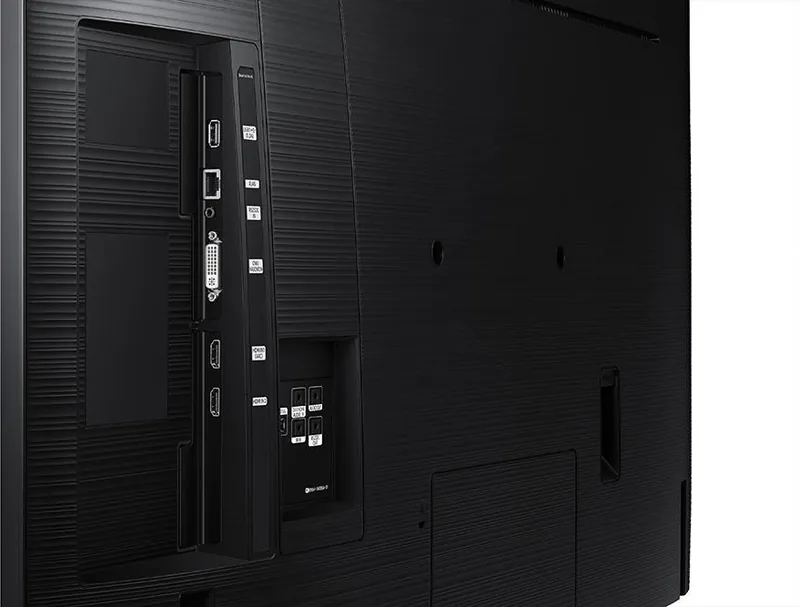
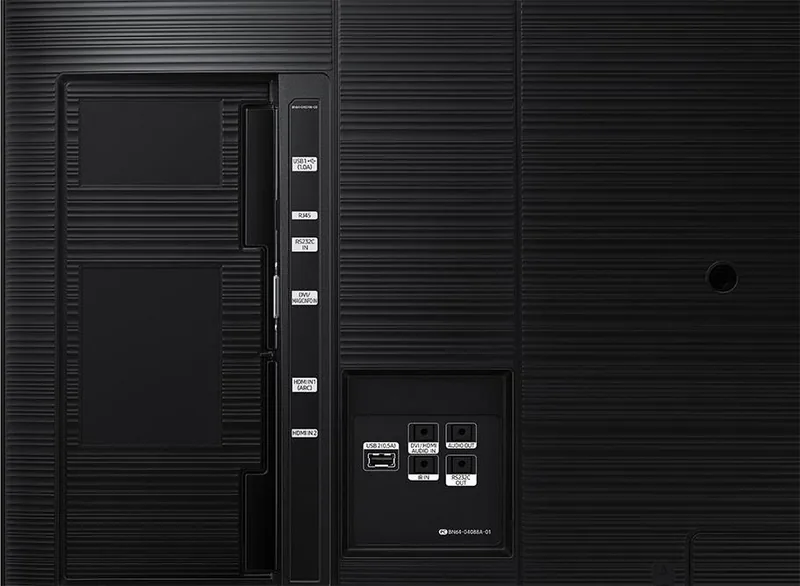
It supports several common connections, including HDMI, DisplayPort, DVI, LAN, RS232C, and USB. This makes it flexible for connecting computers, media players, and control systems.
Is this answer helpful?
Yes. The display supports remote control and network-based management tools such as MDC, which help administrators adjust settings, monitor devices, and manage multiple screens from one place.
Is this answer helpful?
Yes. It includes scheduling features that allow content to play at set times. This is useful for signage setups that need automated daily or weekly playback without manual intervention.
Is this answer helpful?
Yes, but it is designed with usage recommendations in mind. For QBN models, the guidance suggests less than 16 hours per day to help protect the device and maintain warranty coverage.
Is this answer helpful?
It includes screen protection tools such as pixel shifting and timed protection modes. These features help reduce the risk of image retention when static content is displayed for extended periods.
Is this answer helpful?
Yes. The display supports Video Wall functions, allowing multiple screens to be arranged together for a larger visual presentation. This is useful for retail, control rooms, or branded environments.
Is this answer helpful?
Advantages and Disadvantages
Advantages

- Multiple input options make it easy to connect PCs, media players, and signage systems.
- Strong remote management support helps control one or many displays efficiently.
- Picture and screen protection settings help maintain quality during long use.
- Scheduling and Player features are useful for automated content playback.
Disadvantages

- Best suited for business use, so it may be more than casual users need.
- Wall-mount setup and ventilation requirements call for careful installation.
- Some advanced features depend on network setup or compatible control systems.
- Prolonged static content can still increase the risk of image retention.
Product Specification
Diagonal
43"/42.99in
Resolution
3840x2160, 16:9
Brightness
350cd/m²
Contrast
5,000:1 (static), no data (dynamic)
Response time
8ms
Viewing angle
178°/178°
Panel
VA
Shape
straight (flat)
Backlight
White-LED
HDR
N/A
Refresh rate
60Hz
Signal frequency
no data (horizontal), no data (vertical)
Connectors
1x DVI, 2x HDMI 2.0, 1x 3.5mm jack (Line-In), 1x 3.5mm jack (Line-Out)
Additional connectors
2x USB-A 2.0 (480Mb/s), 2x serial, 1x RJ-45 LAN
VESA
200x200 (free)
Power consumption
121W (maximum), 76W (typical), no data (energy label old A+++ to G), 0.5W (standby)
Dimensions (WxHxD)
38.19x22.16x2.32in
Weight
21.83lb
Special features
Tizen, integrated media player, speakers (2x 10W), HDCP 2.2, temperature sensor, Wi-Fi 4 (WLAN 802.11a/b/g/n)
Manufacturer warranty
three years
Product Description
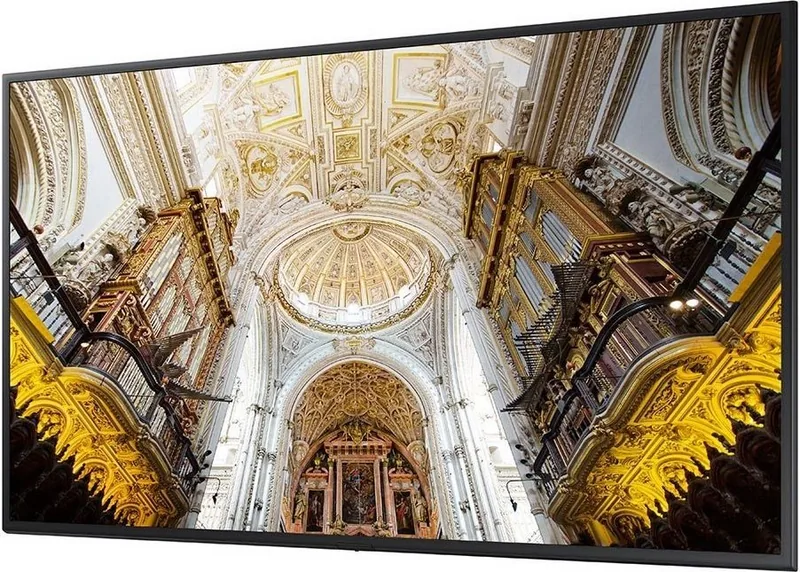
Samsung QB43N 43-inch: A Practical Display for Professional Spaces
The Samsung QB43N 43-inch is built for environments that need reliable, clear, and flexible visual performance. Designed with business and signage use in mind, this model combines a compact 43-inch form factor with a feature set that supports everyday content playback, network control, and multi-display setups. It is a strong fit for retail, meeting rooms, reception areas, and other spaces where communication needs to stay visible and consistent.
One of the most appealing qualities of the QB43N series is its versatility. It supports multiple input options, including HDMI, DisplayPort, DVI, LAN, and RS232C, making it easy to connect PCs, media players, and other source devices. The display also includes tools for remote management, scheduling, and content control, which can be especially useful for teams managing several screens at once. For businesses, that means less manual work and more centralized control.
The Samsung QB43N 43-inch also stands out for its picture adjustment options. Users can fine-tune brightness, contrast, color tone, and advanced settings to match the room and the type of content being shown. This makes it easier to maintain a professional look in different lighting conditions. The display is also designed with screen protection features that help reduce the risk of image retention during long operating hours.
For digital signage workflows, the built-in Player, schedule support, and web-related features add real value. Content can be organized, updated, and played according to a timetable, while network tools help keep the screen connected to the right services. Features like Video Wall support and MDC compatibility make the display even more appealing for larger installations where consistency matters.
Notes
- Recommended for professional use rather than casual home viewing.
- Ideal for content that needs scheduled playback or centralized control.
- Wall mounting and ventilation should be handled carefully for safe operation.
- Long static images should be avoided to preserve panel quality.
Overall, the Samsung QB43N 43-inch is a dependable business display that balances flexibility, control, and image tuning in a compact size. It is a smart option for organizations that want a display capable of handling both simple presentations and more advanced signage tasks.
Search for 67,706 Manuals online


Type-in Brand or Model