
Samsung Gear Sport R600 Manual
PDF manual · 114 Pages
English


Quick check
Incorrect answer, please try again.
Chat with your Samsung Gear Sport R600 manual using AI
Get instant AI answers from your Samsung Gear Sport R600 manual
Ask anything about the Samsung Gear Sport R600. Answers come from this manual, with the pages they are based on.
Gear Sport R600 Maintenance Schedule
Rinse with fresh water and dry with a soft cloth. If exposed to soap, oil, or pool water, rinse thoroughly before reuse.
Recalibrate the altitude value frequently if readings become inaccurate over time after initial calibration.
Ask a Question
Do you recommend Gear Sport R600?
Yes No
Erin Murray
7 months ago
Does the Samsung Gear Sport battery really last 4 days as claimed, or should I expect closer to 2 days with GPS and notifications enabled?

Manual.ly
7 months ago
Battery endurance varies by usage. Most users report 2 to 3 days with standard settings, though GPS intensive training or heavy message notifications can reduce this to 24 hours. Inductive charging takes approximately 1 to 3 hours depending on charge level. We advise daily charging for peace of mind. This balances the 4-day rating with realistic activity tracking demands.
Frequently Asked Questions
Turn on the Gear and launch the Samsung Gear app on your mobile device. Tap Start and follow on-screen instructions to pair via Bluetooth. Ensure the app is updated on Android devices.
Is this answer helpful?
Yes, the device meets ISO 22810:2010 water resistance standards for use in shallow water. Do not dive or use in fast-flowing water. Dry the device thoroughly after exposure to salt or soap.
Is this answer helpful?
Yes, the Gear has a built-in GPS sensor. You can activate location services in settings to track real-time location information without a connected mobile device.
Is this answer helpful?
Quickly press the Home key three times in an emergency. Configure emergency contacts via the Samsung Gear app settings beforehand to ensure messages are sent successfully.
Is this answer helpful?
Power saving mode restricts features to reduce consumption. It displays grey tones, deactivates Wi-Fi, and limits CPU performance to extend usage time between charges.
Is this answer helpful?
Launch the Samsung Gear app on your phone, go to settings, and select transfer content. Choose tracks to sync or enable auto sync while the device is charging.
Is this answer helpful?
Yes, software updates are managed through the Settings app on the Gear or the Samsung Gear app on your mobile phone to keep the system current.
Is this answer helpful?
Advantages and Disadvantages
Advantages

- Wearable offers water and dust resistance certification for swimming
- Rotating bezel provides intuitive navigation without screen taps
- Built-in GPS tracks location independently of mobile phone
- Integrated health suite monitors heart rate and activity levels
- Samsung Pay support enables convenient contactless transactions
Disadvantages

- Charging requires proprietary wireless dock which is not universal
- Battery life decreases significantly when always-on feature is active
- Voice input does not support all languages or dialects
- Screen size may appear small for detailed reading tasks
- Limited app ecosystem compared to some competitor devices
Product Specification
Display
1.2 inches, 360x360 pixels, color display, OLED, touchscreen, round, illuminated
Operating System
Tizen
RAM
768MB
Storage
4GB
Connectivity
Wi-Fi 4 (WLAN 802.11b/g/n), Bluetooth 4.2, NFC
Heart Rate
Integrated (optical)
Measurement Functions
Time, Stopwatch, Countdown, Step Counter, Swim Laps, Speed, Distance, Lap Counter, Sleep Monitoring, Heart Rate, Calories, Altimeter, Barometer
Additional Features
Time zones, Date, Calendar, 12/24h display, Alarm, Internal music storage, Inactivity alarm, Payment feature, Camera control, Music control, Message notifications, Call notifications
Sensors
Accelerometer, Gyroscope, Light sensor, Barometer
Navigation
Yes, GPS, GLONASS, BeiDou
Compatibility
Android 4.4 and up, iOS 9.0 and up
Battery
Battery (300mAh), wireless charging
Glass
Mineral glass (Gorilla Glass 3)
Case Material
Stainless steel
Strap Material
Silicone
Dimensions (Case)
1.76x1.69x0.46in
Band Width
0.79in
Weight
0.11 lbs
Special Features
Microphone, Vibration, water resistant (up to 164ft water column), MIL-STD-810G certified
Product Description
Samsung Gear Sport Overview
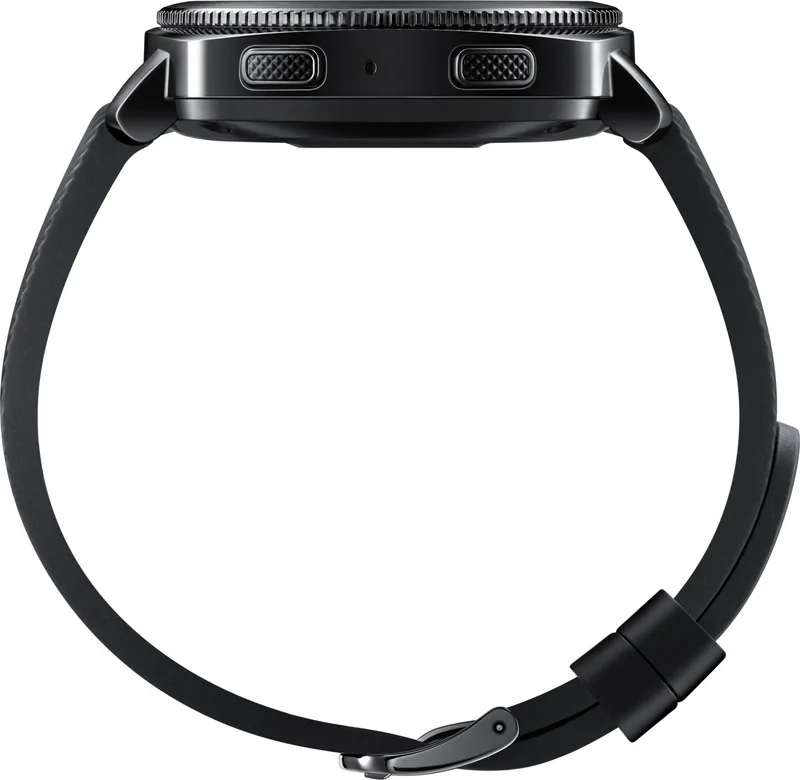
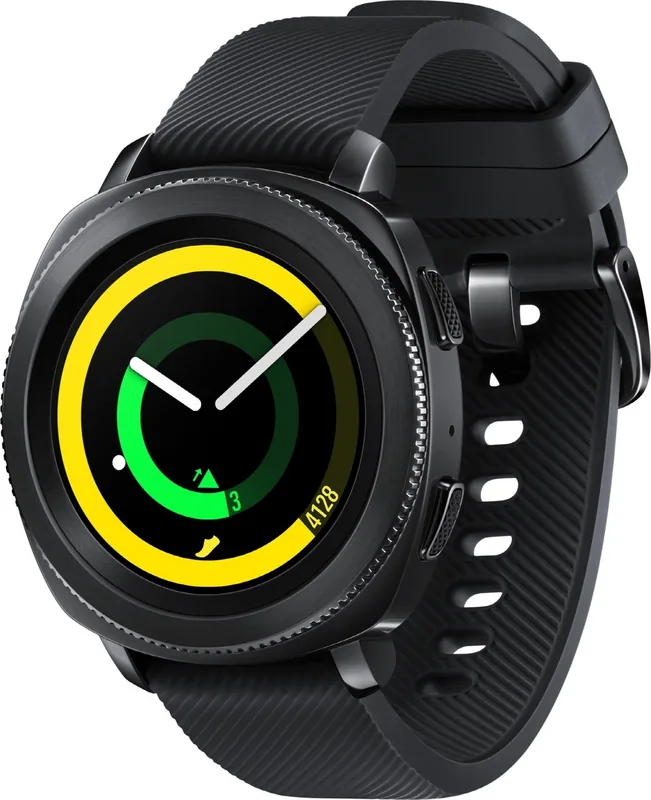
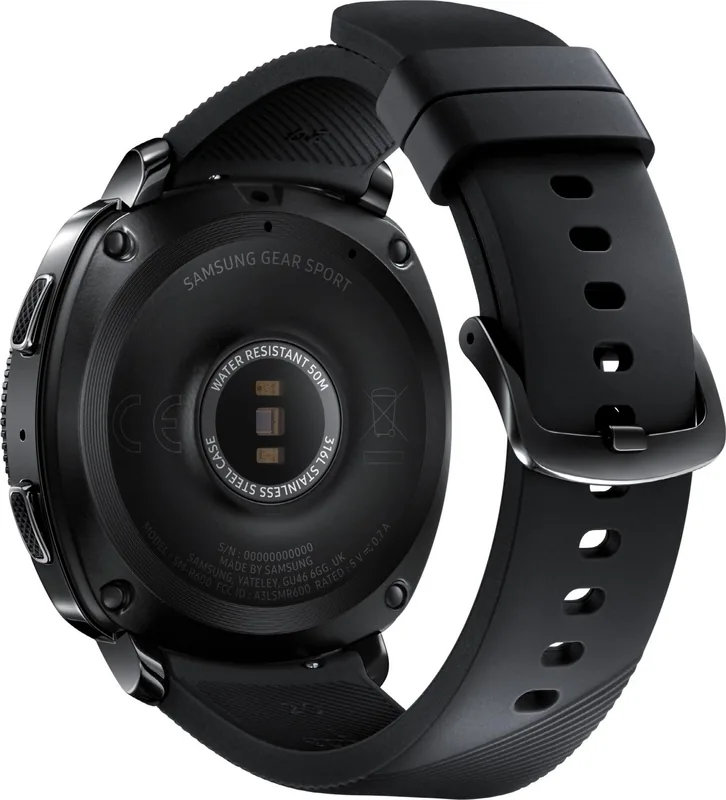
Exploring details about the Samsung Gear Sport R600 black Manual highlights the versatility of this smartwatch designed for active lifestyles. This device integrates seamlessly into your daily routine, providing essential health metrics and connectivity features that keep you informed. The circular face boasts a rotating bezel that simplifies navigation between applications and notifications without relying solely on touch inputs. Users can track heart rate, calories burned, and step counts effortlessly using built-in sensors. The water resistance certification ensures durability during swimming or showering activities, though specific precautions apply regarding water pressure and temperature changes to maintain integrity.
Connectivity remains a standout feature as the watch connects to mobile devices for call handling and message viewing directly. GPS functionality allows independent location tracking without constant phone tethering which is useful for outdoor runs. Safety tools include SOS messaging which alerts contacts during emergencies with real-time location sharing to aid rescue efforts. Battery efficiency is managed through various power saving options that reduce screen brightness and disable background services when needed. Charging requires the specific wireless dock provided with the package to ensure safety and proper alignment against the magnetic connectors.
Customization options allow users to change watch faces using downloaded styles or personal photos to match their personal style. Notification settings let you select which apps display alerts on your wrist to filter noise. Voice input supports commands for quick actions and text entry in supported languages for accessibility. The included health suite promotes wellness by setting targets for sleep, hydration, and caffeine intake levels to balance lifestyle. Weather and world clock features assist travelers in managing time zones and forecasting conditions accurately. The Alti-Barometer sensor measures altitude and atmospheric pressure for hiking enthusiasts seeking precision data.
Regular updates via the companion application ensure security and new features remain accessible without interruption. Care instructions advise using soft cloths and avoiding harsh chemicals to maintain the display and casing finish effectively. Skin sensitivity warnings regarding nickel content are noted for users with allergies to prevent irritation. Samsung Pay integration enables contactless payments for convenience at supported merchants globally. The presentation controller allows slide management on computers linked via Bluetooth for professional meetings. Users import music directly from phones to listen during workouts without carrying the phone.
Finally, the remote connection feature allows connectivity even when Bluetooth is unavailable by utilizing Wi-Fi networks. This ensures notifications continue arriving securely based on account settings. Managing emergency contacts is straightforward through the app interface setup process. The GPS signal strength may vary by location but works well in open areas. Replacing the band involves simple spring bars and slots for customization if the size was too large. Overall this wearable enhances mobile convenience and health monitoring capabilities significantly for everyone involved.
Important Care Notes
Notes: Always verify regional compatibility before purchasing accessories to ensure function. Ensure the software version matches your mobile device for full feature support and stability. Contact service centers if charging issues occur repeatedly without successful resolution efforts.
Search for 67,706 Manuals online


Type-in Brand or Model
Madge Greenfelder
4 months ago
What is the expected battery life for the Samsung Gear Sport with typical daily use and features like GPS enabled?
Manual.ly
4 months ago
The Samsung Gear Sport is rated for approximately three to four days of battery life with typical daily usage. However, utilizing high drain features such as GPS tracking for running, continuous heart rate monitoring, or offline music playback can reduce this to around one to two days. We recommend charging the watch every night to ensure it lasts through your daily activities.