
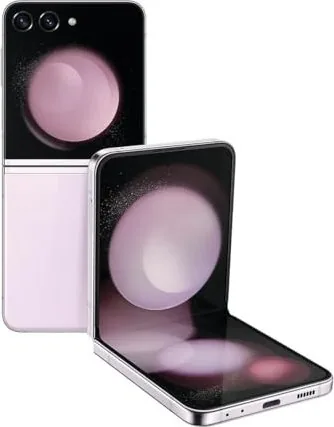
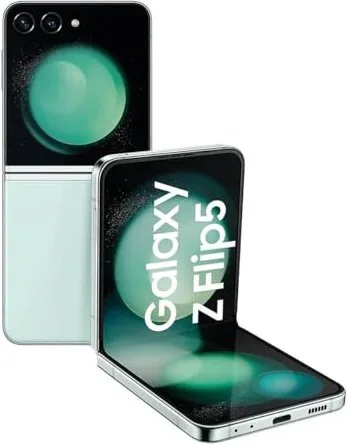
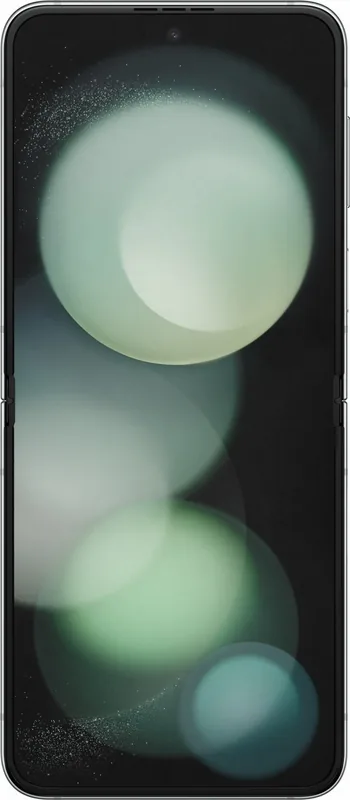
Samsung Galaxy Z Flip 5 Manual
PDF manual · 182 Pages
English


Quick check
Incorrect answer, please try again.
Chat with your Samsung Galaxy Z Flip 5 manual using AI
Get instant AI answers from your Samsung Galaxy Z Flip 5 manual
Ask anything about the Samsung Galaxy Z Flip 5. Answers come from this manual, with the pages they are based on.
Ask a Question
Do you recommend Galaxy Z Flip 5?
Yes NoFrequently Asked Questions
With typical usage, the battery lasts a full day. Heavy tasks like gaming may require a mid-day charge. Fast charging helps replenish power quickly during breaks.
Is this answer helpful?
Yes, Wireless PowerShare allows you to charge compatible accessories like earbuds using the phone battery. Ensure devices are aligned correctly for efficiency.
Is this answer helpful?
The device has IPX8 water resistance rating but is not dustproof. Avoid exposure to sand or dust to protect internal sensors.
Is this answer helpful?
Fold the phone partially on a flat surface. Use the front screen to view yourself while the main camera takes the photo. The layout adapts automatically.
Is this answer helpful?
Always fold the device closed before storing in pockets. Avoid placing objects between the screens to prevent hinge damage or screen scratches.
Is this answer helpful?
Yes, the device supports Dual Sim configuration using a Nano-SIM card and an embedded eSIM profile simultaneously for connectivity.
Is this answer helpful?
Stop charging if it gets hot. Remove cases and accessories. If overheating persists, contact a Samsung authorized service center for diagnosis.
Is this answer helpful?
Advantages and Disadvantages
Advantages

- Flex Mode allows hands-free viewing and photography at an angle
- Compact design folds to fit easily inside small pockets and bags
- Fast charging and wireless support with efficient power management
- Versatile camera system including night mode and manual controls
- Security features use advanced face and fingerprint recognition technology
Disadvantages

- Battery capacity may limit heavy gaming or media consumption days
- Not fully dustproof so sand can damage internal components easily
- Screen protector removal risks permanent damage to the flexible display
- Magnets near implants require strict safety distance protocols
- No microSD slot limits expandable storage options for media
Product Specification
Operating System
Android 14.0 (via Update), Android 13.0 (Out of the Box)
Display
6.7 inches, 2640x1080 Pixel, 16 Million Colors, AMOLED, Capacitive Touchscreen, Punch Hole, HDR (HDR10+), 1-120Hz Refresh Rate, Foldable (Inner), 1750 Nits, 426ppi (Display 1); 3.4 inches, 748x720 Pixel, AMOLED, Gorilla Glass Victus 2, 1600 Nits, 305ppi (Display 2)
Rear Camera
12.0MP, f/1.8, Phase Detection AF (All-Pixel AF), OIS, LED Flash, Videos @2160p/60fps, Videos @720p/960fps (Camera 1); 12.0MP, f/2.2, Wide-angle Lens (Camera 2)
Front Camera
10.0MP, f/2.2, Videos @2160p/30fps
Connectivity
USB-C 3.2 (5Gb/s, OTG), Wi-Fi 6E (WLAN 802.11a/b/g/n/ac/ax), Bluetooth 5.3 (aptX), NFC
Sensors
Accelerometer, Gyroscope, Proximity Sensor, Light Sensor, Compass, Barometer, Fingerprint Sensor (Side)
Chipset
Qualcomm SM8550-AC Snapdragon 8 Gen 2 for Galaxy, 64bit
CPU
1x 3.36GHz Kryo Prime + 4x 2.80GHz Kryo Gold + 3x 2.00GHz Kryo Silver
GPU
Adreno 740
RAM
8GB
Navigation
A-GPS, GLONASS, BeiDou, Galileo, QZSS
Modem
GSM (0.2Mbps/0.1Mbps), UMTS (42Mbps/5.76Mbps), LTE, 5G
Frequency Bands
2G (850/900/1800/1900), 3G (B1/B2/B4/B5/B8), 4G (B1/B2/B3/B4/B5/B7/B8/B12/B13/B17/B18/B19/B20/B25/B26/B28/B32/B38/B39/B40/B41/B66), 5G (n1/n2/n3/n5/n7/n8/n12/n20/n25/n28/n38/n40/n41/n66/n75/n77/n78)
Battery
3700mAh, Non-removable, Wireless Charging, Reverse Wireless Charging
Charging Power
25W (Samsung AFC, Qualcomm Quick Charge 2.0), 10W (Qi), 4.5W (Reverse Wireless Charging)
Talk Time
35h (UMTS)
SAR Value
0.601W/kg Head, 1.451W/kg Body
Form Factor
Foldable
Build Materials
Glass (Back), Metal (Frame)
SIM Type
1x Nano-SIM, 1x eSIM
Features
Dual-SIM, IPX8 Certified, Stereo Speakers (Hybrid)
Dimensions
6.50 x 2.83 x 0.27 inches (Unfolded), 3.34 x 2.83 x 0.59 inches (Folded)
Weight
0.41 lbs
Screen-to-Body Ratio
85.5%
Product Description
Discovering the Samsung Galaxy Z Flip 5 Experience
The Samsung Galaxy Z Flip 5 transforms technology interaction. Folding creates a unique journey where flexibility meets power. Understanding nuances helps unlock potential. From initial setup to daily usage, knowing control layouts ensures smooth operation. The hinge mechanism is robust yet delicate requiring mindful handling to maintain longevity. This aligns with the Samsung Galaxy Z Flip 5 Manual insights for longevity.
Mastering Flex Mode
One standout feature is Flex Mode. This allows you to rest the phone on a surface at an angle. The screen adjusts automatically for video calls or hands-free viewing. You can take selfies using the main cameras while folded. This functionality changes traditional phone posture into a creative tool. It simplifies photography and social media content creation significantly for many users. The angle detection keeps the interface responsive and comfortable during use.
Camera Capabilities
The imaging system is robust and versatile for everyone. Night mode captures clear photos even in low light without flashes. The Pro mode offers manual control over focus and exposure settings quickly. Users can edit videos directly in the gallery album for instant sharing. Text extraction tools appear within the camera interface as well for quick copying of documents. These advanced settings elevate photography for professionals and casual users alike easily.
Battery and Charging
Power management is critical for longevity during heavy use. The device supports fast charging via cable or wirelessly on specific pads. Inductive charging requires precise positioning on the mat to work correctly. Be aware of heat generation during rapid charging cycles as normal operation. Safety warnings recommend using approved accessories to prevent damage to battery life. Wireless PowerShare lets you charge earbuds with the phone itself for ultimate convenience. You can set limits on energy transfer to preserve your own battery life.
Connectivity and Setup
Connecting networks is straightforward and efficient for modern needs. SIM tray usage is simple for dual line configurations globally. A dedicated eSIM manager handles digital profiles seamlessly for travelers abroad. Smart Switch transfers data from old phones effortlessly in one go without loss. Security features like face recognition and fingerprints protect your privacy effectively against intruders.
Final Thoughts
Navigating the interface requires practice and patience over time. Customizing the screen and apps enhances personalization for every individual user. Overall, the foldable design offers distinct advantages over standard phones today. It fits pockets better while providing a large viewing area when open fully. Enjoy the freedom this compact powerhouse delivers for daily life productivity everywhere.
Care Instructions
Magnets inside the device can affect credit cards and implants dangerously. Keep phones away from sensitive medical equipment at all times strictly. Clean the screen gently with a soft cloth to avoid scratches on glass. Do not leave the device open when storing it in bags or pockets. Fold it properly to protect the hinge mechanism from dust ingress. Avoid placing metal objects near the antenna area for signal integrity issues. The device is not fully dustproof yet so keep it away from sand. Screen protector removal might damage the main display permanently.
Search for 67,732 Manuals online


Type-in Brand or Model