

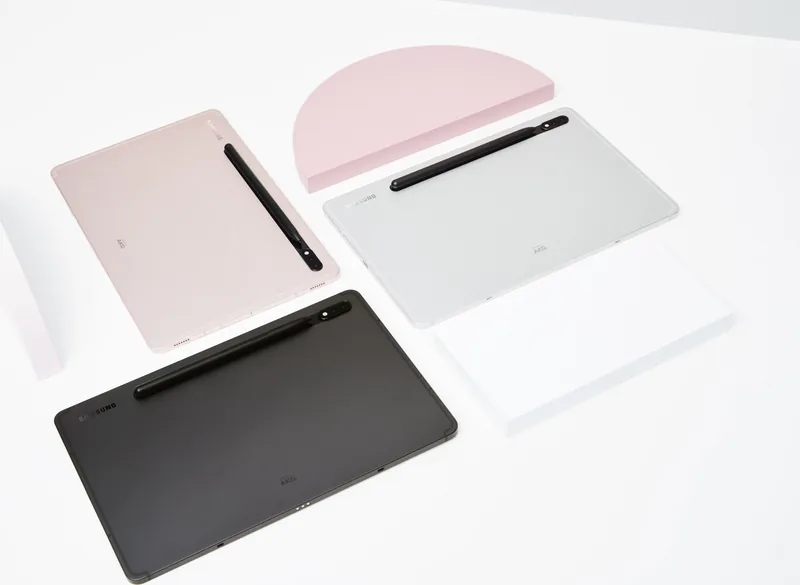

Samsung Galaxy Tab S8 SM-X700 / SM-X706B Manual
PDF manual · 160 Pages
English


Quick check
Incorrect answer, please try again.
Chat with your Samsung Galaxy Tab S8 SM-X700 / SM-X706B manual using AI
Get instant AI answers from your Samsung Galaxy Tab S8 SM-X700 / SM-X706B manual
Ask anything about the Samsung Galaxy Tab S8 SM-X700 / SM-X706B. Answers come from this manual, with the pages they are based on.
Ask a Question
Do you recommend Galaxy Tab S8 SM-X700 / SM-X706B?
Yes NoFrequently Asked Questions
SM-X700 is the Wi‑Fi model while SM-X706B includes 5G cellular connectivity. Functionally they share core hardware and S Pen features, but the 5G model supports mobile data and has a SIM tray for nano‑SIM.
Is this answer helpful?
Yes, the S Pen charges when docked on the tablet. Bluetooth‑based features like Air actions (remote camera shutter, media controls, gestures) require the S Pen to be charged and connected; basic writing and screen tap still work without battery.
Is this answer helpful?
Use Smart Switch via USB cable, Wi‑Fi Direct, external storage (microSD), or the Smart Switch desktop app. Follow on‑screen prompts to select and transfer contacts, messages, media, and settings. Ensure sufficient battery and compatible cables or adapters.
Is this answer helpful?
Yes, the tablet supports microSD cards (check Samsung site for maximum capacity). To format: Settings → Battery and device care → Storage → SD card → Format. Back up important data before formatting as it erases all files.
Is this answer helpful?
The camera includes Photo, Video, Pro, Night, Portrait, Single Take, Panorama, Hyperlapse and more. Creative features like AR Zone, AR Doodle, AR Emoji, and Smart select let you create stickers, GIFs, and augmented content; results may vary by lighting and subject.
Is this answer helpful?
Screenshots: press Side + Volume Down or use palm swipe. Use the Screenshot toolbar to annotate, capture scrolling content, or share. Screen recording: open the notification panel and tap Screen recorder; choose audio settings and start/stop as needed.
Is this answer helpful?
The tablet supports biometrics (face/fingerprint), Secure Folder, Samsung Knox protections, Samsung Pass, and granular app permissions. You can set screen lock types, enable secure Wi‑Fi, and manage privacy settings to control data and app access.
Is this answer helpful?
Advantages and Disadvantages
Advantages

- Powerful S Pen integration: Air actions, screen‑off memo, handwriting-to-text, and precise drawing.
- Strong productivity features: Multi-window, Samsung DeX, keyboard dock support and robust note apps.
- Versatile cameras and creative tools: Photo/Video modes, Single Take, AR Zone, Bixby Vision and AR Doodle.
- Expandable storage and device care: microSD support plus battery/storage/memory optimization tools.
- 5G option (SM-X706B): mobile broadband for high-speed connectivity away from Wi‑Fi.
Disadvantages

- Some advanced features vary by region, carrier, or model and may require account sign-in.
- S Pen remote features require the pen to be charged and can disconnect if out of range or obstructed.
- Device accessories (keyboard, chargers) sold separately and may add to overall cost.
- Certain codecs or HEVC files may not be compatible with all devices or online services.
- Performance and battery life affected by heavy multitasking, video brightness, or high‑performance game modes.
Product Specification
CPU
Qualcomm Snapdragon 8 Gen 1 (SM8450), 1x 3.00GHz (ARM Cortex-X2) + 3x 2.50GHz (ARM Cortex-A710) + 4x 1.80GHz (ARM Cortex-A510)
RAM
8GB LPDDR5
Graphics
Qualcomm Adreno 730 (iGPU)
Display
11", 2560x1600, 274ppi, Multi-Touch, Digitizer, IPS/LTPS, 500cd/m², 120Hz Display, Glass (Corning Gorilla Glass 5)
Ports
1x USB-C 3.2 with DisplayPort (20Gb/s, power connection)
Wireless
Wi-Fi 6E (WLAN 802.11a/b/g/n/ac/ax), Bluetooth 5.2
Navigation
GPS, GLONASS, Beidou, Galileo, Compass, QZSS
Card reader
microSDXC (up to 1TB)
Webcam
12 Megapixel, wide-angle lens, face recognition, Flash, AF, f/2.4 (front), 13 Megapixel, Flash, AF, f/2.0 (rear, Camera 1), 6 Megapixel, wide-angle lens, AF, f/2.2 (rear, Camera 2)
Operating System
Android 14 (via Update)
Battery
Li-Ion, 8000mAh
Dimensions
9.99x6.51x0.25in
Special Features
Stylus (S-Pen), Position sensor, Accelerometer, Fingerprint Reader (Power Button), Light sensor, Hall sensor, Docking connector
Warranty
two years
Note
Different country versions possible.
Product Description
Samsung Galaxy Tab S8 SM-X700 Wi‑Fi / SM-X706B 5G Manual
The Samsung Galaxy Tab S8 family blends premium hardware, productivity tools, and the creative freedom of the S Pen. The SM-X700 (Wi‑Fi) and SM-X706B (5G) models deliver a large, high-quality display, multi-camera system, and long battery life aimed at power users, students, and mobile professionals. They support keyboard docks and accessories, include generous connectivity options, and run Samsung’s One UI with a rich suite of apps and features.
Key product highlights
Both Tab S8 variants emphasize multi-tasking and content creation. The S Pen ships with the tablet and charges when docked, enabling Air actions, precise handwriting, screen-off memos, and Air command workflows. Productivity is enhanced through multi-window split-screen, Samsung DeX for desktop-like workflows, and native compatibility with Samsung Notes, Samsung Health, and other Samsung apps. The 5G SM-X706B adds mobile broadband for true on-the-go connectivity.
The camera system supports multiple shooting modes — Photo, Video, Night, Portrait, Pro, Single Take and more — plus Bixby Vision and AR features such as AR Emoji, AR Doodle, and PENUP for creative expression. The device includes biometric unlock options, Secure Folder, and Samsung Knox protections. Storage can be expanded via microSD and device care tools help manage battery, memory, and performance.
User experience and everyday use
The Tab S8 lineup focuses on ease of use: intuitive gestures, a flexible navigation bar, and extensive settings for notifications, privacy, and display customization (including motion smoothness and colour modes). The devices support Smart Switch for quick data migration, robust sharing options (Smart View, Music Share, Samsung Flow), and media enhancements like video brightness and high-efficiency codecs. Built-in accessibility and parental controls (Samsung Kids) broaden usability for families and diverse users.
Why it stands out
These tablets combine a responsive S Pen experience with strong multimedia and productivity features. The Wi‑Fi model suits home and office users, while the 5G variant provides cellular freedom for remote work or travel. Samsung’s ecosystem — DeX, Notes, Bixby, and cloud sync — makes the Tab S8 a versatile hub for creation, study, and communication.
Notes
- S Pen functions (Air actions, remote features) require the pen to be charged and paired. Keep the S Pen properly docked to charge.
- Use Samsung‑approved chargers and cables for fast charging and battery safety.
- Some features (Bixby, 5G, apps) vary by region, carrier, or model and may require sign-in to Samsung or Google accounts.
Search for 67,706 Manuals online


Type-in Brand or Model