
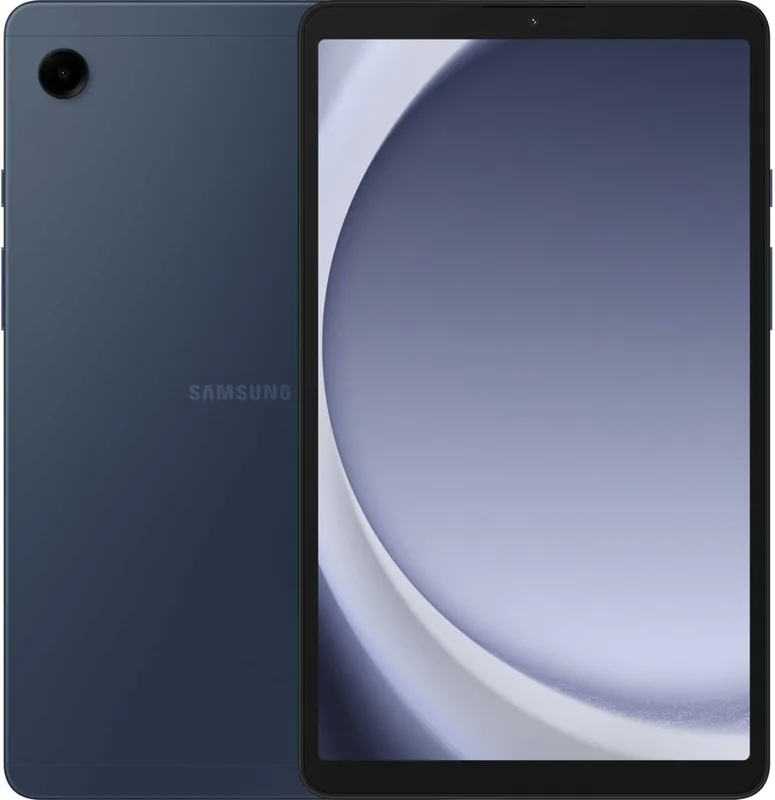
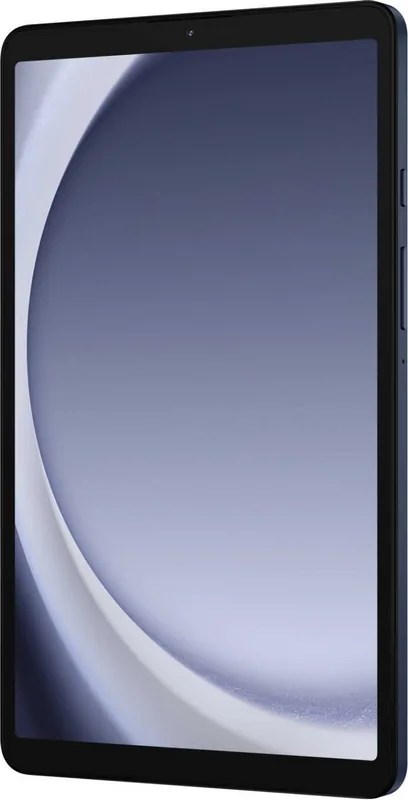

Samsung Galaxy Tab A9 SM-X110 / SM-X115 Manual
PDF manual · 126 Pages
English


Quick check
Incorrect answer, please try again.
Chat with your Samsung Galaxy Tab A9 SM-X110 / SM-X115 manual using AI
Get instant AI answers from your Samsung Galaxy Tab A9 SM-X110 / SM-X115 manual
Ask anything about the Samsung Galaxy Tab A9 SM-X110 / SM-X115. Answers come from this manual, with the pages they are based on.
Ask a Question
Do you recommend Galaxy Tab A9 SM-X110 / SM-X115?
Yes NoFrequently Asked Questions
Connect the USB Type-C cable to the power adapter and plug it into the multipurpose jack on the tablet. Use a Samsung-approved charger for best results.
Is this answer helpful?
Yes, you can insert a microSD card into the tray slot to increase storage capacity for photos and files, depending on the model.
Is this answer helpful?
Open the app on both devices, connect via cable or wireless, and select the data types you wish to transfer from the old device to the tablet.
Is this answer helpful?
Yes, Samsung Kids restricts access to specific apps and sets usage limits with parental controls to ensure a safe environment for children.
Is this answer helpful?
Secure Folder is a protected space that stores private content and apps separately from the main interface for enhanced privacy.
Is this answer helpful?
Open the notification panel, swipe down, and select the Smart View option to connect to a compatible TV for screen mirroring.
Is this answer helpful?
Navigate to Settings, Security and privacy, Biometrics, and Face recognition to register your face for unlocking the screen.
Is this answer helpful?
Advantages and Disadvantages
Advantages

- Support for expandable microSD storage up to compatible limits for media files.
- Secure Folder creates a separate storage area for private content from others.
- Multi window functionality lets you run multiple apps simultaneously for productivity.
- Smart Switch allows easy data transfer from old devices using cables or wireless.
- Dolby Atmos audio enhancement provides superior sound for movies and gaming.
Disadvantages

- Battery drains faster when running multiple apps and heavy multitasking.
- Camera lens may degrade or show dots if exposed to strong sunlight.
- Some models only support Wi-Fi and lack cellular network connectivity.
- Touch screen may malfunction if it gets wet or exposed to water.
- Magnet interference can affect nearby credit cards and medical devices.
Product Specification
Processor
MediaTek Helio G99 (MT6789), 2x 2.20GHz (ARM Cortex-A76) + 6x 2.00GHz (ARM Cortex-A55)
Graphics
ARM Mali-G57 MC2 (Integrated GPU)
Display
8.7", 1340x800, 179 ppi, Multi-Touch, IPS, 60Hz
Ports
1x USB-C 2.0 (480Mb/s, Charging), 1x 3.5mm Jack
Wireless
Wi-Fi 5 (802.11a/b/g/n/ac), Bluetooth 5.3
Card Reader
microSDXC (up to 1TB)
Camera
2 Megapixel, AF (Front), 8 Megapixel, AF (Rear)
Operating System
Android 14 (via Update)
Battery
Li-Ion, 5100mAh
Dimensions
8.31 x 4.91 x 0.31 inches
Features
Orientation Sensor, Accelerometer, Light Sensor, Hall Sensor
Warranty
2 years
Note
Different country versions possible.
Product Description
Experience the Versatility of the Samsung Galaxy Tab A9
The Samsung Galaxy Tab A9 series offers a robust computing experience for daily tasks. Whether you need the SM-X110 Wi-Fi version or the SM-X115 LTE model, these tablets deliver performance and convenience. Users often refer to the Samsung Galaxy Tab A9 SM-X110 Wi-Fi / SM-X115 LTE Manual to understand device capabilities fully. This comprehensive guide highlights essential features for new owners and long-term users seeking to maximize their device utility.
Power and Connectivity
Battery life is crucial for mobility during travel or work. The device supports wired charging and quick charging options using a USB Type-C cable efficiently. You can charge other mobile devices using the USB cable directly from the tablet during emergencies. The tablet supports Wi-Fi and LTE connectivity depending on the specific model variant chosen at purchase. Nano-SIM cards are supported on certain models for mobile network access without Wi-Fi availability. microSD cards allow for expandable storage up to compatible limits for photos and files effectively. Reducing battery consumption involves optimizing the device and closing unnecessary apps constantly to save power.
Applications and Features
Samsung provides a suite of integrated apps for productivity and entertainment seamlessly. Samsung Health helps you track wellness goals and fitness progress with detailed monitoring cards and step counts. Samsung Kids ensures a safe environment for children with strict parental controls and usage time limits set by parents. The Camera app allows for diverse shooting modes including Pro, Night, Food, and Video recording with zoom capabilities. Multi window functionality lets you run multiple apps simultaneously for better productivity on a larger canvas using split screen views.
Personalization and Security
Security is paramount with Face recognition and Secure Folder support included. The Secure Folder creates a separate storage area for private content and apps hidden from the main interface. Display settings allow for Dark mode and adaptive brightness to reduce eye strain during night usage effectively. Smart View enables screen mirroring on compatible TV screens for media sharing easily. Sound settings include Dolby Atmos for enhanced audio experiences during gaming or movies with speakers.
Management and Support
Transferring data from old devices is easy via Smart Switch using cables or wireless transfer methods smoothly. Software updates ensure the device remains secure and functional with the latest features available regularly. Users can consult the user guide for troubleshooting common issues like charging or connectivity problems. This tablet is designed for users seeking reliability and a sleek interface for entertainment, work, or creative projects alike. Daily Board turns the tablet into a picture frame or bulletin board while charging your battery. Link to Windows allows connection to a computer for accessing mobile data on a big screen.
Search for 67,706 Manuals online


Type-in Brand or Model