
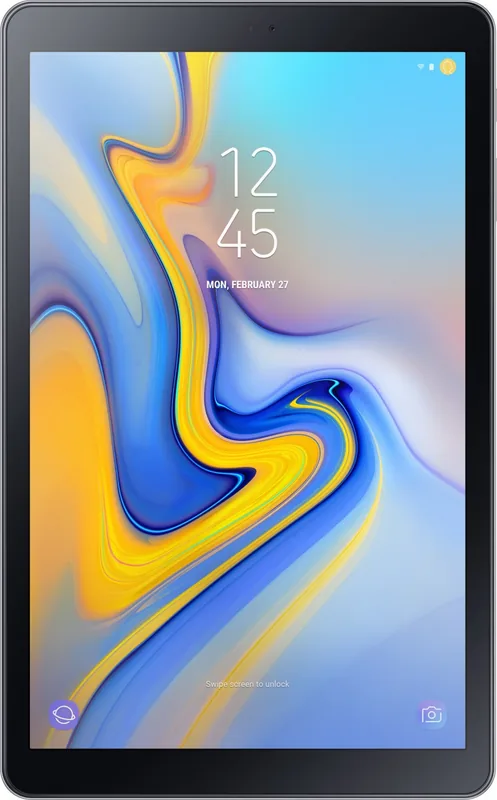
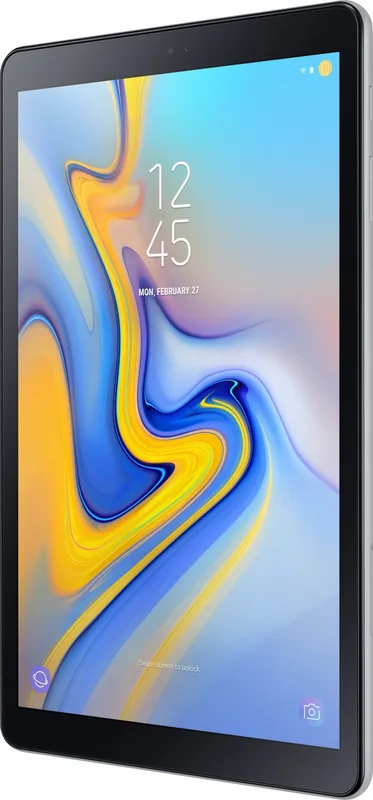

Samsung Galaxy Tab A 10.5 SM-T590 Manual
PDF manual · 163 Pages
English


Quick check
Incorrect answer, please try again.
Chat with your Samsung Galaxy Tab A 10.5 SM-T590 manual using AI
Get instant AI answers from your Samsung Galaxy Tab A 10.5 SM-T590 manual
Ask anything about the Samsung Galaxy Tab A 10.5 SM-T590. Answers come from this manual, with the pages they are based on.
Galaxy Tab A 10.5 SM-T590 Maintenance Schedule
If photos appear blurry, clean the camera lens before taking pictures.
Tap Device care -> Optimize now to free storage, close background apps, and check for malware.
Free maintenance reminders
Timed to your purchase date. Always free, unsubscribe anytime.
Ask a Question
Do you recommend Galaxy Tab A 10.5 SM-T590?
Yes No
Rod Parker
5 months ago
Does the long battery life compensate for the added weight when holding the tablet for reading or web browsing?

Manual.ly
5 months ago
Yes, the battery provides over 10 hours of usage, which is excellent for its class. The weight is slightly higher due to the larger 10.5 screen, but the back cover provides a non-slip grip that improves handling. It is widely considered a comfortable device for daily use.
dadams19
4 months ago
Does the charging port design change mean I need different cables for multiple Samsung devices?
Manual.ly
4 months ago
Yes, this model uses a USB-C connector which differs from older Micro-USB models. If you own previous Samsung tablets or phones with Micro-USB ports, you will need separate cables for those devices. However, if your other devices also support USB-C, they can share the same charger and cable.

Julia Schmidt
5 months ago
Is the tablet heavy to hold for long periods compared to older models?
Logan Smith
5 months ago
Is the Galaxy Tab A 10.5 suitable for streaming, web browsing, and everyday apps, and how long does the battery last?
Manual.ly
5 months ago
Yes. Reviews consistently describe it as a strong value choice for everyday use, including web browsing, reading, video streaming, and light gaming. Its 10.5-inch display and four speakers are widely praised for films and entertainment, while the interface is generally reported as smooth and easy to use. Battery life is frequently described as very good, even with extended daily use. For demanding games or intensive image editing, the available RAM may be limiting. Please note that a small number of users reported charging-port faults, so retain your proof of purchase and contact service if charging becomes unreliable.
Priya Nair
3 months ago
Is the Samsung Galaxy Tab A 10.5 suitable for streaming, reading, browsing, and everyday use?
Manual.ly
3 months ago
Yes. Reviews consistently praise its clear 10.5-inch display, four-speaker sound, long battery life, responsive operation, and easy setup. It is well suited to video streaming, web browsing, e-books, and casual games. For demanding gaming or intensive image editing, its RAM may be limiting, and some users find it somewhat heavy. It uses USB-C charging and includes a 3.5 mm headphone jack.
NinaK
4 months ago
Is the Galaxy Tab A 10.5 suitable for streaming, browsing, reading, and everyday apps, and how is its battery life?
Manual.ly
4 months ago
Yes. Reviews consistently praise the clear 10.5-inch display, four-speaker sound, responsive everyday performance, and long battery life. It is well suited to streaming, web browsing, ebooks, videos, and light gaming. Demanding games or intensive photo editing may push its memory limits, and some users find it a little heavier than smaller tablets.
Elena Varga
4 months ago
Is the Galaxy Tab A 10.5 good for streaming, web browsing, reading, and everyday use?
Manual.ly
4 months ago
Yes. Reviews consistently praise its sharp 10.5-inch display, four-speaker sound, responsive everyday performance, and long battery life. It is well suited to films, streaming, browsing, e-books, and light games. For demanding gaming or intensive photo editing, its memory and processor may reach their limits. It is also somewhat heavier than smaller tablets.
Filomena Jast
4 months ago
Is the Galaxy Tab A 10.5 a good choice for streaming, browsing, and everyday use, and how is its battery life?
Manual.ly
4 months ago
Yes. Reviews consistently praise its clear 10.5-inch display, four-speaker sound, responsive everyday performance, and straightforward setup. It is well suited to streaming, web browsing, reading, and light gaming. Battery life is widely described as very good for extended daily use. Please note that demanding games or intensive image editing can push the available RAM to its limits, and the tablet is somewhat heavier than smaller models.
quia_laborum
5 months ago
Is the charging port reliable on the Galaxy Tab A 10.5, and does it use USB-C?
Manual.ly
5 months ago
The tablet uses a USB-C charging port, which is reversible and compatible with many newer Samsung devices. Most reviewers report good battery life and normal charging performance. However, one review mentioned repeated charging-port defects requiring service, so please contact the retailer or Samsung support promptly if charging becomes intermittent or the connector feels loose.
Lilly Jacobson
3 months ago
Does this tablet come with a charging cable that fits multiple Samsung devices without needing adapters?
MagniEsse98
5 months ago
Is the Samsung Galaxy Tab A 10.5 heavy compared to previous models, and how does it feel in hand?
Manual.ly
5 months ago
Thank you for your inquiry. The Samsung Galaxy Tab A 10.5 is slightly heavier than some older models like the Tab S2 or Tab 10.1, weighing approximately 500 grams. However, most users find it comfortable to hold due to its slim profile and the anti-slip rubberized back cover. While it is not as light as ultra-thin tablets, the weight distribution is excellent for media consumption and reading.
Frequently Asked Questions
To prevent overheating, close unused apps, reduce screen brightness, avoid direct sunlight, and remove heavy cases. If the device gets too hot, stop using it immediately and let it cool down before continuing.
Is this answer helpful?
No, the SM-T590 model does not support SIM cards and relies solely on Wi-Fi connectivity. Only the SM-T595 variant supports Nano-SIM cards for mobile data services.
Is this answer helpful?
Use the Smart Switch application found in settings. You can transfer data wirelessly via Wi-Fi Direct or using an external storage device like a microSD card.
Is this answer helpful?
Ensure the screen is dry and free of debris. Remove any non-approved screen protectors that might interfere with sensors. Restart the device if the issue persists.
Is this answer helpful?
While the device has protection against overcharging, it is recommended to unplug the charger once fully charged to preserve battery health and prevent unnecessary heat generation.
Is this answer helpful?
Advantages and Disadvantages
Advantages

- Large 10.5-inch display perfect for media consumption
- Expandable storage via microSD card slot
- Multi-window support for efficient multitasking
- Comprehensive safety and overheating protection guides
- Versatile camera modes including Pro and Night mode
Disadvantages

- Overheating may occur during intensive gaming or charging
- Touchscreen may register false inputs when wet
- Some advanced features vary by region or carrier
- Non-removable battery limits user replacement options
- External accessories must be Samsung certified for warranty
Product Specification
CPU
Qualcomm Snapdragon 450 (SDM450), 8x 1.80GHz (ARM Cortex-A53)
RAM
3GB
Storage
32GB Flash
Graphics
Qualcomm Adreno 506 (iGPU)
Display
10.5, 1920x1200, 216ppi, Multi-Touch, IPS, Glass (Corning Gorilla Glass 4)
Ports
1x USB-C 2.0 (480Mb/s, Power Delivery), 1x 3.5mm Jack
Wireless
Wi-Fi 5 (WLAN 802.11a/b/g/n/ac), Bluetooth 4.2
Navigation
GPS, GLONASS, Beidou, Compass
SIM
N/A
Mobile Network
N/A
Networks
N/A
Card Reader
microSDXC (up to 400GB)
Webcam
5 Megapixel (front), 8 Megapixel, AF, Flash (rear)
Operating System
Android 10 (via Update)
Battery
Li-Ion, 7300mAh
Dimensions
10.24x6.34x0.31 inches
Weight
1.17 lbs (Tablet)
Color
gray/black
Features
Orientation Sensor, Accelerometer, Light Sensor, Qualcomm Quick Charge 3.0
Warranty
two years
Note
Different country versions possible.
Product Description
Discover the Samsung Galaxy Tab A 10.5 T590 32GB Gray Manual Experience
The Samsung Galaxy Tab A 10.5 T590 in a sleek gray finish offers a versatile computing experience designed for entertainment, productivity, and daily tasks. This tablet features a large 10.5-inch display that brings content to life with vivid colors and sharp details. Whether you are streaming your favorite shows, browsing the web, or working on documents, the device provides a smooth interface supported by an intuitive operating system.
Understanding how to get the most out of your tablet is essential for optimal performance. The included manual guides users through the initial setup process, ensuring that your new device is configured correctly from the start. You will learn how to transfer data from your previous device using Smart Switch, set up your Samsung Account for seamless synchronization, and customize the home screen to suit your preferences. The guide also covers managing applications, installing software from the Galaxy Store or Play Store, and organizing your digital life with folders and widgets.
Battery management is a key feature highlighted in the documentation. Users can extend battery life by utilizing power-saving modes, adjusting screen brightness, and closing background apps. The manual also addresses potential overheating scenarios, offering practical solutions such as removing cases, stopping intensive tasks, or allowing the device to cool down before resuming use. Safety precautions regarding charging, water exposure, and magnetic interference are clearly outlined to protect both the user and the hardware.
Connectivity options allow for flexible usage patterns. The SM-T590 model supports Wi-Fi connections, while the SM-T595 variant includes cellular capabilities for mobile data. Users can expand storage capacity using microSD cards, providing ample space for photos, videos, and files. The tablet also supports multi-window functionality, enabling multitasking by running two applications simultaneously in a split-screen view or as floating pop-up windows.
The camera system on the Galaxy Tab A 10.5 allows for high-quality photo and video capture. With various modes including Pro, Panorama, and Night Mode, users can experiment with different photography styles. The front-facing camera is ideal for video calls and selfies, enhanced by beauty filters and live focus effects. Additionally, features like Bixby Vision and Samsung Notes add layers of utility, helping users identify objects, translate text, and jot down ideas quickly.
Maintaining the device ensures longevity and performance. Regular software updates keep security patches current, while the Device Care app helps optimize storage and memory. By following the guidelines in this comprehensive manual, owners can enjoy a reliable and efficient tablet experience tailored to their lifestyle.
Search for 67,706 Manuals online


Type-in Brand or Model
Freddie Palmer
8 months ago
I heard the charging connector was changed on this Tab A 10.5. Will I need a new charger and cable, especially if I already have other Samsung devices at home?
Manual.ly
8 months ago
On the Tab A 10.5, the charging port/cable type can differ from older Samsung models you might still have. If your previous Samsung used a different connector (for example micro-USB), you will likely need the correct replacement cable and charger for this tablet. The simplest approach is to use the supplied charging cable with a compatible USB power adapter. If you own other Samsung tablets/phones, check what connector they use: you may need separate cables if the ports are different. If you want, tell us which Samsung device you are comparing, and we can help confirm the right cable type.