

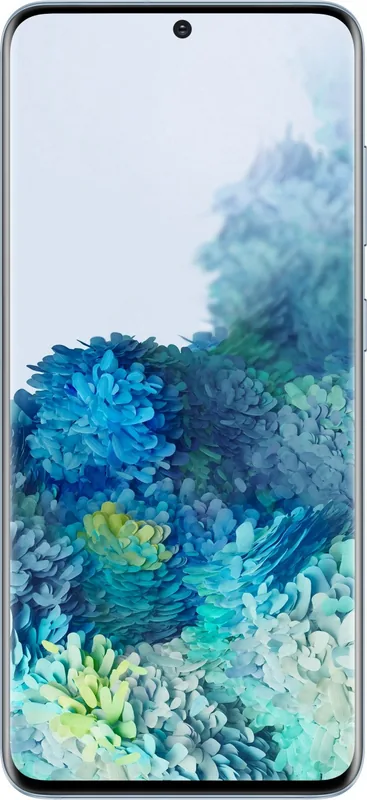
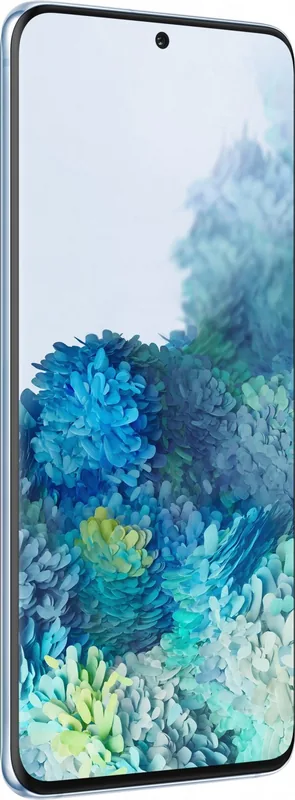
Samsung Galaxy S20 Manual
PDF manual · 252 Pages
English


Quick check
Incorrect answer, please try again.
Chat with your Samsung Galaxy S20 manual using AI
Get instant AI answers from your Samsung Galaxy S20 manual
Ask anything about the Samsung Galaxy S20. Answers come from this manual, with the pages they are based on.
Ask a Question
Do you recommend Galaxy S20?
Yes NoDo you recommend Galaxy S20?
Yes NoFrequently Asked Questions
Launch the Settings app, tap Device care, and then Battery charging. Tap the Super fast charging switch to activate the feature before connecting the charger.
Is this answer helpful?
Overheating occurs during fast charging, heavy gaming, or extended video recording. Close running apps and avoid using the device until it cools down.
Is this answer helpful?
It meets IP68 standards for up to 1.5m of fresh water for 30 minutes. Salt water or other liquids can damage the device faster than fresh water.
Is this answer helpful?
Use the Smart Switch app via USB cable, wireless connection, or external storage to move contacts and files to the new device easily.
Is this answer helpful?
Yes, the Wireless PowerShare feature allows charging compatible accessories by placing them on the back of the device.
Is this answer helpful?
Press the Side key and the Volume Down key simultaneously. You can also swipe your palm across the screen if enabled in settings.
Is this answer helpful?
Allow the depleted battery to charge for a few minutes before trying to turn on the device immediately after connecting the charger.
Is this answer helpful?
Advantages and Disadvantages
Advantages

- Super fast charging capabilities for quick power ups
- IP68 water and dust resistance for durability
- 8K video recording with versatile camera lenses
- Wireless PowerShare to charge accessories passively
- Bixby AI integration for automated tasks
Disadvantages

- Device may overheat during heavy usage or gaming
- Battery drains quickly with high performance tasks
- Screen burn-in risk with fixed graphics
- Complex menu navigation for new users
- Water resistance may degrade after physical drops
Product Specification
Operating System
Android 13.0 (via Update), Android 10.0 (Factory)
Display
6.2", 3200x1440 Pixels, 16 Million Colors, AMOLED, Capacitive Touchscreen, Gorilla Glass 6, Punch Hole, HDR (HDR10+), 60-120Hz Refresh Rate, 240Hz Sampling Rate, 566ppi
Rear Camera
12.0MP, f/1.8, PDAF (All-Pixel AF), OIS, LED Flash (Camera 1); 64.0MP, f/2.0, PDAF, OIS, Videos @4320p/24fps (Camera 2); 12.0MP, f/2.2, Wide-angle Lens (Camera 3)
Front Camera
10.0MP, f/2.2, PDAF (All-Pixel AF), Videos @2160p/30fps
Interfaces
USB-C 3.1 (5Gb/s, OTG), Wi-Fi 6 (WLAN 802.11a/b/g/n/ac/ax), Bluetooth 5.0 (aptX), NFC, ANT+
Sensors
Accelerometer, Gyroscope, Proximity Sensor, Light Sensor, Compass, Barometer, Fingerprint Sensor (Display)
SoC
Samsung Exynos 990, 64-bit
CPU
2x 2.73GHz M5 + 2x 2.50GHz Cortex-A76 + 4x 2.00GHz Cortex-A55
GPU
Mali-G77 MP11
RAM
8GB
Storage
128GB (UFS 3.0), microSD Slot (shared, up to 1TB)
Navigation
A-GPS (L1/L5), GLONASS, BeiDou, Galileo (E1/E5a)
Modem
GSM (0.2Mbps/0.1Mbps), UMTS (42Mbps/5.76Mbps), LTE Cat 20/18 (2000Mbps/210Mbps)
Frequency Bands
2G (850/900/1800/1900), 3G (B1/B2/B4/B5/B8), 4G (B1/B2/B3/B4/B5/B7/B8/B12/B13/B17/B18/B19/B20/B25/B26/B28/B32/B38/B39/B40/B41/B66)
Battery
4000mAh, Non-removable, Wireless Charging, Reverse Charging (Wireless)
Charging Wattage
25W (USB), 15W (Qi), 4.5W (Reverse Charging without Cable)
SAR Value
0.13 W/lb Head, 0.69 W/lb Body
Form Factor
Candy Bar
Housing Material
Glass (Back), Metal (Frame)
SIM Form Factor
Nano-SIM (1x Shared), eSIM
Features
Dual-SIM, IP68 Certified, Stereo Speakers (Hybrid)
Dimensions
5.97x2.72x0.31 in
Weight
0.36 lbs
Screen-to-Body Ratio
88.5%
Product Description
Discover the Power of the Samsung Galaxy S20
The Samsung Galaxy S20 series redefines mobile technology with its stunning visuals and advanced capabilities. Designed for users who demand excellence, this device offers a seamless experience through its expansive display. Navigating the interface is intuitive, allowing you to access applications effortlessly. When exploring comprehensive guides like the Samsung Galaxy S20 Manual, users learn how to optimize settings for daily use. The hardware supports high-performance tasks, ensuring smooth multitasking even with heavy workloads.
Camera Excellence
Capturing memories is central to this flagship experience. The rear camera system provides versatile lenses for various scenarios. Users can record in high-resolution formats, providing crystal clear details. Night modes enhance low-light photography, making every shot vibrant. Features like Single Take capture multiple results instantly. Video stabilization keeps footage smooth during movement.
Battery and Charging Efficiency
Power management is critical for modern smartphones. This handset includes super fast charging capabilities to minimize downtime. Wireless charging adds convenience for those who prefer cable-free solutions. Power share functionality allows the device to charge accessories passively. Battery life adapts to usage patterns, while smart features prevent overheating during intensive operations.
Software and Security
Intelligence integrates deeply into the system. AI assistants help automate routine tasks based on user habits. Security options include biometric authentication methods for protected access. Data transfer tools simplify migration from previous devices. The operating system supports regular updates to maintain performance. Privacy settings ensure personal information remains safe.
Connectivity and Durability
Connecting to networks is faster with advanced antenna technology. The build quality respects environmental standards, offering resistance against dust and water. Careful handling maintains these protections over time. Users should avoid extreme temperatures to safeguard internal components. Accessories compatible with the ecosystem enhance utility. Overall, this phone stands out as a top choice for tech enthusiasts seeking reliability and innovation.
Display and Design
The screen technology delivers vibrant colors and sharp contrast ratios. Viewers enjoy immersive media consumption without eye strain. Adaptive brightness adjusts automatically to ambient lighting conditions. Edge screen designs offer quick shortcuts through side panels. Hiding navigation bars maximizes viewing space for content. Customization options allow individuals to set unique wallpapers and themes. These elements combine to create a personalized workspace that adapts to your lifestyle needs.
Maintenance and Care
Proper upkeep ensures longevity for your investment. Routine checks on storage space prevent slowdowns over months. Cleaning the lens keeps photography quality high. Software updates patch security vulnerabilities effectively. When traveling, check service provider compatibility for global use. Keeping software current guarantees the best performance standards. Remember to use approved chargers to avoid power issues.
Conclusion
This technology represents a significant leap forward in consumer electronics. Integrating various utilities into one compact form factor makes it practical for travel. It shines through for different environments.
Search for 67,732 Manuals online


Type-in Brand or Model