
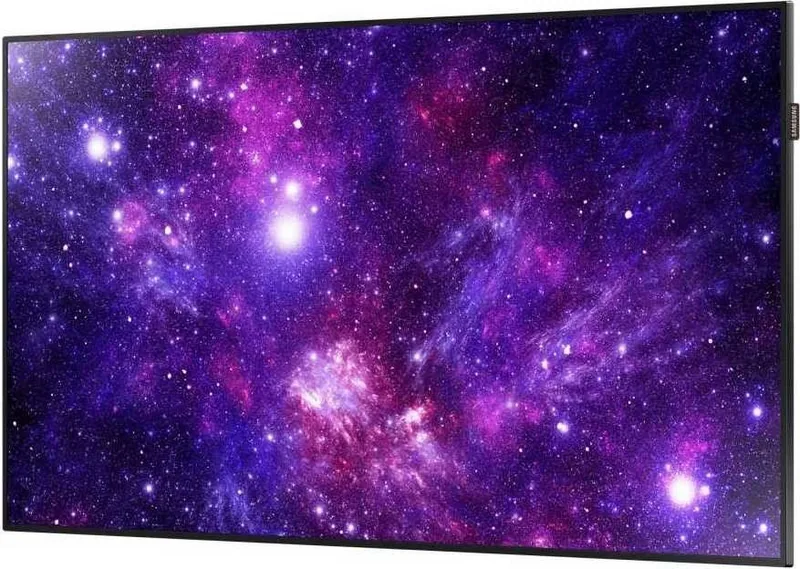

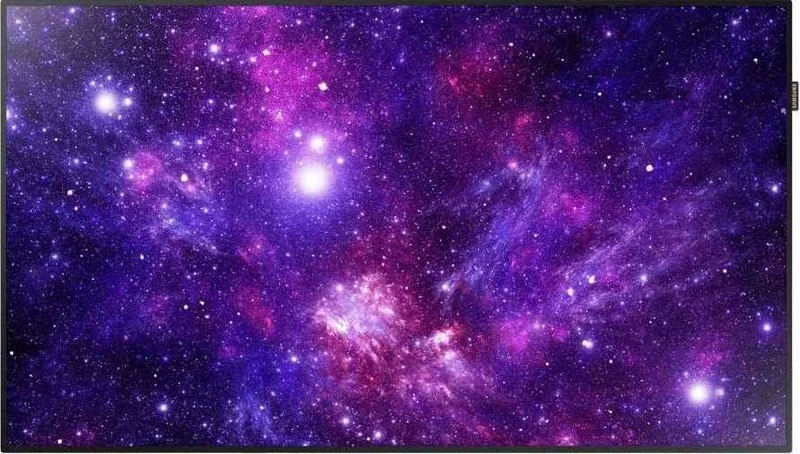
Samsung DC49H Manual
PDF manual · 131 Pages
English


Quick check
Incorrect answer, please try again.
Chat with your Samsung DC49H manual using AI
Get instant AI answers from your Samsung DC49H manual
Ask anything about the Samsung DC49H. Answers come from this manual, with the pages they are based on.
DC49H Maintenance Schedule
Wipe with a clean soft dry cloth. Do not use detergents containing alcohol or spray water directly.
Replace both batteries at the same time when they are flat or before long periods of non-use.
Ensure vents are not blocked by tablecloths or curtains and clean dust around power plug pins with a dry cloth to prevent fire.
Display a moving image along with a logo for 60 seconds after using the product for 4 hours.
Free maintenance reminders
Timed to your purchase date. Always free, unsubscribe anytime.
Ask a Question
Do you recommend DC49H?
Yes NoFrequently Asked Questions
The DC49H supports HDMI (x2), DVI, DVI/PC/MagicInfo input, AV/component, USB for media playback, RS232C for control and RJ45 for network connectivity. Supported resolutions include 1080p/720p and other common formats; audio can be routed via AUDIO IN/OUT ports.
Is this answer helpful?
Yes. The DC49H supports video wall configurations with VESA wall-mount mounting and built-in video wall functions. You can set horizontal and vertical divisions up to supported limits, assign screen positions, and manage layouts via RS232C or MDC. Use the recommended resolutions and follow Samsung installation guidelines for best results.
Is this answer helpful?
Enable Screen Burn Protection features such as Pixel Shift, Screen Saver timers, Side Grey adjustments and Auto Protection Time. Avoid displaying static 4:3 content for long periods, use moving picture content or power-saving modes, and configure Pixel Shift (horizontal/vertical/time) to minimize image retention.
Is this answer helpful?
Use MDC (Multiple Display Control) over Ethernet or RS232C serial control. The DC49H supports RS232C commands for power, volume, input source, PIP and video wall settings. MDC Unified software enables centralized management, scheduling and firmware updates across many displays.
Is this answer helpful?
Install on a solid perpendicular wall using VESA-compliant mounts, allow minimum ventilation clearance (e.g., 40 mm), and keep ambient temperature under 35°C. Use proper screw lengths (400x400 mm VESA for this model), ensure vents remain unobstructed and avoid humid or dusty environments.
Is this answer helpful?
Yes. The display can play photos, videos and music from connected USB storage or internal memory via MagicInfo Lite and the Media Play application. Supported media formats and subtitles are listed in the manual; use certified USB devices and safely remove them when finished.
Is this answer helpful?
The DC49H offers Eco Solution options including Energy Saving levels, Eco Sensor (adaptive brightness), No Signal Power Off, Auto Power Off and Max. Power Saving. These reduce power consumption and help comply with energy standards when configured appropriately.
Is this answer helpful?
Advantages and Disadvantages
Advantages

- Comprehensive connectivity: HDMI, DVI, AV, USB, RS232C and RJ45 for flexible setups.
- Advanced display controls: calibration, gamma, white balance and picture modes for accurate color.
- Enterprise features: MagicInfo/MDC support, video wall and remote management for large deployments.
- Screen protection and eco modes: pixel shift, timers, eco sensor and auto power-off extend panel life.
- Designed for commercial use with anti-theft slot and VESA wall-mount compatibility (400x400 mm).
Disadvantages

- Recommended daily use under 16 hours; extended continuous operation may void warranty.
- Requires proper ventilation and professional mounting to avoid overheating and installation risks.
- Some advanced functions (e.g., MagicInfo, MDC) may need additional hardware or software setup.
- Pixel Shift and calibration may be disabled in certain picture modes, limiting some workflows.
- Complex configuration (network, RS232, video wall) may require IT or AV integration expertise.
Product Specification
Diagonal
49"/49.02"
Resolution
1920x1080, 16:9
Brightness
350 cd/m^2
Contrast
5,000:1 (static), not specified (dynamic)
Response time
8 ms
Viewing angle
178°/178°
Shape
straight (flat)
Backlight
White-LED
HDR
N/A
Refresh rate
60 Hz
Signal frequency
not specified (horizontal), not specified (vertical)
Connections
1x DVI, 2x HDMI 1.4, 2x DisplayPort 1.2, 1x RCA Component, 1x 3.5mm jack (Line-In), 1x 3.5mm jack (Line-Out)
Other connections
1x USB-A 2.0 (480Mb/s), 1x RJ-45 LAN, 1x serial
VESA
400x400 (free)
Power consumption
99 W (maximum), 52 W (typical), not specified (old energy label A+++ to G), 0.5 W (Standby)
Dimensions (WxHxD)
43.19x24.76x1.18 in
Weight
28.88 lb
Special features
Slim Bezel, Speakers (2x 10W)
Manufacturer warranty
three years
Product Description
Samsung DC49H, 49" Manual
The Samsung DC49H 49" is a professional-grade digital signage display designed for continuous commercial use. Boasting a crisp 49-inch panel and enterprise-focused features, the DC49H targets retail, corporate, hospitality and public spaces where reliable image quality, networked management and flexible mounting are essential. This model supports multiple input types including HDMI, DVI, component and AV, and integrates with Samsung signage tools like MagicInfo and MDC for centralized content distribution and multi-display control.
Key features and usage
With robust connectivity—Ethernet (RJ45), RS232C control, USB media playback and optional wireless adapters—the DC49H can act as a standalone media player or a node in a larger signage network. The display supports video wall configurations (VESA-standard wall mounts) and programmable picture modes (Information, Advertisement, Calibration, Dynamic, Movie). Advanced calibration options (white balance, gamma, colour space) and support for calibration software help achieve consistent color and brightness across installations. The unit includes anti-theft provisions, remote sensor options, and compatibility with MDC (Multiple Display Control) software for synchronized control and firmware management.
Practical deployment notes
Ventilation and installation are emphasized: allow clearance for airflow and follow VESA screw and mount guidelines to prevent overheating or structural issues. The manual advises a recommended daily usage below 16 hours to protect warranty coverage and reduce burn-in risk. Built-in screen burn protection features (pixel shift, screen saver timers, side-grey adjustments) and eco settings (auto power off, no-signal power off, eco sensor, dynamic backlight) help extend panel life in commercial deployments.
Performance and control
Picture and sound settings are extensive: multiple picture modes, backlight/contrast/brightness/sharpness/tint controls, dynamic contrast, MPEG noise filtering, HDMI black level and PIP. Sound management supports internal/external speaker selection, DTS TruSurround/TruDialog, equalizer and auto volume. For integrators, RS232C command sets and LAN-based MDC control provide remote power, volume, input switching, video wall management and safety lock control.
Final thoughts
The Samsung DC49H 49" is a feature-rich signage display tailored for professional installations that demand reliability, network control and image flexibility. Its management tools, calibration support and protective features make it suitable for multi-screen video walls and continuous public operation when installed and configured according to the manual.
Notes
- Recommended daily use is under 16 hours to avoid warranty issues.
- Use VESA-compliant wall mounts and correct screw lengths to avoid damage.
- Enable Pixel Shift and screen-protection timers to reduce burn-in risk.
- For networked control, use MDC over LAN or RS232C as appropriate.
- Keep vents clear and maintain ambient temperature below 35°C for best performance.
Search for 67,706 Manuals online


Type-in Brand or Model