
Samsung BET Series Manual
PDF manual · 504 Pages
English


Quick check
Incorrect answer, please try again.
Chat with your Samsung BET Series manual using AI
Get instant AI answers from your Samsung BET Series manual
Ask anything about the Samsung BET Series. Answers come from this manual, with the pages they are based on.
Ask a Question
Do you recommend BET Series?
Yes NoFrequently Asked Questions
The range includes 43, 50, 55, 65, 70, and 75 inch models, allowing businesses to choose a screen size suited to their room, audience distance, and content needs.
Is this answer helpful?
Yes. The listed BET-H models use a 3840 x 2160 display resolution, delivering detailed visuals for signage, presentations, video, and other professional content.
Is this answer helpful?
Yes. It supports wireless network connections through a compatible access point or modem, as well as wired LAN connections. Network access enables online services and software updates.
Is this answer helpful?
Each listed Samsung BET Series model has 20 W sound output. This is suitable for general playback, presentations, and everyday business use where integrated audio is needed.
Is this answer helpful?
Yes. Compatible wall mount kits can be used, but they are sold separately. Follow VESA specifications, use suitable screws, ensure the wall is solid, and keep adequate ventilation space around the display.
Is this answer helpful?
The Eco Sensor measures ambient light and can automatically adjust screen brightness. This can improve viewing comfort and reduce power consumption, though it may make the image appear darker in low-light rooms.
Is this answer helpful?
Advantages and Disadvantages
Advantages

- 4K 3840 x 2160 resolution is available across all listed BET Series screen sizes.
- Six size options from 43 to 75 inches support a wide range of commercial spaces.
- Wi-Fi and wired LAN connectivity enable Smart Hub access and software updates.
- Built-in 20 W audio provides convenient sound for standard business content.
- Eco Sensor can optimize brightness based on ambient room lighting.
Disadvantages

- Wall mount hardware is sold separately and must match the VESA requirements.
- A wired network needs a Cat7 STP cable, which is not included.
- Internet connectivity requires a network speed of at least 10 Mbps.
- Ambient Light Detection may make the screen appear dim in dark rooms.
- Standby mode still consumes a small amount of power.
Product Specification
Resolution
3840 x 2160, 16:9
Brightness
250 cd/m2
Contrast
4,700:1 (static), not specified (dynamic)
Response Time
8 ms
Viewing Angle
178 degrees/178 degrees
Shape
flat
Backlight
White LED
HDR
N/A
Color Depth
8-bit (16.7 million colors)
Refresh Rate
60 Hz
Ports
2x HDMI 2.0, 1x Toslink S/PDIF Out
Additional Ports
1x RJ-45 LAN, 1x USB-A 2.0 (480 Mb/s)
Operating Time
16 hr/7
SDR Energy Efficiency Class (A to G)
G
HDR Energy Efficiency Class (A to G)
G
Features
Speakers (2x 10 W), HDCP 2.2, Wi-Fi 5 (WLAN 802.11a/b/g/n/ac), Bluetooth 4.2, Tizen, DVB-C/DVB-T2/DVB-S2 tuner, remote control, stand
Manufacturer Warranty
three years
Product Description
Samsung BET Series - Read, Download & Print Free
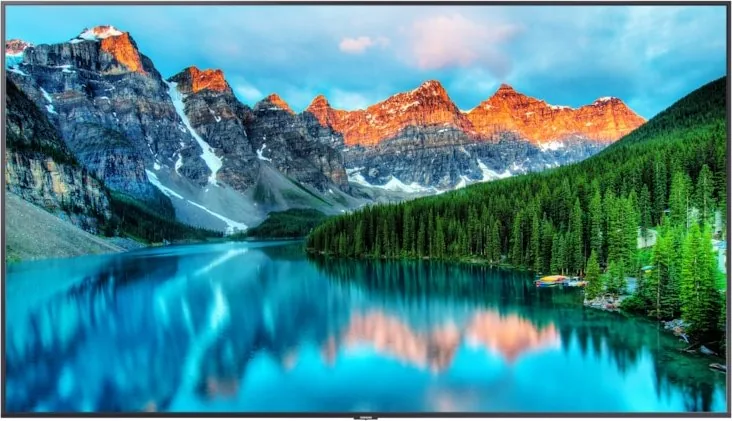
The Samsung BET Series brings professional 4K display performance to business environments that need clear, dependable visual communication. Available in sizes from 43 to 75 inches, these displays are designed for retail spaces, offices, hospitality venues, reception areas, classrooms, and other locations where vivid on-screen content can support customers, guests, or teams. With a 3840 x 2160 resolution across the range, the BET Series delivers sharp images, detailed graphics, and readable text for presentations, promotions, menus, and information displays.
Built for Everyday Commercial Viewing
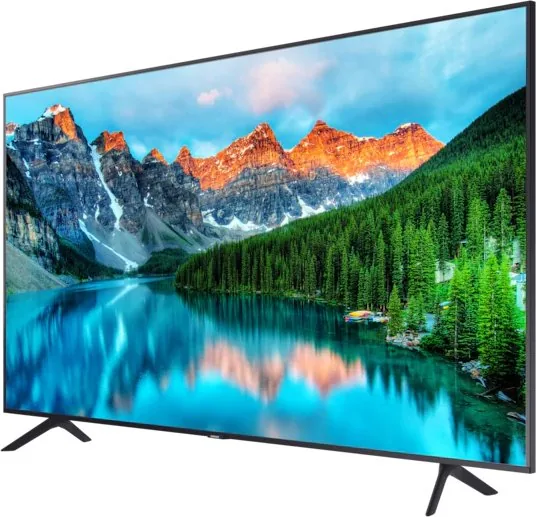
Samsung BET Series models combine slim profiles with practical installation options. Each display can be placed on its included stand or mounted to a compatible wall bracket. VESA mounting support helps installers select appropriate hardware for the screen size, while ventilation guidance and anti-fall precautions support a safer setup. The range includes 43, 50, 55, 65, 70, and 75 inch options, making it easier to match a display to the scale of a room or viewing distance.
The built-in 20 W sound output provides convenient audio for general content playback, announcements, and video presentations. A supplied remote control supports straightforward navigation, volume adjustment, source selection, channel controls, picture modes, and access to the Home screen. Accessibility is also considered through Braille points on key remote buttons, including Power, Channel, Volume, and Select.
Smart Connectivity and Simple Management
Network access expands the capabilities of the Samsung BET Series. Users can connect through Wi-Fi or a wired LAN connection to access Smart Hub services and software updates. The initial setup process guides users through core configuration, including network connection and channel search. A controller button on the display offers essential local controls when the remote is unavailable.
Maintenance features help keep the display operating smoothly. Built-in self-diagnosis tools can test picture and sound performance, while software update options allow the system to receive the latest improvements. Samsung Remote Support can assist with diagnostics, settings, factory resets, and recommended firmware updates through an approved support process.
Designed With Practical Care in Mind
An Eco Sensor can automatically adjust screen brightness according to room lighting, helping balance viewing comfort and power use. For best results, the sensor should remain unobstructed. The display should be cleaned only after power is disconnected, using a soft microfiber cloth and no direct sprays or harsh chemicals.
Note: Confirm wall strength, mounting compatibility, ventilation clearance, and network requirements before installation. Product design and specifications may change without prior notice.
Search for 67,706 Manuals online


Type-in Brand or Model