
Roadstar HRA-1782D+BT Manual
PDF manual · 54 Pages
English



Quick check
Incorrect answer, please try again.
Chat with your Roadstar HRA-1782D+BT manual using AI
Get instant AI answers from your Roadstar HRA-1782D+BT manual
Ask anything about the Roadstar HRA-1782D+BT. Answers come from this manual, with the pages they are based on.
Ask a Question
Do you recommend HRA-1782D+BT?
Yes NoFrequently Asked Questions
It supports DAB radio, FM radio, CDs, USB playback, Bluetooth streaming, and AUX input. This makes it a flexible choice for users who want both modern wireless listening and support for older media formats.
Is this answer helpful?
Yes. The unit can store up to 20 preset stations. This applies to both DAB and FM modes, making it easy to return to favorite stations without searching every time.
Is this answer helpful?
Yes. You can set an alarm in standby mode and choose DAB, FM, CD, or USB as the wake-up source. It also includes a sleep timer with options from 15 to 90 minutes.
Is this answer helpful?
Yes. The system can record from Bluetooth, AUX, DAB, and CD sources to a connected USB device. It creates a folder on the USB drive containing the recorded tracks.
Is this answer helpful?
After pairing, Bluetooth playback is controlled from the connected phone, tablet, or other mobile device. The unit mainly acts as the speaker system once the connection is established.
Is this answer helpful?
The equalizer offers FLAT, POP, CLASSIC, ROCK, and JAZZ presets. You can switch between them in any mode to better match your music or listening preference.
Is this answer helpful?
Advantages and Disadvantages
Advantages

- Supports DAB, FM, CD, USB, AUX, and Bluetooth in one system.
- Built-in alarm, sleep timer, and clock functions add everyday convenience.
- USB recording lets you capture audio from radio or external sources.
- Equalizer presets help tailor the sound to different music styles.
Disadvantages

- Requires mains power, so it is not a portable battery unit.
- Many features may feel complex at first for casual users.
- USB recording works at 1:1 speed, which is not especially fast.
- The interface relies on menus and button combinations for some settings.
Product Specification
Power
30W RMS
Audio Formats
CD-Audio, CD-R/RW, MP3
Tuner
FM, DAB, DAB+
Display
LCD, Time
Audio Connections
Stereo Line In (RCA), Headphones (3.5mm Jack)
Other Connections
USB-A
Wireless
Bluetooth
Power Supply
Mains Operation
Color
brown
Dimensions
12.40x7.28x8.66in (WxHxD)
Weight
7.50lb
Product Description
Roadstar HRA-1782D+BT Overview
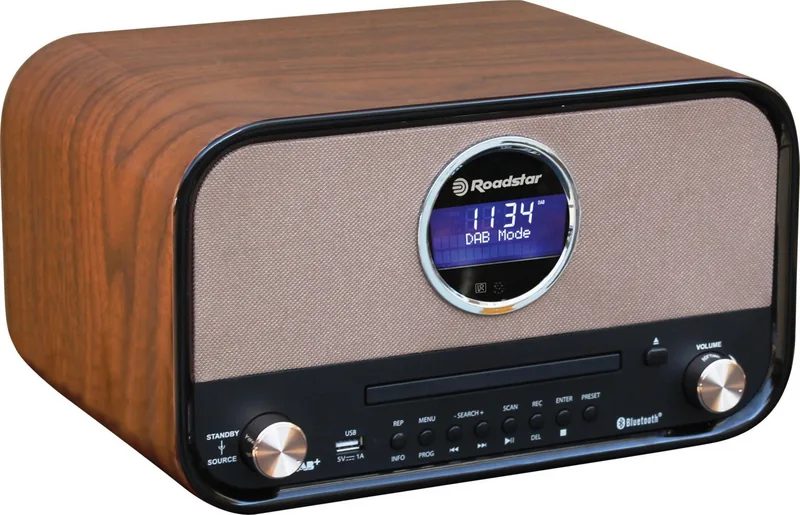
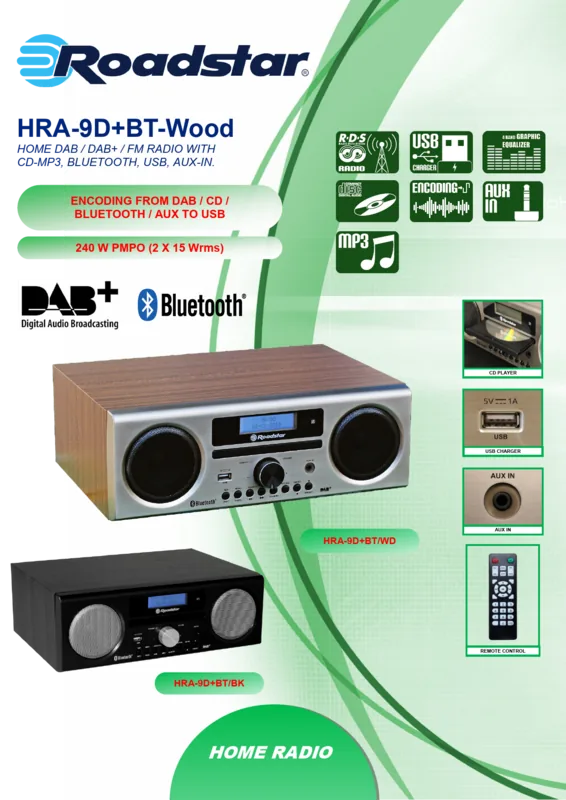
The Roadstar HRA-1782D+BT is a compact all-in-one audio system designed for everyday listening, wake-up routines, and flexible media playback. With support for DAB, FM, Bluetooth, CD, USB, and AUX input, it brings together classic and modern playback options in one practical unit. If you are looking for a simple yet feature-rich home audio solution, the Roadstar HRA-1782D+BT Manual highlights a device built for convenience, versatility, and easy daily use.
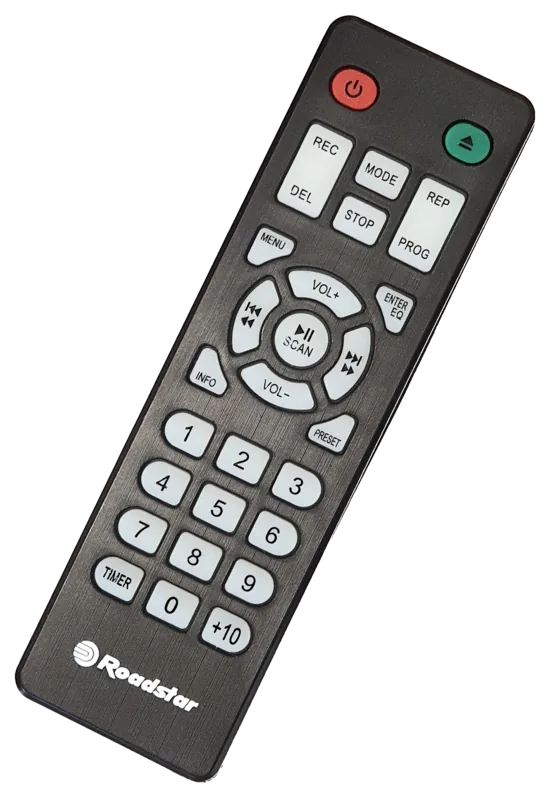
Its front panel is centered around an LCD display, direct source selection, track navigation, preset controls, and playback keys, while the remote adds even more convenience for room-to-room use. The system is especially appealing for listeners who still enjoy physical media, since it plays CDs, supports USB playback, and can even record audio to USB from Bluetooth, AUX, DAB, or CD sources. That makes it useful not only for music, but also for preserving favorite tracks in a portable format.
Radio listeners will appreciate the DAB and FM tuning options, including manual tuning, scanning, preset storage, and station info display. Up to 20 presets can be saved, which makes returning to favorite stations quick and effortless. The menu system also includes language selection, factory reset, software upgrade access, and signal-related settings such as DRC and audio mode choices.
Beyond playback, the unit adds everyday lifestyle functions. A built-in clock, alarm timer, and sleep timer make it suitable for bedrooms, kitchens, or offices. You can wake up to DAB, FM, CD, or USB playback, then fall asleep to the radio with a timed shutoff. The equalizer presets also give you a little extra control over the sound, with FLAT, POP, CLASSIC, ROCK, and JAZZ modes available.
Overall, the Roadstar HRA-1782D+BT feels like a practical music hub for users who want a mix of tradition and modern convenience. It is not trying to be overly complicated; instead, it focuses on broad compatibility, simple operation, and enough features to cover most daily listening needs.
Notes
- Works from mains power only.
- Auto-standby helps save energy after inactivity.
- Recording to USB is available from several sources.
- Ideal for listeners who want radio, discs, and wireless playback in one device.
Search for 67,732 Manuals online


Type-in Brand or Model