
Ricoh SP 230SFNw Manual
PDF manual · 510 Pages
English



Quick check
Incorrect answer, please try again.
Chat with your Ricoh SP 230SFNw manual using AI
Get instant AI answers from your Ricoh SP 230SFNw manual
Ask anything about the Ricoh SP 230SFNw. Answers come from this manual, with the pages they are based on.
SP 230SFNw Maintenance Schedule
Print a test page to remove adhesive or debris from the drum surface causing spots every 94 mm.
Wipe the rollers with a damp cloth to prevent paper jams and ensure proper feeding.
Ask a Question
Do you recommend SP 230SFNw?
Yes NoFrequently Asked Questions
Yes, the Ricoh SP 230SFNw supports wireless printing via Wi-Fi. It is compatible with AirPrint for iOS devices and Mopria Print Service for Android phones, allowing you to print directly from your mobile device without installing additional drivers.
Is this answer helpful?
Yes, the device features automatic duplex printing. You can configure the printer to print on both sides of the paper automatically, which helps save paper and reduce costs during long document runs.
Is this answer helpful?
This printer supports various paper weights ranging from thin paper (60 g/m²) to heavy cardstock (up to 230 g/m²). It accepts standard sizes like A4 and Letter, as well as envelopes and custom dimensions when using the manual feed tray.
Is this answer helpful?
You can scan by placing documents in the Automatic Document Feeder or on the glass platen. Press the Scan button on the control panel, select 'Scan to PC', choose your destination computer, and press Start. Alternatively, use the ControlCenter software for more advanced options.
Is this answer helpful?
Typically, Ricoh products come with a standard manufacturer's warranty covering parts and labor for one year. However, specific terms may vary by region and retailer, so please check your local documentation or receipt for exact details.
Is this answer helpful?
Yes, the Ricoh SP 230SFNw has a built-in modem that allows you to send and receive faxes. You can dial numbers manually, use speed dial lists, or schedule faxes to be sent at a later time using the fax menu options.
Is this answer helpful?
Advantages and Disadvantages
Advantages

- Built-in wireless networking and Wi-Fi Direct for flexible connectivity
- Automatic Document Feeder handles multi-page scanning efficiently
- Supports multiple paper sizes including envelopes and custom media
- Includes OCR functionality for converting scanned images to editable text
- Compact design saves valuable desk space in small offices
Disadvantages

- Monochrome only so no color printing capability
- Manual feed tray requires individual sheet loading for specialty media
- Maximum paper capacity may require frequent refilling for high-volume use
- No touchscreen interface limiting some navigation options
- Initial driver setup can be complex for non-technical users
Product Specification
Format
A4 (Print), A4 (Scan)
Type
Printer/Scanner/Copier/Fax
Color System
1-color, 1x single toner
Consumables
408294, 408295, 408296
1200x1200dpi - 30 ppm (A4)
Scan
1200x1200dpi (CIS) (A4)
Copy
1200x1200dpi
Paper Feed
250 sheets, ADF
Memory
64MB (RAM)
Connections
1x USB-B 2.0, 1x Fax (RJ-11)
Network
LAN, Wi-Fi 4 (WLAN 802.11b/g/n), AirPrint, Cloud Print, Mopria
Display
monochrome, 2-line
Power Consumption
1104W (max), 440W (typical), 42W (standby), 6.2W (sleep)
Sound Pressure Level
49.0dB(A)
Emulation
GDI
Dimensions
16.1x12.6x15.7in
Weight
26.0lbs
Manufacturer Warranty
2 years
Product Description
Ricoh SP 230SFNw Laser Monochrome: The Ultimate Office Companion
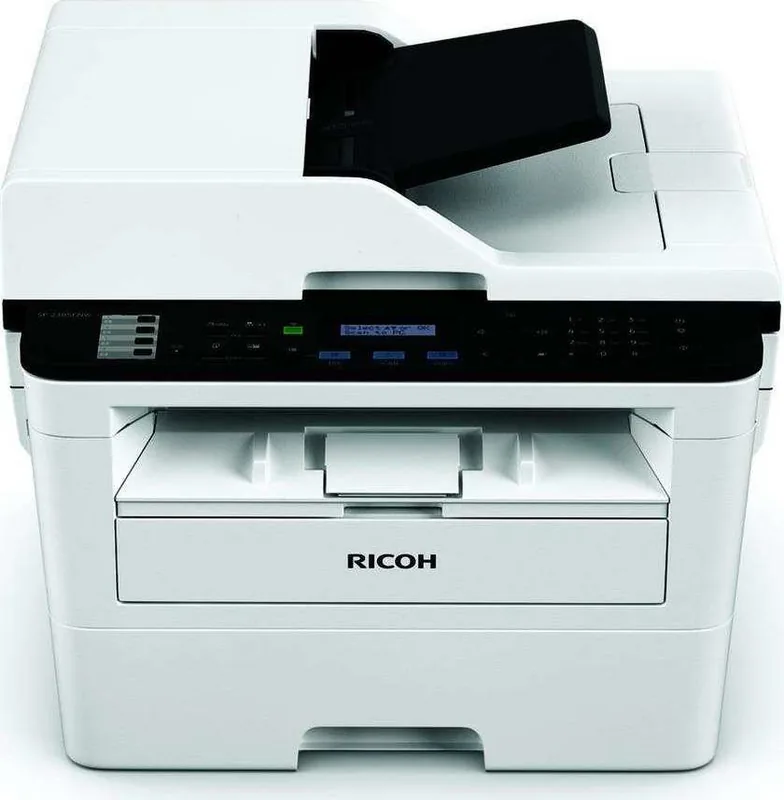
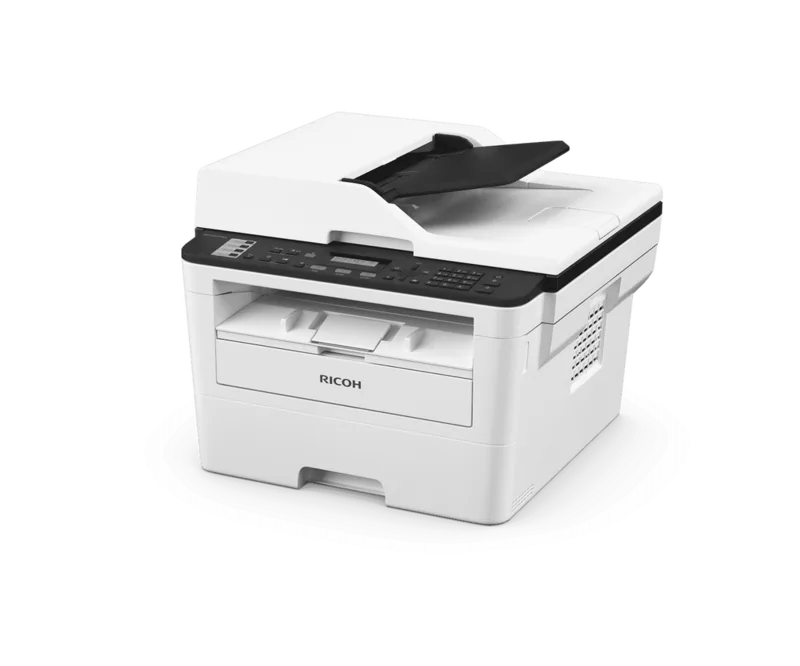
The Ricoh SP 230SFNw is a versatile monochrome laser multifunction printer designed to streamline your daily office tasks. This all-in-one device seamlessly integrates printing, scanning, copying, and faxing capabilities into a compact footprint, making it an ideal choice for small businesses and home offices that demand efficiency without sacrificing space.
At the heart of this machine lies robust laser technology that delivers crisp, professional black-and-white documents at impressive speeds. Whether you are drafting contracts, printing marketing materials, or scanning important records, the SP 230SFNw ensures consistent quality every time. The device supports a wide range of paper sizes, from standard Letter and A4 sheets to envelopes and custom media, providing the flexibility needed for diverse document types.
Connectivity is a major highlight of the Ricoh SP 230SFNw. With built-in wireless networking, users can easily print from laptops, smartphones, and tablets anywhere within the network range. The inclusion of Wi-Fi Direct allows for direct connections without needing a router, while AirPrint and Google Cloud Print support enable seamless mobile printing from iOS and Android devices. For those who prefer wired connections, the Ethernet port offers stable and fast data transfer.
Scanning features on this unit are equally impressive. The Automatic Document Feeder (ADF) handles multi-page jobs effortlessly, allowing you to digitize stacks of papers in minutes. You can scan directly to email, save files as PDFs to your computer, or convert text into editable formats using Optical Character Recognition (OCR). The ControlCenter software suite provides advanced management options, letting you customize scan destinations and settings for maximum productivity.
Beyond basic functions, the Ricoh SP 230SFNw includes security features to protect sensitive information. Network security protocols like SSL/TLS ensure that data transmitted between the device and computers remains encrypted. The intuitive control panel with a clear LCD display makes navigation simple, allowing users to adjust settings for duplex printing, paper trays, and resolution with just a few button presses.
In summary, the Ricoh SP 230SFNw stands out as a reliable workhorse for modern workflows. Its combination of speed, connectivity, and multifunctional capabilities makes it a smart investment for anyone looking to enhance their printing experience while maintaining high standards of quality and security.
Search for 67,706 Manuals online


Type-in Brand or Model