
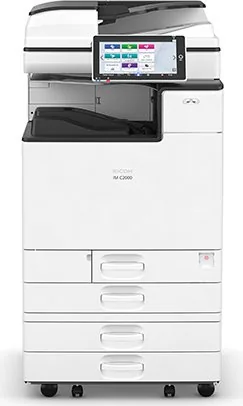
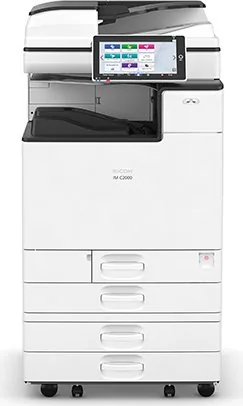
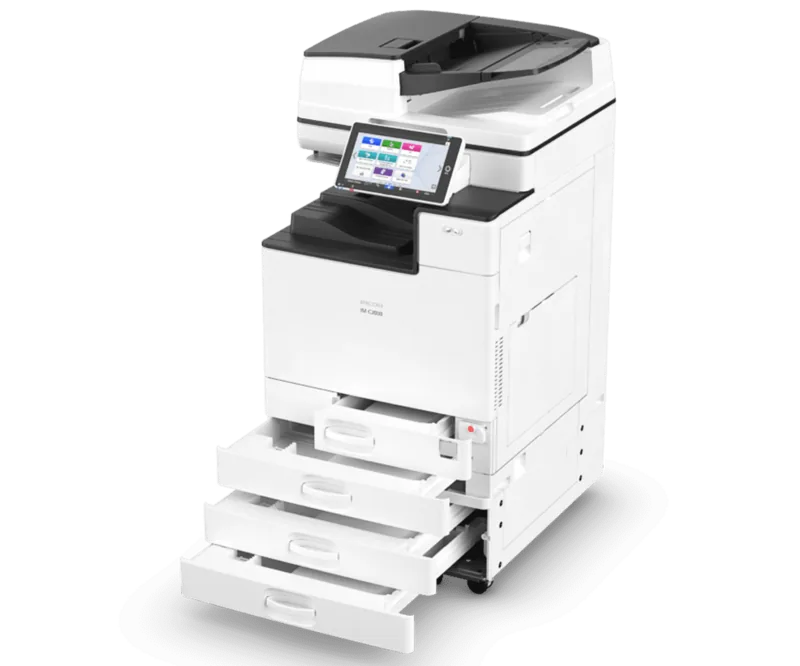
Ricoh IM C2000 Manual
PDF manual · 396 Pages
English



Quick check
Incorrect answer, please try again.
Chat with your Ricoh IM C2000 manual using AI
Get instant AI answers from your Ricoh IM C2000 manual
Ask anything about the Ricoh IM C2000. Answers come from this manual, with the pages they are based on.
IM C2000 Maintenance Schedule
Replace when the message 'Waste Toner Bottle is almost full' appears. Follow the video procedure on the control panel.
Replace when the message 'Check you have a print cartridge replacement(s)' appears. Follow the video procedure on the control panel.
Ask a Question
Do you recommend IM C2000?
Yes NoFrequently Asked Questions
Access the Application Site from the control panel to download and install the latest RICOH Always Current Technology packages. This process adds new functions and security updates automatically.
Is this answer helpful?
Yes, insert your USB flash memory into the media slots on the control panel. You can then select and print files directly from the device interface without needing a computer connection.
Is this answer helpful?
In Sleep mode, the display turns off and power consumption is minimized. The machine wakes up when you touch the panel, lift the ADF, or approach the human detection sensor.
Is this answer helpful?
Authentication is only required if the administrator has configured it. You can log in using usernames, passwords, IC cards, or mobile devices depending on the security settings applied.
Is this answer helpful?
Select the Scanner function on the home screen, choose Scan to Folder as the destination type, register the shared folder path, and follow the on-screen prompts to send your scanned files.
Is this answer helpful?
Advantages and Disadvantages
Advantages

- Intuitive Smart Operation Panel with fingertip controls for easy navigation
- RICOH Always Current Technology provides ongoing feature updates and security patches
- Multiple authentication methods including IC cards and mobile devices enhance security
- Versatile paper handling supports various sizes and types including envelopes
Disadvantages

- Initial setup may require administrator configuration for optimal security settings
- Some advanced finishing functions require optional hardware attachments
- Touch screen customization requires specific permissions enabled by IT staff
Product Specification
Format
A3 (Print), A3 (Scan)
Type
Printer/Scanner/Copier/Fax
Color System
4-color, 4x single toner
1200x1200dpi - 20/20 ppm (Letter)
Scan
1200x1200dpi - 20/20 ppm (Letter)
Copy
600x600dpi - 20/20 ppm (Letter)
Paper Input
1200 sheets, RADF (100 sheets), DADF (220 sheets), Duplex unit
Memory
2GB (RAM), 320GB (HDD)
Connections
1x USB-B 2.0, 1x USB-A 2.0 (Host), 1x Fax (RJ-11)
Network
Gb LAN, AirPrint, Cloud Print, Mopria
Display
color, 10.1", touchscreen
Power Consumption
1700W (max), 465.2W (typical), 46.2W (standby), 0.55W (sleep)
Sound Pressure Level
53.0dB(A)
Emulation
PCL 6, PCL 5c, PostScript 3, PDF Direct
Dimensions
23.1x36.0x27.0in
Weight
200.6lbs
Manufacturer Warranty
1 year
Product Description
Ricoh IM C2000: Elevating Office Productivity with Color Laser Technology
The Ricoh IM C2000 stands as a robust solution for modern businesses seeking efficiency and high-quality output. This multicolor laser printer combines speed, reliability, and advanced functionality to streamline daily office workflows. Designed for collaborative environments, the machine features an intuitive Smart Operation Panel that allows users to navigate complex tasks with simple touch gestures.
At the heart of the IM C2000 is its versatile printing engine capable of producing vibrant color documents at impressive speeds. Whether handling large volumes of reports or marketing materials, the device ensures crisp text and vivid images. The integration of RICOH Always Current Technology means the machine evolves over time, receiving new features and security updates without requiring hardware replacements. Users can customize their experience by adding frequently used applications directly to the home screen, creating folders for organization, and registering custom programs for one-touch execution of complex jobs.
Security is paramount in today's digital landscape, and this model addresses it through multiple authentication methods. Employees can log in using user codes, IC cards, or mobile devices via Bluetooth Low Energy. Once authenticated, users can access personalized settings while maintaining strict control over who operates the machine. The built-in Document Server further enhances data management by allowing secure storage and retrieval of scanned files directly from the device.
Versatility extends to paper handling capabilities as well. With options for Auto Reverse Document Feeders and One-pass Duplex Scanning ADFs, the IM C2000 handles various original types efficiently. From books placed on the exposure glass to multi-page stacks fed automatically, the machine adapts to different input needs. Specialized functions like envelope copying and combining multiple pages onto a single sheet offer additional flexibility for diverse document requirements.
Energy conservation is also a key feature, with intelligent modes that reduce power consumption during idle periods. The Fusing Unit Off mode keeps the display active for quick restarts, while Sleep mode minimizes energy use when the machine is unattended. These features contribute to a lower total cost of ownership while maintaining peak performance when needed.
Key Takeaways
The Ricoh IM C2000 represents a significant step forward in office multifunctional printing. Its combination of color laser technology, smart operation interfaces, and robust security features makes it an ideal choice for dynamic workspaces. By offering customizable workflows and continuous software updates, the device ensures long-term relevance and adaptability to changing business needs.
Search for 67,706 Manuals online


Type-in Brand or Model