
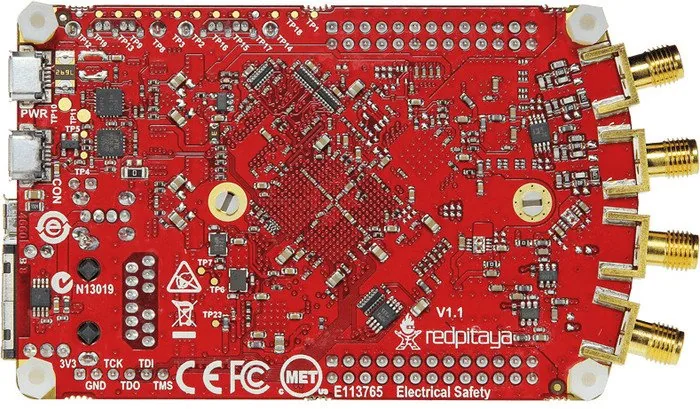
RedPitaya Measurement Lab V1.1 Manual
PDF manual · 280 Pages
English



Quick check
Incorrect answer, please try again.
Chat with your RedPitaya Measurement Lab V1.1 manual using AI
Get instant AI answers from your RedPitaya Measurement Lab V1.1 manual
Ask anything about the RedPitaya Measurement Lab V1.1. Answers come from this manual, with the pages they are based on.
Ask a Question
Do you recommend Measurement Lab V1.1?
Yes NoFrequently Asked Questions
It centers on a STEMlab board plus setup essentials such as power, SD card, and Ethernet support. The ecosystem adds web-based instruments, network tools, and options for remote control and expansion.
Is this answer helpful?
You can measure and generate signals, inspect digital buses, analyze frequency response, test passive components, and run remote experiments. It is also useful for learning electronics and automation.
Is this answer helpful?
Usually no. Most tools run in a web browser, with Chrome recommended. For advanced work, you can use MATLAB, Python, LabVIEW, or Scilab with SCPI commands.
Is this answer helpful?
The easiest method is to connect it to a router with DHCP enabled, power it on, and open the board’s local web address in a browser. Network Manager can help with other connection modes.
Is this answer helpful?
Check power supply quality, cable condition, SD card status, and LED behavior. Many problems come from underpowered USB adapters, corrupted SD cards, or missing network setup.
Is this answer helpful?
Yes. It supports visual programming for beginners and SCPI-based remote control for advanced scripting. That makes it useful for teaching, testing, and repeatable lab automation.
Is this answer helpful?
Advantages and Disadvantages
Advantages

- Web-based tools simplify signal testing without installing native software.
- Includes multiple instruments: scope, generator, spectrum, Bode, logic, and LCR.
- Supports remote control with MATLAB, Python, LabVIEW, and Scilab via SCPI.
- Flexible networking options make it useful in labs, classrooms, and field setups.
Disadvantages

- Some advanced functions depend on internet access, licenses, or marketplace apps.
- Wireless performance can be slower and less stable than a wired connection.
- A few features require extra hardware like extension modules or a Wi-Fi dongle.
- Setup can be tricky if the SD card, power supply, or network settings are incorrect.
Product Specification
Platform
RedPitaya
Manufacturer
RedPitaya
Type
Oscilloscope Board
SoC
Xilinx Zynq-7010, 2x 1.00GHz (ARM Cortex-A9)
Memory
512MB DDR3 RAM
Power Supply
1x USB 2.0 Micro-B, 5.0V/2.0A
Video Outputs
N/A
Video Inputs
N/A
Audio
N/A
External Connectors
1x USB-A 2.0, 1x Cardreader (microSD)
GPIO
16 Pin digital I/O, 4 Pin analog In (12bit ADC), 4 Pin analog Out (12bit DAC)
GPIO Standards
I2C, SPI, UART
Wireless
N/A
LAN
1x Gb LAN (RJ-45)
Other Interfaces
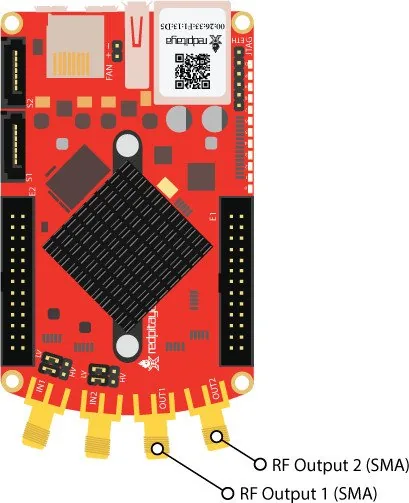
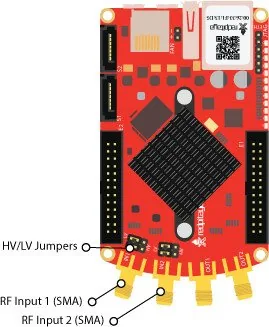
2x SMA RF In (50MHz, 14bit LTC ADC, 125 MS/s, max. 30V), 2x SMA RF Out (50MHz, 14bit DAC, 125 MS/s), 2x Sync. Connector (SATA)
Additional Microcontroller
N/A
Dimensions
4.21x0.83x2.36in (WxHxD)
Package Contents
1x Mainboard, 1x Power Supply, 1x USB Cable, 1x 4GB microSD
Product Description
RedPitaya Measurement Lab V1.1 Starter Kit
The RedPitaya Measurement Lab V1.1 Starter Kit brings bench-style electronics testing into a compact, browser-based platform. Designed for students, makers, educators, and engineers, it combines measurement hardware with a flexible software ecosystem that turns a STEMlab board into a multi-purpose lab tool. With the right setup, you can move from signal viewing to frequency analysis, digital debugging, component testing, and even remote automation in just a few clicks.
At its core, the kit is built around fast access and practical experimentation. The web interface makes it easy to launch tools like the oscilloscope, signal generator, spectrum analyzer, Bode analyzer, logic analyzer, LCR meter, and frequency response tools without installing heavy desktop software. This makes the experience feel modern and lightweight, while still offering serious measurement depth. The RedPitaya Measurement Lab V1.1 Starter Kit Manual is especially useful for guiding first-time setup, SD card preparation, network connection, and software updates.
One of the strongest advantages of this platform is flexibility. It supports LAN, direct Ethernet, wireless client mode, and access point mode, so it can fit into a lab, a classroom, or a home workspace. It also supports visual programming for learning and prototyping, plus SCPI remote control through MATLAB, Python, LabVIEW, or Scilab for advanced automation and data analysis. That makes it suitable for both interactive learning and repeatable test workflows.
The included ecosystem also highlights practical details that matter in real use. Power requirements, network discovery, SD card imaging, and troubleshooting are clearly emphasized, which helps reduce setup mistakes. For hardware users, the aluminum case assembly and extension modules expand the kit into a sturdier and more capable lab companion. The result is a system that can support signal generation, measurement, bus decoding, and component characterization from a single connected device.
In a blog-style view, the RedPitaya Measurement Lab V1.1 Starter Kit stands out because it bridges education and professional testing. It is approachable enough for newcomers, yet powerful enough for demanding signal work. If you want a single platform that grows with your projects, this starter kit offers an impressive mix of portability, flexibility, and depth.
Notes
- Best results come from stable power and a wired network connection.
- Some features may require add-on modules or a valid license.
- Internet access is mainly needed for updates, marketplace apps, and unlocking features.
Search for 67,706 Manuals online


Type-in Brand or Model