

Razer Viper V3 Pro Manual
PDF manual · 31 Pages
English



Quick check
Incorrect answer, please try again.
Chat with your Razer Viper V3 Pro manual using AI
Get instant AI answers from your Razer Viper V3 Pro manual
Ask anything about the Razer Viper V3 Pro. Answers come from this manual, with the pages they are based on.
Ask a Question
Do you recommend Viper V3 Pro?
Yes NoFrequently Asked Questions
A depleted battery will be fully charged in approximately four hours using the included USB Type A to Type C cable plugged into a PC USB port. For best results, please fully charge the mouse before using it for the first time.
Is this answer helpful?
The Razer Viper V3 Pro features a Focus Pro 35K Optical Sensor Gen-2 with a maximum sensitivity of thirty-five thousand DPI. You can configure specific stages such as four hundred, eight hundred, one thousand six hundred, three thousand two hundred, and six thousand four hundred.
Is this answer helpful?
Yes, you can connect the mouse to any PC USB port using the charging cable to use it in wired mode. This serves as a backup option when wireless signals might be congested or if you prefer zero-latency wired connections.
Is this answer helpful?
The mouse indicator LED will blink red twice in repeated intervals to indicate that its battery power is less than five percent. This sequence repeats until drained or connected to a PC for charging.
Is this answer helpful?
Razer Synapse requirements list Windows ten sixty-four-bit or higher. While the hardware may function, full customization features rely on the Synapse software which is primarily designed for Windows environments.
Is this answer helpful?
You can perform a factory reset on the connected device through the Settings Window in Razer Synapse under the Reset tab. Be aware that all profiles stored on the device onboard memory will be erased when you reset a device.
Is this answer helpful?
Advantages and Disadvantages
Advantages

- Fifty-four gram ultra-lightweight design reduces fatigue and improves mobility for competitive players.
- Focus Pro 35K Optical Sensor Gen-2 delivers industry-leading tracking accuracy on any surface.
- Supports up to eight thousand Hz polling rate for minimal input lag and faster reaction times.
- Optical Mouse Switches Gen-3 rated for ninety million clicks ensure long-lasting durability.
- Customizable DPI stages allow quick sensitivity adjustments using the power cycle button.
Disadvantages

- Premium pricing may be prohibitive for casual gamers on a strict budget.
- Full customization requires installing Razer Synapse software which needs internet connection.
- No RGB lighting present unlike many competing models in the same price bracket.
- Only supports one onboard memory profile limiting local storage for complex setups.
- Charging cable is included but lacks magnetic docking capability for quick reconnection.
Product Specification
Handedness
Right
Buttons
5 (total), 2 (primary), 2 (side), 1 (scroll click)
Scroll Wheel
1x 2-way
Tracking Technology
LED-red / IR
Resolution
35000 dpi, adjustable down to 6400/3200/1600/800/400 dpi
Sensor
Razer Focus Pro 35K Optical Gen-2
Switches
Mechanical-optical switches, Razer Optical 90M Mouse Switch Gen-3, 90 million clicks
Polling Rate
1000Hz, adjustable to 500/250/125Hz (wired USB); 8000Hz (wireless 2.4 GHz, with Razer HyperPolling 8kHz Wireless Adapter, included)
Lighting
None
Connectivity
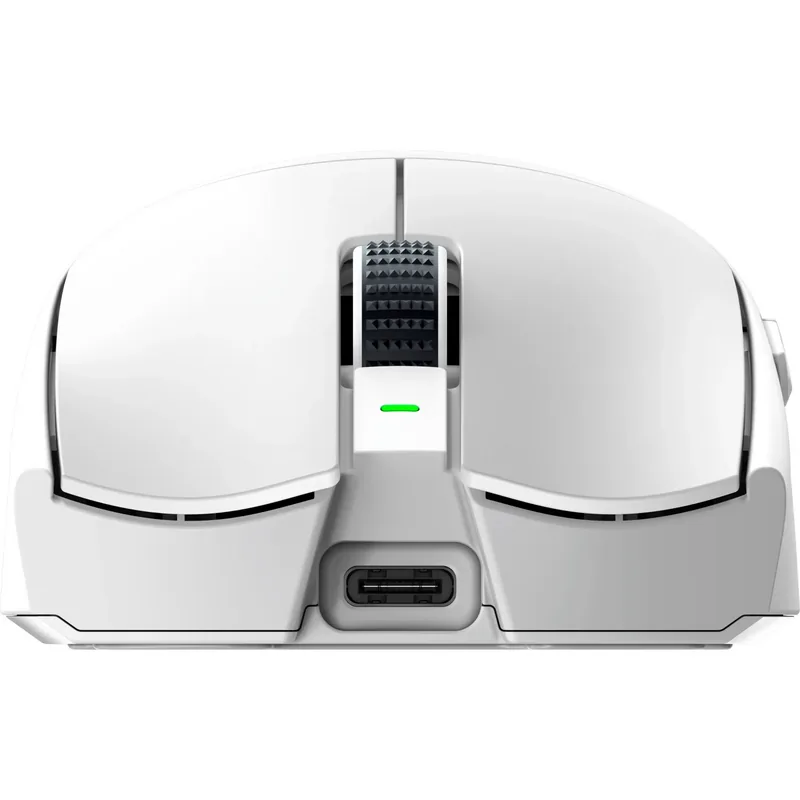
Wired (5.91 ft), USB-A 2.0 or wireless (2.4 GHz), USB-A (USB-A Receiver), Detachable cable (USB-C port)
Power Source
Battery (built-in), Charging cable (USB-C)
Dimensions (WxHxD)
2.52 x 1.57 x 5.00 in
Approximate Volume
5.19 in^3 (approximated shape)
Features
Battery level indicator, Onboard memory, Non-slip surface (Smooth-Touch), Fabric cable
Note
Includes 1x Grip Tape Set
Product Description
Ultimate Guide to Competitive Gaming
Overview of High Performance Peripherals
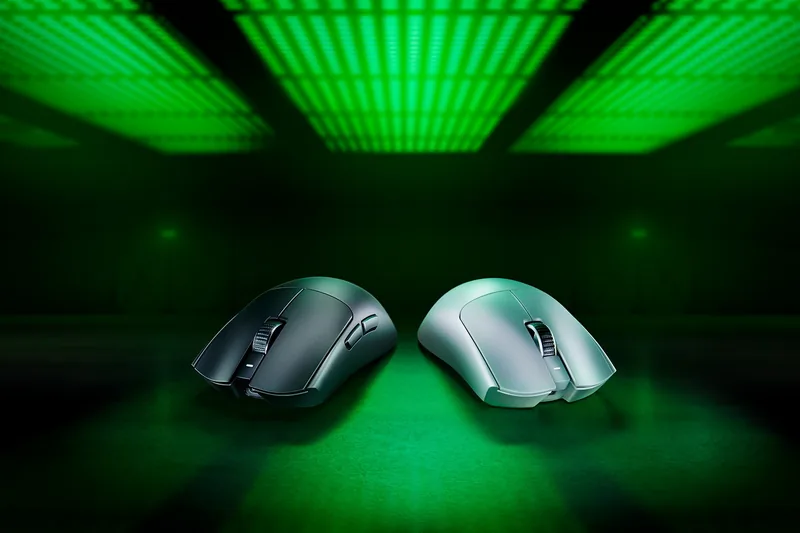
The Razer Viper V3 Pro Ultra-lightweight Wireless Symmetrical Esports Mouse Manual provides extensive guidance for mastering this elite peripheral. This legendary device returns to dominate the competitive scene with its fifty-four gram ultra-lightweight design. Gamers appreciate the best-in-class technologies that define peak performance handling capabilities here. Professional players trust this weapon as it is designed specifically for their rigorous demands. Setting up your new unit involves connecting the USB Type C port to charge fully before first use. Alternatively utilize the Razer HyperPolling Wireless Dongle for instant two point four GHz mode activation. Power cycling occurs via the dedicated button located centrally on the top surface area.
Configuration and Customization Features
Low battery notifications flash red twice repeatedly whenever power drops below five percent threshold. Personalizing sensitivity levels lets you match DPI settings to your specific playstyle preferences accurately. Customizable stages range from four hundred up to six thousand four hundred with default blue light indication. Configuring via Razer Synapse internet software enables profile storage and cloud synchronization features. Button assignments allow keyboard functions or macros execution with precise timing synchronization mechanisms enabled. Multimedia controls let you manage volume and track skipping without leaving your game window seamlessly. Windows shortcuts integrate deeply for quick access to system commands efficiently during heavy load periods.
Safety Maintenance and Support
Safety guidelines suggest keeping devices away from liquids to prevent circuit damage or shorting incidents permanently. Operating temperatures must stay between zero Celsius and forty degrees Celsius for stable functionality always. Maintenance routines require cleaning mouse feet with cotton swabs once monthly to prevent dirt buildup issues. Comfort tips recommend adjusting chair height so wrists remain straight rather than bent at sharp angles continuously. Avoid resting wrists on hard surfaces for prolonged durations to reduce nerve pain risks over time. Warranty registration unlocks exclusive benefits found exclusively through the official Razer ID portal website link. Legal terms state liability limits shall not exceed retail purchase price of the original product purchased originally.
Technical Specifications Summary
Firmware updates keep performance optimized by addressing known bugs and enhancing polling rate capabilities significantly. Sensor tuning works best on official mouse mats due to specialized optical tracking optimization logic used internally. Lift-off distances can be customized to stop cursor movement when lifting the mouse off the pad abruptly. On-board memory profiles store settings directly on the device for portable use across different computers quickly. HyperShift mode creates secondary button layers activated by holding specific modifier keys down during play. Turbo modes emulate repeated keystrokes while holding buttons to accelerate typing speeds in chat windows rapidly. Smart Tracking prevents unwanted cursor displacement when moving hands unexpectedly during frantic gameplay moments. Resetting factory defaults erases stored profiles so beginners can start fresh without custom configurations interfering.
General settings control startup behavior and display language preferences for non-English speaking users globally. Dashboard tab offers overview of all connected Razer devices and modules installed currently on your PC system. Gamer Room manages app control permissions for power on off switching remotely through unified interface panels. Global Shortcuts bind operations across all enabled devices for synchronized macro execution chains consistently. Performance subtab modifies acceleration and sensitivity parameters affecting how far cursor travels per inch moved physically. Polling rates shift between one twenty-five Hz and eight thousand Hz depending on latency tolerance needs. Sensitivity Matcher calibrates movement feel to mimic other favorite mice for seamless transition periods easily. Calibration subtab optimizes sensor response on any surface texture for consistent tracking reliability daily. Indicator LED colors change briefly to confirm active DPI stages currently selected by user action now. Battery warning logic activates only when charge dips critically low indicating urgent recharging is needed soon. Cable included connects USB A to Type C ports for reliable wired transmission speed backup usage scenarios. Microphone mute controls allow disabling audio input quickly without navigating system tray menus constantly. Disabling unused buttons prevents accidental trigger events that could interfere with primary movement navigation actions. Launch Program function opens specific apps directly assigned to mouse side buttons for workflow efficiency improvements. Disable option renders selected button unusable completely if it conflicts with existing key bindings or macros configured earlier. Enjoy enhanced gameplay with superior responsiveness and precision tracking capabilities offered by this advanced technology.
Search for 67,706 Manuals online


Type-in Brand or Model