
Razer Universal Quick Charging Stand Manual
PDF manual · 9 Pages
English



Quick check
Incorrect answer, please try again.
Chat with your Razer Universal Quick Charging Stand manual using AI
Get instant AI answers from your Razer Universal Quick Charging Stand manual
Ask anything about the Razer Universal Quick Charging Stand. Answers come from this manual, with the pages they are based on.
Ask a Question
Do you recommend Universal Quick Charging Stand?
Yes NoFrequently Asked Questions
It supports Xbox One, Xbox One S, Xbox One X, Xbox Series X|S, and Xbox One Elite Series 1 controllers. Use the matching battery compartment cover supplied for the controller generation.
Is this answer helpful?
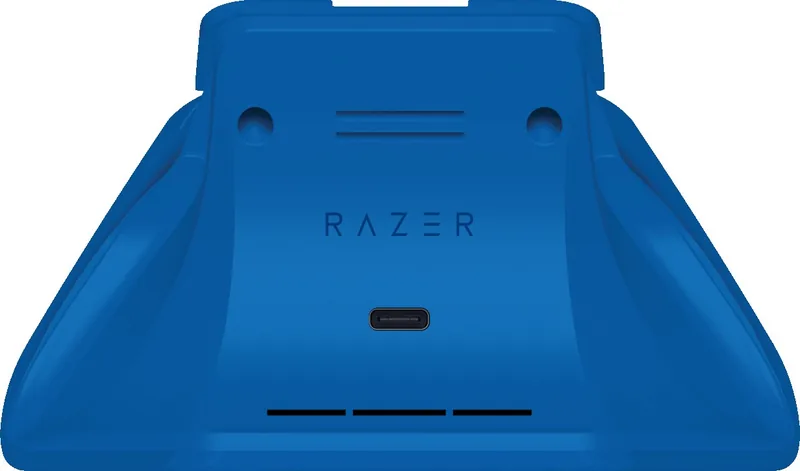
Connect the charging station to a USB port using its USB-C connection and the included USB-C to USB-A cable. A console USB port can be used for a tidy setup.
Is this answer helpful?
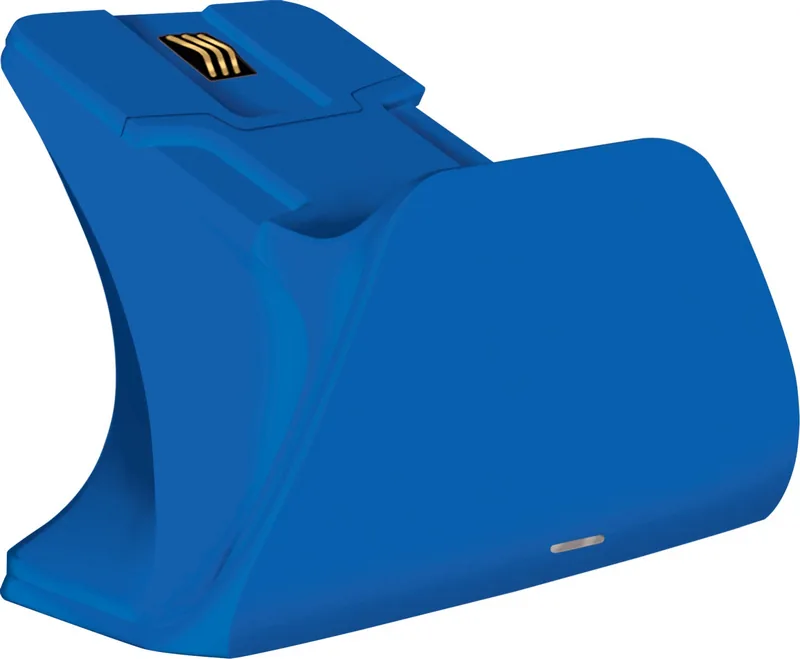
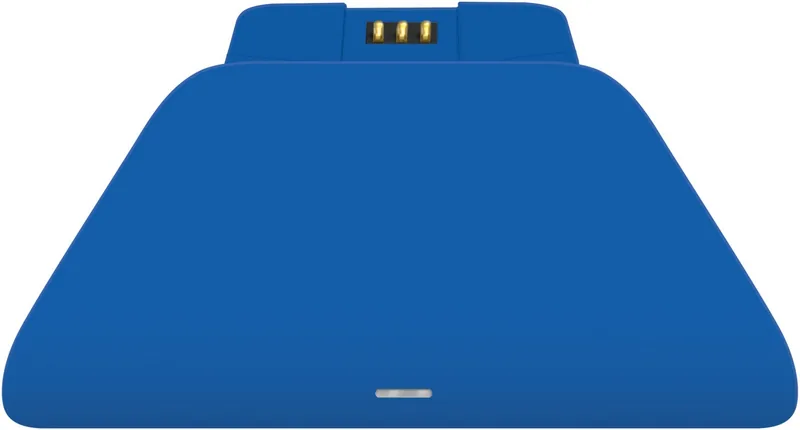
The status indicator lights orange while the controller is charging. It changes to white when the rechargeable battery is fully charged.
Is this answer helpful?
No. The controller rests on the station and connects through magnetic charging contacts. This provides a simple drop-in charging routine.
Is this answer helpful?
About once a month, disconnect it from power, remove any controller, and clean it with a soft cloth or cotton swab. Do not use soap or aggressive cleaning products.
Is this answer helpful?
Keep the station away from liquids and moisture. Use it only between 0 C and 40 C. Do not disassemble or repair it yourself, and disconnect it if it does not operate normally.
Is this answer helpful?
Advantages and Disadvantages
Advantages

- Supports Xbox One, Xbox One S, Xbox One X, Xbox Series X|S, and Xbox One Elite Series 1 controllers.
- Magnetic contacts make docking simple and reduce repeated cable connections to the controller.
- Orange and white status lights provide clear charging and fully charged feedback.
- Includes Xbox One and Xbox Series X|S battery covers for broader controller compatibility.
- USB-C power input and a USB-C to USB-A cable support convenient console connection.
Disadvantages

- Supports specific controller generations and does not list compatibility with every Xbox controller model.
- Requires an available USB port on the Xbox console or another suitable USB power source.
- The dock charges one controller at a time.
- It should be kept dry and operated only between 0 C and 40 C.
- Regular cleaning is recommended to prevent dirt buildup around the charging contacts.
Product Specification
Type
Charging station
Compatibility
Xbox Series X, Xbox One, PC
Package contents
Charging station, battery, USB cable
Special features
LED lighting
Product Description
Razer Universal Fast Charging Station (Xbox SX) - Read, Download & Print Free
The Razer Universal Fast Charging Station for Xbox is designed for players who want their controller ready for the next session without relying on disposable batteries or cluttered charging cables. This compact charging solution provides a dedicated place for a compatible Xbox controller while helping keep a gaming setup neat and organized.
Built for Compatible Xbox Controllers
The station supports Xbox One, Xbox One S, Xbox One X, Xbox Series X|S, and Xbox One Elite Series 1 controllers. It includes interchangeable battery compartment covers for Xbox One and Xbox Series X|S controller designs, allowing the rechargeable battery to fit the appropriate supported controller. This makes the dock a practical option for households that use more than one generation of Xbox hardware.
A USB-C port powers the charging station through the included USB-C to USB-A cable. Connect it to an available USB port on the Xbox console, then place the controller onto the dock. Magnetic contacts help align the controller with the charging surface, reducing the need to plug a cable directly into the controller every time it needs power.
Clear Charging Status at a Glance
A built-in status indicator makes it easy to check the charging process. When the controller is seated and charging, the indicator lights orange. Once the rechargeable battery reaches a full charge, the light turns white. This straightforward visual feedback lets players know when their controller is prepared for wireless play.
The Razer Universal Fast Charging Station (Xbox SX) - Read, Download & Print Free is a useful reference phrase for gamers comparing charging accessories, compatibility, and daily setup convenience. The main appeal of the product is its simple routine: install the battery and matching cover, connect the station, and set the controller down after play. Rather than searching for spare cells or leaving a controller attached to a cable across the room, users have a consistent charging location.
Designed for Everyday Gaming Spaces
Its focused design suits desks, entertainment centers, and shared console areas where cable management matters. The station needs minimal upkeep. Razer recommends disconnecting it from power and removing any controller about once a month, then gently cleaning it with a soft cloth or cotton swab. Avoid soap and harsh cleaning products.
For safe use, keep the charging station away from liquids, moisture, and extreme temperatures. It is intended for operation between 0 C and 40 C. If a problem persists after basic troubleshooting, disconnect the unit and contact Razer support rather than attempting repairs or disassembly.
Notes
- The product includes a one-year limited warranty.
- Controller battery level can also be checked through the Xbox on-screen indicator during play.
- Use the supplied compatible battery cover for the controller generation in use.
Search for 67,706 Manuals online


Type-in Brand or Model