
Razer Tartarus V2 Manual
PDF manual · 26 Pages
English



Quick check
Incorrect answer, please try again.
Ask a Question
Do you recommend Tartarus V2?
Yes No
Sarah Jenkins
7 months ago
Is this keyboard extension compatible with video editing software and gaming macros?

Manual.ly
7 months ago
Yes, the extension supports custom macro assignments that function effectively with Windows, video editing applications, and games. While there may be a short adjustment period initially, users find the shortcut customization essential for graphic design and gaming workflows.

Julian Schmidt
5 months ago
Do users generally find the learning curve difficult, and is it worth the initial adjustment period for professional video editing work?
Manual.ly
5 months ago
The adjustment period varies but is typically short. Most users report that the time invested in setting up macros pays off significantly during video editing and gaming, automating shortcuts that would otherwise require manual input. We recommend reviewing the documentation for a seamless setup experience.
Garret Ritchie
7 months ago
Is this keyboard extension suitable for gaming, video editing, and graphic design workflows?
Manual.ly
7 months ago
Yes, the keyboard extension is designed to streamline workflows for gamers, video editors, and graphic designers. It features customizable macros that make using shortcuts much easier across Windows, games, and video editing software. While there may be a short adjustment period when you first start using it, most users find it becomes an essential tool for their daily tasks after getting used to the layout.
Anna Schmidt
6 months ago
How long does it take to get used to the new keyboard shortcuts?
Video Manual
I Replaced My Keyboard with the Razer Tartarus — Here’s What Happened
Frequently Asked Questions
It is a specialized gaming keypad designed to enhance gameplay by providing additional programmable keys and an analog thumbstick for better control over character movement and ability usage.
Is this answer helpful?
Yes, you can create and record complex macros using Razer Synapse software to automate repetitive tasks or execute multi-step commands with a single press.
Is this answer helpful?
The thumbstick is fully analog, allowing for variable input sensitivity similar to a standard gamepad controller for smoother movement and aiming.
Is this answer helpful?
While the hardware functions on Mac, full customization features like RGB lighting and macro programming require Razer Synapse which is primarily optimized for Windows.
Is this answer helpful?
The device features a 32-key mechanical layout plus a dual-function thumbstick, providing ample controls for most popular genres.
Is this answer helpful?
It utilizes Razer mechanical switches known for their durability and responsive actuation, available in different variants for specific tactile preferences.
Is this answer helpful?
Basic plug-and-play functionality works immediately, but installing the Razer Synapse driver is necessary to access advanced customization options.
Is this answer helpful?
Advantages and Disadvantages
Advantages

- Ergonomic design reduces hand fatigue during long sessions
- Dual-function thumbstick offers precise analog control
- Customizable Razer Chroma RGB lighting enhances immersion
- Mechanical switches provide fast and tactile feedback
- Programmable keys allow for complex macro execution
Disadvantages

- Limited key count may not suit all typing needs
- Requires software installation for full feature access
- Compact size might be less comfortable for large hands
Product Specification
Type
Keypad
Compatibility
PC
Key Type
Rubber Dome
Keys
32 (total), 1 (D-Pad)
Analog Sticks
N/A
D-Pad
Concave
Lighting
Multi-Color (RGB)
Key Height
High
Key Shape
Concave
Wrist Rest
Fixed (Padded)
Housing
Plastic
Housing Color
Black
Connection
Wired, USB
Power Supply
USB
Dimensions (WxHxD)
8.0x2.35x5.91 inches
Weight
12 oz (without cable)
Features
LED Lighting, 32 Programmable Keys, Scroll Wheel
Product Description
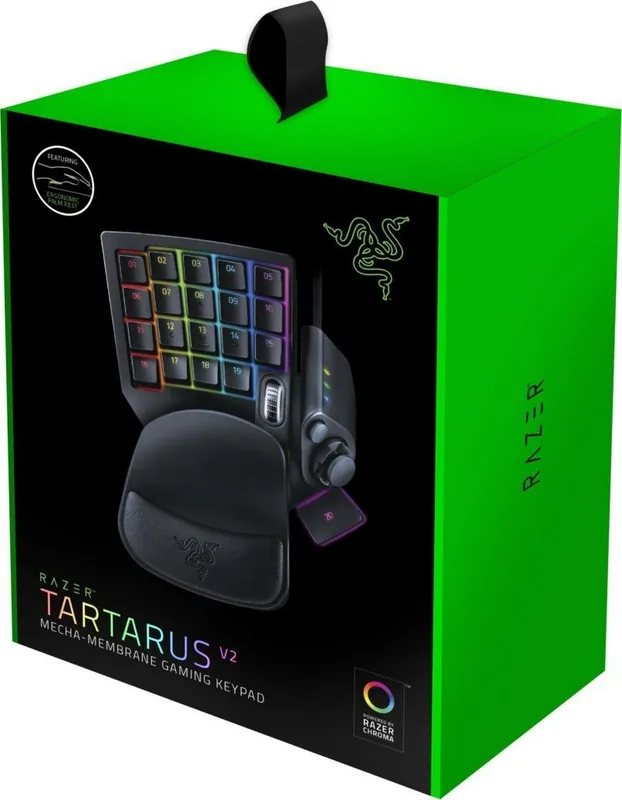
Discover the Razer Tartarus V2 USB Gaming Keypad
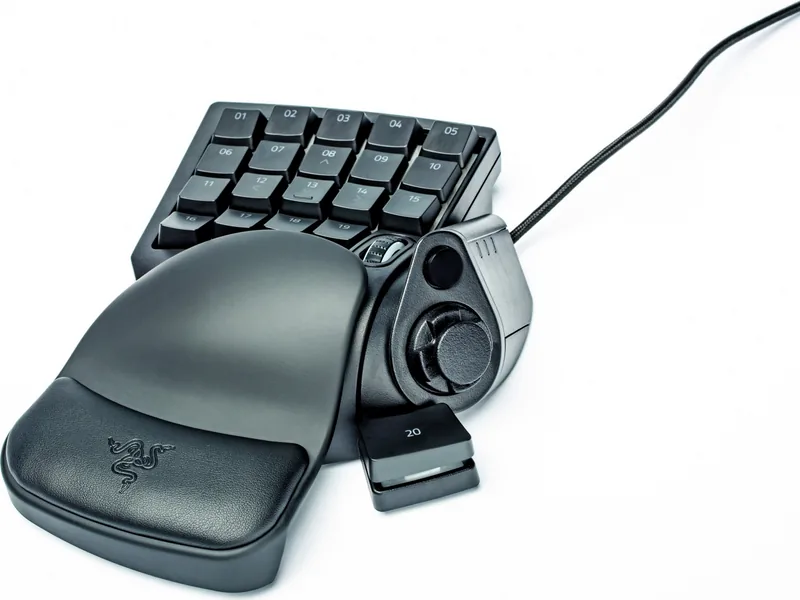
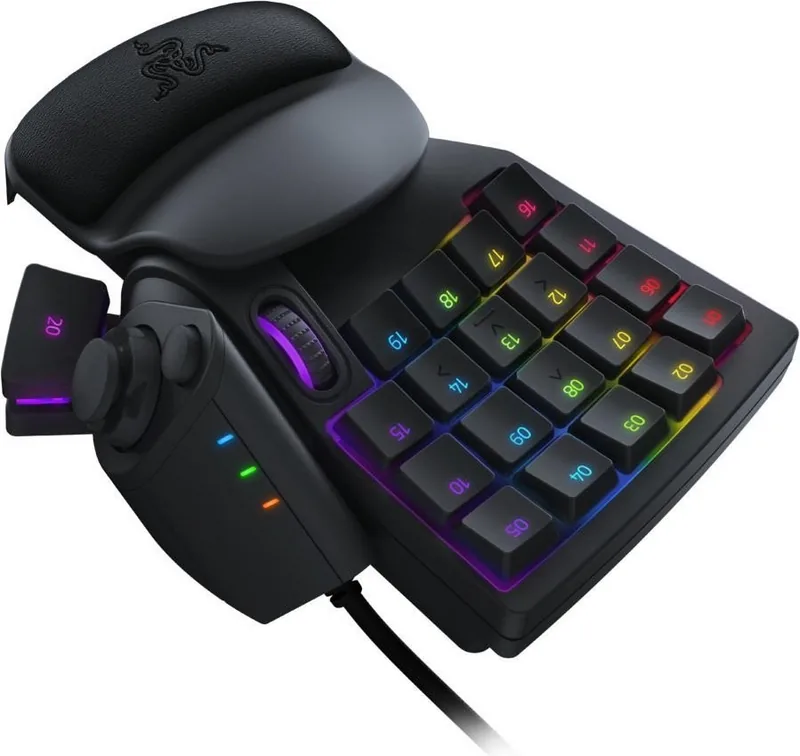
The Razer Tartarus V2 stands as a formidable addition to any serious gamer's arsenal, specifically designed for those who crave precision and speed in their PC gaming sessions. This compact USB peripheral redefines the way players interact with complex command sets, offering a layout that bridges the gap between traditional keyboards and gamepads. At its core, the device features a 32-key mechanical keypad equipped with Razer Chroma RGB lighting, allowing users to customize every aspect of their visual experience while maintaining rapid response times.
One of the standout features of this controller is the inclusion of a dual-function thumbstick. This analog stick provides fluid movement control for characters or camera angles, mimicking the feel of a standard console controller without sacrificing the tactile feedback of mechanical switches. The surrounding keys are programmable via Razer Synapse software, enabling gamers to map macros, execute complex combos, or assign shortcuts that would otherwise require multiple key presses on a full-sized keyboard. This level of customization is particularly beneficial for MMOs and MOBA titles where quick access to abilities is crucial.
The build quality reflects Razers commitment to durability. The chassis is constructed from high-grade materials designed to withstand intense gaming marathons. The mechanical switches offer a distinct clicky or silent actuation depending on user preference, ensuring that every input registers instantly. The ergonomic design keeps hands in a natural position, reducing strain during long periods of play. Whether you are navigating intricate dungeon maps or engaging in fast-paced shooter battles, the Tartarus V2 adapts to your style seamlessly.
For enthusiasts looking to optimize their setup, the manual serves as an essential guide to unlocking the full potential of the hardware. Understanding how to configure the macro recording features and adjust the sensitivity of the thumbstick can transform a good gaming session into a great one. The device connects effortlessly via USB, ensuring low latency and reliable performance across various Windows-based systems. It is a tool built for those who demand excellence and refuse to compromise on their competitive edge.
Key Notes
- Compatible with all major PC gaming platforms
- Supports extensive macro programming through Synapse
- Durable construction suitable for heavy daily use
Search for 67,706 Manuals online


Type-in Brand or Model
maria_k
9 months ago
How long does it take to get used to this keyboard extension, and does the macro support really help for games, Windows shortcuts, and video editing?
Manual.ly
9 months ago
Most users need a short adjustment period at the beginning (often a few weeks) to remember the new macro shortcuts. Once configured, the individual macros make it much easier to trigger frequently used key combinations in games, standard Windows workflows, and video editing software. If you set up the macros you use most, you can perform tasks and shortcuts faster with fewer manual steps. It is especially helpful for graphic designers, video editors, and gamers who rely on repeated shortcuts.