
Razer Pro Click Mini Manual
PDF manual · 30 Pages
English



Quick check
Incorrect answer, please try again.
Chat with your Razer Pro Click Mini manual using AI
Get instant AI answers from your Razer Pro Click Mini manual
Ask anything about the Razer Pro Click Mini. Answers come from this manual, with the pages they are based on.
Ask a Question
Do you recommend Pro Click Mini?
Yes NoFrequently Asked Questions
Switch the toggle to Bluetooth mode, press the pairing button until the light blinks twice, then select ProClick M from your device list. The light will stay solid once connected.
Is this answer helpful?
Yes, the Razer Pro Click Mini functions correctly with just one AA battery installed, though using two extends the battery life significantly.
Is this answer helpful?
The mouse features a true 12,000 DPI optical sensor, allowing for highly sensitive cursor movement suitable for detailed work.
Is this answer helpful?
Yes, the HyperScroll wheel has a switch to toggle between Freewheel mode for fast scrolling and Tactile mode for precise feedback.
Is this answer helpful?
Basic functionality works on Mac, but full customization and software features like Razer Synapse are currently limited to Windows systems.
Is this answer helpful?
Advantages and Disadvantages
Advantages

- Silent mechanical switches provide a quiet clicking experience suitable for shared offices.
- Dual connectivity options including Bluetooth 5.1 and 2.4 GHz HyperSpeed wireless.
- HyperScroll wheel allows switching between freewheel and tactile scrolling modes.
- Exceptional battery life lasting up to 725 hours on Bluetooth connections.
- High-precision 12,000 DPI optical sensor ensures accurate tracking.
Disadvantages

- Uses non-rechargeable AA batteries which may require frequent replacement over time.
- Software customization requires installation of Razer Synapse 3 on supported systems.
- Limited to two-sided click feel compared to some high-end gaming mice.
- Not compatible with Mac operating systems for full feature set.
- Sensor performance is optimized specifically for Razer branded mousepads.
Product Specification
Suitability
right hand
Keys
5 (total, 7 key functions), 2 (main), 2 (left), 1 (scroll wheel click, 3 key functions)
Scroll Wheel
1x 4-way, adjustable resistance (via slider), free-spin mode (via slider)
Scanning
LED-red/IR
Resolution
12000dpi, reducible to 6400/3200/1600/800/400dpi
Sensor
PixArt PMW 3319 (Razer 5G)
Polling Rate
1000Hz
Lighting
N/A
Connection
wireless (2.40GHz), USB-A (USB-A receiver) or wireless (Bluetooth LE)
Power Supply
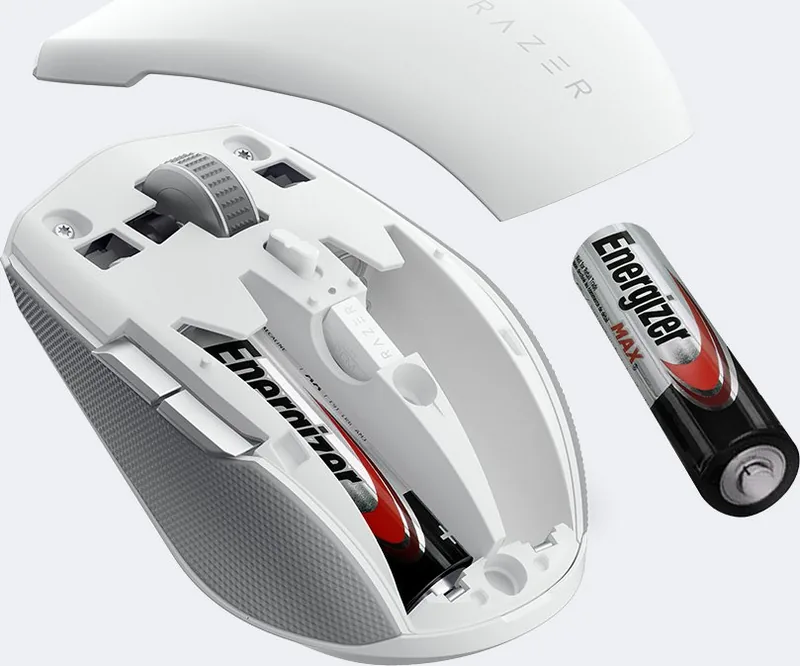
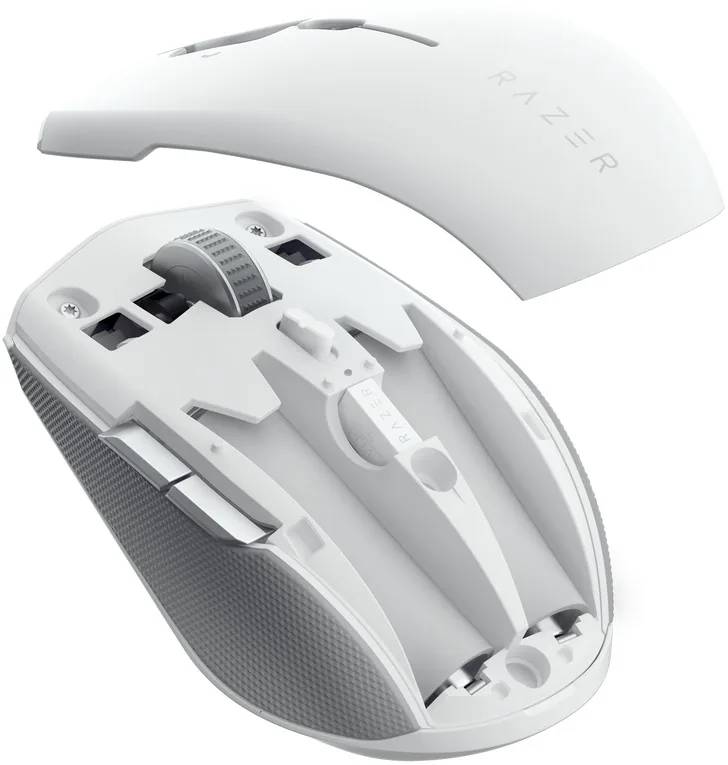
1x AA or 2x AA
Dimensions (WxDxH)
2.48x1.34x3.94in
Approximate Volume
3.42cu in (approximate shape)
Weight
3.10oz (with battery), 3.92oz (with battery)
Color
multi-color, white/silver/grey, logo
Features
switchable Bluetooth connections via button, thumb rest, battery level indicator, onboard memory, reduced click noise, non-slip surface (rubberized sides), stowable receiver
Product Description
Elevate Your Productivity with the Razer Pro Click Mini Ergonomic Wireless Mouse
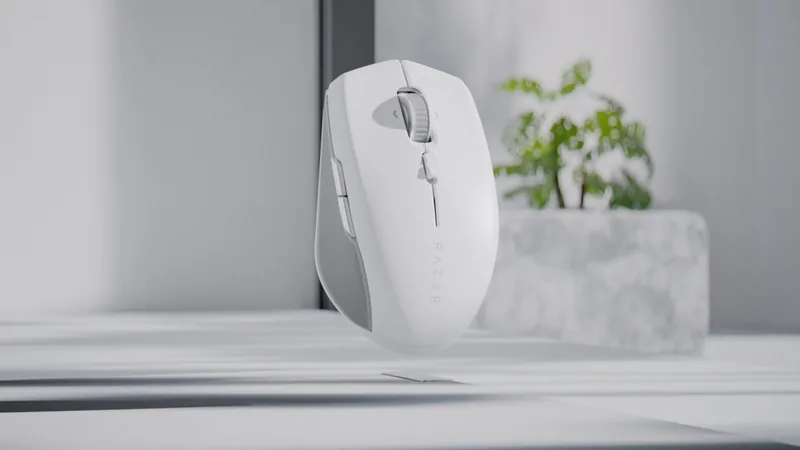
The Razer Pro Click Mini Ergonomic Wireless Mouse, USB/Bluetooth is designed for professionals who demand precision and comfort without sacrificing portability. This compact powerhouse features a sleek design that fits perfectly in your hand, making it an ideal companion for work on the go or at the office. With its silent mechanical switches, you can enjoy a quiet typing experience that won't disturb colleagues during those late-night crunch times.
Equipped with Razer's advanced HyperScroll technology, this mouse offers both freewheel mode for rapid document scrolling and tactile mode for precise control. The optical sensor boasts a true 12,000 DPI, ensuring smooth tracking on various surfaces. Whether you prefer the stability of the 2.4 GHz HyperSpeed wireless connection or the versatility of Bluetooth 5.1, the Pro Click Mini adapts to your workflow seamlessly. You can connect up to four devices and switch between them effortlessly, enhancing your multitasking capabilities.
Battery life is a standout feature, offering up to 725 hours on Bluetooth and 465 hours on 2.4 GHz connectivity. The included AA batteries provide long-lasting power, while the low battery indicator ensures you are never caught off guard. Customization is key, and through Razer Synapse 3, users can map buttons, adjust sensitivity levels, and create macros tailored to their specific needs. From multimedia controls to complex macro sequences, this mouse empowers you to work smarter.
Key Highlights
- Ultra-lightweight design weighing only 65 grams.
- Seven programmable buttons for enhanced efficiency.
- Dual-mode scroll wheel for versatile navigation.
- Compatible with Windows 8 64-bit and higher.
Important Notes
Always use alkaline batteries for optimal performance. Avoid exposing the device to extreme temperatures or moisture. For best results, use a premium mousepad to ensure sensor accuracy and reduce wear on the feet.
Search for 67,706 Manuals online


Type-in Brand or Model