
Razer Naga X Manual
PDF manual · 29 Pages
English



Quick check
Incorrect answer, please try again.
Chat with your Razer Naga X manual using AI
Get instant AI answers from your Razer Naga X manual
Ask anything about the Razer Naga X. Answers come from this manual, with the pages they are based on.
Ask a Question
Do you recommend Naga X?
Yes No
Lisa Schmidt
7 months ago
Does the mouse come with any extra software or drivers?

Alex Weber
5 months ago
How long does the battery last on this gaming mouse?

Manual.ly
5 months ago
The battery typically lasts up to 100 hours on a single charge with standard LED settings. Using RGB lighting may reduce this to approximately 40 hours. The mouse supports fast charging via USB-C, providing several days of use after just 15 minutes of charging.
Tanya Hunter
7 months ago
Is the mouse compatible with Mac computers or only Windows?
Frequently Asked Questions
Yes, the Razer Naga X works with macOS. You will need to install Razer Synapse for Mac to access full customization features like button mapping and lighting effects.
Is this answer helpful?
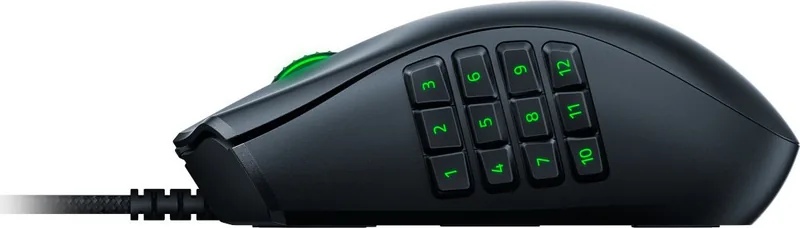
The mouse features 12 programmable side buttons arranged in a grid, plus the standard left click, right click, scroll wheel click, and two thumb buttons, totaling 17 programmable inputs.
Is this answer helpful?
Absolutely. While optimized for MMOs and MOBAs, the high-precision sensor and customizable buttons make it excellent for FPS, RTS, and general productivity tasks requiring quick command execution.
Is this answer helpful?
The Razer Naga X utilizes a focus+ 26K DPI optical sensor, allowing for extremely precise tracking and adjustable sensitivity settings to suit various game genres and personal preferences.
Is this answer helpful?
No, the package includes only the mouse, the user manual, and warranty information. However, its compact size makes it easy to transport in most laptop bags without extra protection.
Is this answer helpful?
No, the Razer Naga X features a fixed braided cable. This design choice prioritizes reliability and zero latency over the convenience of a detachable cord found in some other models.
Is this answer helpful?
Advantages and Disadvantages
Advantages

- Ergonomic design reduces hand fatigue during long sessions
- Optical switches offer 50 million click durability
- 12 programmable side buttons for complex macros
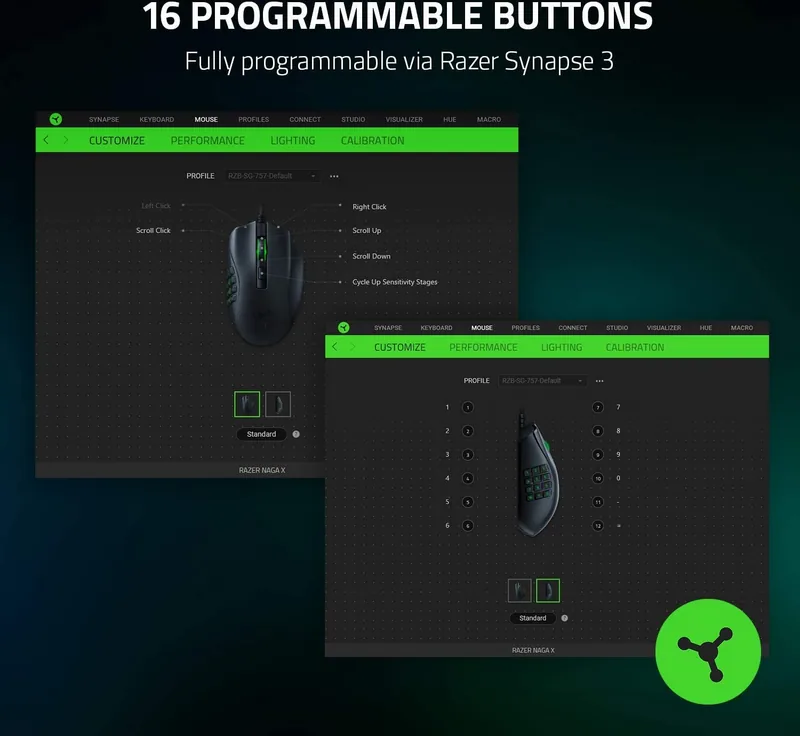
- Seamless integration with Razer Synapse customization software
- Lightweight construction enhances mobility and control
Disadvantages

- Wired connection limits cable management options
- Side buttons may feel crowded for users with smaller hands
- Software requires installation for full functionality
- No wireless charging capability included
- Price point is higher than standard gaming mice
Product Specification
Suitability
right hand
Keys
16 (total), 2 (main), 1 (top), 12 (left), 1 (scroll wheel click)
Scroll Wheel
1x 2-way
Tracking
LED-red/IR
Resolution
18000dpi, reducible to 6400/3200/1600/800/400dpi
Sensor
PixArt PMW 3389 (Razer 5G)
Switches
mechanical-optical switches, Razer Optical 70M Mouse Switch, 70 million clicks
Polling Rate
1000Hz (wired USB)
Lighting
RGB
Connection
wired (5.9ft), USB
Power Supply
USB
Dimensions (WxHxD)
2.91x1.69x4.69in
Approximate Volume
6.04in³ (approximated shape)
Weight
3oz (without cable)
Color
solid, black, logo
Features
Onboard memory, fabric cable
Product Description
Razer Naga X USB: The Ultimate MMO Mouse for Competitive Gamers
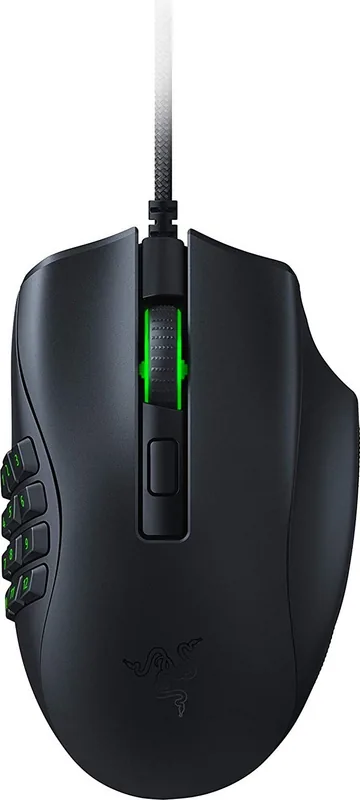
The Razer Naga X USB represents a pinnacle in gaming peripherals, designed specifically for gamers who demand precision and versatility. This mouse redefines the MMO experience by offering a compact yet powerful form factor that fits comfortably in any hand size. With its signature side grid of buttons, players can execute complex macros and commands with ease, ensuring they stay ahead in fast-paced battles.
Built with durability in mind, the Razer Naga X features a lightweight design without compromising on strength. The optical switches provide instant actuation and are rated for 50 million clicks, guaranteeing longevity even during intense gaming sessions. The ergonomic shape reduces fatigue, allowing users to play for hours without discomfort. Whether you are navigating intricate dungeon maps or engaging in team fights, this mouse delivers the responsiveness needed to win.
Connectivity is seamless with the wired USB connection, eliminating latency issues common with wireless alternatives. The braided cable ensures flexibility and resistance to tangling, while the gold-plated connector offers reliable signal transmission. Customization is key to the Razer ecosystem, and the Naga X supports full integration with Razer Synapse software. Users can program every button, adjust DPI settings on the fly, and create custom lighting effects that sync with their entire setup.
Why Choose the Razer Naga X?
For those seeking a dedicated MMO mouse that balances performance with portability, the Raga Naga X stands out. Its 12-button layout provides ample control options, making it ideal for MOBAs, MMORPGs, and strategy games. The scroll wheel also functions as a clickable button, adding another layer of utility to your gameplay.
Final Thoughts
The Razer Naga X USB is more than just a peripheral; it is a tool for mastery. By combining robust hardware with intuitive software, Razer has created a device that adapts to your playstyle. If you are looking to elevate your gaming experience, this mouse is an essential addition to your arsenal.
Search for 67,706 Manuals online


Type-in Brand or Model
Alexander Miller
7 months ago
Is this gaming mouse durable enough for long-term daily use?
Manual.ly
7 months ago
Yes, the mouse is designed for durability and comfort. Many users report being satisfied after six months of regular use, citing its lightweight design and ergonomic feel as key benefits.