
Razer Naga V2 HyperSpeed Manual
PDF manual · 32 Pages
English



Quick check
Incorrect answer, please try again.
Chat with your Razer Naga V2 HyperSpeed manual using AI
Get instant AI answers from your Razer Naga V2 HyperSpeed manual
Ask anything about the Razer Naga V2 HyperSpeed. Answers come from this manual, with the pages they are based on.
Ask a Question
Do you recommend Naga V2 HyperSpeed?
Yes NoFrequently Asked Questions
Push the slider switch to Bluetooth mode. Hold scroll, scroll mode, and DPI cycle buttons for 3 seconds. Activate Bluetooth on your device and select Razer Naga V2 Pro from the list.
Is this answer helpful?
No, unplug the mouse before changing side plates to prevent electrical issues and ensure safety during the swapping process as noted in the manual.
Is this answer helpful?
The Focus Pro optical sensor supports up to 30,000 DPI with 99.8% resolution accuracy for precise cursor control across high-resolution displays.
Is this answer helpful?
Use the included USB Type A to Type C cable. Plug into a USB port. Allow approximately 4 hours for full charge from a depleted battery state.
Is this answer helpful?
Yes, you can use on-board profiles stored on the device permanently without the software, though full customization and driver updates require the app.
Is this answer helpful?
Clean the sensor and mouse feet once a month using a soft cloth to prevent dirt buildup. Avoid harsh chemicals or liquid exposure directly on the unit.
Is this answer helpful?
Windows 10 is required for full Synapse functionality. It may function with basic drivers on Mac, but software features are best optimized for Windows based specifications.
Is this answer helpful?
Advantages and Disadvantages
Advantages

- Swappable side plates provide flexibility for MMO and FPS playstyles instantly.
- 30,000 DPI sensor offers precise tracking accuracy on most surfaces.
- Multiple connectivity modes including wireless and Bluetooth offer convenience.
- Razer Synapse software allows deep customization of buttons and lighting.
- Durable optical switches rated for 90 million clicks ensure longevity.
Disadvantages

- Right-handed ergonomic design excludes left-handed users from optimal use.
- Larger physical size may not fit smaller hands or small mouse pads.
- Charging time can be longer compared to some fast-charging competitors.
- Full feature functionality requires Razer Synapse software installation.
- Premium price point sits higher than standard gaming mouse models.
Product Specification
Hand Fit
Right Hand
Scroll Wheel
1x 4-way, resistance adjustable (via button), freewheel (automatically or via button activatable)
Tracking
Red LED/IR
Resolution
30000dpi, reducible to 6400/3200/1600/800/400dpi
Sensor
PixArt PAW 3950 (Razer Focus Pro 30K)
Polling Rate
1000Hz, adjustable to 500/250/125Hz
Dimensions (WxHxD)
2.97 in x 1.71 in x 4.70 in
Approximate Volume
6.29 in^3 (approximate shape)
Color
Solid, black, logo
Product Description
Mastering Performance with the Razer Naga V2
When entering the competitive gaming arena, equipment choices define the outcome significantly. The Razer Naga V2 stands out as a premier tool for players seeking versatility across multiple genres. Whether tackling massive MMO battles or navigating fast-paced battle royales, this mouse adapts to your playstyle effortlessly. Referencing the official Razer Naga V2 Manual provides significant insight into maximizing this hardware potential for your setup.
Versatile Side Plate Design
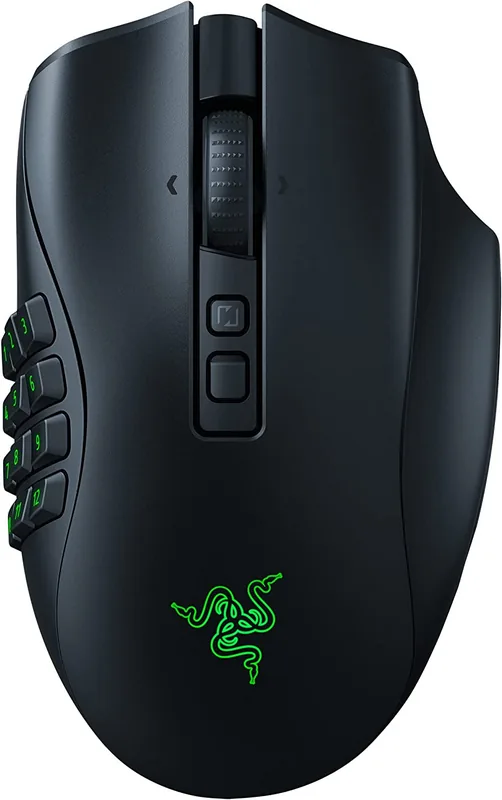
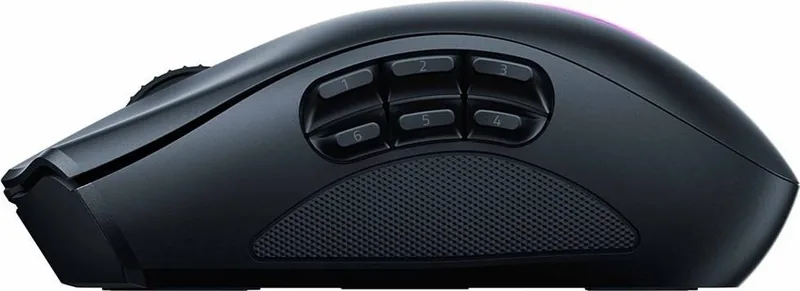
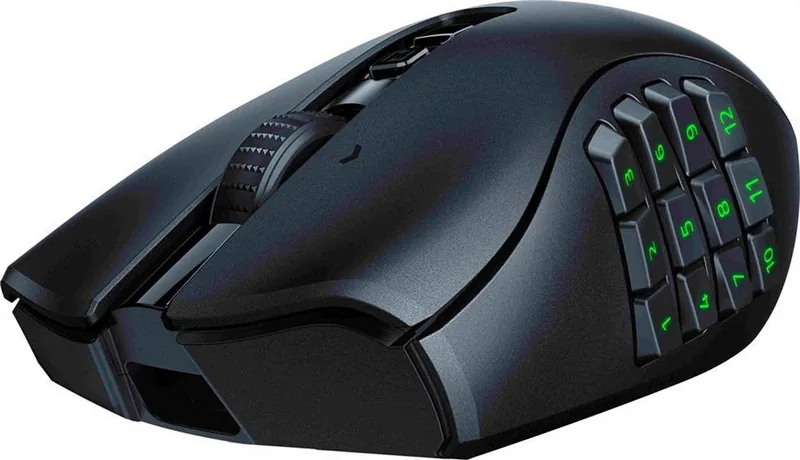
One standout feature is the interchangeable side plate system included in the box. Users can swap between 2, 6, or 12-button configurations instantly without tools. This modularity allows a single device to serve as a standard FPS mouse or a dedicated MMO controller. The text indicates that swapping plates requires unplugging the unit first for safety reasons to prevent electrical shorts. Ergonomics play a key role here, with textured grips ensuring control during intense sessions. The 12-button option is highly recommended for massive multiplayer experiences.
Advanced Controls and Connectivity
The Razer Naga V2 Pro features 19+1 programmable buttons total. This massive input count enables complex macro execution without constant keyboard reliance. Connection options vary between HyperSpeed Wireless, Bluetooth, and wired modes for flexibility. The included USB Type C cable supports charging and low-latency play. A HyperScroll Pro wheel offers tactile feedback with multiple scroll modes available within the Synapse software. Users can also customize the switch lift-off distance to suit their desk preferences.
Sensor Precision and Software
Under the hood lies a True 30,000 DPI Focus Pro optical sensor. This guarantees high-accuracy tracking on various surfaces. Configuration happens primarily through Razer Synapse. This platform allows deep customization of lighting, sensitivity, and button mapping. Users can store up to five profiles on the device for on-the-fly switching. The software also handles sensitivity adjustments and battery management. While powerful, it requires internet access for initial setup and registration. Cloud storage ensures settings persist across different machines. Customization extends to lighting effects via Chroma Studio. Users can sync lighting across peripherals for a unified aesthetic. Quick effects include breathing, reactive, and spectrum cycling. Adjusting brightness helps save power during idle periods. This level of control makes it a powerful hub for managing your entire gaming ecosystem.
Safety and Maintenance
Proper care ensures longevity of the battery and sensor. The manual advises avoiding liquids and storing the device within specific temperature ranges. Cleaning with a soft cloth maintains the PTFE feet for smooth gliding. Battery warnings apply due to the internal Li-ion component which needs proper ventilation. Never open the casing to avoid voiding the warranty or risking injury from battery hazards. A Razer mouse mat is recommended for the best sensor performance.
Final Thoughts
This peripheral represents a blend of customization and high-end performance standards. Adapting to different games ensures longevity in your inventory regardless of genre shifts. Following the maintenance guidelines ensures optimal function for years of intense gaming. The investment pays off through versatility and durability in your daily routine.
Notes
Please ensure your software is up to date for the best experience. Always register your device for warranty benefits. Keep charging cables dry and free from debris.
Search for 67,706 Manuals online


Type-in Brand or Model