
Razer DeathAdder V3 Pro Manual
PDF manual · 29 Pages
English



Quick check
Incorrect answer, please try again.
Chat with your Razer DeathAdder V3 Pro manual using AI
Get instant AI answers from your Razer DeathAdder V3 Pro manual
Ask anything about the Razer DeathAdder V3 Pro. Answers come from this manual, with the pages they are based on.
Ask a Question
Do you recommend DeathAdder V3 Pro?
Yes NoFrequently Asked Questions
The mouse supports wired USB-C, Razer HyperSpeed 2.4GHz wireless via the included dongle, and higher-rate HyperPolling wireless (4000Hz) with an optional dongle sold separately.
Is this answer helpful?
Battery life reaches up to 90 hours on HyperSpeed Wireless at 1000Hz under continuous motion testing; actual life varies by usage, polling rate, and settings.
Is this answer helpful?
Basic DPI cycling and the power/DPI button work without internet. Full customization, cloud profile sync, and some Synapse features require Razer Synapse installation and an internet connection.
Is this answer helpful?
It uses the Razer Focus Pro sensor with up to 30,000 DPI, 750 IPS, and 70G acceleration, plus selectable polling rates (125/500/1000Hz) and 4000Hz support with the HyperPolling dongle.
Is this answer helpful?
No — the DeathAdder V3 Pro is a right-handed ergonomic design and is not optimized for left-handed use.
Is this answer helpful?
The mouse uses optical switches rated for around 90 million clicks and 100% PTFE feet designed for long-lasting smooth movement; regular cleaning is recommended to prevent wear.
Is this answer helpful?
Unplug the mouse, then wipe with a soft cloth or cotton swab monthly. Avoid harsh chemicals, liquids, or disassembly. Charge only from suitable USB power sources to protect the Li-ion battery.
Is this answer helpful?
Advantages and Disadvantages
Advantages

- Ultra-light ergonomic design — 28% lighter than predecessor for reduced fatigue.
- Top-tier Focus Pro 30K sensor with up to 30,000 DPI, 750 IPS, and 70G acceleration.
- Long battery life — up to 90 hours on HyperSpeed Wireless at 1000Hz.
- Extensive customization via Razer Synapse: macros, DPI stages, profiles, and calibration.
- Durable components: optical switches (90M clicks) and 100% PTFE feet for smooth glide.
Disadvantages

- No onboard RGB lighting for visual customization.
- HyperPolling 4000Hz requires a separately sold dongle.
- Right-handed form factor limits use for left-handed players.
- Some advanced features require internet and Razer Synapse installation.
- Premium price point compared to basic wireless mice.
Product Specification
Ergonomics
right hand
Buttons
5 (total), 2 (main), 2 (left), 1 (scroll wheel click)
Scroll wheel
1x 2-way
Tracking
red LED/IR
Resolution
30,000dpi, adjustable to 6,400/3,200/1,600/800/400dpi
Sensor
PixArt PAW 3950 (Razer Focus Pro 30K)
Switches
mechanical-optical switches, Razer Optical 90M Mouse Switch Gen-3, 90 million clicks
Lighting
N/A
Connection
wired (70.87in), USB-A 2.0 or wireless (2.40GHz), USB-A (USB-A receiver), detachable cable (USB-C port)
Power supply
battery (permanently installed), charging cable (USB-C)
Dimensions (WxHxD)
2.68x1.73x5.04in
Approximate Volume
6.10in³ (approximate shape)
Product Description
Razer DeathAdder V3 Pro — Precision Meets Pro-Level Comfort
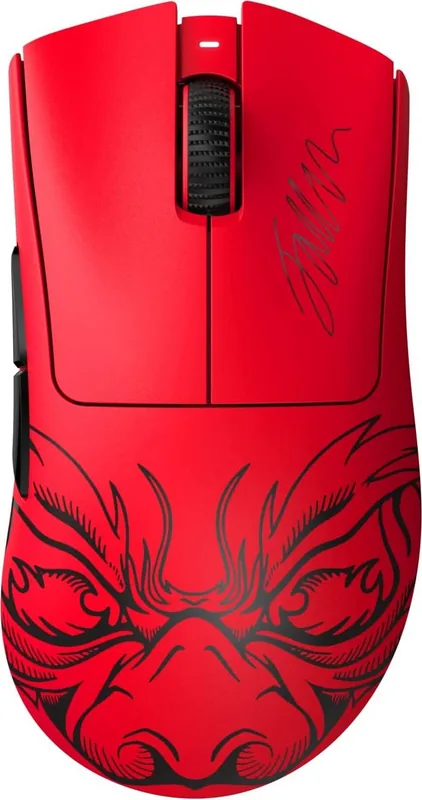
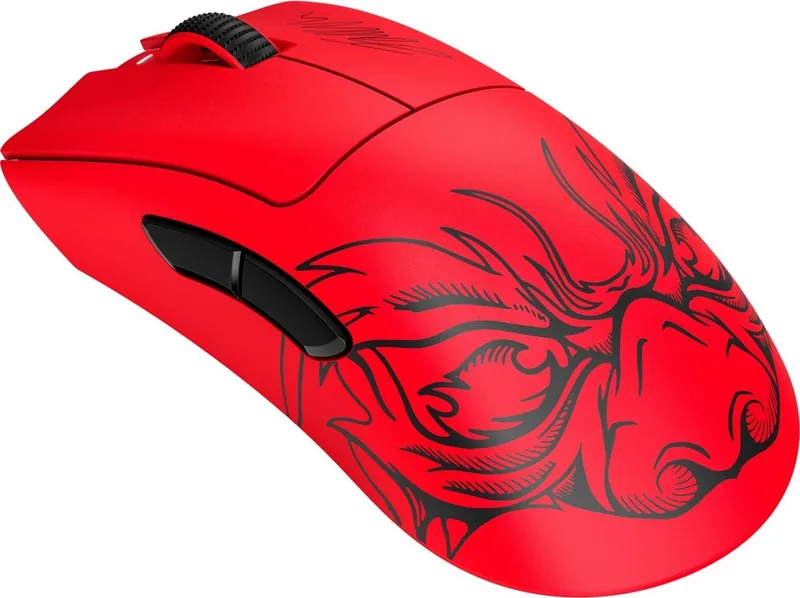
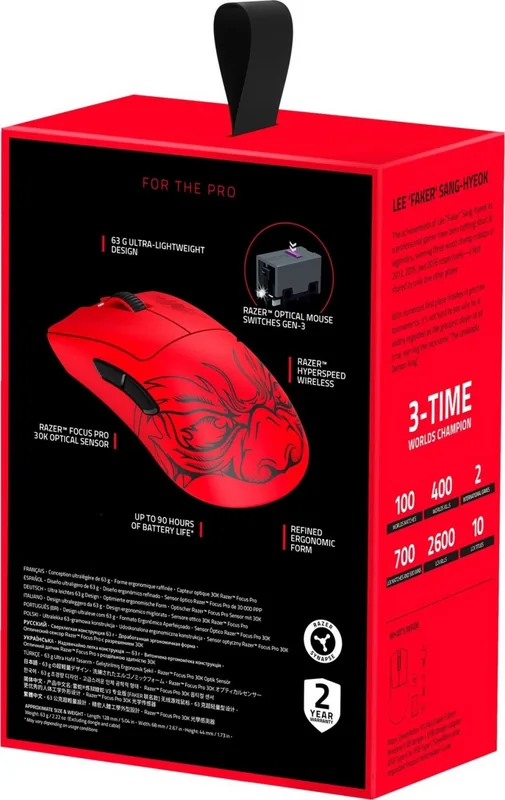
The Razer DeathAdder V3 Pro is a lightweight, right-handed gaming mouse redesigned with esports input to deliver fast, reliable performance. At 28% lighter than its predecessor, it preserves the classic ergonomic DeathAdder shape while integrating modern hardware: the Razer Focus Pro 30K optical sensor, optical switches rated for 90 million clicks, PTFE feet for smooth gliding, and a SpeedFlex USB-C cable. With up to 90 hours of battery life on HyperSpeed Wireless and multiple connectivity options (wired, HyperSpeed 2.4GHz dongle, or HyperPolling dongle), it’s aimed at competitive players who demand responsiveness and endurance.
Key Features and Experience
The V3 Pro emphasizes tracking accuracy and low latency. Its Focus Pro sensor supports up to 30,000 DPI, 750 IPS, and 70G acceleration, while polling rates reach 1000Hz out of the box and up to 4000Hz with a HyperPolling dongle. Five programmable buttons and on-board memory allow quick profile switching and macro assignment. The Power/DPI button cycles between customizable DPI stages (400, 800, 1600 default, 3200, 6400) with a color-coded status indicator for instant feedback. Battery and power settings are tunable through Razer Synapse, which also offers extensive button remapping, sensitivity stages, performance tuning, surface calibration, and macro management.
Setup and Customization
Getting started is straightforward: charge via USB-C (full charge in ~4 hours), connect via cable or plug in the included wireless dongle, then install Razer Synapse for deep customization. Synapse provides a Dashboard, device-specific tabs for button mapping, performance, calibration, power management, and profile linking to games. Advanced features include Hypershift for secondary button layers, HyperSpeed multi-device pairing, on-the-fly DPI adjustments, and macro scripting when the Macro module is installed.
Durability, Safety, and Maintenance
Built for heavy use, the mouse uses durable optical switches and high-quality PTFE feet but still benefits from routine cleaning and proper surface selection—Razer recommends its mouse mats for optimal tracking. Safety guidelines advise normal battery precautions for the internal Li-ion pack and avoiding extreme temperatures, liquids, or disassembly. Razer’s warranty registration and support resources are available online.
Notes
- DPI stages are customizable via Synapse.
- Status indicator shows battery/DPI state with distinct colors.
- HyperPolling dongle sold separately for 4000Hz polling.
Search for 67,706 Manuals online


Type-in Brand or Model