
Razer Cynosa Chroma Manual
PDF manual · 34 Pages
English



Quick check
Incorrect answer, please try again.
Chat with your Razer Cynosa Chroma manual using AI
Get instant AI answers from your Razer Cynosa Chroma manual
Ask anything about the Razer Cynosa Chroma. Answers come from this manual, with the pages they are based on.
Ask a Question
Do you recommend Cynosa Chroma?
Yes NoFrequently Asked Questions
It combines soft cushioned keys, anti-ghosting, 10-key rollover, macro support, and gaming mode. These features help with fast, accurate input and fewer accidental key presses during play.
Is this answer helpful?
Yes. Basic use works through USB, but the best customization comes through Razer Synapse 3. That software handles lighting effects, key assignments, profiles, and macro configuration.
Is this answer helpful?
Yes. The keyboard is designed with a spill-resistant build, which helps protect it from minor accidents and makes it more suitable for daily use on a busy desk.
Is this answer helpful?
Yes. The keyboard supports on-the-fly macro recording, allowing you to capture key sequences quickly and assign them to a preferred key without needing a lengthy setup process.
Is this answer helpful?
It supports multiple Chroma effects such as breathing, reactive, ripple, wave, static, spectrum cycling, fire, and starlight. You can also create more advanced effects in Synapse 3.
Is this answer helpful?
You need a PC with a free USB port, Windows 7 or later, an internet connection, and around 500 MB of free hard disk space. Synapse 3 is needed for advanced configuration.
Is this answer helpful?
Advantages and Disadvantages
Advantages

- Soft cushioned keys offer a comfortable typing and gaming feel for longer sessions.
- Razer Chroma lighting provides rich customization with millions of color options.
- Spill-resistant build adds practical protection for everyday desk use.
- Macro support and gaming mode improve control and reduce accidental interruptions.
Disadvantages

- Full customization depends on Razer Synapse 3, so software setup is required.
- It is a wired USB keyboard, which may not suit users wanting wireless freedom.
- LED indicators are not customizable, limiting some lighting personalization.
- Some advanced features are tied to system compatibility and software version.
Product Specification
Layout
UK
Type
semi-mechanical
Switch Designation
Razer Mecha-Membrane
Lighting
RGB, individual key
Keycap Level
regular, with frame
Keycap Format
regular
Keycap Profile
concave
Numpad
Standard
Cursor Block
Standard
Control Keys
Standard
Enter Key
shortened
Delete Key
Standard
Status Indicator
Caps Lock, Num Lock, Scroll Lock
Palm Rest
modular
Housing
Plastic
Housing Color
solid color, black
Keycap Finish
solid color, black
Key Legend
solid color, white (translucent)
Connection
wired, USB-A 2.0
Power Supply
USB
Dimensions (WxHxD)
18.23x1.22x6.06in
Weight
2.10lb
Special Features
Anti-Ghosting (10-Key-Rollover), splash-proof, FN-Key
Switch Manufacturer
Razer
Product Description
Razer Cynosa Chroma, USB, UK Manual: A Smart Choice for Everyday Gaming
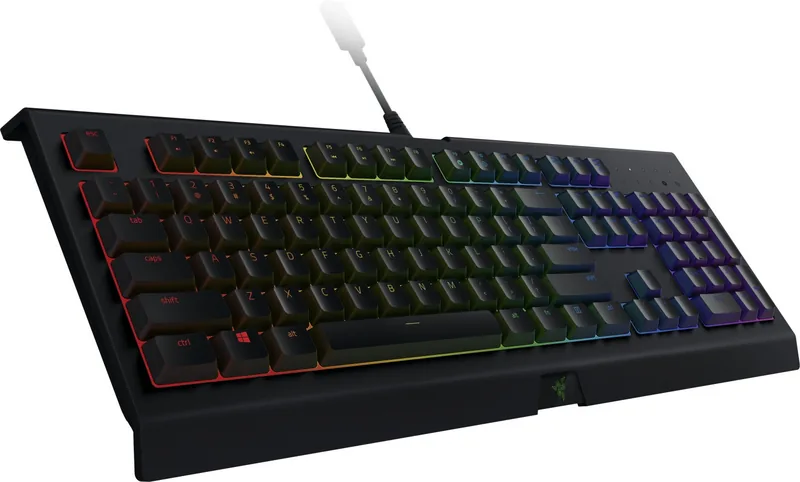
The Razer Cynosa Chroma, USB, UK Manual highlights a keyboard built for players who want comfort, customization, and reliability in one package. This isn’t just about looks—though the Chroma lighting certainly stands out—it is designed to handle long gaming sessions and everyday typing with a soft, cushioned feel that makes each keypress smooth and easy to control.
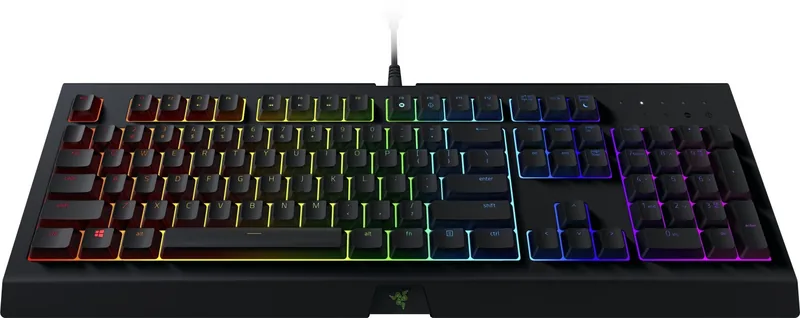
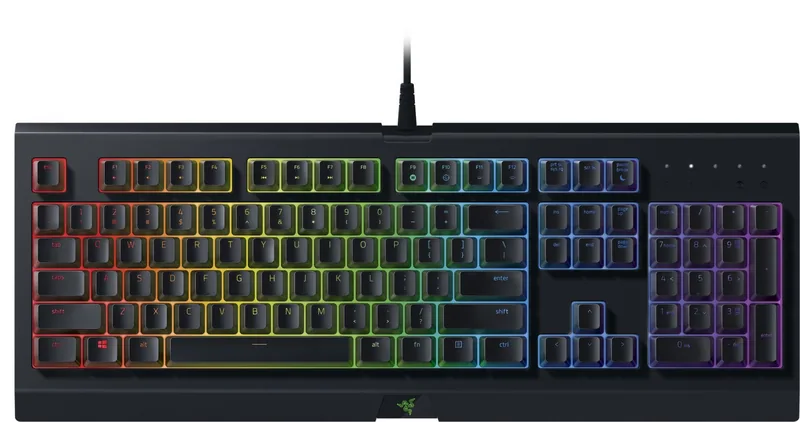
At the core of the Razer Cynosa Chroma is its customizable experience. The keyboard supports individually programmable backlit keys and full Razer Chroma illumination with up to 16.8 million colors. Whether you prefer a calm static tone, a reactive glow, or a dynamic wave effect, the lighting can be tuned to match your setup or your game. For users who enjoy personalization, Synapse 3 opens the door to key remapping, macro recording, profile switching, and advanced lighting control.
The keyboard also focuses on practicality. Its spill-resistant construction adds peace of mind for busy desks, while anti-ghosting and 10-key rollover help ensure that fast inputs register accurately during intense gameplay. The gaming mode is another useful feature, as it disables the Windows key and can be configured to prevent accidental interruptions when the action gets serious. With a 1000Hz polling rate, responsiveness stays sharp and dependable.
Setup is simple through USB, and the UK layout makes it a familiar fit for many users across the region. The keyboard is compatible with Windows systems and works best when paired with Razer Synapse 3, which allows the user to build profiles, assign functions, and create a more tailored gaming workflow. It is a strong blend of style and substance, especially for players who want an affordable, feature-rich keyboard without overcomplicating the experience.
Notes
- Best for gamers who want soft keys and customizable lighting.
- Full functionality is strongest when Synapse 3 is installed.
- The spill-resistant design adds everyday durability.
- A solid option for both gaming and general use.
Search for 67,706 Manuals online


Type-in Brand or Model