
Razer Cobra Manual
PDF manual · 25 Pages
English



Quick check
Incorrect answer, please try again.
Chat with your Razer Cobra manual using AI
Get instant AI answers from your Razer Cobra manual
Ask anything about the Razer Cobra. Answers come from this manual, with the pages they are based on.
Ask a Question
Do you recommend Cobra?
Yes No
GamingPro88
5 months ago
Is this mouse really 35g and does the 8500 DPI sensor work well for fast gaming?

Manual.ly
5 months ago
Yes, the weight is confirmed at 35 grams. The DPI resolution is adjustable up to 8500, ensuring speed and accuracy for gaming tasks. It is built with high-quality materials.

Lilliana Ullrich
6 months ago
Is the Razer mouse lightweight and suitable for fast, precise gaming?
Manual.ly
6 months ago
Yes. The mouse is very lightweight at around 35 g and offers up to 8,500 DPI, making it suitable for quick movements and responsive control. Reviews also highlight its solid, high-quality build.
Luca Ferri
4 months ago
Is the mouse really lightweight and accurate enough for fast gaming?
Manual.ly
4 months ago
Yes. The review highlights its very low weight of around 35 g, solid build quality, and up to 8,500 DPI sensitivity. This should make it comfortable for quick movements and responsive gaming, while the DPI setting allows you to adjust cursor speed to your preference.
LucaGaming
3 months ago
Is this Razer mouse lightweight and suitable for fast, precise gaming?
Manual.ly
3 months ago
Yes. The mouse is very lightweight at around 35 g and offers up to 8,500 DPI, making it suitable for quick movements and precise control. Reviews also highlight its high-quality build.
Luca Ferri
3 months ago
Is the Razer mouse lightweight and accurate enough for fast gaming?
Manual.ly
3 months ago
Yes. According to customer feedback, it is very lightweight at about 35 g, feels well made, and offers up to 8,500 DPI for fast, precise cursor movement.
sit_repellat
5 months ago
Is this Razer mouse lightweight and suitable for fast, precise gaming?
Manual.ly
5 months ago
Yes. The mouse is very lightweight at around 35 g and offers up to 8,500 DPI, making it well suited to quick movements and responsive, precise control. Reviews also praise its high-quality construction.
Liam Carter
2 months ago
Is the Razer mouse really lightweight and suitable for fast, precise gaming?
Manual.ly
2 months ago
Yes. The mouse is reported to weigh about 35 g and offers up to 8,500 DPI, making it a lightweight option for quick movements and adjustable cursor sensitivity. Its build quality is also described as high-quality.
SitAut62
3 months ago
Is this Razer mouse lightweight and responsive enough for fast gaming?
Manual.ly
3 months ago
Yes. The review highlights its very light 35 g design, high-quality build, and 8500 DPI sensor, which should provide quick and responsive cursor movement for gaming and everyday use.
Luca Ferri
5 months ago
Is this Razer mouse lightweight and suitable for fast, precise use?
Manual.ly
5 months ago
Yes. The review highlights its low 35 g weight, solid build quality, and up to 8,500 DPI sensitivity. This makes it a good option for users who prefer a very light mouse with quick cursor response.
Frequently Asked Questions
It uses an optical Razer sensor with a maximum sensitivity of 8,500 DPI, tracking speeds up to 300 IPS, and acceleration up to 35 G. These specifications support precise movement for gaming, browsing, and productivity.
Is this answer helpful?
The mouse has six programmable buttons. Razer Synapse can assign keyboard functions, mouse commands, sensitivity controls, macros, multimedia actions, Windows shortcuts, text insertion, program launches, and other supported functions.
Is this answer helpful?
Yes. Default DPI stages are 400, 800, 1600, 3200, and 6400. Razer Synapse lets you configure up to five sensitivity stages and assign DPI-related commands to a button.
Is this answer helpful?
Yes. It includes Razer Chroma RGB underglow lighting. Available effects include static, breathing, reactive, spectrum cycling, and audio meter effects. Compatible Chroma devices can be synchronized through the software.
Is this answer helpful?
Razer Synapse requires Windows 10 64-bit or later and an internet connection for installation. Internet access is also needed for updates and cloud-based features. A Razer ID is recommended but optional.
Is this answer helpful?
The Razer Cobra is a wired mouse that connects to a computer through a USB Type-A port. It uses a Razer Speedflex cable designed to reduce cable drag during movement.
Is this answer helpful?
Advantages and Disadvantages
Advantages

- Lightweight wired design supports quick, controlled movement during gaming and daily use.
- 8,500 DPI optical sensor offers customizable sensitivity levels, 300 IPS speed, and 35 G acceleration.
- Third-generation optical switches are rated for up to 90 million clicks.
- Six programmable buttons, Hypershift support, and Synapse profiles enable flexible control layouts.
- Chroma RGB underglow, PTFE feet, Speedflex cable, and 1,000 Hz polling add premium gaming features.
Disadvantages

- The symmetrical shell is specified for right-handed users, limiting its appeal for left-handed players.
- Wired USB Type-A connectivity may not suit users who prefer wireless freedom.
- Only one profile can be stored in the mouse's integrated memory.
- Advanced customization, cloud functions, and updates depend on Razer Synapse and an internet connection.
- Maximum sensitivity is 8,500 DPI, which may be lower than some high-end gaming mouse alternatives.
Product Specification
Suitability
right hand
Buttons
6 total, 2 main, 1 top, 2 left, 1 scroll wheel click
Scroll wheel
1x 2-way
Tracking
red LED/IR
Resolution
8,500 dpi, reducible to 6,400/3,200/1,600/800/400 dpi
Sensor
PixArt PMW 3359
Switches
mechanical-optical switches, Razer Optical 90M Mouse Switch Gen-3, 90 million clicks
Polling rate
1,000 Hz, adjustable to 500/250/125 Hz (wired USB)
Lighting
RGB
Connection
wired (5.91 ft), USB-A 2.0
Power supply
USB
Dimensions (W x H x D)
2.46 x 1.5 x 4.71 in
Approximate volume
4.58 in3 (approximate shape)
Weight
2.05 oz (without cable)
Color
solid black, logo
Special features
onboard memory, braided cable
Product Description
Razer Cobra Black, USB Manual: Lightweight Precision for Everyday Gaming
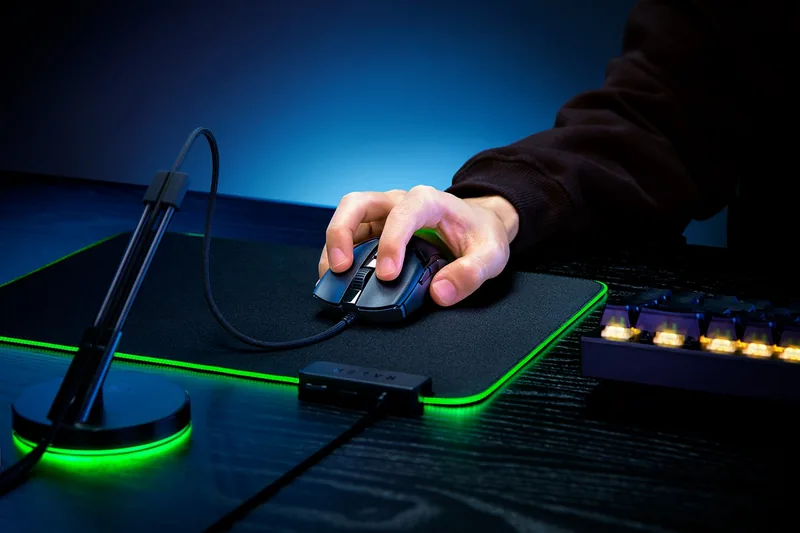
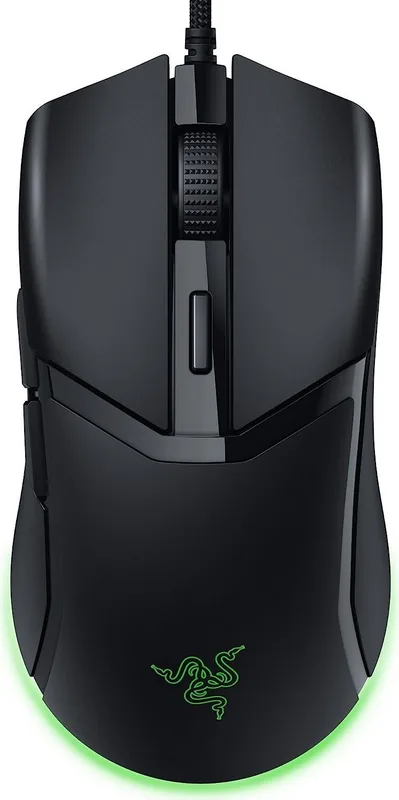
The Razer Cobra black, USB is a compact wired gaming mouse designed for players who want fast, dependable control without unnecessary bulk. Its symmetrical shape is tailored for right-handed use, while the lightweight construction supports quick flicks, confident tracking, and comfortable movement through long gaming sessions. The black finish gives the mouse a clean, understated look that fits naturally into both gaming and work setups.
At its core, the mouse uses an optical sensor with up to 8,500 DPI, 300 IPS tracking speed, and 35 G acceleration. These specifications provide responsive cursor control for competitive games, creative tasks, and everyday navigation. Five DPI stages are available by default - 400, 800, 1600, 3200, and 6400 DPI - and they can be customized to suit different games, screen resolutions, or personal aiming preferences.
Built for Fast Clicks and Smooth Movement
The Razer Cobra black, USB features third-generation optical mouse switches rated for up to 90 million clicks. Optical actuation is designed to deliver quick, consistent inputs while avoiding the unintended double-click behavior associated with some traditional mechanical switches. With six programmable buttons, users can assign commonly used commands, shortcuts, multimedia controls, or custom macros for a more efficient setup.
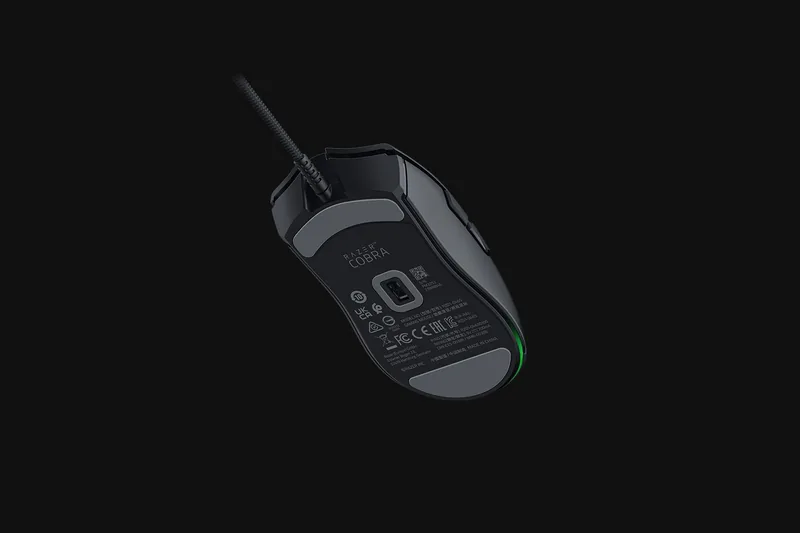
A flexible Razer Speedflex cable helps reduce drag during fast movements, while 100% PTFE mouse feet create a smoother glide across compatible surfaces. The mouse also supports a 1,000 Hz polling rate, allowing it to report movement and button inputs to the PC up to 1,000 times per second. This combination makes it a practical choice for players who value accurate tracking and responsive wired performance.
Chroma RGB and Detailed Customization
Razer Chroma RGB underglow adds visual character to the Cobra through a gradual lighting effect around its base. Lighting can be set to static, breathing, reactive, spectrum cycling, or audio-responsive effects. It can also synchronize with other compatible Razer Chroma devices for a more unified desktop appearance.
The Razer Cobra black, USB Manual highlights the available controls in Razer Synapse. Through the software, users can remap buttons, adjust DPI stages, select polling rates, manage profiles, link settings to games, and calibrate the sensor for supported mouse mats. Hypershift can provide a secondary button layer, extending the available commands without adding extra physical buttons.
Note: Razer Synapse requires Windows 10 64-bit or later and an internet connection for installation, updates, and cloud-based features. The mouse connects through a USB Type-A port.
Care note: Clean the mouse regularly with a soft cloth or cotton swab. Keep it away from liquids and use it within an operating temperature range of 0 C to 40 C.
Search for 67,706 Manuals online


Type-in Brand or Model
TechHunter82
6 months ago
Is the 35g weight stable for precise aiming and is the 8500 DPI sensor usable for different tasks?
Manual.ly
5 months ago
The 35g weight is engineered for agility without compromising stability, making it ideal for precise aiming. The 8500 DPI sensor can be adjusted via software to suit various task requirements, ensuring smooth movement across screens. We recommend checking the latest firmware for optimal performance.