
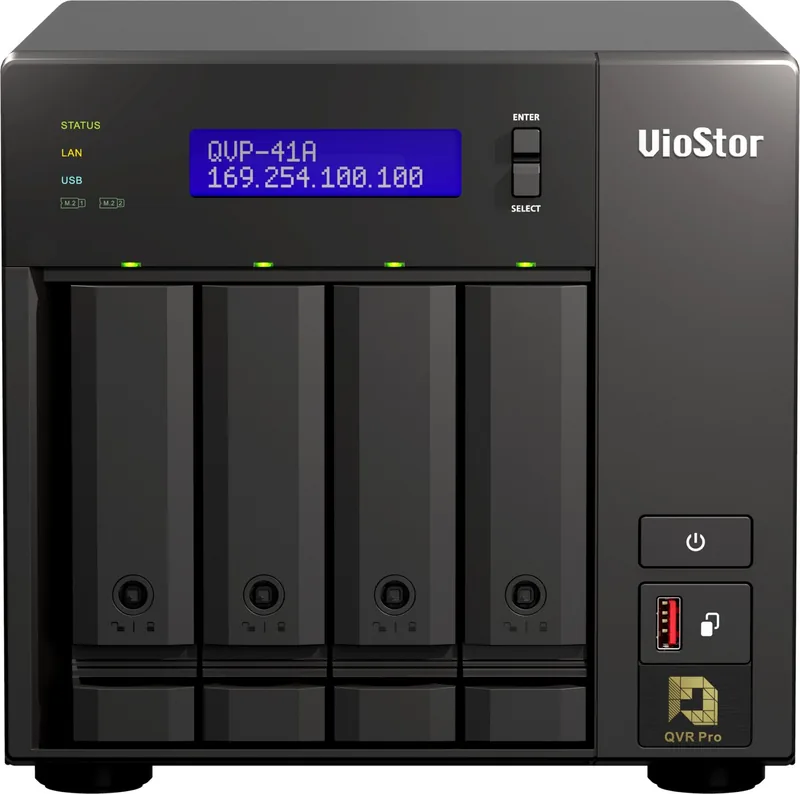
QNAP VioStor QVP Manual
PDF manual · 162 Pages
English



Quick check
Incorrect answer, please try again.
Chat with your QNAP VioStor QVP manual using AI
Get instant AI answers from your QNAP VioStor QVP manual
Ask anything about the QNAP VioStor QVP. Answers come from this manual, with the pages they are based on.
VioStor QVP Maintenance Schedule
Enable RAID Scrubbing Schedule to periodically scan for and fix bad sectors on RAID 5 and RAID 6 groups.
Activate Predictive S.M.A.R.T. Migration to regularly monitor disk health and detect errors before failure.
Specify how often QVP checks disks for S.M.A.R.T. errors in minutes using the S.M.A.R.T. polling time setting.
Ask a Question
Do you recommend VioStor QVP?
Yes NoFrequently Asked Questions
QVP is a system designed for the QVR Pro appliance to provide a dedicated surveillance server environment. It handles recording, storage, and network management specifically for security cameras.
Is this answer helpful?
Yes, the installation process deletes all data on the drives. It is critical to back up any important information before starting the Smart Installation Guide.
Is this answer helpful?
You can expand storage by adding new disks to an existing RAID group or by creating a new RAID group and adding it to the volume. Both methods allow online expansion without interrupting data access.
Is this answer helpful?
Yes, QVP supports Self-Encrypting Drives (SEDs). You can create secure static volumes where data is automatically encrypted by the drive controller for enhanced security.
Is this answer helpful?
If a hot spare is configured, the system will automatically replace the faulty disk and begin rebuilding the data. If no spare exists, you must manually replace the disk to restore redundancy.
Is this answer helpful?
Yes, you can configure myQNAPcloud Link, port forwarding, and DDNS settings to securely access your live views and recordings from external networks.
Is this answer helpful?
QNAP recommends performing RAID scrubbing at least once a month to detect and repair bad sectors, ensuring data consistency and preventing potential data loss.
Is this answer helpful?
Advantages and Disadvantages
Advantages

- Dedicated hardware optimization for continuous surveillance recording
- Scalable storage with support for hot spares and RAID expansion
- Advanced camera management including RTMP stream support
- Granular user privileges and role-based access control
- Built-in file station for easy media playback and sharing
Disadvantages

- Initial installation requires wiping all data on drives
- Complexity may be overwhelming for non-technical users
- SED encryption keys must be managed carefully to avoid data loss
- Performance can decrease during RAID scrubbing operations
- Requires specific hardware compatibility for certain SSD cache configurations
Product Specification
Compression
MJPEG, MPEG-4, H.264, H.265, G.711, G.726, AAC, PCM
Drive
N/A
Features
Motion detection, LCD
Product Description
Discover the Power of QNAP VioStor QVP Network Video Recorder
The QNAP VioStor QVP Network Video Recorder represents a significant leap forward in dedicated surveillance technology. Designed specifically to power the comprehensive QVR Pro ecosystem, this system transforms standard NAS hardware into a robust, all-in-one security solution. Unlike general-purpose servers, QVP is optimized for continuous recording, real-time monitoring, and advanced event management without compromising performance.
At its core, QVP integrates seamlessly with storage, network, and file management utilities. This integration allows users to create a fully functional surveillance environment where data integrity and accessibility are paramount. The system supports the creation of dedicated recording spaces using volumes, ensuring that critical footage has a secure and isolated home. Whether you are managing a small office or a large enterprise facility, QVP provides the scalability needed to grow your camera network effortlessly.
One of the standout features of QVP is its flexibility in storage management. Users can assign spare volumes or shared folders to ensure recording continuity even if primary storage fails. The system supports expandable storage solutions, allowing you to add more disks or expansion units without losing existing data. For those concerned with data safety, QVP offers robust backup options, enabling the replication of recordings to remote NAS devices. Additionally, the ability to import existing recordings simplifies migration from older systems.
Advanced camera management tools make adding and configuring IP cameras straightforward. You can batch add cameras, search for devices across multiple LANs, and assign specific network interfaces to optimize bandwidth. The support for Real-Time Messaging Protocol (RTMP) opens doors to integrating third-party video streams directly into the platform. Furthermore, the system allows for individual camera recording settings, meaning you can allocate high-resolution 4K streams to SSDs for optimal quality while balancing resources for other tasks.
Security and access control are handled through a granular privilege system. Administrators can create user groups, define roles, and manage permissions down to the folder level. File Station provides an intuitive interface for browsing, sharing, and playing back video files directly from the browser. With features like SSL certificate installation and encrypted volume support, QVP ensures that your surveillance data remains private and protected from unauthorized access.
Getting started is simple. After installing the software via Qfinder Pro or an HDMI connection, users can quickly set up volumes, add cameras, and configure event rules. The dashboard offers real-time insights into system health, disk status, and active recording spaces, making maintenance proactive rather than reactive. With its blend of powerful features and user-friendly design, the QNAP VioStor QVP Network Video Recorder stands as a top choice for modern security needs.
Search for 67,706 Manuals online


Type-in Brand or Model