
QNAP VioStor QVP-41B Manual
PDF manual · 58 Pages
English



Quick check
Incorrect answer, please try again.
Chat with your QNAP VioStor QVP-41B manual using AI
Get instant AI answers from your QNAP VioStor QVP-41B manual
Ask anything about the QNAP VioStor QVP-41B. Answers come from this manual, with the pages they are based on.
Ask a Question
Do you recommend VioStor QVP-41B?
Yes NoFrequently Asked Questions
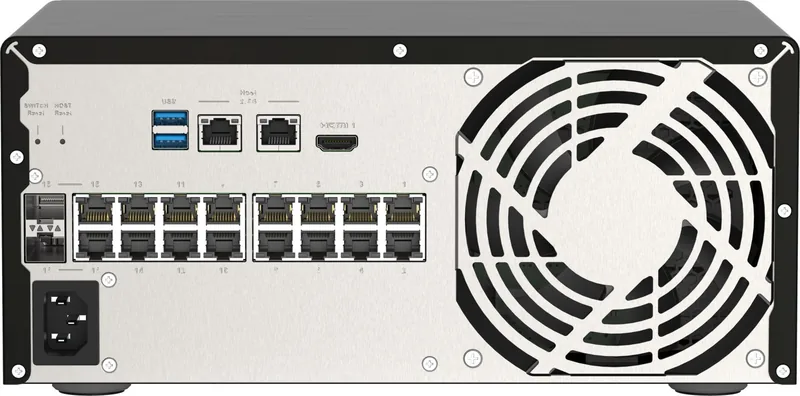
The device includes 16 Gigabit PoE ports for connecting cameras directly.
Is this answer helpful?
Yes, it uses 2 SODIMM slots and supports up to 8GB of RAM using QNAP modules.
Is this answer helpful?
It supports RAID 0, 1, 5, 6, 10, and 50 levels for data redundancy.
Is this answer helpful?
Use the Host Reset or Switch Reset buttons located on the back panel of the unit.
Is this answer helpful?
Yes, it supports all types of PoE cameras and PoE devices.
Is this answer helpful?
It supports M.2 SSDs but hot-swapping is not supported on these drives.
Is this answer helpful?
The restricted warranty covers 1 year or more depending on the region policy.
Is this answer helpful?
Advantages and Disadvantages
Advantages

- 16 Gigabit PoE ports simplify camera connections.
- 8GB RAM supports multitasking effectively.
- Four SATA bays allow flexible storage configurations.
- M.2 slots enable SSD caching for performance.
- LCD panel provides status at a glance without PC.
Disadvantages

- Unauthorized modifications void the warranty.
- Lithium battery poses risk if swallowed by children.
- Specific drive types required for compatibility.
- Hot-swapping has exceptions on M.2 SSDs.
- Recovery requires specific steps if drives are removed accidentally.
Product Specification
Channels
24
Compression
MJPEG, MPEG-4, H.264, H.265, G.711, G.726, AAC, PCM
Storage
4x 3.5"/2.5" SATA 6Gb/s (Hot-Swap), 2x M.2 SATA (2280)
Optical Drive
N/A
Interfaces
16x RJ-45 (PoE), 2x 2.5Gb LAN, 2x Gb LAN, 3x USB 3.0, 1x HDMI 2.0
Features
Motion Detection, LCD
Product Description
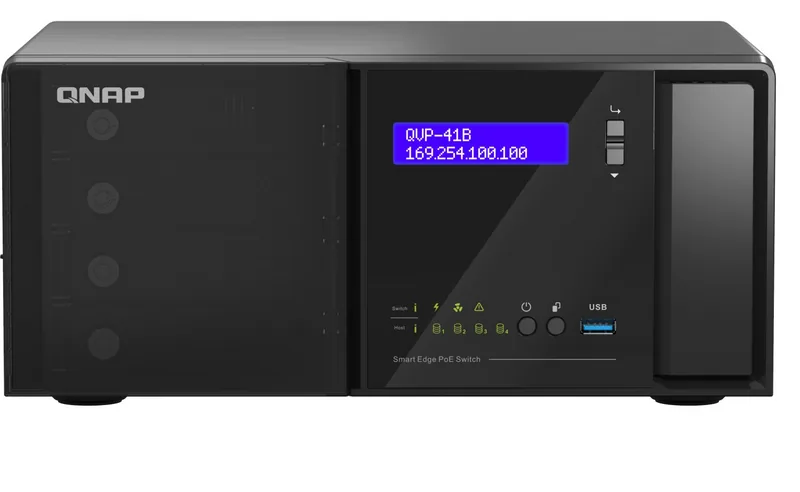
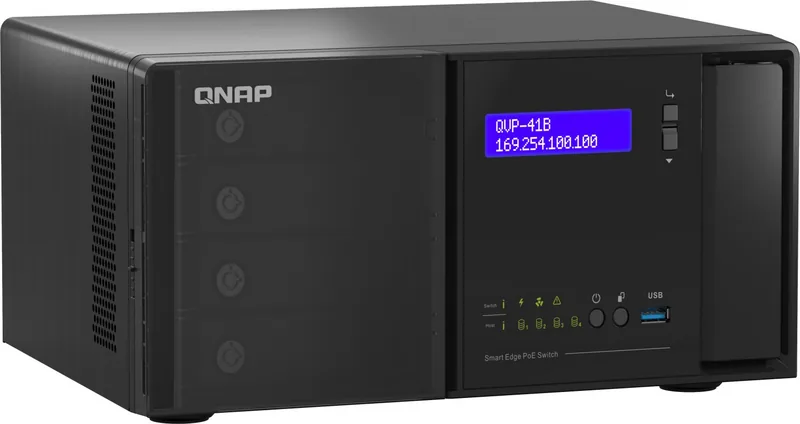
For businesses seeking robust security, the QNAP VioStor QVP-41B Network Video Recorder Manual serves as a key reference for setup. This device features powerful hardware including an Intel Celeron J4125 processor and 8 GB of RAM for smooth operation. It includes sixteen Gigabit PoE ports which allow direct camera connections without external switches. This design simplifies cabling and reduces infrastructure costs for small to medium enterprises. Four 3.5-inch SATA drive bays provide ample storage for high-definition video retention. Users can also utilize M.2 slots for improved system performance through caching technology. The front LCD display allows for quick access to network settings and system information without a computer. Security is maintained through multiple RAID levels and encryption engines protecting data integrity during recovery. Configuration is streamlined using Qfinder Pro software which guides intelligent installation steps. Users manage switch functionality via QuNetSwitch or QSS applications for centralized control. Troubleshooting is supported by audio alarms and LED indicators for rapid diagnostics. The unit supports hot-swapping in most RAID configurations to minimize downtime. Warranty information covers manufacturing defects for a period of time. Safety warnings include lithium battery risks and electrical grounding requirements. Proper installation ensures long term functionality within operating temperatures between 0 and 40 degrees. Accessing technical specifications regarding the QNAP VioStor QVP-41B Network Video Recorder Manual reveals detailed connection options. Two 2.5 GbE host management ports offer high-speed data transfer to main networks. Reset buttons on the back panel facilitate system recovery or switch resets when necessary. The LCD screen supports password protection to prevent unauthorized access to configuration menus. Audio alarms alert users to power failures or fan issues immediately. Battery replacement procedures must follow specific safety protocols to avoid hazards. Comprehensive documentation is available for support resources and compatibility lists. This all-in-one approach saves space and power in dense surveillance setups. Integration of PoE technology reduces the need for additional power adapters for cameras. These features make it ideal for various environments including server rooms. Users are advised to back up data regularly to avoid loss. The system supports extensible storage capabilities for expansion later. Network connectivity options enable flexible placement within facility structures while maintaining stability. Cable management is simplified by the rear port layout design allowing clean organization. The tower form factor fits into standard racks or shelf mounting options easily. Cooling systems maintain efficiency even under continuous video recording loads for extended periods. Data loss prevention is enhanced through the included backup tools and snapshot functions. Firmware updates ensure the operating system remains secure and bug free over time. Support contacts provide assistance for hardware issues or software configuration questions. Installation requires adherence to electrostatic discharge practices to protect internal components from damage. Drive compatibility lists should be checked before purchasing new storage media for the system. Users can monitor temperature and capacity directly from the front panel interface easily. This unit meets various regulatory standards for electromagnetic compatibility and safety compliance globally. Power consumption remains efficient compared to older network video recorder models from the past.
Search for 67,706 Manuals online


Type-in Brand or Model