
QNAP TS-1635-4G Manual
PDF manual · 135 Pages
English



Quick check
Incorrect answer, please try again.
Chat with your QNAP TS-1635-4G manual using AI
Get instant AI answers from your QNAP TS-1635-4G manual
Ask anything about the QNAP TS-1635-4G. Answers come from this manual, with the pages they are based on.
Ask a Question
Do you recommend TS-1635-4G?
Yes NoFrequently Asked Questions
Yes, users can upgrade the memory up to 16GB DDR3 RAM using specific SODIMM slots located inside the chassis area safely. Always ensure a memory module is installed in the primary slot for system boot.
Is this answer helpful?
Press the reset button for 3 seconds to hear a beep for a basic reset. This resets the system administration password to default, TCP/IP settings, and security levels.
Is this answer helpful?
Yes, the QNAP NAS is compatible with hot swapping hard drives when at least one member drive is intact in a RAID configuration. This ensures minimal downtime during maintenance.
Is this answer helpful?
The system supports RAID recovery when a healthy drive is unexpectedly removed. You can reinsert the drive into its original position to recover the RAID status.
Is this answer helpful?
Yes, NAS models that support M.2 SSDs are packaged with heat sinks for reliable operation. You can add modules to vacant slots to upgrade storage capacity.
Is this answer helpful?
The NAS can operate normally in a temperature range of zero degrees Celsius to forty degrees Celsius. You must ensure the environment is well ventilated.
Is this answer helpful?
The device complies with FCC Class A standards for commercial use. Operation in a residential area might cause interference requiring the user to correct it at their own expense.
Is this answer helpful?
Advantages and Disadvantages
Advantages

- Supports up to 16 hard drive slots for massive storage expansion and high capacity usage.
- Includes built-in 10Gb SFP ports for high speed networking and faster data transfers.
- Memory is expandable up to 16GB DDR3 RAM to handle heavy workloads and multitasking.
- Features a quad core processor for efficient handling of multiple tasks simultaneously.
- Offers a PCIe slot for additional network expansion card installation for customization.
Disadvantages

- Hardware modification may void the warranty and cause potential system instability for users.
- System must be powered off before changing RAM or drives to avoid electrical risks.
- QNAP disclaims liability for data loss or recovery issues in the event of errors.
- Proper antistatic precautions are strictly required during installation to prevent damage.
- FCC Class A compliance limits use primarily in commercial environments rather than residential.
Product Specification
Hard Drive
N/A
Internal
12x 2.5"/3.5", 4x 2.5", SATA 6Gb/s
External
2x 10Gb SFP+, 2x Gb LAN
Additional Ports
3x USB-A 3.0 (Host), 1x PCIe 2.0 x2
RAID Level
0/1/5/6/10/50/60/JBOD
CPU
Annapurna Labs AL514, 4x 1.70GHz (ARM Cortex-A15)
RAM
4GB DDR3, 512MB Flash
Fans
3x 3.62"
Power Consumption
78.45W (Operation), 38.37W (Idle)
Dimensions
14.56x11.96x12.59 inches (WxHxD)
Weight
26.94 lbs
Features
iSCSI, 256-bit AES Encryption, FTP Server, DLNA Server, iTunes Server, BitTorrent Client, WebDAV
Warranty
24 Months
USB Write Mode
Link
Product Description
High Performance Storage Solutions
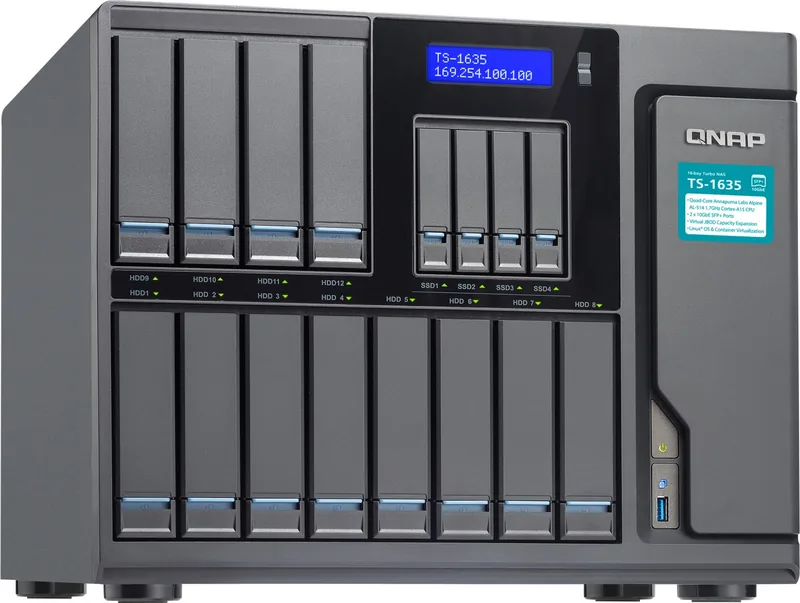
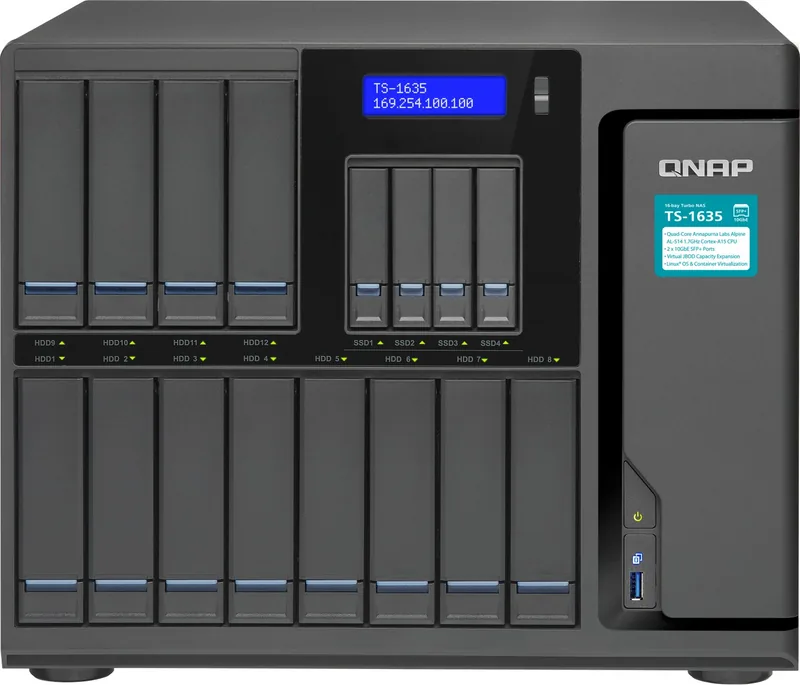
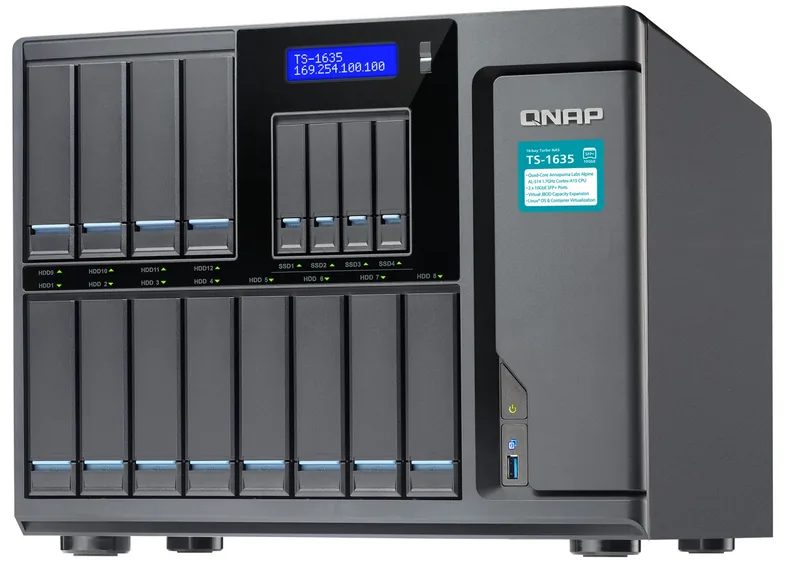
Welcome to the world of high performance storage solutions designed for demanding enterprise environments. The QNAP Turbo Station TS-1635-4G 2x 10Gb SFP 2x Gb LAN Manual model reveals powerful capabilities for business and home office needs. This device features a quad core Annapurna Labs Alpine AL-514 processor running at 1.7GHz Cortex-A15 architecture for speed. It offers sixteen hard drive slots to maximize your total storage capacity significantly for all users. The built in connectivity includes two 10Gb SFP plus ports for ultra fast networking and additional Gigabit LAN options for redundancy in your setup.
Users can upgrade memory up to 16GB DDR3 RAM using specific SODIMM slots located inside the chassis area safely. Security and safety are paramount during all operations involving the hardware. The system warns strictly against opening the unit while powered on to avoid injury. Antistatic precautions are recommended when handling internal components like RAM modules or expansion cards inside. The NAS supports advanced RAID recovery features if a drive is accidentally removed unexpectedly from a configuration. LCD panels on supported models allow direct status monitoring without a separate computer. Power supply units can be swapped in specific rack models for continuous uptime during business hours.
The system details how to install M.2 SSDs for system caching purposes efficiently for better I/O. USB one touch copy simplifies external backups directly from the USB ports for fast data transfer. LED indicators clearly show system health and disk activity colors to alert users of issues. Beep alarms notify immediately of critical failures like cooling fan issues or full disk volumes. Configuring the network is straightforward via the web administration interface available to all users. You can set static IP addresses or use DHCP for automatic assignment to the network. The reset button restores default settings if the system password is ever lost unexpectedly.
Hard drives can be hot swapped within RAID configurations to ensure minimal downtime during maintenance or component upgrades. This flexibility ensures continuous availability for critical data applications in your network. The hardware highlights strength and expandability for growth. With 16 bays you can build massive storage pools suitable for virtualization tasks. The PCIe slot allows network card expansion for further bandwidth speed improvements easily. Memory upgrades boost application performance significantly during heavy workloads and multitasking. Ensure environmental conditions are always optimal for best results on the unit. Keep temperature between zero and forty degrees Celsius indoors for safety. Avoid direct sunlight and liquid exposure near the chassis at all times. Back up your system regularly to prevent data loss liability risks. The device complies with FCC Class A standards specifically for commercial use. This ensures minimal interference in typical office settings and workspaces. Professional installation is often recommended for rackmount variants for safety. Power redundancy provides safety for critical data centers and enterprises. Explore all options to maximize your storage infrastructure efficiency fully. Reliable data management requires proper planning and strict execution steps.
Search for 67,706 Manuals online


Type-in Brand or Model