
QNAP SATA JBOD Series Manual
PDF manual · 50 Pages
English



Quick check
Incorrect answer, please try again.
Chat with your QNAP SATA JBOD Series manual using AI
Get instant AI answers from your QNAP SATA JBOD Series manual
Ask anything about the QNAP SATA JBOD Series. Answers come from this manual, with the pages they are based on.
Ask a Question
Do you recommend SATA JBOD Series?
Yes NoFrequently Asked Questions
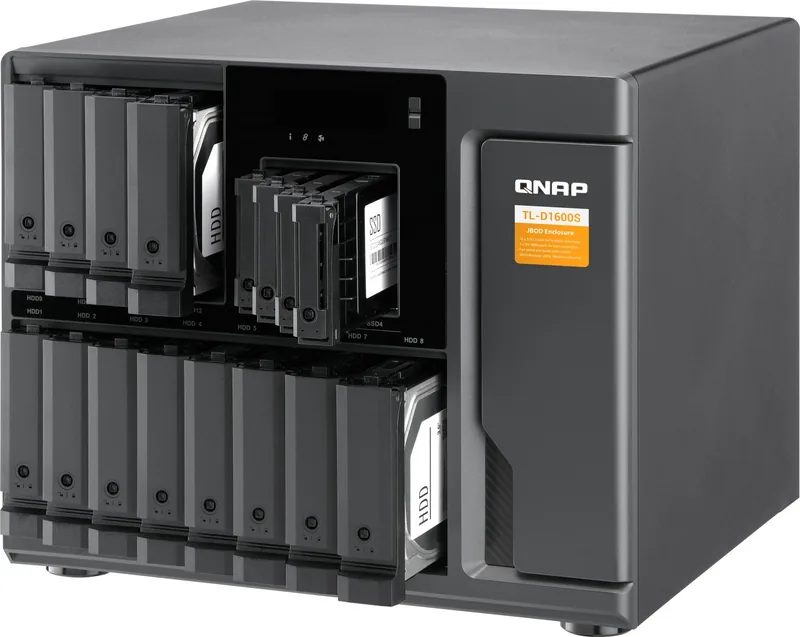
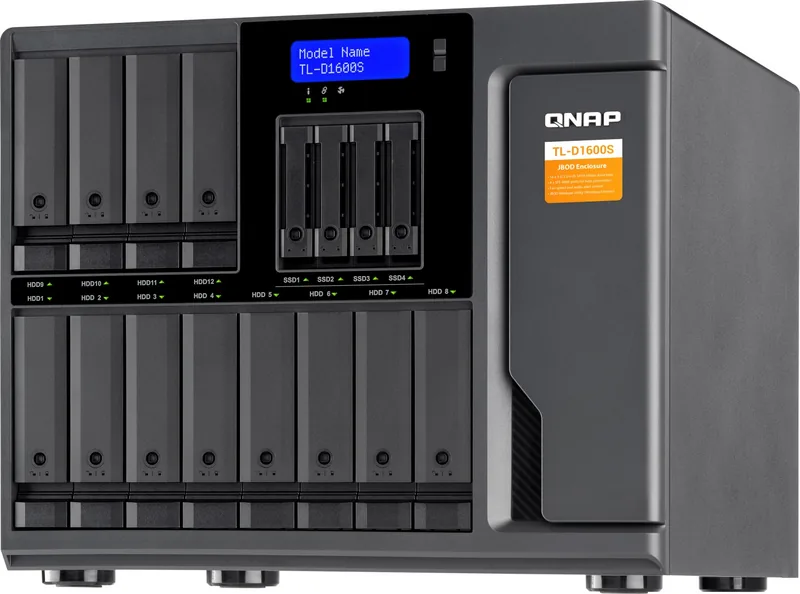
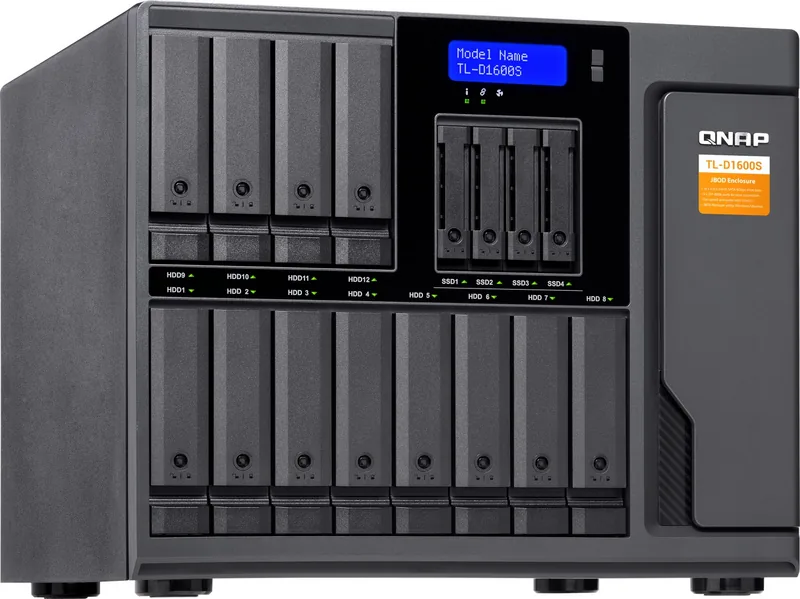
The range includes the TL-D400S with four 3.5-inch bays, the TL-D800S with eight 3.5-inch bays, and the TL-D1600S with twelve 3.5-inch bays plus four dedicated 2.5-inch SATA SSD bays.
Is this answer helpful?
Supported options include 3.5-inch SATA hard drives, 2.5-inch SATA hard drives, and 2.5-inch SATA SSDs. The exact bay and tray support depends on the model. Verify specific disk compatibility before installation.
Is this answer helpful?
It connects through SFF-8088 cables to a compatible QNAP QXP host bus adapter installed in the NAS or computer. The TL-D1600S package includes SFF-8088 to SFF-8644 cables for its connection design.
Is this answer helpful?
No. A QNAP JBOD enclosure can be connected to only one host at a time. Choose either a compatible QNAP NAS or a supported computer as the active host.
Is this answer helpful?
Yes, hot-swapping is supported in specified RAID recovery situations. For example, RAID 1 and RAID 5 support replacement after one drive failure. Use a replacement drive with equal or greater capacity.
Is this answer helpful?
Use front LEDs for drive, system, link, and fan status. The TL-D800S and TL-D1600S also offer an LCD panel. In QTS, use Storage & Snapshots; on a computer, use QNAP JBOD Manager.
Is this answer helpful?
Advantages and Disadvantages
Advantages

- Four, eight, or sixteen SATA bays provide scalable storage expansion for different capacity needs.
- SFF-8088 connectivity supports four SATA 6 Gb/s lanes per port for efficient host communication.
- Supports 3.5-inch HDDs, 2.5-inch HDDs, and 2.5-inch SSDs, depending on the model and tray.
- Hot-swappable, key-lockable drive trays simplify maintenance and add physical drive security.
- LED indicators, LCD status panels on select models, alerts, and fan controls aid administration.
Disadvantages

- Requires a compatible QNAP QXP host bus adapter; third-party adapters may not work reliably.
- The enclosure cannot be connected to more than one NAS or computer at the same time.
- QTS supports a maximum of two connected JBOD enclosures.
- Drive compatibility must be verified before installation.
- Hot-swap recovery is limited to supported RAID failure scenarios.
Product Specification
Hard Drive
N/A
CPU
N/A
RAM
N/A
Warranty
24 months
USB Writing Direction
Left
Product Description
QNAP NAS Expansion Unit - SATA Interface - Read, Download & Print Free
The QNAP NAS Expansion Unit - SATA Interface is designed for users who need to grow storage capacity without replacing an existing NAS or workstation. Available in TL-D400S, TL-D800S, and TL-D1600S configurations, these JBOD enclosures add four, eight, or up to sixteen SATA drive bays for flexible expansion across home, business, creative, and backup environments.
Each model uses high-speed SFF-8088 connectivity to link directly with a compatible QNAP host bus adapter. Every SFF-8088 connection supports four SATA 6 Gb/s lanes, helping the enclosure deliver efficient access to installed hard drives and solid-state drives. The host system can manage disks independently or configure software RAID, making the expansion unit adaptable to capacity-focused storage, performance-oriented SSD deployment, and protected multi-drive arrays.
Flexible Drive Support
The compact TL-D400S supports four 3.5-inch SATA bays, while the TL-D800S expands this design to eight 3.5-inch bays. For larger requirements, the TL-D1600S combines twelve 3.5-inch bays with four dedicated 2.5-inch SATA SSD bays. These options allow users to select an enclosure that matches their available space, drive type, and anticipated storage growth.
Hot-swappable trays simplify replacement and expansion work. Compatible 3.5-inch HDDs, 2.5-inch HDDs, and 2.5-inch SSDs can be installed with the appropriate tray method. Key-lockable trays add a practical layer of physical protection, especially in shared offices or managed equipment locations.
Built for Visible, Practical Management
Status, link, fan, and drive LEDs provide quick visual feedback. The TL-D800S and TL-D1600S also include an LCD panel for viewing enclosure status, connected host information, fan settings, storage mode, firmware details, and warning messages. Audio alerts can be enabled or disabled from the rear panel, while a manual fan speed switch offers Auto, High, Medium, and Low settings.
The enclosures support operation from 0 C to 40 C and include smart cooling fans sized for their respective chassis. When connected to a QNAP NAS, storage can be monitored through Storage & Snapshots in QTS. Computer users can view and configure the enclosure with QNAP JBOD Manager on supported systems.
Notes
- A compatible QNAP QXP host bus adapter is required for connection.
- One enclosure can connect to only one host at a time.
- QTS supports up to two JBOD enclosures.
- Check drive compatibility before purchasing or installing disks.
- Regular backups remain essential, even when RAID is configured.
Search for 67,706 Manuals online


Type-in Brand or Model