
QNAP QWA-AC2600 Manual
PDF manual · 59 Pages
English



Quick check
Incorrect answer, please try again.
Chat with your QNAP QWA-AC2600 manual using AI
Get instant AI answers from your QNAP QWA-AC2600 manual
Ask anything about the QNAP QWA-AC2600. Answers come from this manual, with the pages they are based on.
Ask a Question
Do you recommend QWA-AC2600?
Yes NoFrequently Asked Questions
It is a PCIe wireless adapter that adds dual-band Wi‑Fi to compatible QNAP NAS devices and Ubuntu PCs. It is commonly used to create an access point, build a private wireless segment, or expand network flexibility in a home lab or small office.
Is this answer helpful?
Yes. The QWA-AC2600 is built for dual-band, dual-concurrent operation, so both bands can be active simultaneously. That makes it useful for separating traffic, supporting multiple device types, or running one band as a client connection and the other as an AP.
Is this answer helpful?
The adapter is intended for selected QNAP NAS models with PCIe slots and also works with Ubuntu systems that support the required wireless driver stack. On NAS devices, compatibility depends on the model and QTS version, while Ubuntu needs a suitable kernel and setup.
Is this answer helpful?
Yes, depending on the platform. On Ubuntu, tools like hostapd and wpa_supplicant are typically used to configure AP mode. On QNAP NAS, the WirelessAP Station app simplifies the process and lets you manage access point settings through the QTS interface.
Is this answer helpful?
It supports 802.11ac on 5GHz and 802.11n on 2.4GHz, with up to 1733 Mbps on 5GHz and up to 800 Mbps on 2.4GHz. Combined, the adapter is rated up to 2600 Mbps, though real-world speed depends on placement and interference.
Is this answer helpful?
Yes. The adapter is well suited for isolated wireless networks such as IoT devices or surveillance cameras. When paired with QNAP Network & Virtual Switch or a proper Ubuntu AP setup, it can help create a more secure and organized wireless environment.
Is this answer helpful?
Advantages and Disadvantages
Advantages

- Dual-band dual-concurrent operation supports flexible client and AP use at the same time.
- PCIe x1 design with low-profile bracket options fits many QNAP NAS systems.
- Up to 2600 Mbps total wireless bandwidth with 4x4 MU-MIMO and detachable antennas.
- Works well for private wireless setups, including IoT, surveillance, and lab environments.
Disadvantages

- Compatibility depends on supported NAS models and software versions.
- Some installations may require bracket changes or extra physical adjustments.
- Ubuntu setup can be technical and may need hostapd and network interface configuration.
- Performance and coverage depend heavily on antenna placement and the surrounding environment.
Product Specification
Type
WLAN Adapter
Form Factor
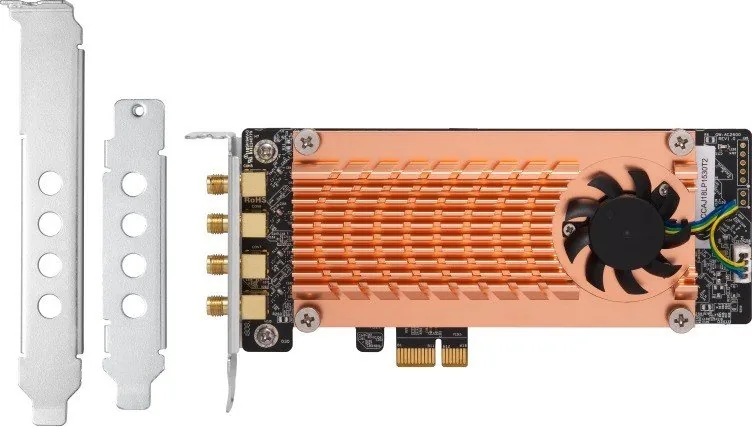
1x PCIe card (exchangeable bracket: full height and low profile bracket included/half-height)
Interface
1x PCIe 2.0 x1
Connectivity
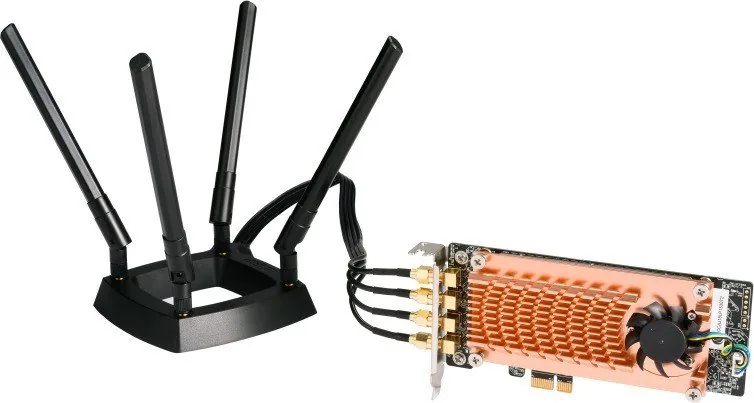
2x WLAN 802.11a/b/g/n/ac (2x 2.4GHz/2x 5GHz simultaneous), 2x Transmit Amplifiers (2x RP-SMA antenna connector), 4x Antennas (RP-SMA, individually adjustable, 31.50 in connection cable, with magnetic antenna holder, 8x electrical)
Transfer Rate
2x 2.4GHz WLAN (800Mb/s, 4x4), 2x 5GHz WLAN (1.733Gb/s, 4x4)
Power Supply
Power supply only via interface
Chipset
2x Qualcomm QCA9984 (WLAN adapter)
Dimensions
6.30x3.54x0.83 in
Compatibility
QNAP, Linux
Special Features
MU-MIMO
Product Description
QNAP QWA-AC2600: Dual-Band PCIe Wi‑Fi for NAS and Ubuntu
The QNAP QWA-AC2600 is designed for users who want more than a basic wireless adapter. Built as a PCIe x1 expansion card, it brings 2.4GHz and 5GHz wireless LAN support to compatible QNAP NAS units and Ubuntu-based PCs, opening the door to faster connections, cleaner network separation, and more flexible wireless deployments. It is a practical choice for anyone building a compact access point, a private network segment, or a custom wireless lab.
What makes this adapter stand out is its dual-band, dual-concurrent design. The card can handle both frequency bands at the same time, which makes it useful for setups where one band serves clients while the other acts as an access point. With support for 802.11ac Wave 2, 4x4 MU-MIMO, detachable high-gain antennas, and a total wireless bandwidth rating of up to 2600 Mbps, the QWA-AC2600 is aimed at performance-focused networking rather than casual add-ons.
On QNAP NAS devices, the card pairs well with WirelessAP Station and Network & Virtual Switch tools, making it possible to create isolated wireless environments for IoT devices, guest access, or surveillance systems. That separation can reduce congestion on the main router and improve control over traffic flow. For Ubuntu users, the card can also be used with hostapd and standard Linux wireless tools to turn a PC into a flexible AP station or test environment.
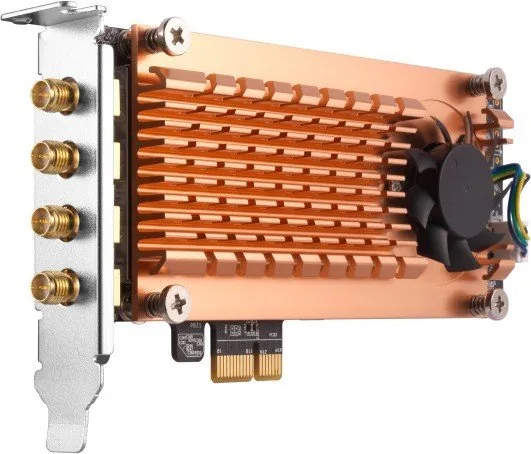
Installation is straightforward on supported systems, but it still benefits from a careful setup. The low-profile PCIe design, multiple bracket options, and active cooling help it fit a wide range of QNAP models, while the detachable antennas and magnetic base make placement easier to optimize. In practice, this means you can build a wireless base station that is compact, adaptable, and better suited to customized networking than a typical consumer router.
For makers, small offices, and home labs, the QWA-AC2600 is less about convenience and more about control. It offers a way to extend the wireless capabilities of a NAS or PC, create separate service networks, and experiment with a more modular wireless architecture.
Notes
- Best results come from supported QNAP models and the correct QTS version.
- Antenna placement can strongly affect coverage and stability.
- Ubuntu setup may require basic command-line configuration.
- Ideal for private AP, IoT, and traffic-separation use cases.
Search for 67,706 Manuals online


Type-in Brand or Model
Sebastian Chapman
8 months ago
Does the QNAP QWA-AC2600 support using a virtual switch for VMs/containers, so I can connect the NAS to the router via WiFi only?
Manual.ly
8 months ago
In practice, the QWA-AC2600 can provide WiFi client functionality for QNAP setups, but review feedback indicates there is no management option via a virtual switch. That means you cannot easily integrate VMs or containers into the WiFi network without using a LAN connection. Also, the client capability is not always clearly advertised officially. If your use case is simple NAS-to-router WiFi connectivity, or you do not rely on VM/container networking, it can be a solid 4x4 MIMO wireless link. For VM/container scenarios, plan on keeping a LAN connection (or verify your specific QNAP Virtual Switch setup) so networking can be configured correctly.