
QNAP QuWakeUp Manual
PDF manual · 7 Pages
English



Quick check
Incorrect answer, please try again.
Chat with your QNAP QuWakeUp manual using AI
Get instant AI answers from your QNAP QuWakeUp manual
Ask anything about the QNAP QuWakeUp. Answers come from this manual, with the pages they are based on.
Ask a Question
Do you recommend QuWakeUp?
Yes NoFrequently Asked Questions
It allows users to remotely turn on their NAS or connected devices from anywhere using the internet, ensuring accessibility when away from the local network.
Is this answer helpful?
Use the Qfinder Pro application to locate the device, then follow the on-screen wizard to configure settings using the default name and password.
Is this answer helpful?
No, it supports Power over Ethernet (PoE), allowing it to draw power directly through the network cable if the switch supports it.
Is this answer helpful?
While optimized for QNAP products, it may work with other Wake-on-LAN compatible devices depending on network configuration and support.
Is this answer helpful?
No, the default password is admin. You should change it immediately after setup to prevent unauthorized access to your network.
Is this answer helpful?
Advantages and Disadvantages
Advantages

- Enables remote wake-up of NAS devices over WAN connections
- Simple setup process using Qfinder Pro wizard
- Supports Power over Ethernet for easier installation
- Compact size fits in tight network spaces
Disadvantages

- Requires compatible router with port forwarding capabilities
- Dependent on internet connectivity for remote access
- Default password must be changed manually for security
- Limited to specific QNAP NAS integration scenarios
Product Specification
Connections
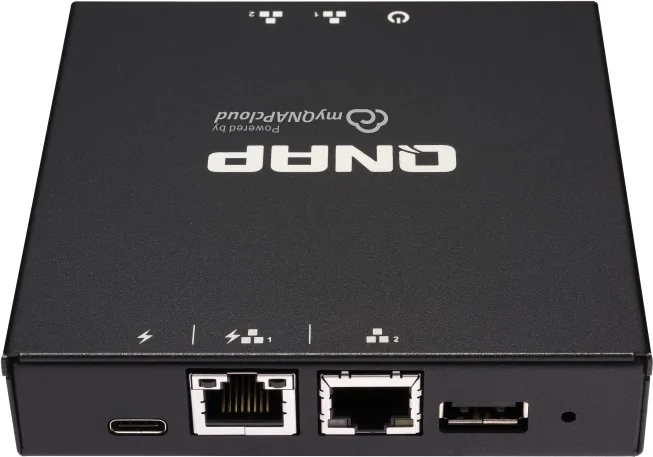
2x RJ-45 (1x PoE, LAN), 1x USB-C 3.0, 1x USB-A 2.0
Product Description
Unlock Remote Access with QNAP QuWakeUp
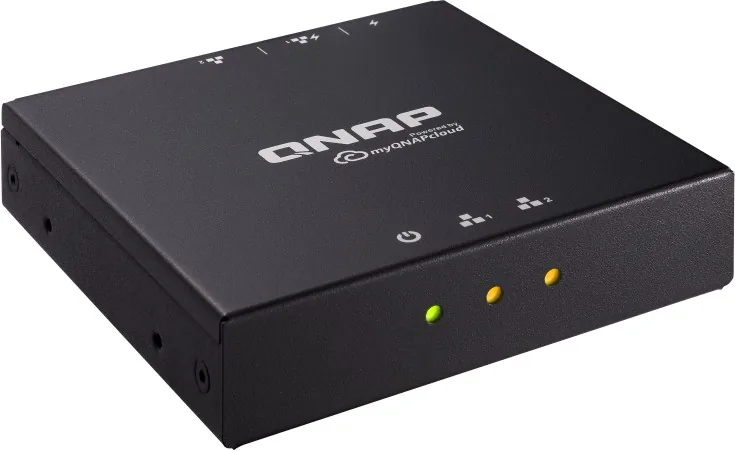
The QNAP QuWakeUp Wake on WAN Device Smart Remote Wake-Up Assistant is a specialized hardware solution designed to extend the reach of your network management. By acting as a bridge, this device enables users to remotely power on their Network Attached Storage (NAS) systems or other connected devices even when they are away from home or the office. This capability transforms how individuals interact with their digital infrastructure, ensuring that critical data and services are accessible at any time without physical presence.
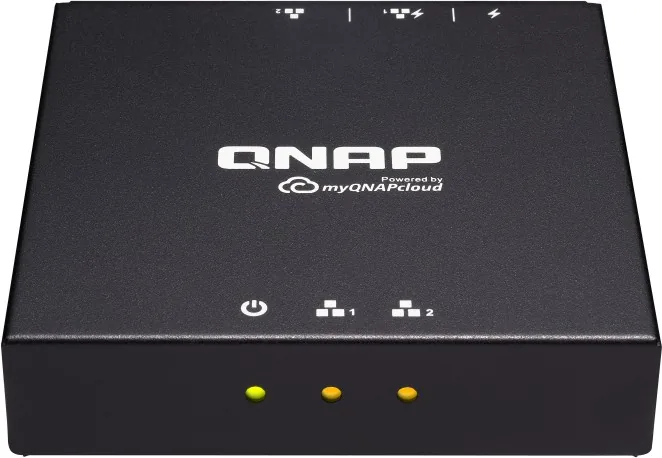
At the heart of the system is the QWU-100 unit, which features a compact design suitable for any network setup. It connects via standard RJ45 ports and utilizes Power over Ethernet (PoE) for streamlined cabling. The device works in tandem with the Qfinder Pro utility, allowing for easy discovery and configuration. Users simply locate the unit, follow the wizard prompts, and assign default credentials to begin managing remote wake-up tasks instantly. The status LEDs provide visual feedback on connection states, while the reset button offers a quick recovery option if needed.
This smart assistant eliminates the frustration of inaccessible resources during travel or business trips. Whether you need to retrieve files, run backups, or manage media servers, the QuWakeUp ensures your NAS is ready to respond to your commands from anywhere in the world. It integrates seamlessly into existing networks, requiring minimal technical expertise to deploy effectively.
Key Features
- Remote Power On: Activate devices across the Wide Area Network (WAN).
- Easy Setup: Guided installation via Qfinder Pro software.
- Compact Design: Small footprint fits easily in server racks or under desks.
- PoE Support: Simplifies installation by reducing cable clutter.
Important Notes
Ensure your router supports port forwarding for optimal performance. Always change the default password after initial setup to maintain security. Check compatibility with your specific NAS model before purchasing.
Search for 67,706 Manuals online


Type-in Brand or Model