
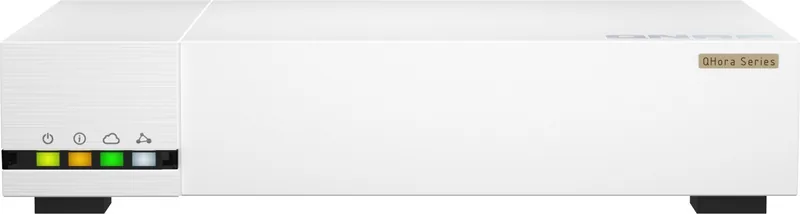
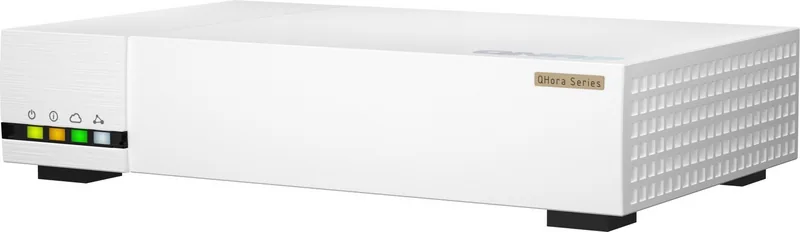
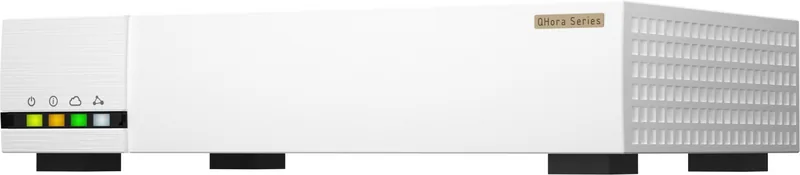
QNAP QHora-322 Manual
PDF manual · 77 Pages
English



Quick check
Incorrect answer, please try again.
Chat with your QNAP QHora-322 manual using AI
Get instant AI answers from your QNAP QHora-322 manual
Ask anything about the QNAP QHora-322. Answers come from this manual, with the pages they are based on.
Ask a Question
Do you recommend QHora-322?
Yes NoFrequently Asked Questions
It has nine RJ-45 Ethernet ports: six 2.5 GbE ports and three 10 GbE ports. The 10 GbE ports also support lower multi-gigabit and gigabit link speeds for compatibility with varied equipment.
Is this answer helpful?
No. The QHora-322 is designed as a wired router and its connectivity is provided through its RJ-45 Ethernet ports.
Is this answer helpful?
The router supports QBelt, L2TP, OpenVPN, and WireGuard VPN server functions. It can also operate as an OpenVPN client. The platform supports up to 30 combined QuWAN and QVPN tunnels.
Is this answer helpful?
Yes. It supports QNAP QuWAN SD-WAN for hub-and-edge deployments. QuWAN provides centralized management, traffic monitoring, WAN optimization, failover, load balancing, aggregation, and QoS features.
Is this answer helpful?
Yes. VLAN support lets you segment devices and limit broadcast domains. You can configure WAN and LAN VLAN interfaces, tagged or untagged member ports, DHCP settings, and IPv4 or IPv6 addressing.
Is this answer helpful?
Security features include protocol, IP, domain, interface, and port-based firewall rules, NAT, port forwarding, DMZ, client blocking, web content filtering, and VPN encryption options.
Is this answer helpful?
Advantages and Disadvantages
Advantages

- Nine RJ-45 ports combine six 2.5 GbE and three multi-gig 10 GbE connections for flexible high-speed wired networking.
- Supports QuWAN SD-WAN with WAN optimization, aggregation, failover, load balancing, QoS, and centralized monitoring.
- Offers QBelt, L2TP, OpenVPN, and WireGuard VPN options, with up to 30 combined QuWAN and QVPN tunnels.
- Includes VLANs, bridges, DHCP reservations, IPv4 and IPv6 routing, firewall rules, NAT, port forwarding, and content filtering.
Disadvantages

- It is a wired router, so Wi-Fi connectivity is not included.
- Advanced VLAN, routing, SD-WAN, and VPN settings may require networking experience.
- The stated maximum power consumption is 36 W.
- Some service combinations have restrictions, such as QVPN client mode requiring QuWAN and QVPN server services to be disabled.
Product Specification
Modem
N/A
WAN
3 x 10GBase-T (shared), 6 x 2.5GBase-T (shared)
LAN
3 x 10GBase-T (shared), 6 x 2.5GBase-T (shared)
Telephone
N/A
Ports
1 x USB-A 3.0
Power Consumption
36 W (operating consumption), unspecified (max. power adapter output)
Dimensions
8.9 x 5.51 x 1.75 in
Features
IPv6, VPN passthrough, VPN (30 tunnels), VLAN, external power adapter
Product Description
QNAP QHora-322, 9x RJ-45 - Read, Download & Print Free
The QNAP QHora-322 is a wired multi-gigabit router designed for demanding business networks, studios, labs, and advanced home offices. With nine RJ-45 Ethernet ports, including six 2.5 GbE ports and three 10 GbE ports, it creates a flexible foundation for high-speed devices, servers, workstations, and internet uplinks. It is a strong choice for environments where standard gigabit networking is no longer enough.
High-speed connectivity for growing networks
The port layout supports a practical mix of devices with different network speeds. Six 2.5 GbE RJ-45 connections can serve modern PCs, NAS systems, access points, and switches, while three 10 GbE RJ-45 ports provide higher bandwidth for heavy transfers and backbone connections. The 10 GbE ports support multiple speeds, helping the router integrate with existing 100 Mbps, 1 GbE, 2.5 GbE, and 5 GbE equipment.
Powered by a quad-core 2.2 GHz Marvell CN9130 processor and 4 GB DDR4 memory, the QNAP QHora-322, 9x RJ-45 is built to handle complex traffic policies and multiple connected clients. It supports up to 50,000 concurrent connections and up to 30 VPN tunnels across QuWAN and QVPN services, making it suitable for distributed teams and branch connectivity.
Centralized routing with QuRouter and QuWAN
QNAP's QuRouter interface provides browser-based configuration and monitoring. Administrators can manage WAN and LAN interfaces, DHCP reservations, static routes, VLANs, bridges, IPv4, IPv6, DDNS, and connected clients from one interface. Firmware updates, configuration backup and restore, event logs, and USB-based packet capture help simplify maintenance and troubleshooting.
For organizations with multiple locations, QuWAN SD-WAN provides centralized control for hub-and-edge deployments. Features such as WAN optimization, aggregation, failover, load balancing, traffic monitoring, and QoS help maintain connectivity between sites. The router can also provide VPN access through QBelt, L2TP, OpenVPN, and WireGuard.
Security and network segmentation
The QHora-322 includes tools for building a more controlled network perimeter. Firewall rules can be based on protocols, IP addresses, interfaces, domains, and ports. NAT, port forwarding, DMZ settings, application-layer gateways, client blocking, and web content filtering add further control. VLAN support helps separate devices, teams, guest networks, or sensitive services without requiring separate physical infrastructure.
Note: Plan IP ranges, VLAN membership, and VPN address pools before deployment to avoid conflicts. Keep firmware current and change the initial administrator credentials during setup.
Search for 67,706 Manuals online


Type-in Brand or Model