
QNAP QDA-UMP4 Manual
PDF manual · 2 Pages
English



Quick check
Incorrect answer, please try again.
Chat with your QNAP QDA-UMP4 manual using AI
Get instant AI answers from your QNAP QDA-UMP4 manual
Ask anything about the QNAP QDA-UMP4. Answers come from this manual, with the pages they are based on.
Ask a Question
Do you recommend QDA-UMP4?
Yes NoFrequently Asked Questions
It converts M.2 PCIe NVMe SSDs to the U.2 interface, allowing them to be used in QNAP NAS devices equipped with U.2 ports for enhanced speed.
Is this answer helpful?
Yes, it supports most standard M.2 PCIe NVMe drives, provided they fit the physical dimensions supported by the adapter's mounting points.
Is this answer helpful?
No, the package contains only the adapter, mounting brackets, and screws; the user must purchase the M.2 SSD separately.
Is this answer helpful?
Yes, initializing the SSD will wipe all data permanently. Always ensure you have a backup before proceeding with setup.
Is this answer helpful?
No special drivers are needed as the QNAP OS natively supports NVMe over PCIe when using this adapter.
Is this answer helpful?
Each QDA-UMP4 adapter supports one M.2 SSD, though the QDA-U2MP variant supports two drives simultaneously.
Is this answer helpful?
Advantages and Disadvantages
Advantages

- Enables high-speed NVMe SSD support on U.2 ports
- Compatible with both single and double-sided M.2 drives
- Simple installation with included mounting hardware
- Significantly improves system I/O performance
- Supports QTS and QuTS hero software ecosystems
Disadvantages

- Requires specific QNAP NAS models with U.2 slots
- No onboard cache memory for added protection
- Limited to two drives maximum per adapter unit
- Initialization process deletes all drive data immediately
- Sold separately from the actual SSD drive
Product Specification
Conversion
M.2 (PCIe) -> U.2 2.5"
Host
1x U.2 2.5"/SFF-8639 (PCIe 4.0 x4, male)
Target
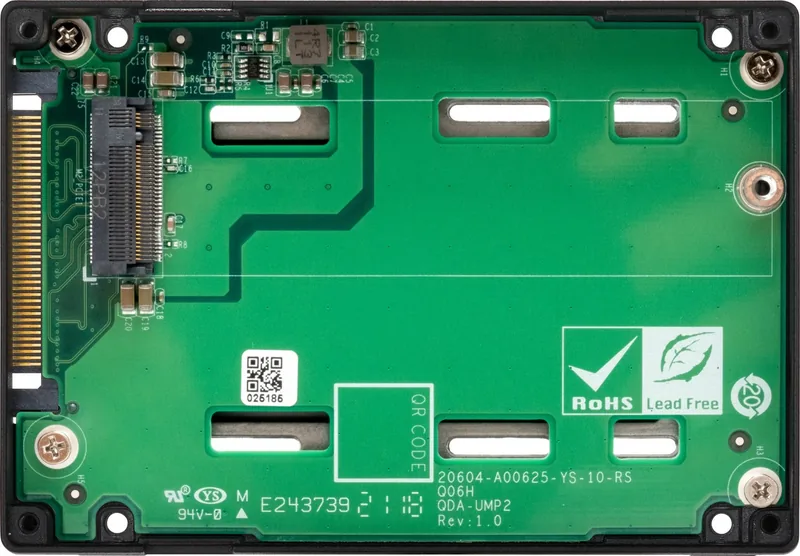
1x M.2/M-Key (PCIe 3.0 x4, 2280/2260/2242/2230, female)
Additional Power Supply
N/A
Form Factor
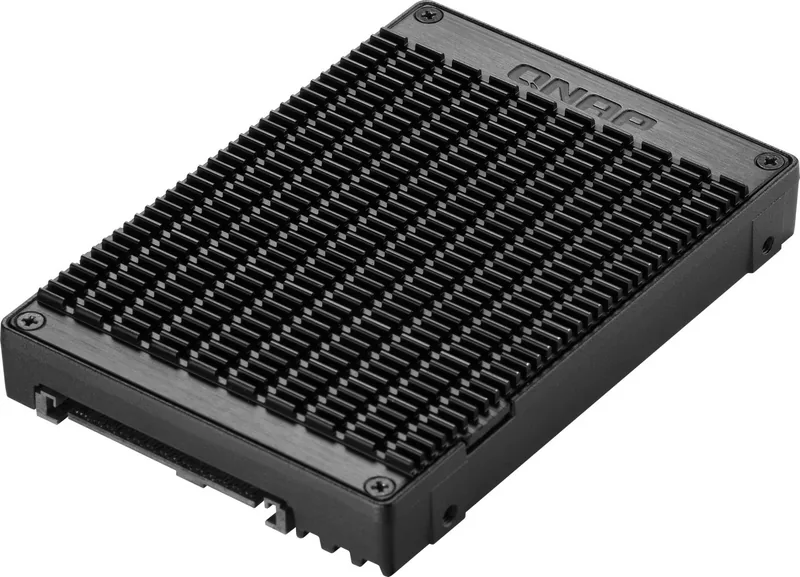
2.5" enclosure
Dimensions
3.95x2.75x0.59 in
Product Description
Unlock High-Speed Storage with QNAP QDA-UMP4
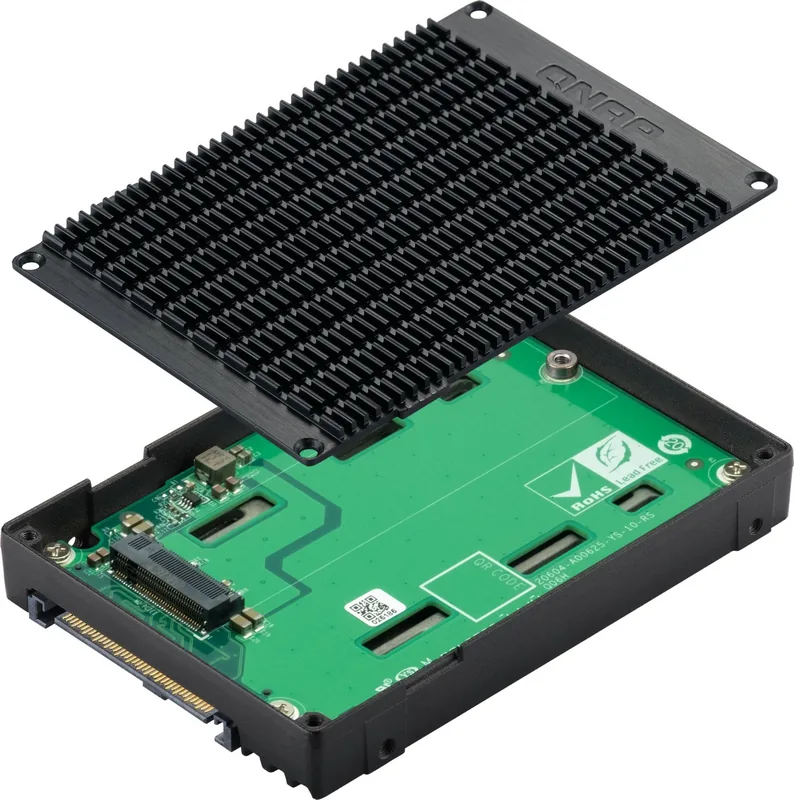
The QNAP QDA-UMP4 adapter is a critical component for modernizing your network storage infrastructure. Designed to bridge the gap between legacy U.2 ports and cutting-edge M.2 NVMe drives, this device allows users to leverage the blistering speed of PCIe NVMe SSDs within compatible QNAP NAS systems. By converting the M.2 form factor into the robust U.2 interface, it enables seamless integration of high-performance storage solutions without requiring a complete hardware overhaul.
This adapter supports both single-sided and double-sided M.2 SSDs, offering flexibility in drive selection. Whether you are looking to boost boot times, accelerate virtual machine performance, or enhance database throughput, the QDA-UMP4 provides a reliable pathway to increased I/O operations per second. The compact design ensures it fits easily into available drive bays while maintaining optimal thermal characteristics through direct contact with the system chassis or included mounting hardware.
Installation is straightforward, utilizing standard Phillips #1 screws to secure the drive in place. The package includes necessary adapters for various M.2 lengths, ensuring compatibility with a wide range of commercially available solid-state drives. Once installed, the drive becomes part of your existing volume pool, ready to be managed through the intuitive QTS or QuTS hero operating systems. Users can enjoy reduced latency and faster data transfer rates, making this an essential upgrade for power users and enterprise environments alike.
Important Notes
Be aware that initializing any drive connected via this adapter will permanently erase all existing data. Always back up important files before performing initialization procedures. Ensure your NAS firmware is up to date to guarantee full compatibility with the latest NVMe standards and features.
Pros and Cons
Pros
- Enables high-speed NVMe SSD support on U.2 ports
- Compatible with both single and double-sided M.2 drives
- Simple installation with included mounting hardware
- Significantly improves system I/O performance
- Supports QTS and QuTS hero software ecosystems
Cons
- Requires specific QNAP NAS models with U.2 slots
- No onboard cache memory for added protection
- Limited to two drives maximum per adapter unit
- Initialization process deletes all drive data immediately
Frequently Asked Questions
What is the primary function of the QNAP QDA-UMP4? It converts M.2 PCIe NVMe SSDs to the U.2 interface, allowing them to be used in QNAP NAS devices equipped with U.2 ports for enhanced speed.
Can I use any M.2 SSD with this adapter? Yes, it supports most standard M.2 PCIe NVMe drives, provided they fit the physical dimensions supported by the adapter's mounting points.
Does this adapter come with an SSD included? No, the package contains only the adapter, mounting brackets, and screws; the user must purchase the M.2 SSD separately.
Will initializing the drive delete my data? Yes, initializing the SSD will wipe all data permanently. Always ensure you have a backup before proceeding with setup.
Is software installation required for this adapter? No special drivers are needed as the QNAP OS natively supports NVMe over PCIe when using this adapter.
What is the maximum number of drives supported? Each QDA-UMP4 adapter supports one M.2 SSD, though the QDA-U2MP variant supports two drives simultaneously.
Where can I find more guides? Visit the official QNAP download center for comprehensive manuals and utility tools related to this product.
Search for 67,706 Manuals online


Type-in Brand or Model