
QNAP QBoat Sunny Manual
PDF manual · 39 Pages
English



Quick check
Incorrect answer, please try again.
Chat with your QNAP QBoat Sunny manual using AI
Get instant AI answers from your QNAP QBoat Sunny manual
Ask anything about the QNAP QBoat Sunny. Answers come from this manual, with the pages they are based on.
Ask a Question
Do you recommend QBoat Sunny?
Yes NoFrequently Asked Questions
It is designed for IoT makers and edge computing projects that need compact storage, networking, and application hosting in one device. It works well as a small NAS and gateway platform.
Is this answer helpful?
The QBoat Sunny includes three Gigabit Ethernet ports. This allows flexible network setups, such as separating traffic, connecting multiple devices, or using the unit as a small gateway.
Is this answer helpful?
It supports two M.2 SATA SSD slots and an M.2 expansion slot. Compatible M-key or B+M-key SSDs can be installed, and heatsinks are recommended for better cooling.
Is this answer helpful?
It runs QTS Lite, a lighter QNAP system tailored for QBoat devices. Installation can be done with Qfinder Pro on a LAN or through myQNAPcloud using a Cloud Key.
Is this answer helpful?
Yes. Installing QTS Lite deletes all data on the drives. It is important to back up any important files before starting the installation process.
Is this answer helpful?
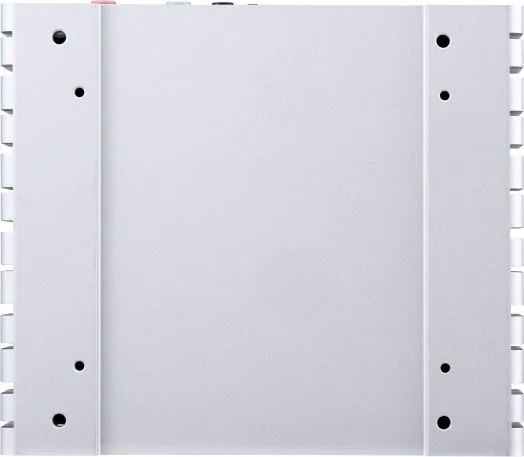
Yes. It supports a wall mounting kit, and the heatsink base also provides screw holes for attaching the device to other platforms or custom hardware setups.
Is this answer helpful?
Users should follow anti-static procedures, power off the unit before installing components, and confirm that drives or expansion cards are compatible with the QBoat Sunny.
Is this answer helpful?
Advantages and Disadvantages
Advantages

- Three Gigabit LAN ports make it useful for segmented networks and gateway-style deployments.
- Dual M.2 SSD slots support fast, compact storage for edge applications.
- QTS Lite offers a streamlined setup path for local or cloud-based initialization.
- The heatsink base and wall kit give flexible mounting options for custom projects.
Disadvantages

- A system fan is not included, so cooling must be planned separately.
- Installing QTS Lite wipes drive data, which adds risk during setup.
- Unauthorized hardware or software changes may void warranty coverage.
- Some installation steps require qualified personnel and ESD protection.
Product Specification
Hard Drive
N/A
Internal
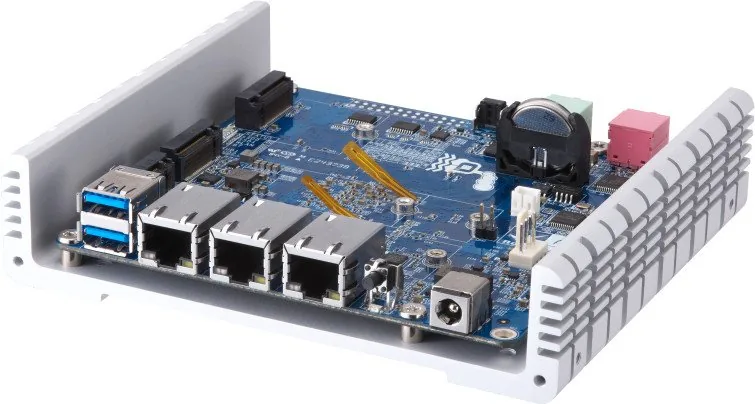
2x M.2/M-Key (SATA, 2280/2260), SATA 6Gb/s
External
3x Gb LAN
Additional Ports
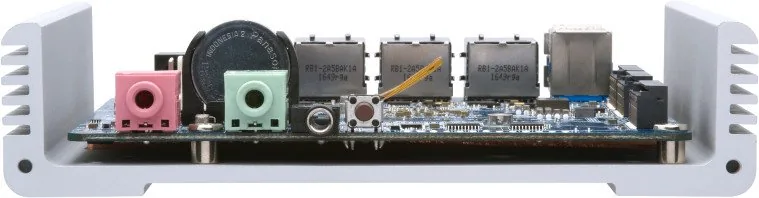
2x USB-A 3.0 (Host), 1x M.2/A-Key (PCIe, 2230), 1x 3.5mm Jack (Microphone), 1x 3.5mm Jack (Line-Out)
RAID-Level
0/1/JBOD
CPU
annapurnalabs AL314, 4x 1.70GHz
RAM
2GB DDR3L, 512MB Flash
Fan
N/A
Power Consumption
13.31W (Operating), 9.49W (Idle)
Dimensions
5.67x1.32x4.96in (WxHxD)
Weight
1.08lb
Special Features
IoT-NAS, FTP-Server, BitTorrent-Client, DLNA-Server, iTunes-Server, WebDAV, SSD-Cache/TRIM-Support
Warranty
24 Months
USB Notation
Link
Product Description
QNAP QBoat Sunny: Compact IoT NAS for Edge Projects
The QNAP QBoat Sunny is a compact, maker-focused IoT NAS designed to sit between storage, networking, and application hosting. Built for edge deployments, it combines a quad-core Annapurna Labs processor, 2 GB of DDR3L memory, and 3x Gigabit LAN ports in a small chassis that can fit into custom setups, control cabinets, or wall-mounted installations. For anyone searching for the QNAP Qboat Sunny, IoT NAS, 3x Gigabit LAN Manual, the key takeaway is simple: this device is made for flexible experimentation and practical IoT workloads.
What makes it interesting is its balance of storage and connectivity. The QBoat Sunny includes two M.2 SATA SSD slots for fast local storage, plus an M.2 expansion slot for compatible add-ons. That makes it well suited for lightweight application serving, gateway tasks, local data caching, and prototype platforms that need dependable storage without a large footprint. The heatsink base also adds mounting flexibility, so the device can be attached to walls, platforms, or other equipment.
The software side is equally important. QBoat Sunny runs QTS Lite, QNAP’s streamlined operating system for this product family. Setup can be completed through Qfinder Pro on a local network or through cloud-based installation using a Cloud Key and myQNAPcloud. This gives makers two straightforward paths to get started, whether they are working on-site or remotely.
Hardware features are practical rather than flashy. Three Gigabit Ethernet ports open the door to network segmentation, gateway roles, or multi-device lab environments. USB 3.0 ports, audio connectors, and maintenance access round out the I/O package, while LED indicators help with status checks, drive activity, and troubleshooting. It is a device built for hands-on users who want control and visibility.
From a usage perspective, the QBoat Sunny is best viewed as a flexible foundation for custom IoT solutions. It supports SSD-based storage, RAID options, and recovery features that help protect data during drive replacement or accidental removal. That makes it attractive for edge systems where uptime, compact size, and network flexibility matter more than raw desktop-style power.
Notes
- A separate system fan is required.
- Installing QTS Lite erases existing drive data.
- Hardware modifications can affect warranty coverage.
- Use compatible M.2 modules and follow ESD precautions.
Search for 67,706 Manuals online


Type-in Brand or Model