
QNAP Home Middle-Range Series Manual
PDF manual · 52 Pages
English



Quick check
Incorrect answer, please try again.
Chat with your QNAP Home Middle-Range Series manual using AI
Get instant AI answers from your QNAP Home Middle-Range Series manual
Ask anything about the QNAP Home Middle-Range Series. Answers come from this manual, with the pages they are based on.
Ask a Question
Do you recommend Home Middle-Range Series?
Yes NoVideo Manual
UniFi Network BEGINNERS Configuration Guide (2025)
Frequently Asked Questions
Press and hold the reset button on the rear panel for three seconds. The default password resets to the first MAC address of the device formatted without special characters.
Is this answer helpful?
Yes, you can migrate drives directly to a compatible destination NAS or use Hybrid Backup Sync 3 for one-way data synchronization between unsupported models.
Is this answer helpful?
Lithium button batteries can cause severe injuries. If swallowed seek immediate medical attention. Keep batteries out of reach of children at all times.
Is this answer helpful?
No. Any attempt to repair or modify the product by an unauthorized third party invalidates the warranty and may void coverage for defects.
Is this answer helpful?
Use a USB Type-A to USB Type-C cable to connect the expansion unit to the USB 3.2 Gen 1 port on the rear of the NAS chassis.
Is this answer helpful?
Not mandatory but recommended. You can also initialize the OS using the cloud installation website if the NAS connects to the internet directly.
Is this answer helpful?
The device operates safely between 0 degrees Celsius and 40 degrees Celsius with non-condensing humidity levels from five percent to ninety-five percent.
Is this answer helpful?
Advantages and Disadvantages
Advantages

- Supports high-speed 2.5 Gigabit Ethernet connectivity for faster file transfers compared to standard Gigabit ports.
- Features hot-swapping capabilities which minimize downtime when replacing failed hard drives without powering down.
- Includes dedicated One Touch Copy button for effortless backup of data from external USB devices.
- Compatible with both 3.5-inch mechanical drives and 2.5-inch solid state drives for flexible storage expansion.
- Pre-installed QTS operating system provides a user-friendly interface for basic administration tasks and security settings.
Disadvantages

- Integrated memory is fixed at 4 GB and does not support external RAM expansion slots for future upgrades.
- Limited to only two drive bays which may restrict total storage capacity for larger enterprise-level needs.
- Requires physical access for some hardware maintenance tasks which is inconvenient for off-site deployments.
- Firmware initialization process deletes all existing data on drives so backups must be made beforehand.
- Some advanced features require purchasing additional licenses or software extensions beyond the base package.
Product Specification
Hard Drive
N/A
Warranty
24 Months
USB Position
Left
Product Description
Understanding Modern Home Storage Infrastructure
Securing your digital assets is paramount for every household today. The TS-216G serves as an excellent entry point into networked storage solutions. This comprehensive resource functions as a QNAP Home - Middle-Range NAS Manual, guiding users through complex technical landscapes with clarity. Whether you are backing up family photos or streaming media files, reliability remains the top priority for continuous access to information.
Hardware Capabilities
At its core lies an ARM 4-core Cortex-A55 processor clocked at 2.0 GHz. This architecture delivers sufficient power for daily tasks without excessive energy consumption. Four gigabytes of RAM are pre-installed to manage concurrent operations efficiently. Although memory cannot be expanded externally, it suffices for light to moderate workloads involving typical home applications and file services. Two drive bays accept both 3.5-inch HDDs and 2.5-inch SSDs, offering versatile capacity choices based on individual budget constraints and specific performance requirements.
Network Connectivity and Speed
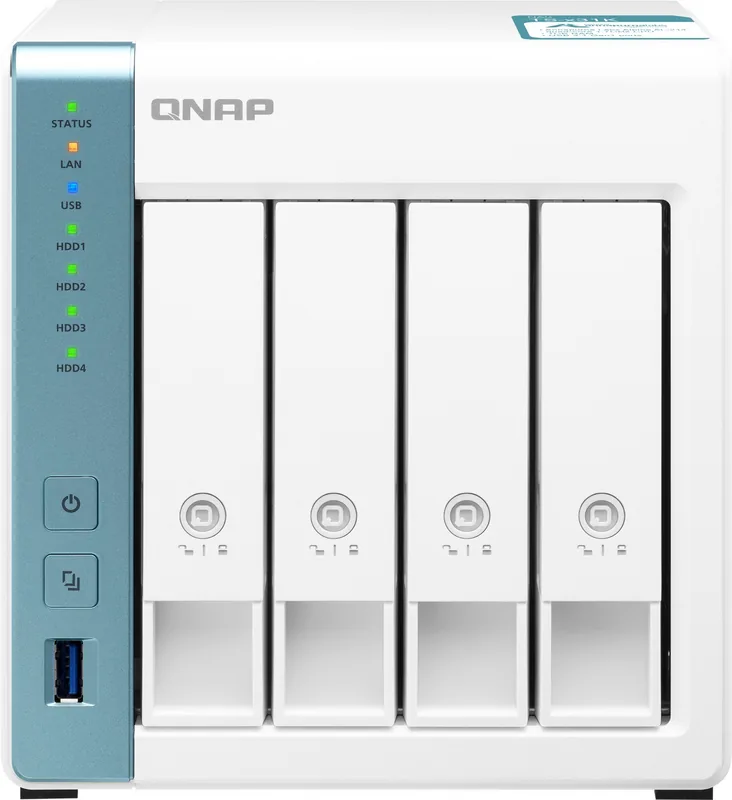
High-speed internet access is vital for remote productivity scenarios. Equipped with one 2.5 Gigabit Ethernet port and one standard Gigabit port, connectivity options are abundant for fast transfers. Three USB ports facilitate peripheral connections including printers and external drives directly attached to the server. The front panel includes a dedicated USB port for rapid One Touch Copy operations, simplifying offline backup procedures significantly for non-technical users managing large datasets regularly.
System Initialization and Management
Setting up the device follows intuitive steps outlined in the detailed installation chapter provided by the manufacturer. Users can initialize the operating system called QTS using either the Qfinder Pro utility on a local computer or via the cloud installation website remotely from any location. Security protocols enforce strong password policies and encourage disabling default administrator credentials immediately upon first login. Network configuration supports both DHCP automatic detection and static IP assignment methods depending on local IT requirements.
Maintenance Protocols
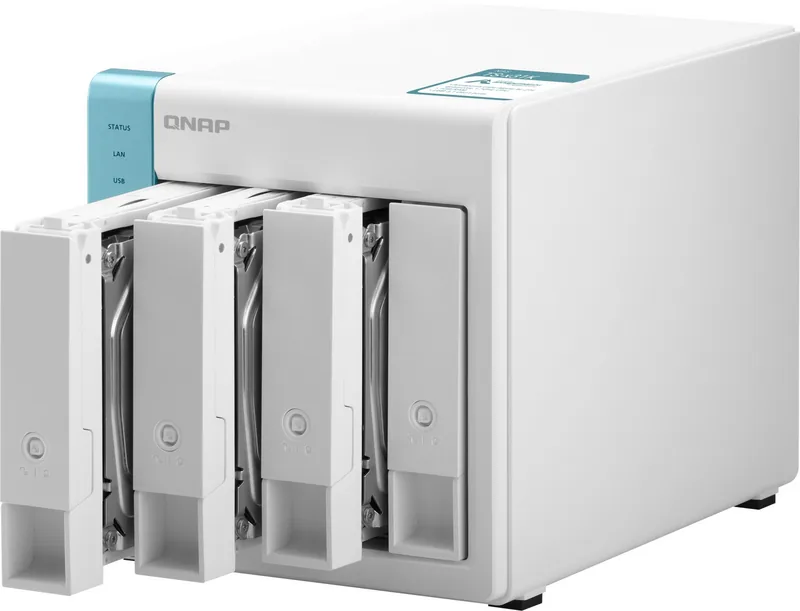
Long-term usage demands strict adherence to safety guidelines printed on the enclosure label. Always retain original packaging materials for shipping purposes to prevent damage claims during return processes. Lithium button batteries pose ingestion risks, requiring strict supervision near small children to prevent fatal accidents. Firmware updates occur regularly to patch vulnerabilities discovered after release. In case of drive failure, hot-swapping technology minimizes downtime during replacement cycles allowing continued operation.
Data Migration Strategies
Moving existing data to new units becomes seamless with specialized NAS migration tools provided by the company. Direct drive transfers preserve RAID configurations when compatible models are used for scaling up storage. Alternatively, Hybrid Backup Sync 3 enables one-way synchronization jobs across different devices for redundancy purposes. This flexibility ensures business continuity and reduces potential data loss incidents during major hardware upgrade projects undertaken annually.
Important Notes: Observe electrostatic discharge precautions before touching internal components to prevent circuit board damage. Never operate the unit in direct sunlight or damp environments to avoid overheating issues. Verify warranty status online before attempting unauthorized repairs yourself.
Troubleshooting features assist with locating the NAS if connection issues arise during setup phases. Resetting the system reverts settings to factory defaults while preserving data integrity within volumes. Recovery modes exist for unintentional drive removals within RAID arrays ensuring fault tolerance levels remain intact. Notices section clarifies warranty periods covering one year minimum from invoice dates issued at purchase. International compliance standards like FCC Class B ensure electromagnetic safety in residential areas for all consumers globally.
Search for 67,706 Manuals online


Type-in Brand or Model