
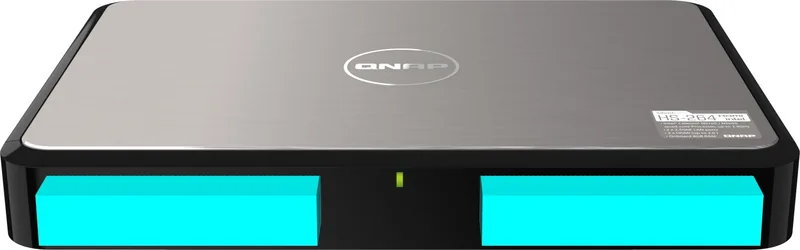

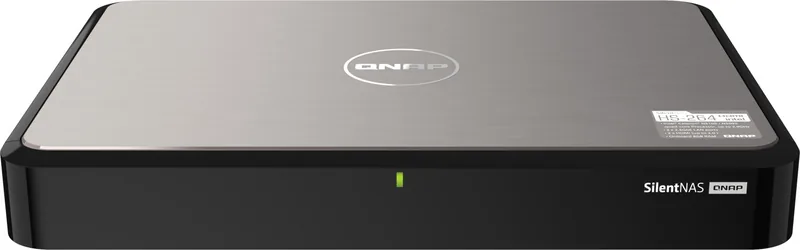
QNAP Home High-End Series Manual
PDF manual · 81 Pages
English



Quick check
Incorrect answer, please try again.
Chat with your QNAP Home High-End Series manual using AI
Get instant AI answers from your QNAP Home High-End Series manual
Ask anything about the QNAP Home High-End Series. Answers come from this manual, with the pages they are based on.
Ask a Question
Do you recommend Home High-End Series?
Yes NoFrequently Asked Questions
Yes, if you are moving from a compatible QNAP model, you can migrate by simply moving the hard drives to the new unit. The RAID configuration and settings will be preserved automatically upon booting.
Is this answer helpful?
Absolutely. The built-in Intel UHD Graphics and HDMI 1.4b port allow for smooth 4K multimedia output, making it excellent for use as a media server in your entertainment center.
Is this answer helpful?
The device supports up to 16 GB of DDR4 RAM using two SODIMM slots. It comes pre-installed with 4 GB, but you can upgrade to two 8 GB modules for maximum performance.
Is this answer helpful?
Yes, but you need to purchase optional 2.5-inch drive adapters separately as they are not included in the box. These adapters fit into the 3.5-inch bays securely.
Is this answer helpful?
The system supports hot-swapping. You can remove the failed drive and insert a new one while the NAS is running. The system will then begin rebuilding the data onto the new drive automatically.
Is this answer helpful?
Yes, you can connect the TS-364 to a monitor via HDMI and use a USB keyboard or IR remote (if available) to navigate the interface and perform initial setup tasks locally.
Is this answer helpful?
Yes, the feature supports incremental backups. It only copies files that have changed or been added since the last backup session, saving time and bandwidth.
Is this answer helpful?
Advantages and Disadvantages
Advantages

- Powerful Intel Celeron N5105/N5095 Quad-Core processor handles demanding tasks efficiently
- Three 3.5-inch drive bays plus two M.2 NVMe slots offer flexible storage expansion
- 2.5 Gigabit Ethernet port provides significantly faster local network speeds than standard gigabit
- Supports direct NAS migration to preserve RAID and settings when upgrading hardware
- Quiet operation at 20.5 dB makes it suitable for home environments and offices
Disadvantages

- Maximum RAM is limited to 16 GB, which may restrict heavy virtualization workloads
- Requires separate purchase of 2.5-inch drive adapters if using smaller SSDs in 3.5-inch bays
- Only one front USB 3.2 Gen 1 port limits immediate peripheral connectivity options
- Hot-swapping is not supported for M.2 SSDs requiring shutdown for maintenance
- Standard admin account must be disabled during initial setup for enhanced security
Product Specification
USB Writing Style
Link
Product Description
Elevate Your Home Data Center with the QNAP TS-364
The QNAP TS-364 represents a significant leap forward for home users and small business owners seeking high-end network-attached storage without breaking the bank. This sleek tower device is engineered to be the central hub for your digital life, offering robust performance through its Intel Celeron N5105 or N5095 Quad-Core processor. Whether you are streaming 4K media, managing complex backup schedules, or running virtual machines, this NAS delivers the power needed to keep your data accessible and secure.
One of the standout features of the TS-364 is its versatility in storage expansion. It comes equipped with three drive bays supporting both 3.5-inch and 2.5-inch SATA drives, allowing for massive capacity growth. Additionally, it includes two M.2 NVMe SSD slots, which can be utilized for high-speed caching or as a dedicated volume for your most frequently accessed files. The inclusion of a 2.5 Gigabit Ethernet port ensures that your local network can handle heavy data loads with ease, far surpassing the limitations of standard gigabit connections.
Setting up your new storage solution is intuitive thanks to the QTS operating system. You can install QTS using the Qfinder Pro utility on your local network, utilize a cloud key for remote setup, or even connect directly via HDMI for a local installation experience. The system supports seamless migration from older QNAP devices, preserving your RAID configurations and settings so you can upgrade without losing hours of configuration time. With features like USB One-Touch Copy, backing up photos and videos to your external hard drives has never been simpler.
Security and reliability are paramount. The TS-364 includes AES encryption support and allows for hot-swapping of failed drives in RAID 1 and RAID 5 configurations, ensuring minimal downtime. Its quiet operation, measuring just 20.5 dB, makes it an ideal addition to any living space or home office environment. By choosing the QNAP TS-364, you are investing in a scalable, powerful, and user-friendly platform designed to grow with your needs.
Important Installation Notes
- Always back up data before installing QTS as the process wipes existing drives.
- Use only QNAP-certified memory modules to ensure system stability.
- Ensure proper ventilation around the unit to maintain optimal operating temperatures.
- For M.2 SSD installation, attaching a heatsink is highly recommended for thermal management.
Search for 67,706 Manuals online


Type-in Brand or Model