
QNAP Home Entry-Level Series Manual
PDF manual · 42 Pages
English



Quick check
Incorrect answer, please try again.
Chat with your QNAP Home Entry-Level Series manual using AI
Get instant AI answers from your QNAP Home Entry-Level Series manual
Ask anything about the QNAP Home Entry-Level Series. Answers come from this manual, with the pages they are based on.
Ask a Question
Do you recommend Home Entry-Level Series?
Yes NoFrequently Asked Questions
The TS-133 has one drive bay and supports up to one hard drive, making it ideal for simple backups. The TS-233 features two drive bays, allowing for dual-drive configurations and RAID redundancy for better data protection.
Is this answer helpful?
No, the TS-x33 series comes with 2 GB of soldered RAM that cannot be upgraded. It is recommended to select a model with sufficient memory for your intended workload from the start.
Is this answer helpful?
You can install QTS using Qfinder Pro over a local network or via a Cloud Key for remote setup. Both methods guide you through downloading firmware, creating an admin account, and configuring network settings automatically.
Is this answer helpful?
Only the TS-233 model supports hot-swapping, allowing you to replace failed drives without powering down the unit. The TS-133 requires the device to be powered off before changing drives.
Is this answer helpful?
Both models support 3.5-inch and 2.5-inch SATA hard drives as well as 2.5-inch SATA solid-state drives. They are backward compatible with SATA 3Gbps drives.
Is this answer helpful?
Yes, QNAP provides a limited warranty against material and workmanship defects for one year or more from the date of purchase, depending on the region and specific product terms.
Is this answer helpful?
Advantages and Disadvantages
Advantages

- Compact and quiet tower design suitable for home use
- Supports both 3.5-inch HDDs and 2.5-inch SSDs
- Easy setup with Qfinder Pro or Cloud Key installation
- One-Touch Copy button for fast USB backups
- AES-256 hardware encryption for data security
Disadvantages

- RAM is not expandable beyond the pre-installed 2 GB
- Hot-swapping is only supported on the TS-233 model
- Single Gigabit Ethernet port limits speed scaling
- External power supply required for all models
- No Thunderbolt connectivity available on these models
Product Specification
Hard Drive
N/A
Warranty
24 months
USB Writing Method
Left
Product Description
QNAP Home Entry-Level NAS: Your Personal Cloud Solution
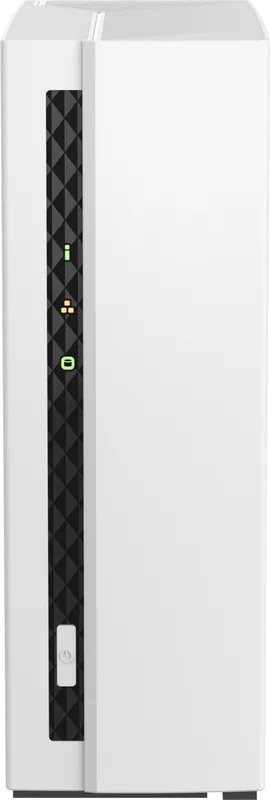
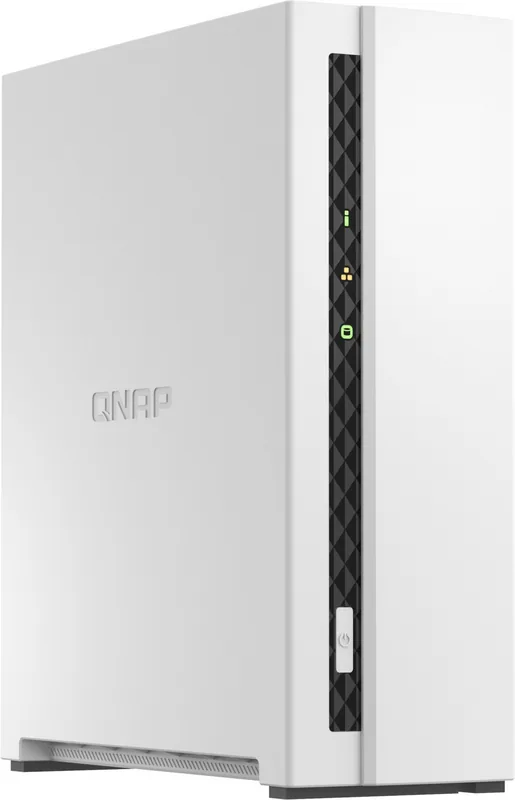
The QNAP Home Entry-Level NAS series, specifically the TS-133 and TS-233 models, represents an ideal entry point for users seeking reliable data storage and management. Designed with a sleek tower form factor, these devices blend seamlessly into home environments or small offices. Powered by efficient ARM Cortex-A55 quad-core processors and equipped with 2 GB of RAM, they ensure smooth performance for backup, file synchronization, and media streaming across multiple devices.
These NAS units support both 3.5-inch and 2.5-inch SATA drives, offering flexibility for various storage needs. The TS-133 features a single drive bay, perfect for personal backups, while the TS-233 offers two bays, enabling more robust data protection through RAID configurations. Both models come with USB ports that support One-Touch Copy functionality, allowing for quick and easy data transfers between external drives and the NAS without complex software setups.
Setting up your system is straightforward. Users can install the QTS operating system using the Qfinder Pro utility on a local network or via a cloud key for remote initialization. This process guides you through creating a secure administrator account, configuring network settings, and setting up time zones. Once active, the intuitive interface provides access to a wide range of applications for photo management, video editing, and mobile synchronization.
Safety and reliability are prioritized with clear LED indicators that display system status, network activity, and drive health. The devices include audio alarms to notify users of events like hardware failures or volume full warnings. Whether you are backing up family photos, storing important documents, or creating a private media server, the QNAP Home Entry-Level NAS provides a stable and user-friendly foundation for your digital life.
Search for 67,706 Manuals online


Type-in Brand or Model