
PreSonus Quantum ES 2 Manual
PDF manual · 23 Pages
English



Quick check
Incorrect answer, please try again.
Chat with your PreSonus Quantum ES 2 manual using AI
Get instant AI answers from your PreSonus Quantum ES 2 manual
Ask anything about the PreSonus Quantum ES 2. Answers come from this manual, with the pages they are based on.
Ask a Question
Do you recommend Quantum ES 2?
Yes NoVideo Manual
PreSonus Quantum ES 2 REVIEW – More quantum than a physics video
Frequently Asked Questions
The Quantum ES 2 supports 24-bit resolution and sample rates of 44.1, 48, 88.2, 96, 176.4, and 192 kHz, allowing high-resolution recording and playback with wide dynamic range.
Is this answer helpful?
The Quantum ES 2 includes two PreSonus MAX‑HD microphone preamps with combo XLR/TRS inputs, plus one front-panel instrument input. The combo jacks accept mic, line, or TRS connections and provide flexible routing.
Is this answer helpful?
Auto Gain listens for up to 10 seconds and sets optimal gain for mic or instrument inputs. Select a channel (or multiple channels from main/headphone mode), press Auto Gain, perform at your loudest expected level, and the interface sets gains automatically; it will indicate success or failure via LED feedback.
Is this answer helpful?
Some mobile devices cannot supply sufficient bus power. If the USB sync LED blinks red, use an auxiliary USB‑C power source rated 5VDC, 1.8A with a USB‑C to USB‑C cable. This ensures stable operation and full functionality.
Is this answer helpful?
Universal Control installs drivers/firmware, provides remote hardware control, enables low‑latency software monitoring, scene saving, and integrates with DAWs including Studio One. It also facilitates firmware updates and advanced routing features from desktop or mobile devices.
Is this answer helpful?
Yes. In standalone (no computer) mode the Quantum ES 2 sums analog inputs to the main outputs, lets you set gains, phantom power, mute, use Auto Gain, stereo link channels, and control monitor/headphone levels—making it a convenient mini‑mixer.
Is this answer helpful?
Use Recovery Mode: power off, press and hold the main knob, power on until the ring blinks blue, then connect to Universal Control and run 'Update Firmware' to restore or recover corrupted firmware. Follow on‑screen prompts carefully.
Is this answer helpful?
Advantages and Disadvantages
Advantages

- High-quality MAX-HD preamps with up to +75 dB gain for clean, low-noise capture.
- Compact USB-C design with 24-bit/192 kHz converters and wide dynamic range.
- Low-latency monitoring via Universal Control and tight DAW integration with Studio One.
- Hands-on top-panel controls: multi-function encoder, Auto Gain, 48V phantom, and clear LED metering.
- Standalone mini-mixer and mobile device class-compliant support for versatile workflows.
Disadvantages

- Only two mic preamps and one instrument input limit multi-performer tracking compared to larger units.
- May require auxiliary USB-C power with some computers or mobile devices, needing a separate adapter.
- Cue mixes are limited in some modes and speaker-switching disables cue functionality on ES 4 (context applies to ES 2 workflows).
- Auto Gain is not available for line-level inputs and can fail if signal dynamics are inconsistent.
- Front instrument input disables the corresponding rear combo input, reducing simultaneous input options.
Product Specification
Interface
USB-C
Input Channels
2
Output Channels
2
Mic Preamps
2
Analog Inputs
2x Mic/Line In (XLR/0.25in Combo), 1x Instrument In (0.25in Jack)
Analog Outputs
2x Line Out (0.25in Jack), 1x Headphone (0.25in Jack)
AD/DA Converter
24bit/192kHz
Features
Auto Gain, Bus powered, MIDI In/Out, Level Indicator
Dimensions
6.89x1.90x6.22in (WxHxD)
Weight
1.50lb
Product Description
PreSonus Quantum ES 2 — Powerful, Portable USB Audio Interface
The PreSonus Quantum ES 2 is a compact, high-performance USB-C audio interface built for musicians, podcasters, and home studios that demand clean preamps, low-latency performance, and deep DAW integration. It packs PreSonus’ next-generation MAX‑HD microphone preamps, a robust set of I/O, responsive metering, and hands-on controls in a portable chassis that fits into tight setups while delivering pro-level sound.
Featuring two MAX‑HD microphone preamps with up to +75 dB gain, one front-panel instrument input, balanced main outputs, and a stereo headphone output, the Quantum ES 2 is tailored for singer-songwriters, streamers, and producers who need professional capture without complexity. High‑quality 24‑bit converters support sample rates up to 192 kHz and deliver wide dynamic range and low distortion for accurate tracking and monitoring.
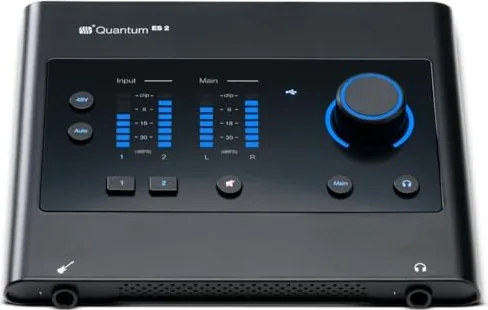
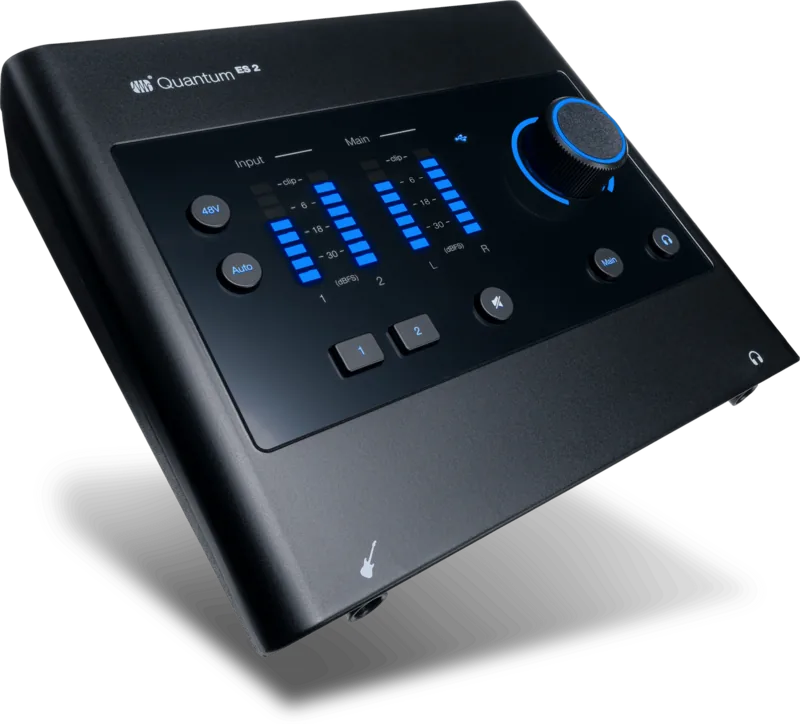
The top-panel control layout gives immediate access to channel selection, phantom power, Auto Gain, and a multi-function encoder that toggles between main monitor, headphone, and channel gain control. Best‑in‑class LED metering and clip indicators keep levels visible at a glance. When paired with PreSonus Universal Control, the Quantum ES 2 unlocks full remote control, firmware updates, low-latency software monitoring, and scene saving for fast session recall.
Universal Control also enables seamless integration with Studio One and other DAWs. Use hardware control to set preamp gain, phantom power, and monitor behavior from your desktop or mobile device. The interface works class‑compliant on many mobile devices (USB-C required) and supports standalone ‘mini‑mixer’ operation when not connected to a computer—handy for rehearsal or quick routing situations.
Auto Gain simplifies setup by listening and setting optimal gain for mic or instrument inputs, while stereo linking allows paired channels to act as balanced stereo sources. The Quantum ES 2 includes recovery and firmware update workflows via Universal Control, plus auxiliary USB‑C power support when connected hosts cannot supply enough bus power.
Compact, well-specified, and focused on capturing great sound quickly, the Quantum ES 2 is an excellent choice for creators who want pro features, low latency, and easy control in a portable package.
Notes
- Includes a USB‑C to USB‑C cable; download Universal Control and drivers from My.PreSonus.
- Auto Gain works for mic and instrument inputs only.
- Auxiliary USB‑C power may be required for some hosts or mobile devices.
- Stereo linking pairs adjacent channels (1+2) and copies left-channel settings to right.
Search for 67,706 Manuals online


Type-in Brand or Model