
PreSonus HP2 Manual
PDF manual · 8 Pages
English



Quick check
Incorrect answer, please try again.
Chat with your PreSonus HP2 manual using AI
Get instant AI answers from your PreSonus HP2 manual
Ask anything about the PreSonus HP2. Answers come from this manual, with the pages they are based on.
Ask a Question
Do you recommend HP2?
Yes NoFrequently Asked Questions
Use the Mode Switch on the front panel. Select Stereo to send left input to the left ear and right to the right. Choose Mono-Mix to blend both inputs, using the Pan control to balance the levels.
Is this answer helpful?
A single green light means the battery is fully charged. Both green and red lights indicate voltage has dropped below 7.3V. Only a red light means less than 6.5V remains and the battery should be replaced immediately.
Is this answer helpful?
No, the HP2 is designed specifically for wired connections such as in-ear monitors or standard headphones. It accepts signals via XLR inputs but does not process wireless receiver outputs directly.
Is this answer helpful?
The HP2 delivers a maximum output power of 50 mW per channel when connected to a 20 ohm load, providing sufficient drive for most professional in-ear monitors and headphones.
Is this answer helpful?
Yes, connecting the DC power supply automatically disables the internal battery and powers the unit externally. Removing the adapter reverts the device back to battery operation.
Is this answer helpful?
The limited warranty applies strictly to products sold and used in the USA. International customers should contact their local distributor for specific warranty terms and service locations.
Is this answer helpful?
Advantages and Disadvantages
Advantages

- Dual XLR inputs allow flexible connection to stereo or mono sources
- Dedicated Mono-Mix mode enables custom blending of band and solo signals
- Clear LED battery indicators prevent unexpected power loss during shows
- Compact design includes both belt clip and mic stand mount options
- High-quality audio fidelity supports frequencies from 30Hz to 20kHz
Disadvantages

- Requires separate 9V battery which may need frequent replacement
- No built-in EQ or tone shaping controls for further customization
- Single 1/8 inch output limits simultaneous headphone usage
- External power supply must be purchased separately if not used
- Warranty registration requires online action within a strict timeframe
Product Specification
Type
Headphone Amplifier
Output Power
50mW (20Ω)
Frequency Range
30Hz-20kHz (±2dB)
Total Harmonic Distortion (THD)
0.01%
Inputs
Stereo Line In (XLR)
Outputs
Headphones (3.5mm Jack)
Power Supply
Mains Powered
Features
Volume Control
Color
Black
Dimensions
5.24x1.26x2.87in (WxHxD)
Weight
1.00lbs
Product Description
Elevate Your Stage Presence with the PreSonus HP2
The PreSonus HP2 Personal Headphone Amplifier stands as a beacon of reliability for musicians and performers who refuse to compromise on audio quality while maintaining mobility. Designed specifically for the rigors of live performance, this compact unit serves as an ideal companion for driving wired in-ear monitors (IEMs) or standard headphones. It bridges the gap between stage noise and personal clarity, ensuring that every note you hear is precise and powerful.
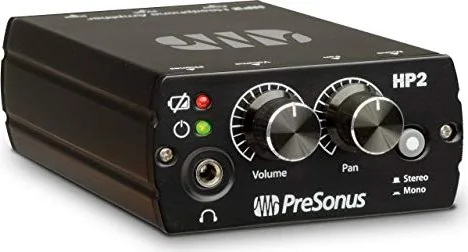
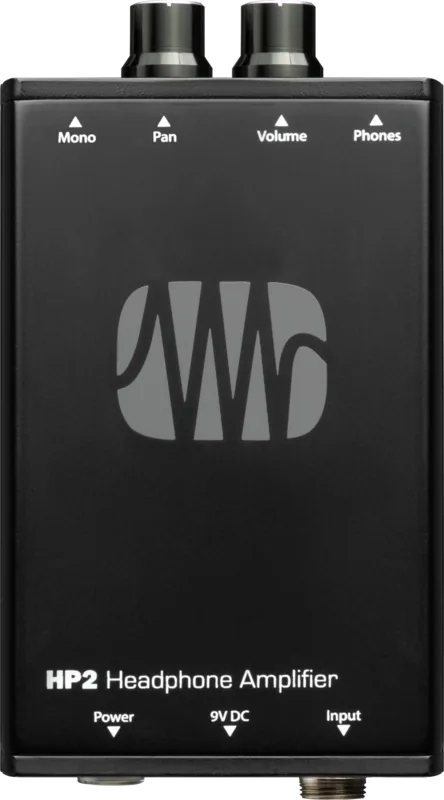
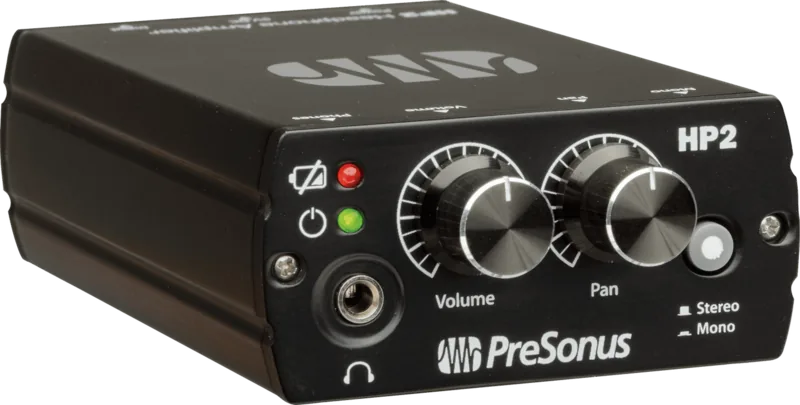
At its core, the HP2 offers versatile connectivity through two XLR female inputs, allowing seamless integration into any sound system via the included stereo cable. The front panel features intuitive controls for volume and pan, granting users complete command over their mix. Whether you need a balanced stereo image or a custom mono-mix where you can blend your own channel against the band's overall output, the HP2 handles it with ease. The inclusion of a sturdy belt clip and a 5/8-inch microphone stand mount socket ensures the device stays secure whether clipped to your belt or mounted near your monitor wedge.
Power management is equally thoughtful, featuring dual LED indicators that provide real-time feedback on battery health. A green light signifies a full charge, while a red light warns of low power, prompting timely replacement before silence strikes mid-performance. When not running on batteries, the unit automatically switches to DC power upon connection, ensuring uninterrupted operation during long gigs. With a frequency response spanning from 30Hz to 20kHz, the HP2 delivers rich, detailed sound across the entire audible spectrum.
Essential Notes for Users
Always adjust your volume to safe levels to prevent hearing damage. If you experience ringing in your ears, reduce the gain immediately. Ensure the product is registered within fourteen days of purchase to maintain warranty validity. Avoid exposing the unit to extreme temperatures or liquid contamination to preserve its longevity.
Search for 67,706 Manuals online


Type-in Brand or Model