
PreSonus Eris Pro 8 Manual
PDF manual · 17 Pages
English



Quick check
Incorrect answer, please try again.
Chat with your PreSonus Eris Pro 8 manual using AI
Get instant AI answers from your PreSonus Eris Pro 8 manual
Ask anything about the PreSonus Eris Pro 8. Answers come from this manual, with the pages they are based on.
Ask a Question
Do you recommend Eris Pro 8?
Yes NoFrequently Asked Questions
The coaxial design aligns the high-frequency and low-frequency drivers at a single point, improving phase coherence and stereo imaging so mixes translate more accurately across playback systems.
Is this answer helpful?
The Eris Pro 8 provides balanced XLR, balanced 1/4-inch TRS, and unbalanced RCA inputs, allowing connection to audio interfaces, monitor controllers, and consumer sources. Use balanced connections when possible to minimize noise.
Is this answer helpful?
Place monitors vertically, 8–12 inches from walls when possible, toed in so the tweeters and your ears form an equilateral triangle. Center the mix position on a wall and keep left/right speaker distances symmetric to improve low-frequency balance.
Is this answer helpful?
Play 20 Hz–20 kHz pink noise at unity from your source. Set each speaker individually to 82 dB SPL (measured at the mix position) so combined output is about 85 dB. Use an SPL meter or accurate app and follow the stepwise procedure to ensure both speakers match.
Is this answer helpful?
Use Acoustic Space (-2 dB or -4 dB) to compensate for boundary bass boost when monitors are near walls or corners. Use Low Cut (Flat/80/100 Hz) when integrating a subwoofer or reducing low-frequency energy in small rooms.
Is this answer helpful?
Use quality balanced cables, keep cable runs short and away from power cords, use a surge protector or power conditioner, and avoid ground-lift adapters. Proper gain staging and avoiding overly long unbalanced runs reduce noise and hum.
Is this answer helpful?
Yes—its accurate imaging and coaxial design make it suitable for stereo and multi-channel monitoring. Proper placement, calibration, and matching speaker models across channels help maintain consistent imaging in surround configurations.
Is this answer helpful?
Advantages and Disadvantages
Advantages

- Coaxial single-point driver for improved phase coherence and precise stereo imaging.
- Comprehensive rear-panel controls (HF, mid, low-cut, Acoustic Space) for room tuning.
- High SPL (108 dB peak) and robust amp sections suitable for near-field monitoring.
- Multiple balanced and unbalanced inputs (XLR, TRS, RCA) for flexible connectivity.
- Practical setup guidance and calibration workflow to ensure consistent translation.
Disadvantages

- Requires proper placement and calibration to avoid boundary-related bass issues.
- May need external monitor controller or switching for complex studio routings.
- Mid control can alter flat response—best left untouched unless intentionally shaping tone.
- Standby engages after 40 minutes of silence, which may interrupt some workflows.
- Larger size and weight may be limiting in very small or portable setups.
Product Specification
Principle
2-way
Tweeter
1x 1.25"/1.25in
Woofer
1x 8"/8.00in
Frequency Range
35Hz-20kHz
Power
140W RMS
Max. SPL
108dB
Dimensions
10.63x12.83x11.85in (WxHxD)
Weight
20.94lb
Product Description
PreSonus Eris Pro 8 — High-Definition Coaxial Studio Monitor
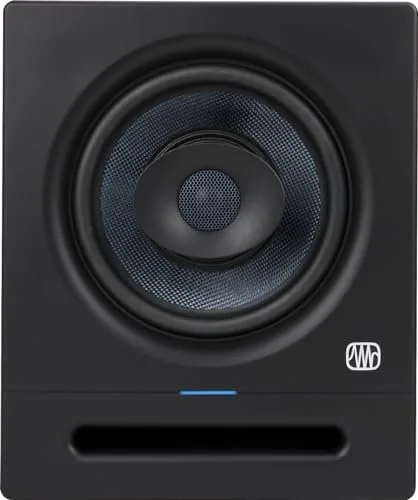
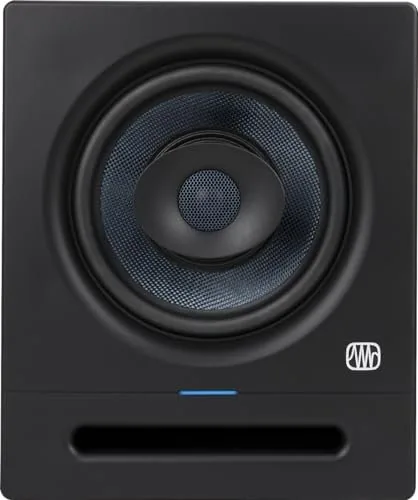
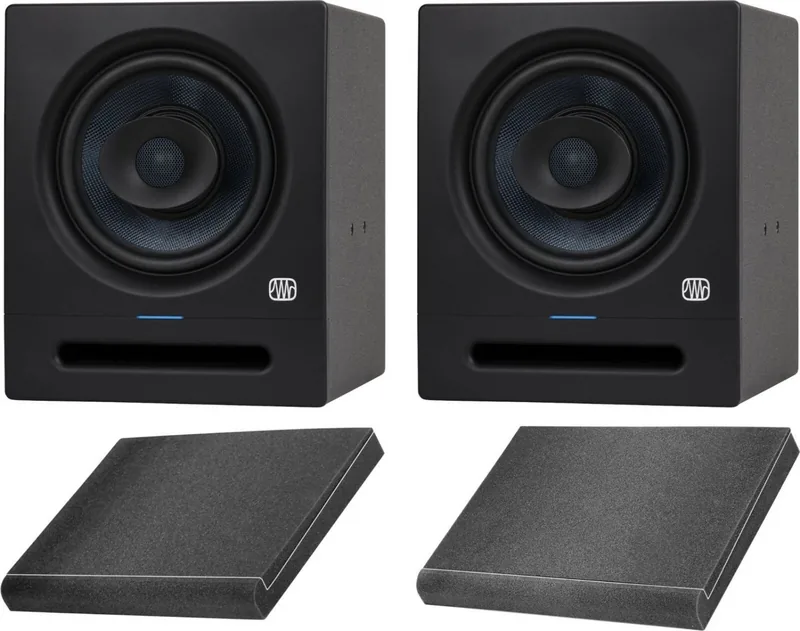
The PreSonus Eris Pro 8 is a professional near-field studio monitor built around a single-point coaxial driver that prioritizes phase coherence and precise stereo imaging. Tailored for mixing and critical listening, the Eris Pro 8 blends an 8-inch woven-composite low-frequency driver with a 1.25-inch silk-dome high-frequency coaxial element and dedicated Class AB power amplification to deliver a wide frequency response, high SPL capability, and consistent on-axis performance.
Design and features
The Eris Pro 8 emphasizes accurate translation across playback systems. Its coaxial driver aligns HF and LF sources at a single point, improving imaging and reducing phase-related anomalies typical in multi-driver designs. Rear-panel controls provide practical room-tuning options: a high-frequency shelf, a mid-frequency band control, selectable low-cut filters, and an Acoustic Space switch to compensate for boundary bass boost when speakers sit near walls or corners. Balanced XLR and TRS inputs plus RCA unbalanced allow flexible connectivity to audio interfaces and monitor controllers. Power-saving standby, selectable AC voltage, and a clear power LED state indicator round out the utility features.
Workflow and setup
The Eris Pro 8 is engineered to perform best when properly positioned and calibrated. Recommended placement keeps monitors 8–12 inches from walls, vertically oriented, and toed in so the tweeters form an equilateral triangle with the listening position. PreSonus suggests calibrating to an 85 dB SPL reference (82 dB per speaker) using pink noise to match DAW 0 dB to a known acoustic level—improving level consistency, reducing risk of damage, and helping mixes translate more reliably. Additional guidance covers gain staging, balanced cabling, and using the low-cut and Acoustic Space switches to integrate subwoofers or tame boundary bass.
Performance and specs highlights
The Eris Pro 8 offers a 35 Hz–20 kHz response, up to 108 dB peak SPL at 1 meter, dedicated LF and HF amplifier sections (Class AB), and multiple front-status indicators and user controls. These elements make it suitable for project studios, broadcast booths, and small control rooms where accurate imaging and bass control are important.
Notes:
- Use balanced cables when possible to reduce noise and interference.
- Use the Acoustic Space and Low Cut controls to adapt to room boundaries and subwoofer configurations.
- Vertical orientation is recommended for optimal coaxial coverage.
Search for 67,706 Manuals online


Type-in Brand or Model