
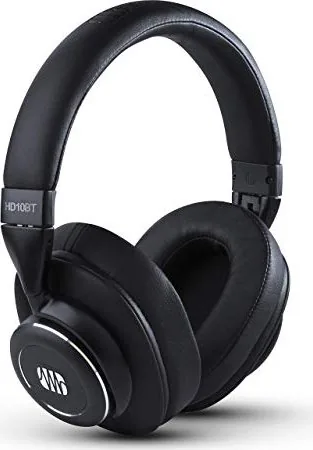
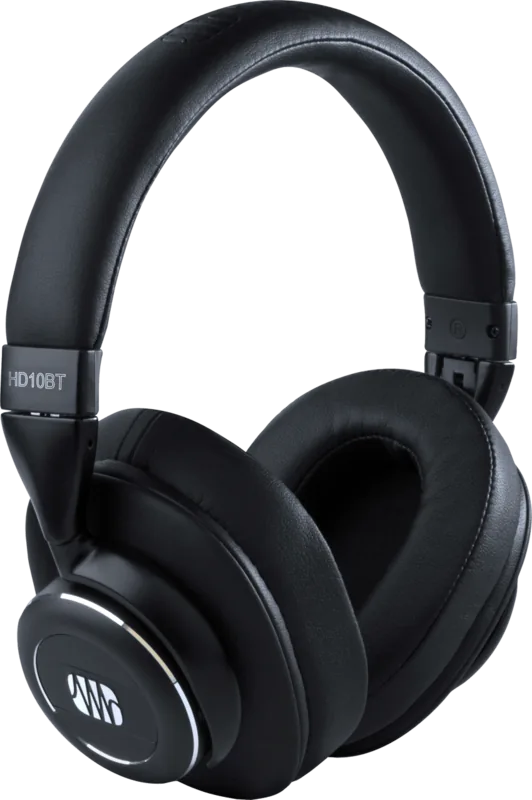
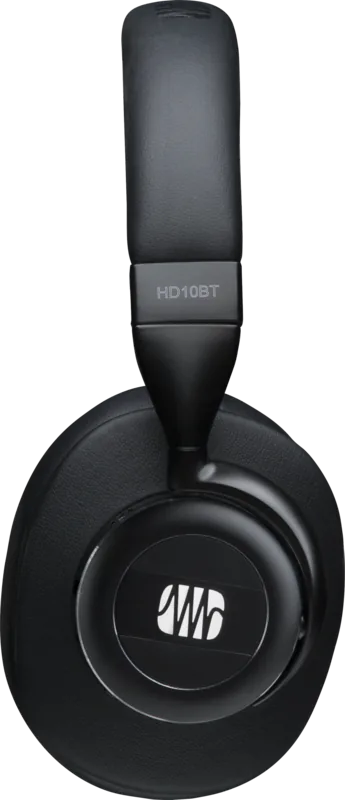
PreSonus Eris HD10BT Manual
PDF manual · 9 Pages
English



Quick check
Incorrect answer, please try again.
Chat with your PreSonus Eris HD10BT manual using AI
Get instant AI answers from your PreSonus Eris HD10BT manual
Ask anything about the PreSonus Eris HD10BT. Answers come from this manual, with the pages they are based on.
Ask a Question
Do you recommend Eris HD10BT?
Yes NoFrequently Asked Questions
Press and hold the center button for 3 seconds. If it is not already paired or your paired device is not available, the headphones switch to pairing mode. During pairing, the lower-right LED alternates blue and red. Then select "PreSonus HD10BT" in your Bluetooth settings.
Is this answer helpful?
During playback from your Bluetooth device, you can use the button set to raise and lower volume and control track navigation. Press once for the volume change, and press/hold for track navigation. The same controls also provide play/pause from the headphones.
Is this answer helpful?
Yes. After pairing your phone to the Eris HD10BT via Bluetooth, you can use the center button to manage calls. Press once to answer, hold for about 1 second to reject, and press twice to redial the last number.
Is this answer helpful?
ANC can be used without a Bluetooth connection, but the headphones must be switched on for ANC to function. The ANC switch is located on the underside of the left earcup, and when ANC is active the corresponding LED turns green.
Is this answer helpful?
With ANC enabled, you can expect up to 8 hours of Bluetooth playback. Without ANC, the runtime extends to up to 16 hours. Using ANC will speed up battery drain.
Is this answer helpful?
Connect the included USB cable to the charging port, using a USB power adapter or a computer. During charging, the ANC LED lights red. Once the battery is fully charged, the LED turns off. The guidance also recommends not using Bluetooth while charging.
Is this answer helpful?
You can use the included 3.5 mm TRS audio cable for wired listening. Plug the cable into the 3.5 mm TRS jack on the bottom of the right earcup. If you want ANC, keep the headphones powered and switch ANC on using the left earcup control.
Is this answer helpful?
Advantages and Disadvantages
Advantages

- Active noise canceling (ANC) dampens ambient noise up to 18 dB for clearer audio.
- Bluetooth connectivity with direct controls for volume, track navigation, and play/pause.
- Call handling via the center button, including answer, reject, and redial.
- Works in wired mode using the included 3.5 mm TRS cable when Bluetooth is not available.
- Up to 16 hours playback without ANC, and clear charging LED status feedback.
Disadvantages

- ANC shortens battery life to up to 8 hours compared with 16 hours without ANC.
- ANC requires the headphones to be powered, even during cable listening.
- Avoid using Bluetooth while charging to follow the recommended usage.
Product Specification
Type
Headphones (Over-Ear)
Form Factor
Headband
Acoustic Design
closed
Microphone
integrated
Connection
3.5mm jack, 6.35mm jack
Wireless
Bluetooth 5.0
Cable
single-sided, detachable
Operating Time
8h (with ANC), 16h (without ANC)
Battery
USB Micro-B charging port
Frequency Range
20Hz-20kHz (headphones), 100Hz-10kHz (microphone)
Impedance
16Ω
Driver
40mm
Features
active noise cancellation (ANC)
Color
black
Product Description
PreSonus Eris HD10BT: Studio Sound, Bluetooth Freedom, ANC Up To 18 dB
If you want studio-quality listening with the convenience of wireless control, the PreSonus Eris HD10BT delivers exactly that. Designed as a pair of Eris studio headphones, it combines rich, detailed sound with Bluetooth for movement and easy everyday use. With active noise canceling (ANC) in the mix, it helps reduce unwanted background noise by up to 18 dB, so your music, podcasts, and shows stay front and center whether you are commuting or relaxing at home.
The PreSonus Eris HD10BT Manual highlights how the headset balances performance and practicality. You can switch on the headphones by holding the center button for 3 seconds, which puts the Eris HD10BT into pairing mode (indicated by the blue and red blinking LED). When you connect, the Bluetooth experience becomes hands-on: use the built-in controls to manage volume, move between tracks, and control playback with play/pause. For calls, the center button lets you answer, reject, or redial the last number from your phone.
One of the most flexible features is that the headphones can be used with or without Bluetooth. When your battery is low or your device has no wireless options, you can plug in the included 3.5 mm TRS cable. For ANC specifically, the switch is on the left earcup and ANC can be used even without Bluetooth, as long as the headphones are powered on. Note that turning ANC on increases battery drain, so runtime is shorter with ANC enabled.
Charging is straightforward with the included USB cable. During charging, the ANC LED lights red, and it goes out when the battery is fully charged. Playback time depends on ANC usage: up to 8 hours with ANC, or up to 16 hours without ANC. For best results, avoid using Bluetooth while charging.
Most important results
- ANC reduces ambient noise by up to 18 dB for a more focused listening experience.
- Bluetooth controls cover volume, track navigation, play/pause, and call answer/reject.
- Cable mode via 3.5 mm TRS keeps you listening even if Bluetooth is unavailable.
- Battery life is up to 8 hours with ANC, or up to 16 hours without ANC.
- Simple setup: 3-second power on for pairing, and clear LED indicators.
Notes
- ANC requires the headphones to be powered, even if you are using a wired connection.
- If you plan to stay wireless longer, consider using ANC only when it is truly needed.
Search for 67,706 Manuals online


Type-in Brand or Model