
PowerWalker VI MS Manual
PDF manual · 2 Pages
English



Quick check
Incorrect answer, please try again.
Chat with your PowerWalker VI MS manual using AI
Get instant AI answers from your PowerWalker VI MS manual
Ask anything about the PowerWalker VI MS. Answers come from this manual, with the pages they are based on.
Ask a Question
Do you recommend VI MS?
Yes NoFrequently Asked Questions
Connect essential low-power computer equipment such as a desktop PC, monitor, and compatible networking devices. These outlets provide battery power during an outage as well as surge protection, EMI filtering, and line conditioning.
Is this answer helpful?
No. Laser printers and scanners can draw substantial power, especially during startup or printing, and may overload the UPS. Connect suitable peripherals only to the surge-protected outlets if needed.
Is this answer helpful?
Charge the battery for at least six hours before first use. The battery generally recovers to about 90 percent capacity within six to eight hours of charging.
Is this answer helpful?
The range includes 400 VA/240 W, 600 VA/360 W, 800 VA/480 W, and 1000 VA/600 W models. Select a capacity that exceeds the combined wattage of the equipment requiring battery backup.
Is this answer helpful?
It automatically changes to battery mode and supplies connected battery-backup outlets. Status indicators and audible alarms notify the user of the outage and warn when the battery becomes low.
Is this answer helpful?
Selected models include a USB communication port. When connected to a compatible computer, ViewPower software can be used for UPS monitoring and power management functions.
Is this answer helpful?
Advantages and Disadvantages
Advantages

- Fast transfer time of typically 6 ms helps maintain operation through brief power interruptions.
- Battery backup outlets combine backup power, surge protection, EMI filtering, and line conditioning.
- Available from 400 VA/240 W to 1000 VA/600 W for different desktop and small office loads.
- Optional USB monitoring, communication-line surge protection, and USB charging add flexibility.
- Compact 345 x 200 x 100 mm design and noise below 40 dB suit controlled indoor spaces.
Disadvantages

- Simulated sine wave output may not be ideal for every sensitive or high-end power supply.
- Battery runtime depends heavily on the connected load and is not specified as a fixed duration.
- Laser printers and scanners must not use battery backup outlets due to high power demand.
- Some features, including USB connectivity and line protection, are only available on selected models.
- The product may cause radio interference in residential environments and could require extra mitigation.
Product Specification
Type
Power strip with integrated UPS
Classification
VI (Line-Interactive)
Voltage
230 V
Input
Schuko
Outputs
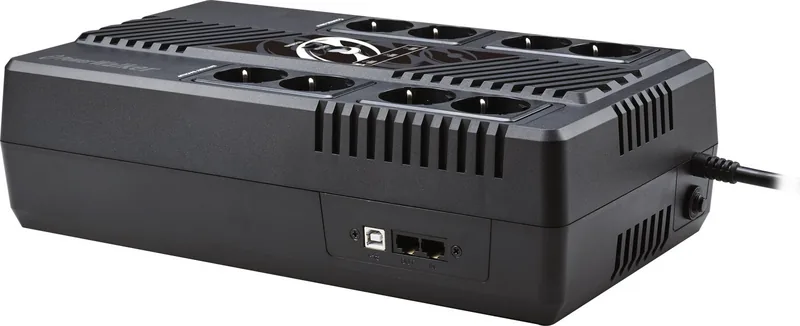
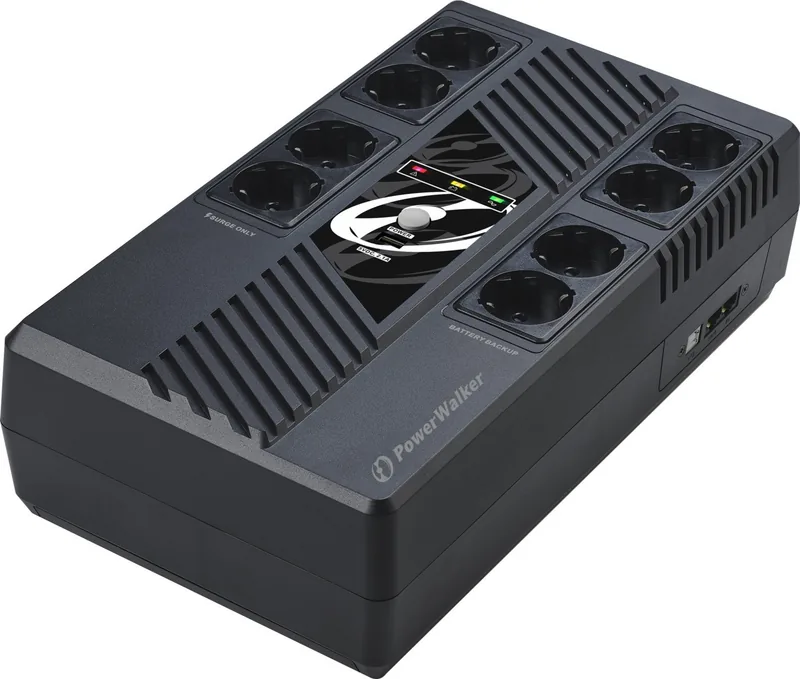
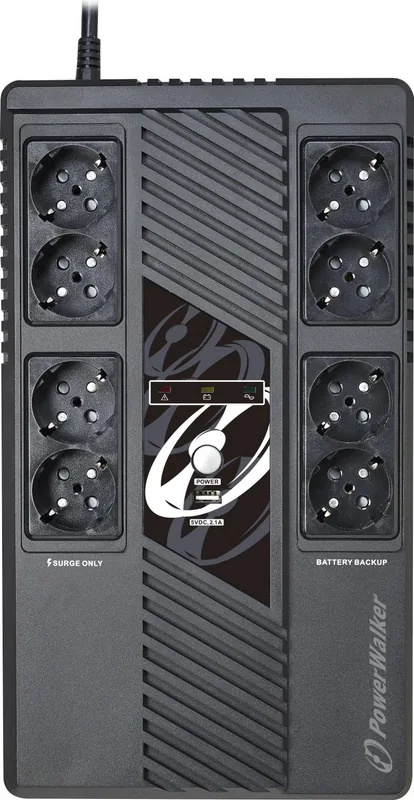
8x Schuko
Interfaces
1x USB, 1x serial, 1x USB charging port (2.1 A)
Data line protection
2x RJ-11/RJ-45
Charging time
6-8 hr (90%)
Dimensions (W x H x D)
7.87 x 3.94 x 13.58 in
Special features
LCD, HID support
Product Description
BlueWalker PowerWalker VI MS UPS - Read, Download & Print Free
The BlueWalker PowerWalker VI MS UPS is a compact uninterruptible power supply designed to keep essential home and office electronics protected during power interruptions, voltage fluctuations, and surge events. It supports computers, monitors, networking equipment, and other compatible low-power devices with battery backup, EMI filtering, line conditioning, and surge protection.
Reliable backup for critical equipment
When utility power fails, the unit automatically switches to battery operation, helping connected devices remain active long enough to save work and shut down safely. Its typical transfer time is 6 ms, with a maximum of 10 ms, providing a fast response to common outages. Battery-backed outlets are intended for priority equipment such as a desktop PC and display, while surge-only outlets can support peripherals that do not need battery runtime.
The VI MS range is available in 400 VA, 600 VA, 800 VA, and 1000 VA capacities, with power ratings from 240 W to 600 W. All models operate from a 230 VAC input and accept an input voltage range of 170 to 280 VAC. During battery mode, output voltage regulation is rated at plus or minus 10 percent, using a simulated sine wave output.
Straightforward monitoring and connectivity
Depending on the model, the UPS uses LED indicators or an LCD display to show operating status, input and output voltage, load level, battery capacity, AC operation, battery operation, overload status, and low-battery warnings. Audible alerts provide additional notification during an outage, low battery condition, or fault.
Selected versions include a USB communication port for connection to a computer. With ViewPower software, users can monitor the UPS and manage power-related settings from a compatible system. Optional protection for a modem, telephone, or network line helps reduce the risk of surge damage to one connected communication line. Some versions may also include a USB charging port.
Installation and everyday use
For best battery performance, charge the UPS for at least six hours before first use. The sealed lead-acid battery typically recovers to 90 percent capacity in six to eight hours. The unit is built for a controlled indoor environment with non-condensing humidity from 0 to 90 percent at 0 to 40 C, while operating noise remains below 40 dB.
Important notes
- Connect computers and monitors to battery backup outlets.
- Use surge-only outlets for printers, fax machines, and scanners.
- Do not connect laser printers or scanners to battery backup outlets because their demand can overload the UPS.
- Keep ventilation openings clear and install the unit near an accessible grounded wall outlet.
- Battery service and replacement should be handled by qualified personnel using the specified sealed lead-acid battery type.
Search for 67,706 Manuals online


Type-in Brand or Model