
PowerWalker VI 2000 RLP Manual
PDF manual · 11 Pages
English



Quick check
Incorrect answer, please try again.
Chat with your PowerWalker VI 2000 RLP manual using AI
Get instant AI answers from your PowerWalker VI 2000 RLP manual
Ask anything about the PowerWalker VI 2000 RLP. Answers come from this manual, with the pages they are based on.
VI 2000 RLP Maintenance Schedule
Configure the monthly battery test in settings to ensure battery health. The manual specifies enabling this test via parameter 014.
Replace batteries when the butterfly icon blinks or the low voltage error appears. This is a reactive task without a fixed time interval.
Free maintenance reminders
Timed to your purchase date. Always free, unsubscribe anytime.
Ask a Question
Do you recommend VI 2000 RLP?
Yes NoFrequently Asked Questions
No. The manual explicitly states not to use this unit for medical or life support equipment.
Is this answer helpful?
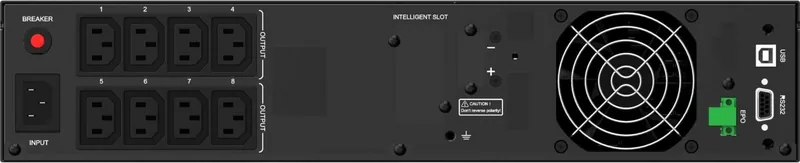
It features eight independent AC output outlets that provide battery backup and surge protection.
Is this answer helpful?
Yes, you can connect external battery modules to the unit to increase backup time significantly.
Is this answer helpful?
You should install the Power Master management tool on your computer for remote capabilities.
Is this answer helpful?
No, avoid using near aquariums as condensation may cause the machine to short out.
Is this answer helpful?
The system includes an automatic battery self-test feature that you can configure via settings.
Is this answer helpful?
Advantages and Disadvantages
Advantages

- Pure sine wave output ensures compatibility with sensitive electronics and reduces heat.
- Eight independently controllable outlets allow flexible power management for different devices.
- LCD display provides real-time status, voltage levels, and battery capacity information.
- Supports external battery modules for extended runtime during prolonged power outages.
- Includes USB and serial ports for software integration and remote monitoring capabilities.
Disadvantages

- Cannot be used for medical equipment or life support systems due to safety isolation risks.
- Battery handling requires strict safety precautions regarding short circuits and metal objects.
- Unit generates heat and requires significant airflow to prevent overheating shutdowns.
- External battery modules add cost and may require additional cables for proper connection.
- Warranty and repair must be handled by qualified personnel as internals are not user-serviceable.
Product Specification
Type
Tower/Rackmount
Classification
VI (Line-Interactive)
Apparent Power
2000 VA
Real Power
1800 W
Voltage
230 V
Input
C14
Outputs
8 x C13
Interfaces
USB, LAN, serial (RJ45)
Run Time
9 min (50%), 2 min (100%)
Charge Time
4 h (90%)
Weight
54.67 lbs
Dimensions (WxHxD)
17.24 x 3.46 x 16.93 in
Rack Units
2U
Features
LCD, HID Support, IP20
Product Description
Discover the Reliability of BlueWalker PowerWalker VI 2000 RLP
Protecting your critical electronics requires a robust power solution. The BlueWalker PowerWalker VI 2000 RLP stands out as a premier choice for home offices and small businesses needing uninterrupted power. This unit delivers 2000VA capacity with a pure sine wave output, ensuring sensitive devices operate smoothly during outages. It handles up to 1800W of connected load safely.
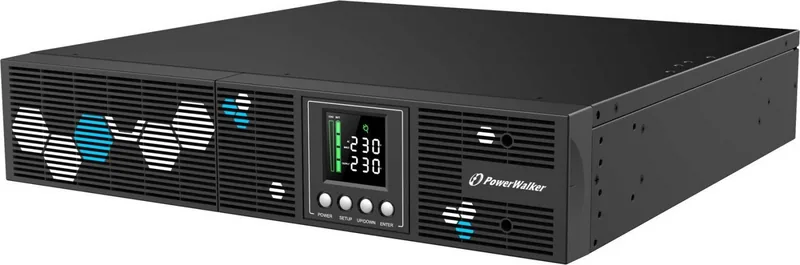
When reviewing the technical documentation, familiarizing yourself with the BlueWalker PowerWalker VI 2000 RLP Manual is essential for optimal setup. The interface features a multifunction LCD readout that tracks battery capacity, load status, and input voltage levels. Users appreciate the eight independent outlets, allowing customized control over what remains powered during an event. Transfer time is typically between 2 to 6 milliseconds for seamless switching.
Advanced Features and Management
Connectivity is a key strength of this UPS. It includes USB and serial ports for direct computer communication. Installation of the Power Master software enables remote monitoring and automated shutdowns. For network-aware setups, the SNMP slot supports optional cards for remote management via web browsers. This level of control ensures data integrity during unexpected power failures.
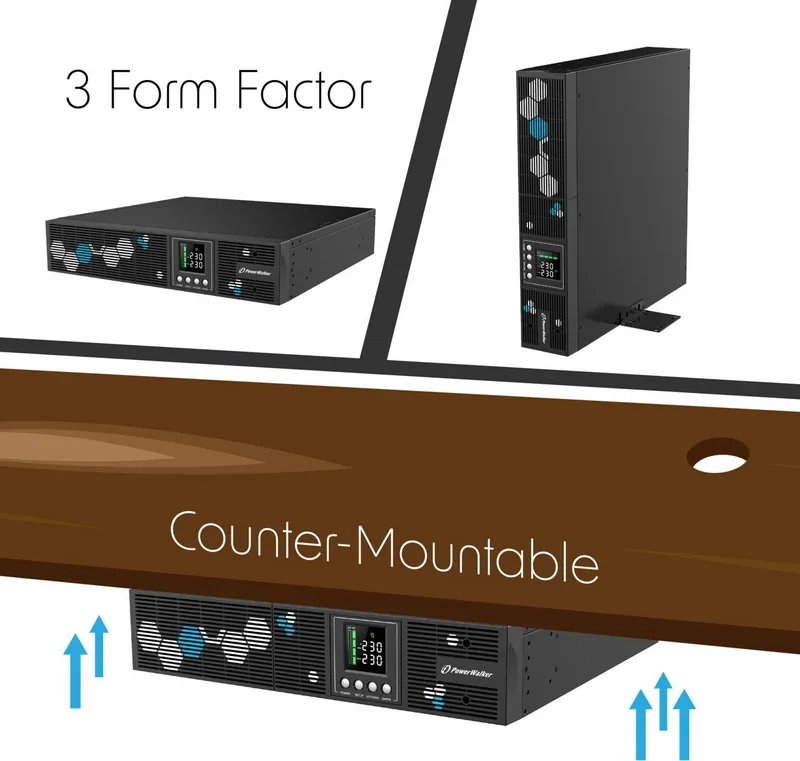
Installation flexibility is another highlight. The unit supports both rackmount and tower configurations. External battery modules can be connected to extend runtime significantly, making it suitable for longer backup needs. Safety features include built-in surge protection and automatic voltage regulation.
Operational Considerations
Despite its robust design, certain safety precautions apply. The documentation emphasizes avoiding use near aquariums or for medical life support equipment due to potential electrical risks. Proper grounding is non-negotiable for safe operation. Cooling is also critical, as blocking ventilation openings can lead to overheating and automatic shutdowns. Ensure you operate the unit within the specified temperature range to maintain efficiency.
Troubleshooting is streamlined through the LCD display, which indicates specific fault codes like overloading or battery failure. Regular battery self-tests keep the system reliable. By adhering to the guidelines found in official resources, users maximize the longevity and performance of their investment. This comprehensive power management tool ensures peace of mind through continuous protection and smart monitoring capabilities.
Notes
Always consult the official documentation before installation. Ensure adequate clearance around the unit for airflow. Do not expose the unit to direct sunlight or heat sources to prevent overheating.
Search for 67,706 Manuals online


Type-in Brand or Model