

PowerWalker SVN OGV Manual
PDF manual · 54 Pages
English



Quick check
Incorrect answer, please try again.
Chat with your PowerWalker SVN OGV manual using AI
Get instant AI answers from your PowerWalker SVN OGV manual
Ask anything about the PowerWalker SVN OGV. Answers come from this manual, with the pages they are based on.
SVN OGV Maintenance Schedule
Calibrate the timer every one month to accurately monitor and calculate energy generation. Refer to bundled software manual for details.
Regularly clean the fan filter to ensure proper air circulation and heat dissipation.
Periodically inspect the system to make sure that all wires and supports are securely fastened in place.
Clean solar panels during the cool time of the day whenever they are visibly dirty. Turn off PV DC breakers before cleaning.
Free maintenance reminders
Timed to your purchase date. Always free, unsubscribe anytime.
Ask a Question
Do you recommend SVN OGV?
Yes NoFrequently Asked Questions
The inverter supports sealed lead-acid, vented, gel, and lithium iron batteries. For other types like Nicd, consult the installer.
Is this answer helpful?
Yes, in Grid-tie and Grid-tie with backup modes, the inverter can feed excess solar power back to the utility grid.
Is this answer helpful?
No, it has an IP20 rating and is designed strictly for indoor applications in protected, dry areas.
Is this answer helpful?
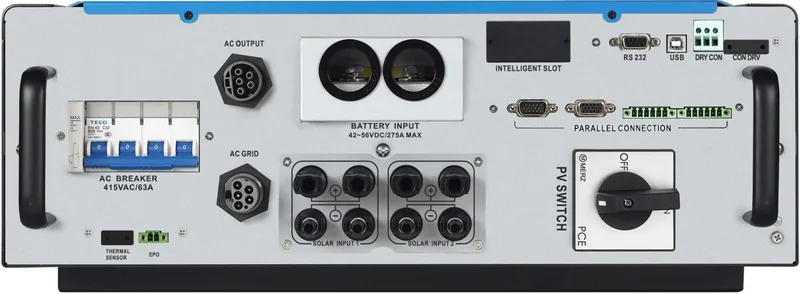
You can use the RS-232, USB, or optional Modbus/SNMP cards installed in the intelligent slot to connect to monitoring software.
Is this answer helpful?
In backup modes, the inverter switches to battery or PV power within milliseconds to supply connected loads without interruption.
Is this answer helpful?
Yes, regularly clean the fan filter and inspect connections. Ensure all cables are secure and free from damage.
Is this answer helpful?
Yes, the charging current can be adjusted via software from 10A to 200A depending on your battery capacity.
Is this answer helpful?
Advantages and Disadvantages
Advantages

- Supports multiple operation modes including Grid-tie, Off-Grid, and Hybrid with Backup
- Compatible with various battery types such as Lead-acid, Gel, and Lithium
- Features an intelligent slot for optional SNMP and Modbus communication cards
- Provides detailed LCD display for real-time system monitoring and diagnostics
- High efficiency conversion rate up to 91% for DC to AC power transfer
Disadvantages

- Requires professional installation due to high voltage and heavy weight
- Limited to indoor use with IP20 rating, unsuitable for outdoor exposure
- No user-serviceable parts inside, necessitating professional service for repairs
- Strict temperature limits require careful placement in hot environments
- EEG standard restrictions may disable battery charging from utility in German areas
Product Specification
Note
Prices include partially 0% VAT rates for AT and DE
Type
Hybrid inverter, with fan
Efficiency
91.0% max.
Interfaces
Wi-Fi (WLAN), 1x USB-B, 1x RS-232
Sound Pressure Level
<65dB
Protection Class
IP20
Ambient Temperature
14F to 122F
Product Description
BlueWalker PowerWalker Solar Inverter SVN OGV Review
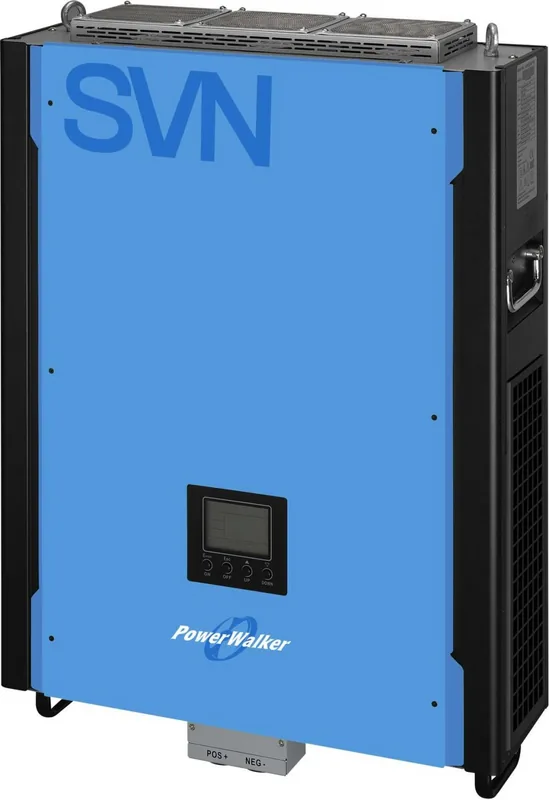
The BlueWalker PowerWalker Solar Inverter SVN OGV represents a significant leap in hybrid solar energy management, designed specifically for users seeking seamless integration between solar panels, battery storage, and the utility grid. This 15kVA on-grid charger is engineered to maximize energy independence while ensuring reliability during power outages or fluctuations.
At the heart of this system is its versatile operation mode capability. Users can choose between Grid-tie with backup, pure Grid-tie, or Off-Grid configurations. The Grid-tie with backup mode offers four distinct sub-options, allowing you to prioritize whether PV power charges the battery first, supplies the load immediately, or feeds excess energy back into the utility network. This flexibility ensures that your energy strategy aligns perfectly with local electricity rates and personal consumption habits.
Installation is straightforward for qualified personnel, provided the unit is mounted on a non-combustible surface with adequate clearance for cooling. The inverter features a robust LCD display panel that provides real-time data on input voltage, output power, battery status, and fault codes. Through the intelligent slot, you can expand connectivity by adding SNMP or Modbus cards, enabling sophisticated monitoring via PC software. The manual details comprehensive safety protocols, emphasizing the importance of using correct cable sizes and surge protection devices to prevent damage from lightning or electrical surges.
Charging management is highly customizable, supporting sealed lead-acid, gel, vented, and lithium batteries. The default charging current can be adjusted between 10A and 200A, with specific voltage thresholds for bulk, absorption, and floating stages. This adaptability makes the BlueWalker PowerWalker Solar Inverter SVN OGV suitable for a wide range of battery capacities and types. Whether you are looking to reduce utility bills or secure a reliable power source for critical loads, this inverter delivers consistent performance.
Notes:
- Always ensure the mounting location allows for at least 50 cm of clearance above and below the unit.
- Regular cleaning of the fan filter is essential to maintain optimal operating temperatures.
- Do not attempt to disassemble the unit yourself as it contains no user-serviceable parts.
Search for 67,706 Manuals online


Type-in Brand or Model