
PowerWalker DC SecureAdapter 12V Manual
PDF manual · 2 Pages
English



Quick check
Incorrect answer, please try again.
Chat with your PowerWalker DC SecureAdapter 12V manual using AI
Get instant AI answers from your PowerWalker DC SecureAdapter 12V manual
Ask anything about the PowerWalker DC SecureAdapter 12V. Answers come from this manual, with the pages they are based on.
Ask a Question
Do you recommend DC SecureAdapter 12V?
Yes NoFrequently Asked Questions
It is ideal for low-power 12V DC equipment such as routers, modems, VoIP phones, set-top boxes, CCTV cameras, alarm systems, and access control devices. These are the kinds of loads it was designed to keep running during outages.
Is this answer helpful?
When AC power is lost, the unit switches to DC battery mode and continues supplying the connected device. The green LED indicates this backup state, so you can see when the battery is being used.
Is this answer helpful?
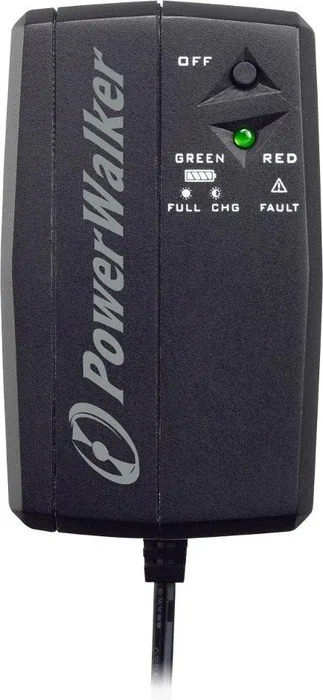
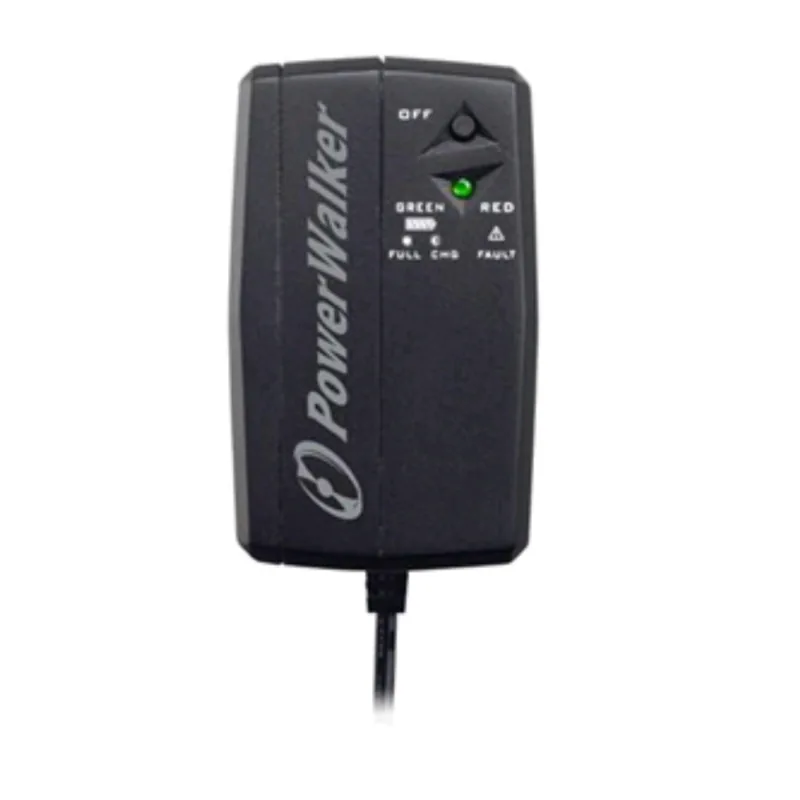
Green can show normal power, charging, or battery discharge depending on the flash pattern. A red light indicates a fault, usually related to overload or a short circuit.
Is this answer helpful?
Backup time depends on the load. A lighter device can run much longer than a heavier one. For example, runtimes are shorter at 2.0A than at 1.0A, so actual duration varies by equipment.
Is this answer helpful?
Make sure the package is complete, the unit is not damaged, and the battery protection foil has been removed if needed. Also confirm that all connections are correct before powering the load.
Is this answer helpful?
A red LED usually means overload or a short circuit. Disconnect the load, correct the issue, then press the button for more than one second and release it to restart the unit.
Is this answer helpful?
Advantages and Disadvantages
Advantages

- Automatic charging and easy plug-in setup make daily use simple.
- Compact 12V backup for routers, modems, CCTV, and VoIP devices.
- Clear LED status helps identify charging, battery mode, or faults quickly.
- Lightweight design is easy to place near critical equipment.
Disadvantages

- Limited to 25W, so it is not suited for higher-power electronics.
- Backup time drops as the connected load increases.
- Battery replacement requires correct polarity and care.
- Best used in dry, cool spaces; it is not meant for harsh environments.
Product Specification
Type
Socket adapter with integrated compact UPS
Classification
VFD (Off-Line)
Apparent power
12VA
Active power
25W
Voltage
12V
Input
Euro
Outputs
DC
Interfaces
N/A
Autonomy time
150min (12V/1A Router), 90min (12V/2A Router)
Charging time
3h (90%)
Weight
0.44 lb
Dimensions (WxHxD)
2.68x1.65x2.91in
Height units
N/A
Special features
Lithium-ion battery (9.6Wh)
Product Description
BlueWalker PowerWalker DC Secure Adapter 12V: Reliable Backup Power in a Small Package
The BlueWalker PowerWalker DC Secure Adapter 12V is built for one simple job: keep essential DC devices running when the mains supply fails. Instead of focusing on large household loads, it serves the equipment that often matters most in a connected home or small office—routers, modems, VoIP phones, set-top boxes, surveillance cameras, alarm panels, and access control systems. For these devices, even a short power cut can interrupt communication or security, so a compact DC UPS makes a big difference.
One of the most appealing parts of this design is its straightforward setup. The unit connects to AC power, charges automatically, and uses a clear LED system to show what is happening. A green indicator signals normal operation, charging, or battery discharge during an outage, while a red light warns of a fault or overload. That kind of feedback is helpful because it removes guesswork and makes the BlueWalker PowerWalker DC Secure Adapter 12V Manual easy to follow for everyday use.
Practical performance for critical devices
With a 12V DC output and a maximum power rating of 25W, this adapter is meant for low-power electronics that need continuity more than raw capacity. The built-in lithium-ion battery offers emergency backup, and the runtime varies depending on the connected load. Lower-demand devices can stay online for much longer, while heavier loads reduce backup time. In real terms, that makes the unit a smart fit for network gear and security equipment rather than power-hungry hardware.
The compact size and light weight also make placement easy. The included output cable and compatible input plug support a clean installation, and the restart/off button adds another layer of control. If a fault or overload occurs, the unit can be restarted after the issue is corrected. That combination of convenience and protection is what gives the product its practical appeal.
Notes for safer use
- Keep the unit in a cool, dry environment.
- Do not disassemble the adapter.
- Recharge the battery promptly when the level is low.
- Check battery polarity carefully if replacing it.
- Review the BlueWalker PowerWalker DC Secure Adapter 12V Manual before first use.
For anyone looking to protect a router, modem, or small security device from sudden outages, this DC UPS offers a simple, focused solution. It is not built to do everything, but for the equipment it targets, it delivers dependable backup with minimal fuss.
Search for 67,706 Manuals online


Type-in Brand or Model