Manual.ly Logo

PowerWalker Basic VI 600 STL Manual

0.0 · 0 Ratings

PDF manual · 14 Pages

English

M: OA-GPT-54-NAN
page

/ 14

Loading...
4bcbbcc26352b82fa765ace3757ba6ddcfaa page 1
User Manual
PowerWalker Basic VI STL Series
600/800/1000/1200/1500/2200
IMPORTANT SAFETY INSTRUCTIONS
(SAVE THESE INSTRUCTIONS)
This manual contains important safety instructions. Please read and follow all instructions carefully during installation and
operation of the unit. Read this manual thoroughly before attempting to unpack, install, or operate your UPS.
CAUTION! To prevent the risk of fire or electric shock, install in a temperature and humidity controlled indoor area free of
conductive contaminants. (See the specifications for the acceptable temperature and humidity range.)
2.With the UPS unit off and unplugged, connect the computer, monitor, and any externally powered data storage device
(Zip drive, Jazz drive, Tape drive), etc. into the battery power supplied outlets. DO NOT plug a laser printer, copier,
space heater, vacuum, paper
shredder or other large electrical device into the battery power supplied outlets. The power demands of these devices
will overload and possibly damage the unit.
3.Plug the UPS into a 2 pole, 3 wire grounded receptacle (wall outlet). Make sure the wall branch outlet is protected by a
fuse or circuit breaker and does not service equipment with large electrical demands (e.g. air conditioner, refrigerator,
copier, etc. Avoid using extension cords.
4.Press the power switch to turn the unit on. The power on indicator light will illuminate and the unit will "beep".
5.If an overload is detected, an audible alarm will sound and the unit will emit one long beep. To correct this, turn the UPS off
and unplug at least one piece of equipment from the battery power supplied outlets. Wait 10 seconds. Make sure the circuit
breaker / fuse is normal and then turns the UPS on.
6.To maintain optimal battery charge, leave the UPS plugged into an AC outlet at all times.
7.To store your UPS for an extended period, cover it and store with the battery fully charged. Recharge the battery every
three months to ensure battery life.
CAUTION! To reduce the risk of overheating the UPS, do not cover the UPS' cooling vents and avoid exposing the unit to
direct sunlight or installing the unit near heat emitting appliances such as space heaters or furnaces.
CAUTION! Do not attach non-computer-related items, such as medical equipment, life-support equipment, microwave ovens,
or vacuum cleaners to UPS.
CAUTION! Do not plug the UPS input into its own output.
CAUTION! Do not allow liquids or any foreign object to enter the UPS. Do not place beverages or any other liquid-containing
vessels on or near the unit.
CAUTION! In the event of an emergency, press the OFF button and disconnect the power cord from the AC power supply to
properly disable the UPS.
CAUTION! Do not attach a power strip or surge suppressor to the UPS.
CAUTION! Unplug the UPS prior to cleaning and do not use liquid or spray detergent.
CAUTION! Servicing of batteries should be performed or supervised by personnel knowledgeable of batteries and the
required precautions. Keep unauthorized personnel away from batteries.
CAUTION! The battery supply should be therefore disconnected in the plus and minus pole at the quick connectors of the
battery when maintenance or service work inside the UPS is necessary.
CAUTION! Internal battery voltage is 12Vdc. Sealed, lead-acid, 6-cell battery.
CAUTION! When replacing the batteries, use the same number and type of batteries.
CAUTION! Do not dispose of batteries in a fire. The battery may explode. Do not open or mutilate the battery or batteries.
Released electrolyte is harmful to the skin and eyes.
INSTALLING YOUR UPS SYSTEM
UNPACKING
The box should contain the following:
(1) UPS Unit x1; (2) User Manual x 1;
OVERVIEW
The UPS provides automatic voltage regulation for inconsistent utility power, and provides battery backup during power
outages, and ensures consistent power to your computer system.
HARDWARE INSTALLATION GUIDE
1.Your new UPS may be used immediately upon receipt. However, recharging the battery for at least 8 hours is
recommended to ensure that the battery's maximum charge capacity is achieved. Charge loss may occur during shipping
and storage. To recharge the battery, simply leave the unit plugged into an AC outlet. The unit will charge in both the on
and off position.
BASIC OPERATION
Front panel
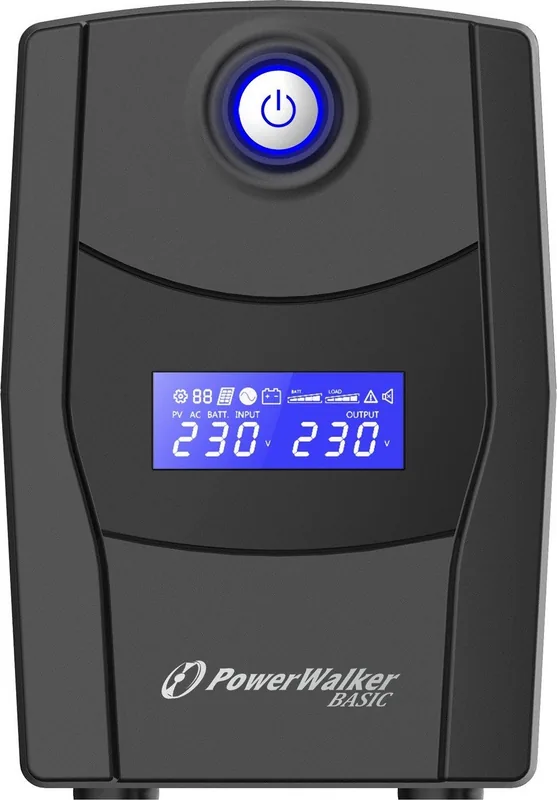
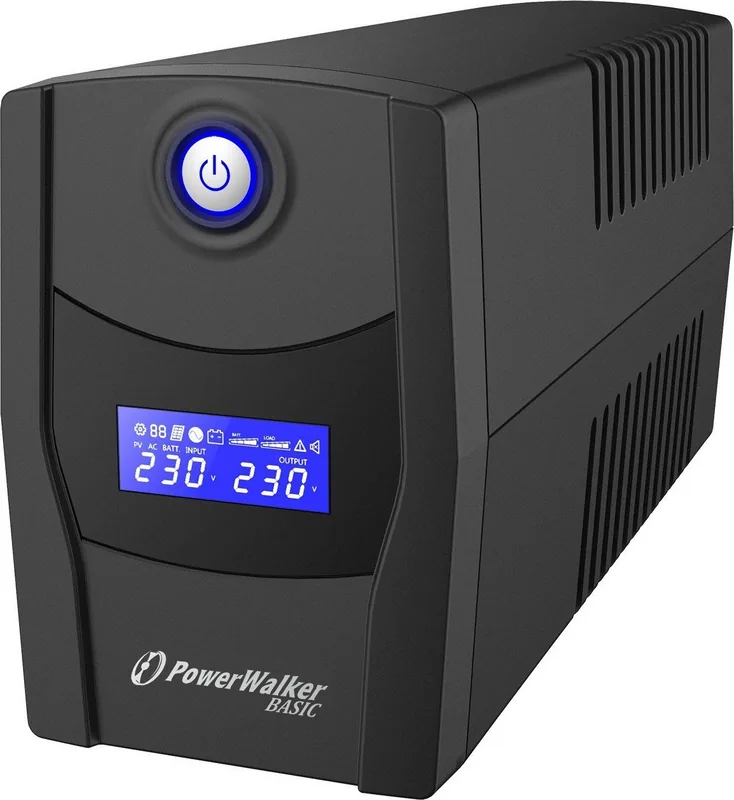
1.LCD Display
The LCD will display the UPS status including input
voltage, output voltage, percentage of load and
battery…etc.
2.Power Switch
Press the switch for 2 seconds to turn the UPS
ON or OFF.
3.Led Indicators
This LED is illuminated when the UPS is working.
Rear panel
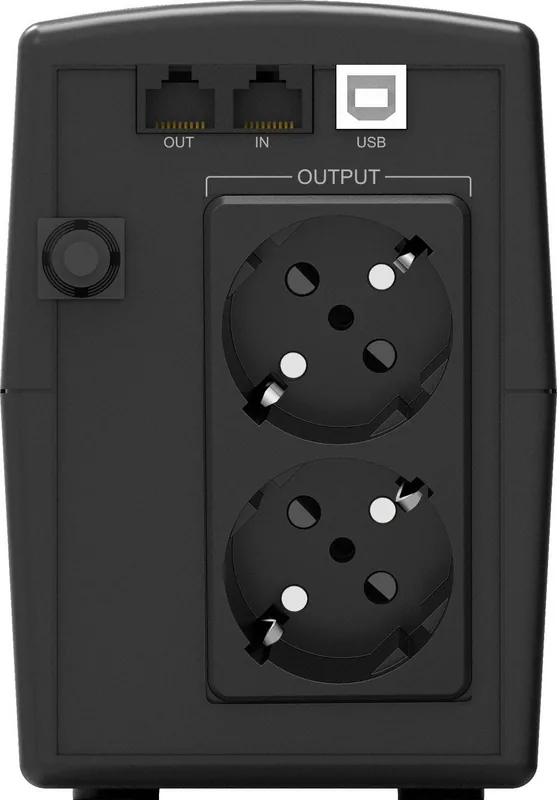
1. USB COMM. Port
This port allows connection and communication from
the USB port on the computer to the UPS unit.
2. RJ45/11 Communication Protection Ports
Communication protection ports will protect any
standard modem, fax, telephone line, or network
cable
3. Input Circuit Breaker
The circuit breaker provides optimal overload
protection.
4. Input power cord Connect to utility power.
5. Battery Backup & Surge Protected Outlets
Provide battery backup and surge protection. They
ensure power is provided to connected equipment
over a period of time during a power failure.
1200/1500/2200 600/800/1000

Chat with your PowerWalker Basic VI 600 STL manual using AI

Get instant AI answers from your PowerWalker Basic VI 600 STL manual

Ask anything about the PowerWalker Basic VI 600 STL. Answers come from this manual, with the pages they are based on.

Ask a Question

0/1000

Do you recommend Basic VI 600 STL?

Yes No

Frequently Asked Questions

A

It is a small UPS designed to protect computers and related devices from power outages, surges, and unstable voltage. It provides battery backup so you can keep working or safely shut down equipment.

Is this answer helpful?

A

Yes. The unit includes a USB communication port, allowing it to connect with a computer for monitoring and management. It also works with PowerMaster software for basic status viewing.

Is this answer helpful?

A

The manual recommends charging the battery for at least 8 hours before relying on it. This helps reach maximum battery capacity, especially after shipping or storage.

Is this answer helpful?

A

Do not connect high-demand appliances such as laser printers, copiers, heaters, vacuum cleaners, microwaves, or medical/life-support equipment. These can overload or damage the UPS.

Is this answer helpful?

A

The LCD provides key operating data such as input voltage, output voltage, battery level, and load percentage. It helps users check the UPS status quickly without additional tools.

Is this answer helpful?

A

Store it with a fully charged battery, keep it covered, and recharge it every three months. This helps preserve battery health during extended storage periods.

Is this answer helpful?

M: OA-GPT-54-NAN

Advantages and Disadvantages

Advantages

  • Compact 600 VA UPS with battery backup for basic computer protection.
  • LCD display shows input, output, load, and battery status at a glance.
  • USB communication and PowerMaster support make monitoring easier.
  • Automatic voltage regulation helps handle unstable mains power.
VS

Disadvantages

  • Not suitable for high-power appliances like printers, heaters, or vacuums.
  • Battery runtime is limited compared with larger UPS models.
  • Requires proper indoor placement away from heat, moisture, and sunlight.
  • Needs regular charging and periodic battery care for best performance.
M: OA-GPT-54-NAN

Product Specification

Type

Tower

Classification

VI (Line-Interactive)

Apparent Power

600VA

Active Power

360W

Voltage

230V

Input

1x Schuko (CEE 7/7)

Outputs

2x Schuko

Interfaces

USB

Data Line Protection

RJ-11, RJ-45

Runtime (50%)

5 min

Charging Time

8 h (90%)

Weight

9.48 lb

Dimensions (WxHxD)

3.78x5.43x11.26in

Rack Units

N/A

19" Rack Depth

N/A

Features

LCD

M: OA-GPT-54-NAN

Product Description

BlueWalker PowerWalker Basic VI 600 STL, USB: compact backup power for everyday reliability

The BlueWalker PowerWalker Basic VI 600 STL, USB Manual highlights a practical UPS built for users who want stable protection without unnecessary complexity. This 600 VA / 360 W model is designed to keep essential computer equipment running during brief outages, brownouts, and voltage swings, making it a smart fit for home offices, study desks, and small workstations.

What makes it useful

At its core, the unit combines automatic voltage regulation with battery backup. That means it does more than just step in when the power fails; it also helps smooth inconsistent input before the situation becomes a problem. The result is cleaner, more dependable power for a PC, monitor, and other low-to-moderate load devices.

The front LCD display adds a modern touch by showing key status information such as input voltage, output voltage, load level, and battery condition. A simple power button and LED indicators keep daily operation straightforward. On the rear, the USB communication port allows the UPS to connect with a computer for monitoring, while RJ45/11 protection helps shield phone or network lines from surges.

Designed for safe, focused use

This model is clearly aimed at computer-related equipment. The guidance stresses avoiding heavy appliances like laser printers, heaters, vacuums, and copiers, which can overload the system. It also recommends placing the UPS indoors in a temperature- and humidity-controlled environment, away from heat and moisture. That makes sense for a device meant to protect sensitive electronics.

Battery care is also simple but important. An initial charge of at least 8 hours is recommended, and keeping the UPS plugged in helps maintain optimal readiness. The sealed lead-acid battery is maintenance-free, and the auto-restart and auto-charging functions add convenience after power events.

A good fit for basic protection

For users who want dependable backup power with USB monitoring and surge protection, the Basic VI 600 STL offers a balanced set of features. It is not overloaded with advanced enterprise extras, but it covers the essentials well: backup runtime, voltage regulation, alarm alerts, and easy status visibility.

In short, this is a compact UPS built to support everyday productivity and reduce the risk of sudden shutdowns, data loss, and power-related interruptions.

Notes

  • Best for PCs, monitors, and similar electronics.
  • Keep the battery charged for best runtime.
  • Avoid high-power appliances and direct heat exposure.
  • Use the PowerMaster software for simple monitoring.
M: OA-GPT-54-NAN

© Copyright 2026 Manual.ly