
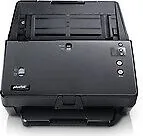
Plustek SmartOffice PT2160 Manual
PDF manual · 59 Pages
English



Quick check
Incorrect answer, please try again.
Chat with your Plustek SmartOffice PT2160 manual using AI
Get instant AI answers from your Plustek SmartOffice PT2160 manual
Ask anything about the Plustek SmartOffice PT2160. Answers come from this manual, with the pages they are based on.
SmartOffice PT2160 Maintenance Schedule
Wipe pick rollers, separation rollers, feed rollers, friction rollers, and glass with a lint-free cloth dampened with isopropyl alcohol to remove dust and paper powder.
Replace the friction roller after scanning approximately 100,000 sheets of A4 70 g/m2 paper. Reset the counter utility after replacement.
Replace the separation roller after scanning approximately 300,000 sheets of A4 70 g/m2 paper. Reset the counter utility after replacement.
Ask a Question
Do you recommend SmartOffice PT2160?
Yes NoFrequently Asked Questions
You need an Intel Core i5 2.5 GHz processor, 4 GB RAM for 32-bit Windows or 8 GB for 64-bit, and a USB 3.0 port. The supported operating systems include Windows 7, 8, and 10.
Is this answer helpful?
The ultrasonic sensor checks for paper overlap while feeding documents through the ADF. If it detects two or more pages stuck together, it stops the process to prevent multi-feed errors and potential jams.
Is this answer helpful?
Yes, the scanner supports plastic cards up to 1.2 mm thick and passports. You must slide the Sheetfed/ADF switch upward and load items face-up for passport scanning.
Is this answer helpful?
It is recommended to replace the friction roller every 100,000 scans and the separation roller every 300,000 scans to ensure smooth operation and prevent paper jams.
Is this answer helpful?
Yes, the Plustek SmartOffice PT2160 is fully TWAIN compliant and works with virtually all standard image editing and document management software that supports the TWAIN interface.
Is this answer helpful?
An E2 error indicates paper or objects exceed the scanning position. Open the cover, remove any obstructions, close the cover firmly, and reload the paper correctly.
Is this answer helpful?
Advantages and Disadvantages
Advantages

- Ultrasonic sensor effectively prevents multi-feed errors during batch scanning
- Includes powerful ABBYY FineReader OCR software for text conversion
- Handles diverse media types including business cards, passports, and plastic IDs
- Customizable front panel buttons streamline repetitive scanning tasks
- High daily duty cycle supports heavy-volume office environments
Disadvantages

- Requires significant hard disk space for full software installation
- Rollers and friction pads need periodic replacement after extensive use
- Cannot scan wet ink or correction fluid without risk of damage
- Limited to Windows operating systems for full functionality
- Calibration sheet must be used specifically for accurate color calibration
Product Specification
Type
Document Scanner (CIS)
Resolution
600x600dpi
Speed
60/60 S/min (SW/Color)
Paper/Film Format
A4
Paper/Film Feeder
50 sheets ADF, Duplex Unit
Connections
1x USB 3.0
Wireless
N/A
Display
N/A
Software
OCR Software
Dimensions
12.6x9.3x11.7in
Weight
9.04lbs
Features
LED Lighting
Product Description
Plustek SmartOffice PT2160: Your Gateway to Paperless Efficiency
Transform your workflow with the Plustek SmartOffice PT2160, a high-performance document scanner designed for modern professionals who demand speed and reliability. This versatile device bridges the gap between physical paperwork and digital management, allowing you to effortlessly convert stacks of documents into editable text or crisp images. Whether you are handling daily office correspondence, processing legal files, or digitizing personal archives, this scanner delivers consistent results that elevate your productivity.
The heart of the Plustek SmartOffice PT2160 lies in its robust Automatic Document Feeder (ADF), which can handle up to 100 sheets at once. Its intelligent ultrasonic sensor technology actively detects multi-feeds, ensuring that even thick stacks of paper are processed one page at a time without errors. The inclusion of ABBYY FineReader OCR software means that scanned text is instantly recognized and searchable, turning static images into dynamic data ready for word processors or databases. You can scan business cards, plastic ID cards, passports, and even folded documents with ease, thanks to the adjustable paper width sliders and specialized scanning modes.
Installation is straightforward, requiring only a standard USB connection and the provided driver suite. Once set up, the intuitive front panel buttons allow you to execute predefined tasks like emailing, saving to PDF, or printing directly from the hardware. The DocAction software further simplifies operations by letting you customize button functions to match your specific needs. With a sleek design and durable build quality, the Plustek SmartOffice PT2160 stands as a reliable partner for keeping your workspace organized and efficient.
Key Highlights
- High-speed scanning with advanced ultrasonic detection.
- Seamless integration with Windows operating systems.
- Comprehensive OCR capabilities for text recognition.
- Versatile handling of various media types including cards and passports.
Important Notes
- Ensure all staples and paper clips are removed before scanning to prevent jams.
- Regular cleaning of rollers and sensors is recommended to maintain optimal performance.
- Use only the provided AC adapter and USB cable for safety and warranty compliance.
Search for 67,706 Manuals online


Type-in Brand or Model