

Free Pico Interactive Manuals – Read, Download & Print
2 Manuals
Manuals

Categories

Pico Interactive Manuals Comprehensive Guide
The availability of detailed instructions is vital for users of virtual reality equipment. Pico Interactive provides a range of headsets that require specific handling and care. The official manuals serve as the primary source of truth for proper operation. These documents cover hardware specifications, software setup, and safety protocols. Users should prioritize reading these materials to avoid potential hardware damage. Neglecting instructions can lead to voided warranties or significant safety hazards. This guide outlines the critical sections one should expect to find within the Pico Interactive Manuals. Understanding the content ensures a smooth user experience from unboxing to daily usage.
Device Specifics and Models
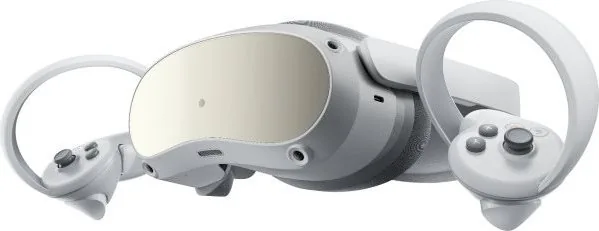
Different Pico VR models have unique requirements that are outlined in their specific user guides. The Pico 4 and Pico Neo 3 are among the most popular consumer devices currently supported. Each device comes with a manual tailored to its specific hardware configuration and sensor placement. It is essential to download the correct version of the manual to prevent configuration errors. The physical manuals included in the box might differ from the digital versions found online. Manufacturers often release updated versions to fix bugs or address user feedback. Checking for the latest PDF files on the official support portal is a recommended practice. Keeping the documentation updated ensures that the user always has access to current safety warnings.
Unboxing and Initial Inspection
The first step after purchasing a headset is to verify the contents of the package. The manual typically includes a checklist of all items included in the box. Verify that the headset, charging cable, and instruction manual are present and undamaged. Check the serial number on the device and cross-reference it with the packaging label. Inspect the lenses for any scratches or dust particles before powering on the unit. Missing accessories can be reported immediately to the retailer or Pico support. Proper inspection upon arrival prevents potential issues from going unnoticed during the trial period.
Safety Warnings and Precautions
Safety information is a critical section within the Pico Interactive Manuals that cannot be skipped. The documentation highlights risks associated with immersion and sensory deprivation. Users are advised to clear a significant physical space in front of the headset. Furniture, pets, and other people must be out of the play area to ensure safety. The manuals also warn against using the device while driving or operating heavy machinery. Health warnings regarding eye strain and motion sickness are also included for vulnerable users. Young children should never use the headset without adult supervision and guidance. Following these safety rules minimizes the risk of physical injury during extended sessions.
Software Setup and Pairing
Connecting the VR headset to a smartphone is a key step described in the setup guide. Downloading the official Pico VR application from the App Store or Google Play is necessary. The app assists in pairing the device via Bluetooth signals and Wi-Fi networks. Users must log in to the Pico Store to access downloadable content and apps. The manual details the process for updating the device firmware through the app interface. Incorrect pairing can result in connection drops and delayed inputs during gameplay. Ensuring a strong Wi-Fi connection is crucial for the initial setup phase to complete successfully.
Maintenance and Cleaning Protocols
Regular maintenance is required to keep the VR headset functioning optimally over time. The manuals provide specific instructions on how to clean the lenses without causing damage. Only microfiber cloths should be used to wipe away sweat or fingerprints from the screen. Dust filters on the front of the headset must be removed and cleaned periodically. Moisture should never be applied directly to any part of the electronic device. Charging the battery correctly extends the lifespan of the power source significantly. Storing the device in a cool dry place prevents material degradation when not in use.
Troubleshooting Common Technical Issues
If the device behaves unexpectedly the troubleshooting section of the manual is the best resource. Many issues can be resolved by restarting the system and checking connectivity settings. If the display flickers, inspect the headset for loose internal components or cable faults. Audio problems might require checking the volume settings or Bluetooth device status. If the headset does not charge fully the power adapter or cable might be faulty. The documentation provides code references to help users identify specific error messages on the screen. Contacting technical support is advised if the standard solutions do not resolve the problem.
Warranty and Customer Support
Pico Interactive offers warranty coverage for defects in materials and workmanship for a set period. The manual outlines the duration of this coverage which typically covers one year from purchase. Users must retain the proof of purchase to make a claim for a replacement unit. Support contacts are listed in the manual for regional assistance and service center locations. Returns are accepted within the warranty window if the product does not function as advertised. Understanding the warranty claims process is essential for maintaining value after purchase.
Accessories and Expansion
The manuals often suggest using official Pico accessories to maintain compatibility and performance. Head straps are available to improve comfort and reduce pressure on the face. Battery expansion packs can increase runtime for longer gaming or work sessions. Storage bags protect the lenses during transport and storage away from scratches. The integration of these accessories should follow the guidelines in the user guide to avoid voiding warranties. Third-party accessories may not fit properly or function as intended without testing. Official peripherals ensure the best user experience and system stability over time.
Conclusion and Best Practices
Adherence to the guidelines in the Pico Interactive Manuals is essential for a safe and enjoyable experience. Taking the time to read through the document pays off in the long run. Users who follow instructions are less likely to encounter technical difficulties during early use. Proper care of the device leads to a longer service life and better resale value. Engaging with the community and support resources complements the information found in the manual. Staying informed about updates and changes ensures continued performance. Enjoy virtual reality responsibly using the guidance provided by Pico Interactive documentation.
Search for 67,706 Manuals online


Type-in Brand or Model